
Students in Singapore seeking the eye-comfort benefits of a premium benq lamp do not necessarily need to spend upwards of S$300 to secure a high-quality study light. While BenQ’s specialized optical engineering and smart auto-dimming sensors set a high standard for desktop illumination, several budget-friendly alternatives offer comparable glare reduction, adjustable color temperatures, and space-saving designs for a fraction of the price. To find the right match, you must identify your primary study medium—whether physical textbooks or digital screens—and evaluate options based on verifiable optical specifications rather than marketing buzzwords.
Selecting an alternative requires understanding what makes a study lamp effective for long-term eye health. High-end lamps prevent eye strain by delivering uniform light across the desk, minimizing screen reflections, and adapting to ambient room conditions. By focusing on the core physics of lighting, such as illuminance, color rendering, and beam angles, you can identify lower-priced alternatives that safeguard your vision during intense study sessions without stretching your budget.
Defining the Benchmark: What to Keep from a BenQ Lamp
To find a viable alternative, you must first understand why the premium benq lamp line—including the WiT and MindDuo series—has earned its reputation among students and parents in Singapore. These lamps are highly regarded because they address the specific challenges of modern study environments, where students constantly switch between physical paper notebooks and reflective digital screens. Their design prioritizes wide, uniform light distribution that eliminates dark corners on large study desks.
Products mentioned in this guide
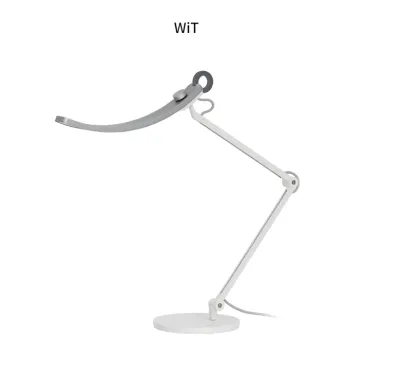
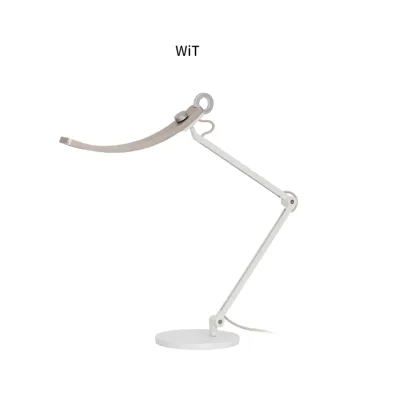
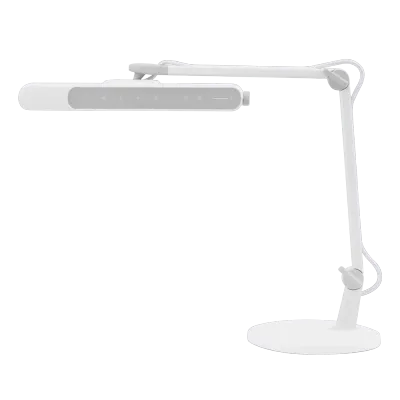
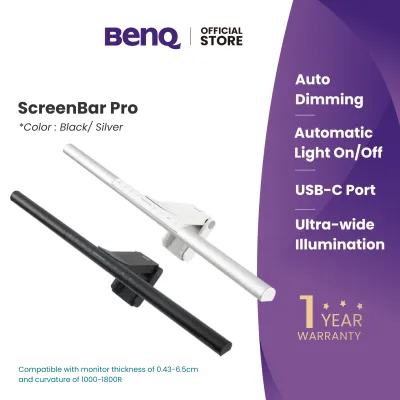
Prices are valid at publication and may change. Please refer to the product page for the latest price.
There are three core “must-keep” features that any budget-friendly alternative should replicate to provide a comparable experience:
- Ambient Light Sensors for Auto-Dimming: These sensors continuously detect changes in the surrounding room light, automatically adjusting the lamp's output to maintain a constant, optimal brightness level on your desk.
- Asymmetric Optics or Specialized Diffusers: Unlike standard desk lamps that scatter light in all directions, these advanced optics direct the light beam at an angle, illuminating the workspace while keeping direct light away from your eyes and preventing screen reflections.
- High Color Rendering Index (CRI): A high CRI ensures that colors appear vibrant and accurate, which reduces cognitive fatigue and eye strain during long reading sessions.
When searching for an alternative, your goal should be to replicate these functional, eye-protective benefits rather than finding an exact visual clone. By focusing on these technical benchmarks, you can filter out low-quality novelty lights and focus on budget-friendly models that offer genuine utility and eye care.
How to Evaluate Budget Lamps for Eye Care and Glare Control
Evaluating budget-friendly desk lamps requires looking past generic marketing claims like “eye-safe” or “natural light.” Instead, you should learn to read and verify technical specifications. This analytical approach allows you to assess whether a lower-priced lamp can actually deliver the performance needed to protect your eyes during late-night study sessions in your HDB bedroom or university dorm.

Auto-Dimming Sensors
When researching lamps with built-in ambient light sensors, look closely at how the auto-dimming feature is implemented. Budget sensors can sometimes overcompensate for minor changes in room light—such as the shifting glow of a laptop screen—resulting in distracting, sudden steps in brightness. Check user reviews to verify if the sensor’s transition is smooth and, crucially, whether the lamp allows you to override the automatic setting manually when you require a fixed, specific brightness level.
Glare Reduction
To confirm a lamp’s glare-reduction capabilities, examine its physical and optical design. True glare control relies on asymmetric light distribution, which throws the light beam forward and downward at an angle, rather than straight down. If the manufacturer does not provide a polar luminous intensity distribution diagram, look for physical design cues such as recessed LED modules, internal reflective baffles, or specialized micro-prismatic diffusers that soften harsh light points and prevent direct glare from reaching your eyes.
Flicker-Free and Blue Light Certifications
Invisible high-frequency flickering from low-quality LED drivers is a primary cause of headaches and eye strain. Rather than relying on a brand’s self-proclaimed safety standards, look for recognized certifications on the product packaging or spec sheets. Seek out compliance with the IEEE PAR 1789 standard for flicker-free operation, or look for testing certifications from independent bodies like TÜV Rheinland for low blue light emissions. These certifications provide objective proof that the lamp’s electronics are engineered to protect your vision.
Illuminance and CRI
For effective study sessions, the quantity and quality of light are paramount. Look for a lamp that specifies its illuminance in lux (lx) at a typical working distance of 40 to 50 centimeters; a target of 500 lux is recommended for reading and writing. Additionally, verify the Color Rendering Index (CRI, or Ra). While a CRI of 80 is the bare minimum for general household tasks, you should aim for a CRI of Ra 90 or higher for studying, as higher color fidelity makes text stand out more sharply against the page, reducing visual fatigue.
Top Affordable Alternatives for Students in Singapore
Finding a budget-friendly study lamp that matches your specific study habits is easier when you categorize your options by their primary design strengths. Below are the leading alternative categories available in Singapore that deliver high performance without the premium price tag.
Best for Auto-Dimming and Smart Eye Care
Smart desk lamps from established consumer electronics brands, such as Xiaomi and Baseus, offer excellent entry points for students seeking automated lighting. These manufacturers produce sleek, minimalist lamps equipped with built-in ambient light sensors that adjust brightness dynamically. Many of these models integrate directly with smartphone apps, allowing you to customize your lighting schedules, set Pomodoro study timers, and fine-tune color temperatures ranging from a warm 2700K (ideal for evening relaxation) to a cool 5000K (best for active concentration).
When purchasing these smart lamps from online marketplaces, Singaporean students must perform a few critical electrical and software checks. Ensure the lamp’s power adapter supports Singapore’s local 230V, 50Hz electrical supply and features a compatible UK 3-pin plug (Type G) or a certified USB power delivery interface. Additionally, verify if the smart app requires you to set your regional server to a specific location to pair the device successfully, as some imported models may have localized firmware restrictions.
Best for Glare Reduction and Screen Work
If your academic work is heavily centered on a laptop or a desktop monitor, a dedicated monitor light bar is an exceptional alternative to a traditional desk lamp. Brands like Quntis, Baseus, and Yeelight offer highly effective light bars that clip directly onto the top bezel of your screen. These devices utilize a strict asymmetric optical design that projects a clean wedge of light downward onto your keyboard and documents, completely bypassing the screen surface to eliminate reflections and glare.
Before purchasing a monitor light bar, carefully measure your monitor’s bezel thickness and rear casing curvature. Some budget mounting clips are designed solely for flat, thin screens and may struggle to sit securely on thick or highly curved monitors (such as 1000R or 1500R displays). Additionally, keep in mind that while budget monitor light bars excel at saving desk space and preventing glare, they often lack advanced auto-dimming sensors, requiring you to adjust brightness manually using touch controls or a wireless desktop dial.
Best Budget All-Rounder for General Desk Study
For students who primarily read physical textbooks, write notes by hand, or work on design drafts, a traditional or architect-style LED desk lamp is often the most practical choice. These lamps prioritize robust mechanical flexibility and wide, even light distribution over smart sensors and wireless connectivity. High-quality budget models feature multi-axis articulating arms and swiveling lamp heads, allowing you to position the light source precisely where you need it to eliminate shadows cast by your hands or head.
When choosing an architect-style lamp, pay close attention to the stability of the mounting system. A long, adjustable arm can easily tip a lightweight lamp over when fully extended. Look for models that feature a heavy, solid steel base or a robust metal C-clamp that secures directly to the edge of your desk. This clamp-on option is particularly valuable for compact study desks in Singapore’s HDB flats, as it frees up valuable desk space for books, laptops, and stationery.
BenQ vs. Budget Alternatives: Feature Comparison
To help you weigh your options, the table below compares the benchmark BenQ lamps against the three primary budget-friendly alternative categories across key performance dimensions.
| Feature / Dimension | BenQ Lamps (Benchmark) | Smart Auto-Dimming Alternatives | Budget Monitor Light Bars | Standard All-Rounder Lamps |
|---|---|---|---|---|
| Auto-Dimming Sensor | Advanced (real-time, high precision) | Basic (responsive to ambient changes) | None (or basic manual presets) | None (fully manual control) |
| Glare Control | Highly engineered asymmetric optics | Standard diffusers with wide spread | Strict asymmetric screen clearance | Physical hood with manual positioning |
| CRI (Color Rendering) | Typically Ra 95+ (excellent) | Ra 90 (very good) | Ra 80 to Ra 90 (good) | Ra 80 to Ra 90 (good) |
| Smart App Control | No (physical dial/touch) | Yes (app integration & automation) | No (physical touch or remote dial) | No (simple physical switches) |
| Build Quality | Premium aluminum alloy & heavy base | Matte ABS plastic with metal accents | Lightweight aluminum and plastic | Steel arm with heavy base or clamp |
| Relative Price Tier | Premium (S$250 – S$350+) | Mid-Range (S$50 – S$100) | Budget to Mid-Range (S$30 – S$80) | Budget (S$20 – S$50) |
While the benchmark BenQ lamp offers uncompromised performance across all categories, this comparison highlights how budget alternatives allow you to pay only for the specific features that match your study habits, keeping your expenses low.
Trade-Offs: What You Sacrifice for a Lower Price
Opting for a budget-friendly study lamp involves clear trade-offs. Understanding these compromises beforehand helps manage your expectations and ensures you are not disappointed by your purchase.
Sensor Accuracy and Responsiveness
Budget auto-dimming sensors are generally less sophisticated than those found in premium models. They may react slowly to gradual shifts in natural daylight or overcompensate when you turn on an overhead room light, resulting in sudden, distracting steps in brightness. If you find these stepping adjustments annoying while studying, you may end up disabling the auto-dimming feature entirely and relying solely on manual adjustments.
Build Materials and Joint Durability
To keep manufacturing costs low, budget lamps rely heavily on ABS plastic components rather than anodized aluminum or cast alloys. While plastic keeps the lamp lightweight, it can feel less premium to the touch. Over years of heavy use, the friction-based joints and tension springs in plastic articulating arms can gradually wear down, potentially causing the lamp head to droop or fail to hold its position at certain angles.
Light Uniformity and Coverage
Premium study lamps are engineered with complex optical lenses that distribute light evenly across a wide desk surface. Budget alternatives, particularly basic LED desk lamps, may create a distinct “hotspot” of intense brightness directly beneath the light source, with light levels dropping off rapidly toward the edges of your desk. This uneven distribution forces your pupils to constantly dilate and constrict as your eyes move across your workspace, which can contribute to visual fatigue over long hours.
Warranty and Local Support
Buying a premium brand locally in Singapore typically grants you access to a straightforward multi-year warranty and dedicated local customer service. In contrast, many budget-friendly alternatives are purchased as parallel imports from international sellers on online marketplaces. If a component fails after a few months, claiming a warranty can be highly complex, often requiring you to ship the product back overseas at your own expense, which can make replacement more practical than repair.
How to Choose the Right Lamp for Your Study Setup
Selecting the ideal budget study lamp depends on analyzing your daily study habits, your physical workspace, and local safety standards. Use these tailored scenarios to guide your final decision:
- For heavy physical textbook reading and writing: Prioritize a standard all-rounder or a smart desk lamp. Look for a model that offers a high CRI (Ra 90+) to ensure text contrasts sharply against the page, and select a flexible, articulating arm that allows you to position the light source high above your desk to cast a wide, shadow-free pool of light.
- For laptop and monitor-heavy study sessions: Choose a budget monitor light bar. Its strict asymmetric optical design is specifically engineered to keep light off your screen, preventing the glare and reflections that cause digital eye strain, while keeping your desk workspace clearly illuminated.
- For shared rooms or compact study corners: If you are studying in a shared university hostel room or a compact HDB bedroom, a clamp-on monitor light bar or a highly foldable smart lamp is the best choice. These designs maximize your limited desk real estate by eliminating the need for a bulky desktop base.
Safety and Compliance Check
Before finalizing any lighting purchase in Singapore, prioritize electrical safety. For any plug-in desk lamp operating on mains voltage, verify that the product or its power adapter carries the SAFETY Mark issued by Enterprise Singapore. This certification ensures the appliance has been tested and deemed safe for local household use. If you choose a USB-powered lamp or monitor light bar, ensure you power it using a high-quality, safety-certified USB wall adapter rather than a cheap, unbranded charger, protecting both your lamp and your home from electrical hazards.
Community discussion
Share your experience or ask a question. Comments are reviewed before publication.