
Choosing the right smart lighting for your home in Singapore is not about finding a single, universally superior brand. Instead, the ideal choice depends on your existing smart home platform, your automation goals, and your upfront budget. When evaluating the Aqara led options alongside established competitors like Philips Hue and Yeelight, you will find that each brand serves a distinct purpose within a modern connected home.
For homeowners who want highly responsive, sensor-driven automations and local control via Zigbee or Matter, the Aqara ecosystem provides an exceptionally robust foundation. Philips Hue remains the premier choice for those seeking high-end entertainment synchronization, immaculate color rendering, and a mature, bridge-based system. Meanwhile, Yeelight offers an accessible, budget-friendly entry point through direct Wi-Fi connectivity, making it ideal for smaller setups or those already invested in the Mi Home ecosystem.
To make the best decision for your HDB flat or condominium, it is essential to look beyond the initial purchase price of a single bulb. You must evaluate long-term energy efficiency, standby power consumption, ecosystem compatibility, and the potential hidden costs of network infrastructure. This comprehensive comparison will break down these critical dimensions to help you design a reliable and efficient smart lighting system.
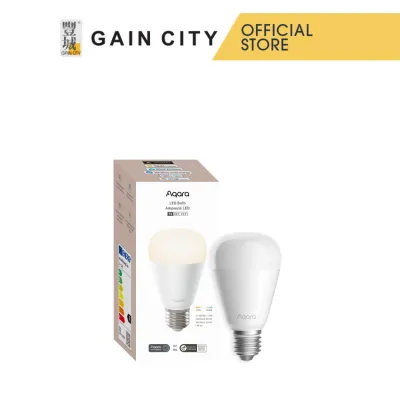
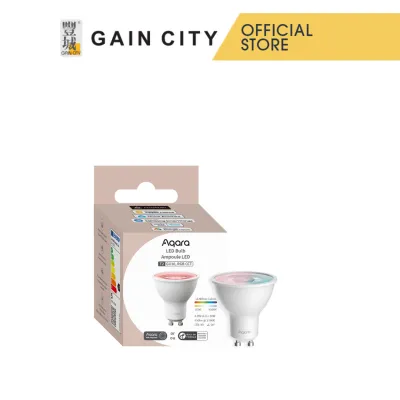
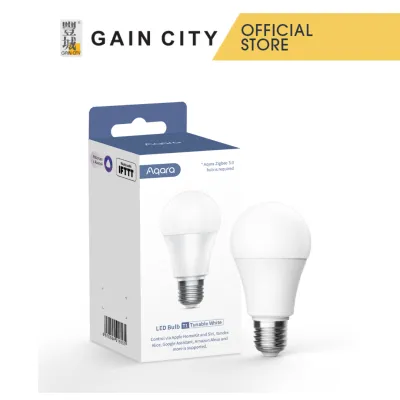
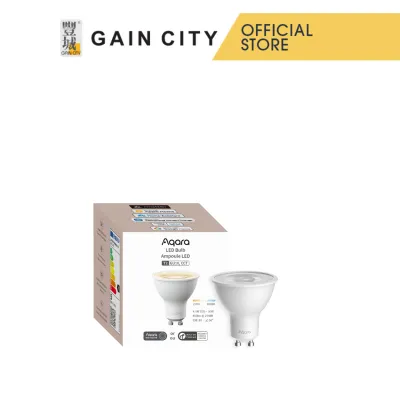
Products mentioned in this guide
![[GLOBAL] Aqara T1 RGB + White Ruban LED Light Strip Require Aqara HUB Works w Apple Homekit Google Home Amazon Alexa](https://img.lazcdn.com/g/p/926262f3f9a95af34d58b47a132855e5.jpg_400x400q80.jpg_.webp)
Prices are valid at publication and may change. Please refer to the product page for the latest price.
Energy Efficiency: Comparing Power Draw and Standby Consumption
When shopping for smart lighting in Singapore, evaluating energy efficiency requires looking at both active power consumption and standby power draw. While large household appliances carry prominent National Environment Agency (NEA) energy labels with tick ratings, smart bulbs typically display their efficiency metrics directly on the packaging or technical spec sheets. To compare the active efficiency of different bulbs, you can calculate their luminous efficacy by dividing the total lumen output by the active wattage (lumens per watt, or lm/W). A higher ratio indicates that the bulb produces more light while consuming less electricity.
Active power consumption is only one part of the utility equation; standby power consumption, often called “vampire draw,” is equally critical. Because smart bulbs must remain constantly connected to a wireless network to listen for activation commands, they continuously consume a small amount of electricity even when the light is turned off. Over a year, this continuous draw across dozens of bulbs can add up to a noticeable amount of electricity on your monthly utility bill.
To calculate the annual standby cost of your smart bulbs, you can use a straightforward formula. Multiply the standby wattage of a single bulb by 24 hours, then by 365 days, and divide by 1,000 to find the annual kilowatt-hours (kWh) consumed. Multiplying this figure by the prevailing local electricity tariff per kWh will give you the yearly standby cost per bulb. For example, if a bulb draws 0.5W on standby, it consumes approximately 4.38 kWh per year; if you install 30 of these bulbs across your home, the collective standby consumption reaches 131.4 kWh annually.
Standby Cost Formula:
(Standby Wattage × 24 Hours × 365 Days / 1000) × Electricity Tariff (S$ per kWh) = Annual Standby Cost per Bulb
The wireless protocol used by the bulb heavily influences this standby power draw. Wi-Fi smart bulbs, such as many entry-level Yeelight models, generally exhibit higher standby power draw because maintaining a direct, high-bandwidth connection to a home router requires more energy. Conversely, low-power mesh protocols like Zigbee (utilised by Aqara and Philips Hue) or Thread (utilised by newer Matter-compatible Aqara models) are designed specifically for low-bandwidth IoT communication, resulting in significantly lower standby power consumption. Always verify the manufacturer’s official technical specification sheets to check the exact standby wattage of a specific model before buying.
Dimming your smart bulbs is an effective way to reduce active power consumption, but the actual energy savings depend on the bulb’s internal driver efficiency. High-quality drivers, such as those found in premium smart bulbs, maintain excellent electrical efficiency even when dimmed to low levels. Furthermore, some bulbs can dim down to a true 1% brightness for night-light scenarios, whereas lower-cost alternatives may have a minimum dimming threshold of 10%, limiting both your energy-saving potential and your ability to create subtle, low-light ambiances.
Smart Features and Ecosystem Compatibility of the Aqara LED and Competitors
Aqara
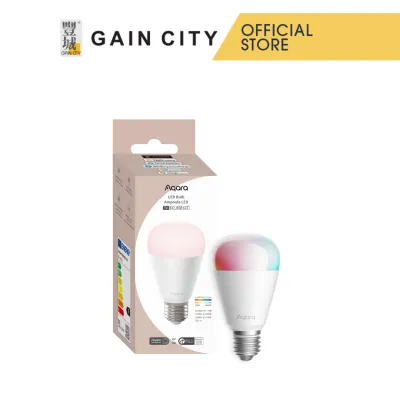
The Aqara led lineup stands out for its deep integration into local automation setups. Operating primarily on Zigbee 3.0 or Matter over Thread, these bulbs require a compatible hub, such as the Aqara Hub M3 or M2, to connect to your home network. The primary advantage of this architecture is local execution: if your active internet connection drops, any automation configured between your Aqara sensors (such as motion or presence sensors) and your Aqara bulbs will continue to function seamlessly. This local reliability is a massive benefit for homeowners who want instant, lag-free lighting responses when walking into a room.

Philips Hue
Philips Hue relies on its proprietary Zigbee implementation centered around the Philips Hue Bridge. While newer Hue bulbs support direct Bluetooth control for single-room setups, unlocking advanced features like away-from-home control, custom schedules, and voice assistant integration requires the Bridge. The Hue ecosystem is highly regarded for its advanced features, particularly Hue Sync, which allows your lights to dynamically match the colors of your television, gaming PC, or music. The platform also boasts the widest array of third-party application integrations and accessories, though it operates within a premium, highly controlled ecosystem.
Yeelight
Yeelight takes a dual approach, offering both direct Wi-Fi bulbs and Bluetooth mesh options. The Wi-Fi models connect directly to your home router without requiring a dedicated hub, making them incredibly straightforward to set up for beginners. They integrate natively with the Mi Home (Xiaomi Home) ecosystem, as well as Google Home, Amazon Alexa, and Apple Home (on select models). However, because each Wi-Fi bulb acts as an individual client on your router, installing a large number of them can quickly saturate your local network, leading to latency, connection dropouts, or router instability.
Installation and Compatibility Verification
Before purchasing any smart bulb, you must verify its physical and electrical compatibility with your home’s existing fixtures. In Singapore, the standard household electrical supply is 230V AC at 50Hz, so you must ensure the bulb is rated for this voltage range to prevent damage or electrical hazards. Additionally, check the base interface of your light fixtures; the most common types are E27 (screw-type) and GU10 (twist-and-lock spotlight bases), though smaller E14 screw bases are also common in decorative fixtures.
For any smart lighting installation that involves fixed wiring—such as replacing traditional wall switches with smart switches or installing integrated LED drivers—always isolate the power at your home’s main distribution board (DB box) before commencing work. If you are uncomfortable working with electrical wiring, or if the installation environment involves damp areas like bathrooms or working at heights, always hire a licensed electrical worker (LEW) to complete the installation safely. Never bypass manufacturer instructions or local electrical safety codes.
True Cost of Ownership: Bulbs, Hubs, and Longevity
To understand the true cost of a smart lighting system, you must look beyond the retail price of a single bulb and calculate the total infrastructure costs. Yeelight Wi-Fi bulbs generally offer the lowest entry barrier because they do not require a central hub; you only pay for the individual bulbs. Philips Hue represents the highest initial investment, as you must purchase the Hue Bridge alongside premium-priced bulbs to access the platform’s full capabilities. Aqara occupies a balanced middle tier, requiring a hub for its Zigbee or Matter-over-Thread bulbs, but offering moderately priced individual bulbs that make scaling up more economical over time.
Network infrastructure is another hidden cost that scales with the size of your smart home. If you choose to install 20 to 30 Wi-Fi-based smart bulbs across your living room, bedrooms, and kitchen, a standard router supplied by your local internet service provider (ISP) may struggle to handle the high device count. This network congestion can force you to purchase an expensive third-party mesh Wi-Fi system to maintain stable connectivity. Hub-based systems like Aqara and Philips Hue avoid this issue entirely; the hub connects to your router as a single device, while the bulbs communicate with each other using a dedicated, low-power mesh network that does not interfere with your home’s Wi-Fi bandwidth.
Smart bulbs are generally rated for long lifespans, typically ranging between 15,000 and 25,000 hours of active use. However, real-world longevity is highly dependent on heat dissipation. If you install smart bulbs inside enclosed fixtures or tight recessed downlight cans common in Singapore’s false ceilings, trapped heat can degrade the internal electronic drivers prematurely, leading to early failure. Always check the manufacturer’s warranty period and rated lifespan printed on the product packaging, and ensure your fixtures allow for adequate airflow around the bulb.
Furthermore, consider the long-term replacement costs and protocol sustainability. If a brand utilizes open, standardized protocols like Zigbee or Matter, those bulbs can often be repurposed or integrated into open-source smart home platforms like Home Assistant even if the original manufacturer discontinues support for their proprietary app. Proprietary systems, on the other hand, carry the risk of becoming obsolete if the manufacturer stops supporting the necessary hardware bridges or cloud servers, potentially forcing you to replace your entire lighting setup prematurely.
Decision Framework: When to Choose Aqara, Philips Hue, or Yeelight
Choose Aqara if:
- You want advanced, sensor-driven automation: If your goal is to have lights turn on instantly when you enter a room, dim slowly as ambient light changes, or turn off when no presence is detected, Aqara’s local Zigbee/Matter processing ensures these actions happen without delay.
- You prefer a low-power, hub-based mesh network: If you plan to install dozens of smart bulbs across multiple rooms and want to keep your main Wi-Fi network completely free of smart home congestion.
- You are building a local-first smart home: If you value privacy, reliability, and the ability to control your home's lighting even during an internet service outage.
Choose Philips Hue if:
- You prioritize premium light quality and color accuracy: If you require smooth dimming curves down to 1%, rich color saturation, and precise color temperature tuning for task or ambient lighting.
- You want dynamic entertainment integration: If you plan to sync your living room lighting with your television, gaming setup, or music playlists for an immersive media experience.
- You have the budget for a premium ecosystem: If you are willing to invest in the Hue Bridge and premium bulbs to guarantee a highly polished, reliable, and widely supported smart lighting experience.
Choose Yeelight if:
- You are starting small or on a budget: If you only need a few smart bulbs for bedside lamps, accent lighting, or a single room, and want to avoid the upfront cost of a dedicated hardware hub.
- You prefer the Mi Home ecosystem: If you already own other Xiaomi or Mi Home appliances and want to manage all your devices within a single, unified mobile application.
- You want simple, direct Wi-Fi setup: If you prefer a straightforward installation process that connects directly to your existing 2.4GHz home Wi-Fi router.
Verify Compatibility Before Checkout
If you plan to mix different smart bulb brands in your home, remember that native brand applications (such as Aqara Home, Philips Hue, or Mi Home) do not natively control rival products. To achieve a seamless user experience, you must verify that every specific bulb model you purchase is compatible with a unifying central platform, such as Apple Home, Google Home, or Home Assistant. Checking these compatibility specifications before making a purchase ensures you can group different bulbs together, control them with a single voice command, and build cohesive scenes across your entire home.
Frequently Asked Questions (FAQ)
Do Aqara smart LED bulbs work without a hub?
Most Aqara smart bulbs utilize the Zigbee protocol and require a compatible Aqara hub to connect to your local network, enable remote control, and run automations. While some newer models designed with Matter over Thread can connect directly to compatible third-party Thread border routers (such as certain Apple TV or Google Nest devices), an Aqara hub is generally necessary to access the full suite of features and settings within the Aqara Home app.
Can I mix Aqara, Philips Hue, and Yeelight bulbs in the same app?
You cannot control these different brands together inside their respective proprietary mobile applications; for instance, the Philips Hue app cannot discover or control Yeelight or Aqara bulbs. However, you can easily unify them using a third-party smart home platform. By connecting all your bulbs to Apple Home, Google Home, or Home Assistant, you can group them into virtual rooms, control them simultaneously, and create cross-brand lighting automations. Always verify that each specific bulb model supports your preferred third-party platform before purchasing.
Community discussion
Share your experience or ask a question. Comments are reviewed before publication.