
Selecting the ideal Oria digital clock requires matching the device’s display technology, aesthetic finish, and power configuration to its intended environment. A clock that keeps you organized at a bright office workstation can easily become a sleep-disrupting nuisance on a bedside table. Oria offers a diverse range of budget-friendly digital clocks, but finding the right model involves looking closely at features like dimming capabilities, power sources, and screen finishes.
Whether your goal is to establish a dark, restful bedroom environment or to streamline a cluttered desk setup, understanding how these compact devices operate is key. By focusing on practical design elements and local power requirements, you can select an Oria model that fits seamlessly into your daily routine and physical space.
Key Factors When Choosing an Oria Digital Clock
To make an informed decision, you must evaluate how a digital clock’s specifications align with your room’s environmental conditions and your daily habits. Selecting a model based solely on its appearance can lead to usability issues, such as a screen that is too bright at night or a cable setup that clutter your workspace.
Products mentioned in this guide
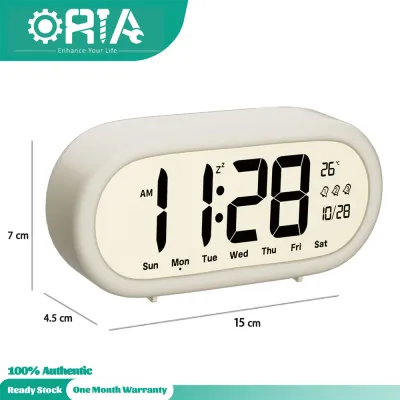
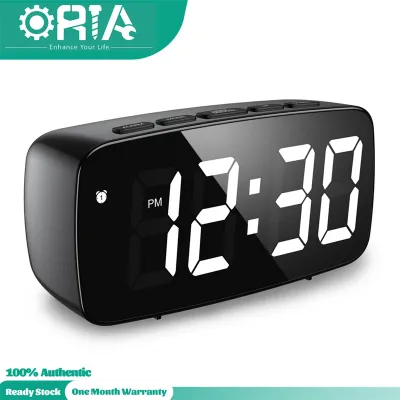
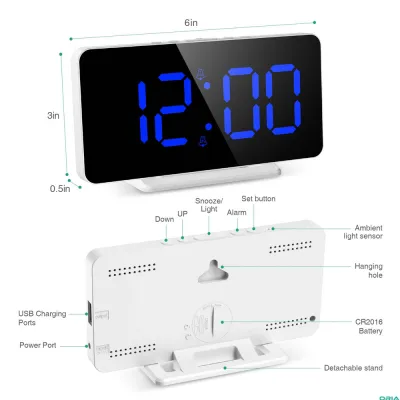
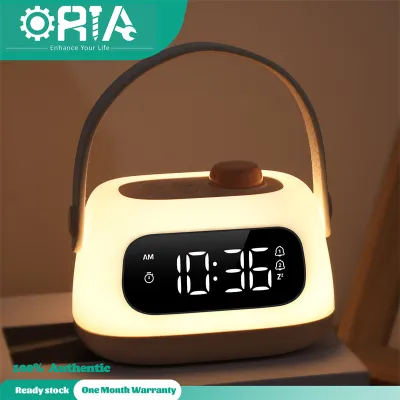
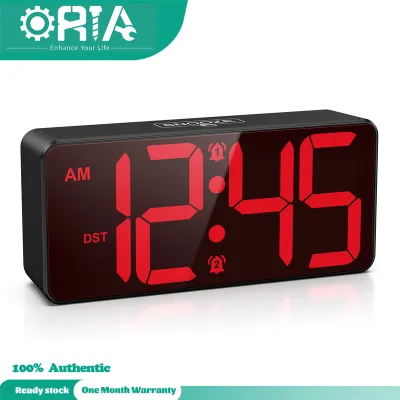
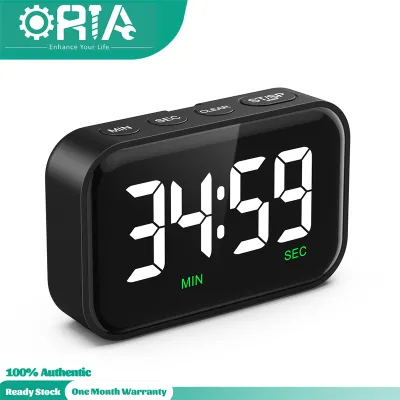
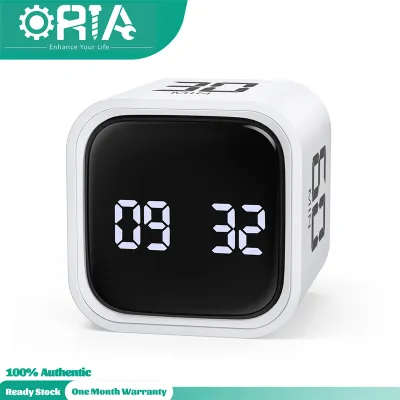
Prices are valid at publication and may change. Please refer to the product page for the latest price.
Display Brightness and Dimming
For bedroom placement, display brightness is the single most critical factor. Many digital clocks utilize LED screens that emit a significant amount of light, which can disrupt sleep patterns if left at full intensity. Look for Oria models that offer multi-level manual brightness adjustments or, ideally, an automatic dimming function that adjusts based on ambient light. A clock with a completely dark standby mode or an ultra-low night setting is highly recommended for light-sensitive individuals.
Power Supply Options
Oria digital clocks generally power their displays via a USB cable, while utilizing small batteries for internal memory backup. When setting up a USB-powered clock in Singapore, you must connect the cable to a reliable power source. If you plan to plug the clock directly into a wall outlet, ensure you use a high-quality USB power adapter that is certified for use with Singapore’s 230V electrical system. Avoid unbranded or uncertified power bricks, as they can cause voltage instability, display flickering, or safety hazards.
Size and Viewing Angle
Before purchasing, measure the flat surface of your bedside table or desk. A clock that is too large can crowd your space, while one that is too small might force you to strain your eyes or lean forward to read the time. Consider the viewing angle as well; some budget LCD or LED screens lose contrast when viewed from the side or from an elevated position. Choose a model with a clear, wide-angle display if you need to read the time from various spots in the room.
Secondary Functions
Modern digital clocks often do more than tell the time. Depending on your needs, you might benefit from built-in thermometers, humidity sensors, dual alarm settings, or custom snooze intervals. If you struggle to wake up, multiple alarm options can be highly beneficial. However, if you prefer a distraction-free environment, look for minimalist models that display only the time without extra flashing icons or cycling data screens.
Recommended Oria Clock Profiles for Bedroom Use
Creating a sleep-friendly bedroom requires minimizing artificial light and noise. When browsing Oria models for your nightstand, prioritize features that safeguard your circadian rhythm and support a peaceful sleeping environment.

Auto-Dimming and Light-Sensor Models
Oria models equipped with integrated light sensors offer a distinct advantage for bedroom use. These sensors automatically detect when your bedroom lights are switched off and lower the LED display to its dimmest setting. This eliminates the need to manually adjust the clock’s brightness every evening before you go to sleep.
When shopping on online retail platforms, read the product descriptions carefully to verify the presence of a “smart light sensor” or “auto-dimming” feature. Do not assume that a model has automatic dimming simply because it features multiple brightness levels; some models require you to cycle through settings manually using a button on the chassis. Utilizing an auto-dimming clock prevents harsh LED glare from illuminating your bedroom, helping you maintain a dark environment conducive to deep sleep.
Minimalist and Matte Display Options
While mirror-finish LED clocks look exceptionally sleek and modern, they can cause issues in a bedroom. Mirror surfaces reflect ambient light from windows, streetlights, or hallway doors, creating distracting glints of light. For a bedroom, a matte display, a fabric-wrapped front, or a wood-grain casing is often a much better choice.
Matte and textured fronts naturally diffuse the light emitted by the internal LEDs, resulting in a softer, gentler glow that is easy on the eyes in a dark room. Additionally, these designs blend warmly with traditional bedroom furniture and decor. When selecting a wood-grain model, verify the physical specifications provided by the manufacturer. Most budget-friendly wood-grain clocks are constructed from high-quality printed plastics rather than solid wood veneer, which is lighter and easier to clean but has a different tactile feel.
Silent Operation and Gentle Alarms
One of the primary benefits of choosing a digital clock over an analog alternative is the complete absence of mechanical ticking. However, cheap electronic components can sometimes emit a faint, high-pitched buzzing sound known as coil whine, particularly when the display is set to specific brightness levels. To ensure a silent sleep environment, check user reviews for any mentions of electronic noise, and inspect your new clock in a quiet room immediately after unboxing.
Furthermore, consider how the clock wakes you up. A sudden, loud alarm can trigger a stressful start to your day. Look for Oria models that feature gradual volume-increase alarms, which start with a soft beep and slowly intensify. If you share a bed and wake up at a different time than your partner, look for compact or travel-oriented Oria models that offer a vibration-only alert setting or a highly directional, low-volume alarm profile.
Ideal Oria Digital Clocks for Desk and Workspace
In a workspace, your priorities shift from sleep hygiene to productivity, visibility, and neatness. A desk clock should help you manage your schedule without contributing to desk clutter or cable tangles.
USB-Powered and Compact Designs
For a clean workstation setup, cable management is a top priority. Oria desk clocks that run on USB power are highly convenient because they can draw power directly from your computer, monitor hub, or docking station. This setup eliminates the need to route a long power cable down to a floor-level wall outlet, keeping your desk surface tidy.
When choosing a model, consider its footprint. If your desk is already crowded with a keyboard, mouse, and paperwork, look for a slim, upright, or edge-friendly design that takes up minimal surface area. Additionally, be cautious when plugging your clock into an unpowered USB hub alongside other high-draw devices like external hard drives or webcams. Insufficient power delivery can cause the clock’s display to flicker, lose brightness, or undergo temporary power resets.
Models with Environmental Sensors
Many Oria desk clocks feature built-in temperature and humidity sensors. In a home office or commercial workspace, monitoring these metrics can help you maintain a comfortable working environment, prompting you to adjust your air conditioning, open a window, or turn on a humidifier.
To get accurate readings from these sensors, correct placement is essential. Avoid placing the clock directly next to PC exhaust vents, under a hot desk lamp, or in direct sunlight, as these heat sources will artificially inflate the temperature readings. Keep in mind that the sensors in budget-friendly digital clocks are designed to show general room trends rather than scientific-grade measurements; they are excellent for daily comfort tracking but should not be relied upon for tasks requiring precise climate control.
High-Contrast and Wide-Angle Displays
Unlike a dark bedroom, a workspace is typically well-lit by overhead lights, desk lamps, or natural sunlight. In this environment, a dim display will wash out and become unreadable. For desk use, opt for high-contrast LED displays—such as white or bright blue digits on a dark background—which remain clearly visible even under direct office lighting.
If you use a sit-stand desk or frequently move around your office, a wide viewing angle is crucial. Some basic LCD screens become unreadable when viewed from an angle, forcing you to adjust your posture just to check the time. Look for displays that specify wide-angle readability or feature curved screens. If your desk faces a bright window, check for anti-glare coatings or choose a matte-finish screen to prevent reflection from washing out the numbers.
Comparing Oria Display Materials and Aesthetics
Matching the physical design of your clock to your room’s lighting and decor is essential for both style and functionality. The table below compares the three primary display styles offered by Oria, highlighting where they perform best and what maintenance they require.
| Aesthetic Style | Best Environment | Glare/Reflection Risk | Maintenance & Cleaning Needs |
|---|---|---|---|
| Mirror LED | Controlled lighting offices, modern desks | High; reflects bright light sources and windows | High; easily shows fingerprints and dust |
| Matte / Black LED | Bedrooms, bright workspaces | Low; diffuses light for easy reading | Medium; requires occasional dusting |
| Wood Grain / Minimalist | Cozy bedrooms, warm home offices | Very low; non-reflective surface | Low; textured surface hides dust and smudges |
While mirror-finish LED clocks offer a striking, contemporary look when turned off, they act as actual mirrors when placed opposite a window or bright light source. They are best suited for environments where you can control the angle of incoming light.
Conversely, wood-grain models are highly practical for busy households. Because these casings are typically made of textured, printed plastics rather than real wood, they are highly resistant to moisture and do not require specialized wood polishes. Use this comparison to identify which style matches your aesthetic preferences while meeting the practical demands of your room.
Power, Setup, and Maintenance Guidelines
To ensure your Oria digital clock operates safely and retains its settings for years to come, follow these practical installation and maintenance guidelines.
Power Safety
Always prioritize electrical safety when connecting your clock to a power source. Since most Oria clocks are packaged with a USB cable but do not include a wall adapter, you will need to supply your own. In Singapore, always use a USB power adapter that carries the local Safety Mark. This certification ensures the adapter has been tested to withstand voltage spikes and will not overheat or cause electrical shorts in your home’s 230V system.
Battery Backup Reality
A common point of confusion for new users is the role of the battery compartment. Most USB-powered Oria clocks feature a slot for AAA batteries or a button-cell battery. This battery compartment is strictly designed for memory backup. It does not have enough power to run the bright LED display continuously. If you unplug the USB cable, the screen will go dark, but the backup battery will keep the internal chip running so that you do not have to reprogram the time and alarms when you plug it back in.
Cleaning and Care
To keep your clock looking clean, use safe, non-abrasive cleaning methods. Dust the surface regularly with a dry, clean microfiber cloth. If the screen has fingerprints or smudges, slightly dampen the microfiber cloth with plain water. Never spray glass cleaners, harsh chemical solvents, or alcohol-based sanitizers directly onto the clock, as these liquids can seep into the seams, damage the internal circuit board, or permanently strip the protective coatings off plastic and mirror finishes.
Troubleshooting
If your clock’s display begins to flicker, dim unexpectedly, or reset on its own, first check the physical connections. Ensure the USB cable is firmly seated in both the clock’s input port and the power adapter. If the issue persists, try using a different USB cable and a certified power brick. If the clock completely resets its time and alarms after a brief power outage, it is time to replace the internal backup battery with a fresh, high-quality cell.
Frequently Asked Questions (FAQ)
Do Oria digital clocks emit blue light that affects sleep?
Yes, standard blue and white LED displays do emit some blue light, which can potentially interfere with melatonin production if placed very close to your face. However, because a digital clock’s screen is small, the overall exposure is minimal when placed at a standard distance on a nightstand. To safeguard your sleep hygiene, select an Oria model with an auto-dimming sensor, manually set the brightness to its lowest level at night, or choose a model that allows you to turn the display off completely until you touch it.
Can I use a power bank to run my Oria desk clock?
While you can physically plug an Oria clock into a USB power bank, it may not run reliably. Most modern power banks are designed with an automatic shut-off feature that cuts power when the connected device draws very little current. Because a digital clock draws a minimal amount of power, your power bank may assume nothing is connected and shut down after a few minutes, causing the clock to turn off or switch to its battery-backup mode. For continuous operation, a stable wall outlet or a powered computer port is recommended.
Why does my Oria clock reset when the power goes out?
If your clock resets to its default factory time (such as 12:00) during a power outage or when unplugged, the internal backup battery is either missing, depleted, or improperly installed. Open the battery compartment on the back or bottom of the clock and verify that fresh AAA or button-cell batteries are installed with the correct polarity. Additionally, make sure you have removed any plastic pull-tabs or protective insulation film that manufacturers often place in the battery compartment to prevent discharge during shipping.
Community discussion
Share your experience or ask a question. Comments are reviewed before publication.