
Managing a modern household or coordinating a fast-paced office in Singapore requires precise scheduling. Traditional wall clocks tell the time, but they fail to show the complex agendas of school timetables, tuition sessions, and corporate meetings. A smart wifi calendar clock bridges this gap by automatically pulling scheduling data from your digital calendars and displaying it in real-time on your desk or wall. By integrating a dedicated display into your living or working area, you can keep everyone in sync without needing to constantly check a smartphone or computer screen.
These devices serve as a central information hub for the entire family or team. Instead of relying on manual paper planners that are easily forgotten, a connected calendar display ensures that upcoming appointments, deadlines, and reminders are visible at a glance. Whether you want to streamline your morning routine at home or improve meeting room coordination in the office, selecting the right device can significantly enhance your daily productivity.
Why Choose a WiFi Calendar Clock for Your Space?
The primary advantage of a wifi calendar clock is its ability to sync automatically with cloud-based calendar platforms. Traditional digital clocks require manual adjustments for time changes, and physical calendars must be rewritten whenever plans shift. A WiFi-enabled display connects directly to services like Google Calendar, Microsoft Outlook, and Apple iCloud. When you update an event on your phone or laptop, the change reflects on the wall or desk display almost instantly, eliminating the risk of missed appointments due to outdated information.
Products mentioned in this guide
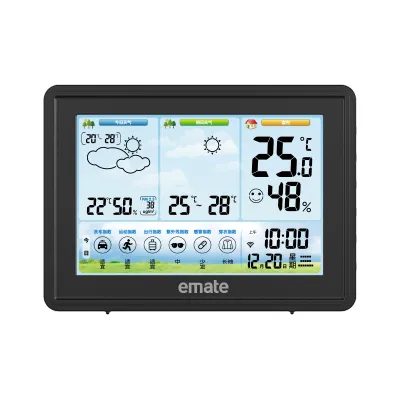
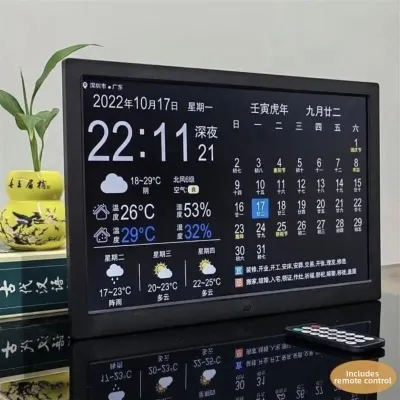
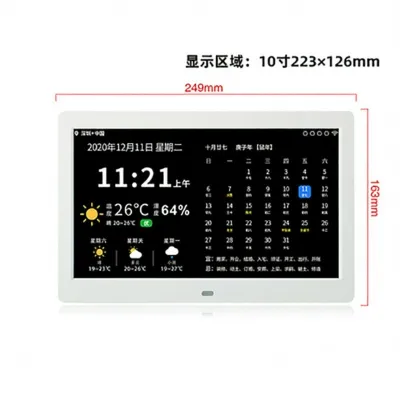
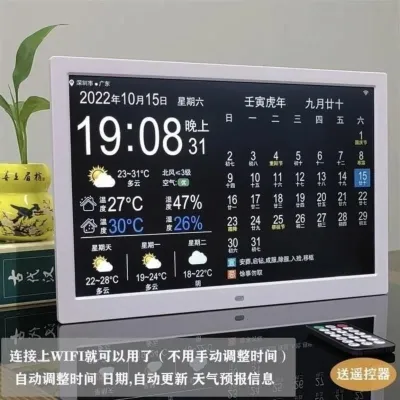
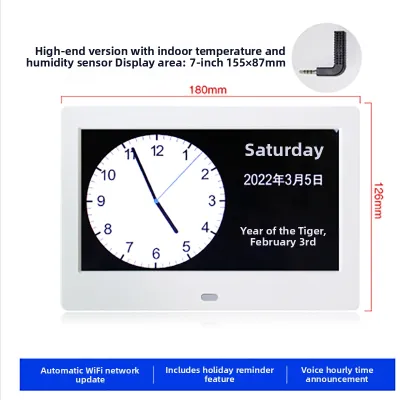
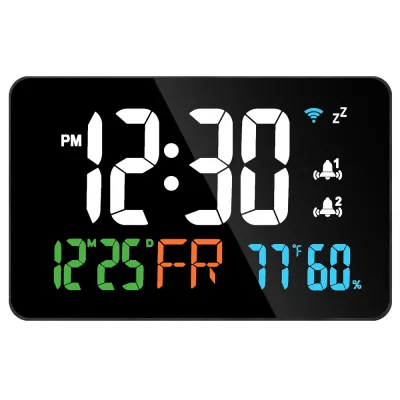
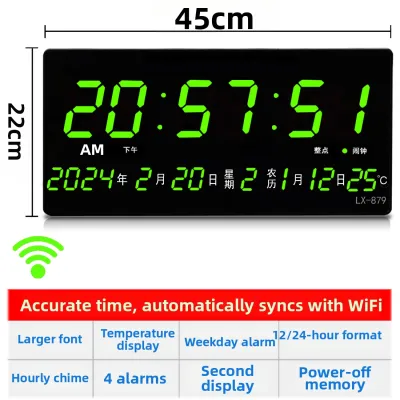
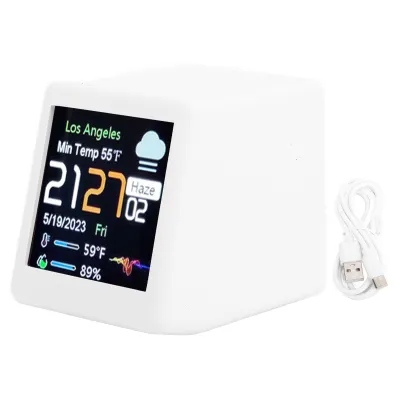
Prices are valid at publication and may change. Please refer to the product page for the latest price.
For families, these displays function as a modern command center. In Singapore, households often juggle complex schedules involving school hours, co-curricular activities (CCAs), tuition classes, and family gatherings. A shared digital calendar displayed in a common area—such as the kitchen or living room—allows parents, children, and helpers to see the day’s agenda without confusion. It fosters independence in older children, who can track their own schedules, and reduces the administrative burden on parents.
In a professional setting, a dedicated calendar clock improves workplace efficiency. Placed outside meeting rooms, these displays can show real-time room availability and booking schedules, preventing double-bookings and interruptions. On an individual desk, a calendar clock keeps daily tasks and upcoming video conferences in your line of sight, helping you manage your time more effectively without distracting browser tabs.
Beyond basic scheduling, many of these devices offer secondary smart features that add practical value to your day. Real-time weather updates help you decide whether to carry an umbrella before heading out into a sudden Singapore afternoon downpour. Some models also integrate traffic alerts, public transport schedules, and smart home controls, allowing you to monitor your home environment or manage connected appliances from a single screen.
How to Choose the Right WiFi Calendar Clock
Selecting the ideal wifi calendar clock requires evaluating several technical and practical factors to ensure the device fits your specific environment. The first major consideration is display technology, which directly impacts readability, power consumption, and aesthetics. E-ink (electronic paper) displays mimic the appearance of real paper, offering a glare-free viewing experience that is exceptionally easy on the eyes. They consume very little power, making them ideal for minimalist setups, though they generally lack vibrant colors and rapid refresh rates. In contrast, LCD and LED screens deliver bright, colorful visuals and can display multimedia content, but they require continuous power and can cause glare in brightly lit rooms.

Compatibility with your existing digital ecosystem is another critical factor. Before purchasing, verify which calendar platforms the clock supports. Most premium models offer seamless integration with Google Workspace and Microsoft 365, but compatibility with Apple iCloud can sometimes be more complex, occasionally requiring third-party apps or specific configuration steps. If your household or office uses a mix of different calendar platforms, look for a device that can aggregate multiple accounts into a single, unified view.
Power sources dictate where you can position the clock. Battery-operated models offer maximum portability and a clean, wire-free look, which is perfect for minimalist desks or floating shelves. However, because WiFi connectivity is power-intensive, battery-powered clocks often use E-ink displays to conserve energy. Plug-in models, while requiring proximity to an electrical outlet, support always-on, high-resolution color screens and more frequent data syncing. If you plan to mount a plug-in model on the wall, you will need to consider cable management to keep the installation neat.
Finally, privacy and data security should not be overlooked. Because these devices connect to your home or office network and access personal or corporate calendar data, it is important to understand how they handle information. Check whether the device encrypts data during transmission and whether it requires a constant connection to an external cloud server or if it can process certain functions locally. Opt for reputable brands that provide regular firmware updates to patch potential security vulnerabilities.
Best WiFi Calendar Clocks by Display Type
To help you find the perfect match, we have categorized the leading wifi calendar clock options available in Singapore by their display technology. Each category suits different aesthetic preferences and functional requirements.
E-Ink WiFi Calendar Displays
E-ink calendar displays are highly favored by those who appreciate a minimalist, non-intrusive design. Because they do not emit harsh blue light, they are particularly well-suited for bedrooms, study rooms, and quiet office spaces. Their high-contrast, glare-free screens remain perfectly readable even under direct sunlight or bright overhead office lights.
One popular option is the DAKboard system configured with an e-paper display. While DAKboard is widely known as a software platform that runs on various screens, pre-configured E-ink wall displays utilizing their software are highly sought after. The companion app allows for extensive customization, letting you arrange your calendar, weather widgets, and to-do lists exactly how you want them. The screen refresh rate is low—typically updating only when a change occurs or at set intervals—which preserves battery life, allowing some rechargeable models to run for weeks or even months on a single charge. However, keep in mind that E-ink models do not support video playback and usually display content in black, white, and occasionally red or yellow.
Another excellent choice is the Swoodis or similar boutique e-paper calendars available through specialized tech importers. These devices focus purely on displaying a clean monthly or weekly calendar grid. They connect directly to your WiFi network and pull data from Google or Outlook. The setup is typically managed via a simple web interface, making it easy to link your accounts. While they lack touchscreens and advanced multimedia features, their elegant, picture-frame aesthetic blends seamlessly into modern home decor.
Smart LCD and Touchscreen Clocks
For those who want a vibrant, interactive hub that does more than just show the time and date, smart LCD and touchscreen clocks are the ideal choice. These devices are perfect for high-traffic areas like kitchen counters, living room sideboards, or office reception desks, where multiple people need to interact with the display.
The Amazon Echo Show 15 is a prominent choice in this category. With its large, high-definition screen, it can be mounted on a wall in either portrait or landscape orientation, or placed on a dedicated stand. It features a customizable widget gallery, allowing you to keep your shared family calendar permanently visible alongside shopping lists, smart home controls, and sticky notes. Because it requires a continuous power connection, you will need to position it near a wall outlet. It features an ambient light sensor that automatically adjusts screen brightness, preventing it from being too bright in dark rooms, and includes built-in speakers for music streaming or voice assistant queries.
Another strong contender is the Google Nest Hub (2nd Gen). While smaller than the Echo Show 15, its compact footprint makes it an excellent addition to a bedside table or a study desk. It integrates deeply with Google Calendar, displaying your daily schedule with clear, color-coded events. The touchscreen interface allows you to swipe through your day’s agenda easily. It also features a “Sleep Sensing” mode and an ambient EQ light sensor that dims the screen to a soft clock face when the lights go out, ensuring your sleep is not disrupted by screen glare.
Minimalist LED and Dot Matrix Clocks
If you prefer a retro-modern aesthetic that focuses on clean lines and stylized information, minimalist LED and dot matrix clocks offer a unique alternative. Instead of showing a full calendar grid, these devices use stylized text, icons, and scrolling messages to keep you updated on your schedule.
The LaMetric Time is a highly customizable smart clock featuring an LED dot matrix display. It connects to your WiFi network and can be configured via a smartphone app to display upcoming calendar events as scrolling text, accompanied by recognizable icons. This design allows you to see your next meeting or task at a glance without cluttering your desk with a large screen. It also tracks weather, social media metrics, and smart home notifications. The physical buttons on top of the device let you manually cycle through different information screens, and its compact, rectangular shape fits neatly under a computer monitor or on a narrow shelf.
Another visually engaging option is the Divoom Pixoo-64. This is a 64×64 pixel art display that connects to WiFi and can be configured to show a variety of clock faces, calendar agendas, and custom pixel animations. Through its companion app, you can link your digital calendar to display daily schedules or countdowns to important events. While the limited pixel resolution means it cannot display complex text or large calendar grids, its vibrant colors and playful, retro design make it a standout decorative piece for creative workspaces and teenage bedrooms.
Singapore Setup and Compatibility Checklist
When importing or purchasing a smart wifi calendar clock in Singapore, there are several localized technical factors you must verify to ensure a smooth setup and reliable long-term operation.
- Power & Plugs: Singapore operates on a 230V supply voltage at 50Hz. If you are purchasing a plug-in clock imported from countries like the United States or Japan, verify that the power adapter is dual-voltage (100-240V). Additionally, ensure you have a safe, compliant Type G (UK-style) plug or power adapter. Avoid using cheap, ungrounded travel adapters for devices that remain plugged in 24/7, as these can pose electrical and fire hazards. Where possible, look for adapters that carry the Singapore Safety Mark.
- WiFi Frequencies: Many smart home and IoT devices, including several smart clocks, only support the 2.4GHz WiFi band because it offers longer range and better wall penetration than the 5GHz band. Modern mesh routers commonly used in Singapore homes (such as those provided by Singtel, StarHub, or M1) often combine both the 2.4GHz and 5GHz bands under a single network name (SSID). If your clock fails to connect during setup, you may need to temporarily disable the 5GHz band in your router settings, separate the bands into two distinct SSIDs, or set up a dedicated 2.4GHz guest network for your smart devices.
- App Store Availability: Most smart clocks require a companion mobile app for initial setup, customization, and account syncing. Before committing to a purchase—especially for niche or imported brands—verify that the manufacturer's app is officially available for download in the Singapore region of the Apple App Store or Google Play Store. Some imported models may restrict app availability to specific regional stores, which can make setup incredibly difficult for local users.
Frequently Asked Questions (FAQ)
Do WiFi calendar clocks work without an active internet connection?
Most WiFi calendar clocks require an active internet connection to function fully, but they do have limited offline capabilities. Typically, these devices cache your calendar data locally. If your home or office internet connection drops temporarily, the clock will continue to display the time and show the schedule that was downloaded during the last successful sync. However, you will not receive real-time updates, new calendar invites, or live weather information until the WiFi connection is restored.
Can multiple users sync their calendars to one device?
Yes, most premium WiFi calendar clocks support multi-user integration. Through the device’s companion app or web portal, you can link multiple digital calendar accounts (such as combining a husband’s Google Calendar with a wife’s Outlook Calendar). The device will aggregate these schedules into a single display. To prevent confusion, these systems often allow you to color-code events or display initials next to entries, making it easy to distinguish who each appointment belongs to at a glance.
Community discussion
Share your experience or ask a question. Comments are reviewed before publication.