
Choosing the right wireless wall lights is the most efficient way to illuminate dark hallways in Singapore homes without the hassle of drilling or expensive electrical rewiring. For most HDB flats and condominiums, the ideal solution combines reliable passive infrared (PIR) motion sensors, energy-efficient LED bulbs, and a rechargeable battery system with a magnetic mounting base. This setup provides automatic, hands-free lighting exactly when you need it, while allowing you to easily detach the fixtures for quick recharging.
In Singapore’s high-density residential developments, structural modifications are often restricted by building management or tenancy agreements. Hardwired installations can be highly disruptive, requiring concrete hacking, plastering, and repainting. Wireless wall lights bypass these hurdles entirely, offering an elegant, damage-free alternative that can be installed in minutes. By focusing on essential specifications such as lumen output, sensor detection angles, and adhesive durability in humid climates, you can create a safe, beautifully lit corridor that enhances your home’s interior design.
Why Choose Wireless Wall Lights for Hallways?
One of the primary advantages of wireless wall lights is that they require absolutely no electrical wiring. Installing traditional hardwired sconces in Singapore requires hiring a Licensed Electrical Worker (LEW) to ensure compliance with local electrical safety standards. This process often involves running visible plastic conduits across your walls or hacking into concrete to conceal the cables, both of which add significant labor costs and create a mess. Wireless fixtures eliminate these expenses, making them an incredibly practical choice for renters, heritage shophouse residents, and anyone looking for a quick home upgrade.
Products mentioned in this guide
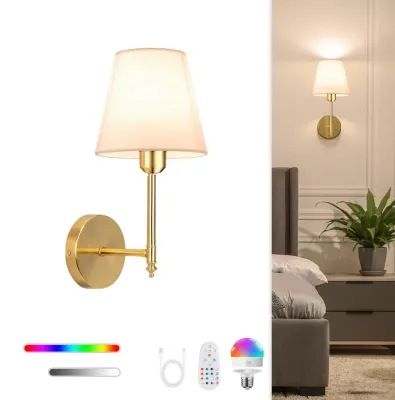
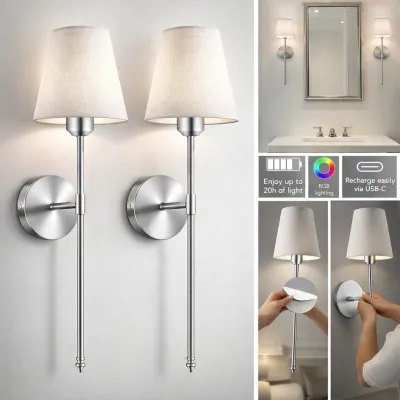

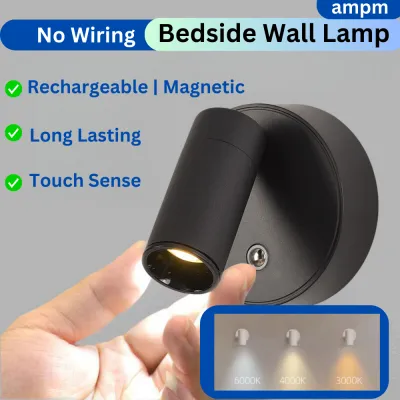
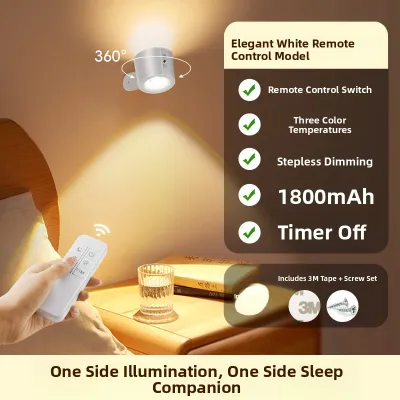
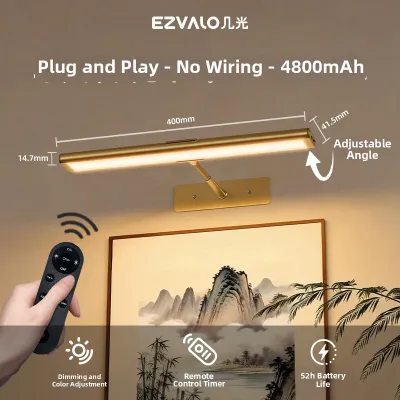
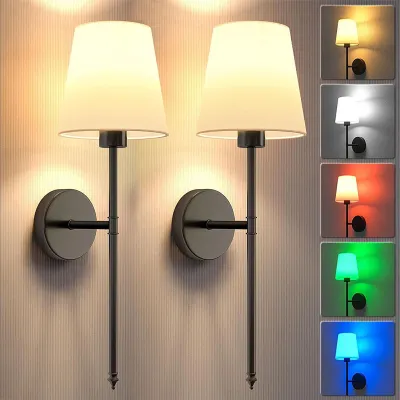
Prices are valid at publication and may change. Please refer to the product page for the latest price.
These fixtures also offer unmatched flexibility in placement. Since they are not tied to existing electrical points, you can position them at any height or location along your hallway. If you decide to rearrange your furniture, hang new artwork, or move to a new property, you can simply detach the lights and take them with you. This portability ensures that your investment in quality lighting travels with you, rather than being left behind as a permanent fixture of the property.
From a financial perspective, wireless options are highly cost-effective compared to traditional lighting systems. The initial purchase price of wireless LED lights is generally modest, and because they require zero professional installation labor, your upfront costs remain low. Additionally, most wireless corridor lights utilize motion sensors to operate only when someone is walking through the space, which means they consume very little power and have a negligible impact on your monthly SP Group utility bills.
Finally, wireless wall lights provide an easy way to make aesthetic upgrades to your home. Dark, narrow corridors can often feel cramped and uninviting. By strategically placing wireless sconces or bar lights, you can introduce soft layers of ambient light that make the space feel wider, warmer, and more sophisticated. You can achieve a high-end, designer-inspired look with upward and downward light washes, completely transforming the atmosphere of your home without the stress of a major renovation.
Essential Features to Evaluate Before Buying
When shopping for wireless wall lights, understanding key technical specifications will help you select the most reliable fixtures for your corridor.

Brightness and Lumens
Unlike traditional bulbs rated by wattage, modern LED lights are measured in lumens, which indicate the actual amount of visible light produced. For corridor lighting, you want to strike a balance between safety and comfort. A brightness level of 50 to 150 lumens is generally recommended for general hallway navigation, providing sufficient illumination to prevent trips and slips without being blindingly bright in the middle of the night. If you are planning to install low-level step or skirting lights, a lower output of 10 to 30 lumens is ideal to guide your path gently.
Power Source
The power source of your wireless lights dictates how often you will need to maintain them. Rechargeable lithium-ion batteries, particularly those with USB-C charging ports, are the most cost-effective and environmentally friendly option for high-traffic corridors. They can be recharged hundreds of times, saving you from purchasing disposable batteries. Replaceable alkaline batteries (such as AA or AAA) are convenient if you do not want to wait for a light to recharge, but they generate ongoing costs and waste, making them better suited for low-traffic areas or guest rooms.
Sensor Technology
To ensure your lights only turn on when necessary, look for models that combine Passive Infrared (PIR) motion sensors with built-in light sensors. PIR sensors detect the moving heat signatures of humans, triggering the light instantly as you approach. A high-quality corridor sensor should have a detection range of 3 to 5 meters and a wide detection angle of at least 100 to 120 degrees to capture movement from different entry points. The integrated light sensor is equally important, as it prevents the light from turning on during the day when natural light is sufficient, preserving battery life.
Mounting Mechanisms
The durability of your light’s mounting system is crucial, especially in Singapore’s tropical climate where high humidity can weaken standard adhesives. Look for fixtures that feature a magnetic base paired with high-strength adhesive backing, such as 3M VHB tape. This design allows you to stick the lightweight base securely to the wall while making it easy to snap the light body off for recharging. For heavier fixtures or textured walls where adhesives may struggle to grip, look for models that offer optional screw mounts for a more permanent, secure installation.
Light Color and Temperature
The color temperature of your lights, measured in Kelvin (K), determines the visual warmth of your corridor. Warm white light (2700K to 3000K) is highly recommended for residential hallways because it creates a cozy, inviting, and relaxing atmosphere that is gentle on the eyes. Cool white or daylight (4000K to 5000K) provides higher contrast and exceptional clarity, making it a practical choice for utility areas, dark stairwells, or homes with elderly family members who benefit from high-visibility lighting to navigate safely.
Recommended Types of Wireless Wall Lights for Corridors
Depending on your corridor’s layout and your personal aesthetic preferences, several styles of wireless lights are particularly well-suited for hallway use.
Motion-Activated Sconces
These fixtures are designed to replicate the elegant look of traditional hardwired wall sconces, making them perfect for homeowners who want to maintain a classic or transitional interior style. They typically cast light both upward and downward, creating a beautiful wall-washing effect that highlights the texture of your walls and visually expands the corridor. Because sconces are slightly larger than other wireless options, they often accommodate larger rechargeable batteries, meaning you will need to recharge them less frequently even in high-traffic hallways.
Rechargeable Magnetic Wall Lamps
For maximum versatility, rechargeable magnetic wall lamps are an outstanding choice. These innovative fixtures consist of a magnetic base and a spherical light head that can be rotated 360 degrees, allowing you to direct the light beam precisely where it is needed. This adjustability makes them highly practical for highlighting wall art, lighting up a specific dark corner, or serving as reading lights. Furthermore, the magnetic attachment allows you to effortlessly detach the light head to use as a portable flashlight during power outages or late-night emergencies.
Minimalist LED Puck or Bar Lights
If you have a narrow corridor or prefer a clean, contemporary aesthetic, low-profile puck or bar lights are the ideal solution. These ultra-slim fixtures can be mounted discreetly along the base of your walls, under floating console tables, or even inside recessed wall niches. Their compact design ensures they do not protrude into tight walkways, reducing the risk of being bumped or knocked down. They are highly favored in modern and Scandinavian-themed Singapore homes for their ability to deliver clean, indirect illumination that enhances architectural lines.
Installation and Positioning Guide for Optimal Illumination
Proper installation and strategic positioning are key to maximizing the effectiveness and safety of your wireless corridor lights.
Ideal Height and Spacing
For standard eye-level wall sconces, the recommended mounting height is between 1.5 and 1.7 meters above the floor. This placement ensures that the light source is high enough to illuminate the path without casting harsh shadows or shining directly into your eyes as you walk past. If you are installing low-level step lighting, aim for a height of 30 to 45 centimeters above the floor. To maintain consistent illumination and eliminate dark patches, space your lights approximately 1.5 to 2 meters apart, depending on the width and length of your hallway.
Surface Preparation
To prevent your wireless lights from falling and sustaining damage, thorough surface preparation is essential before applying any adhesive mounts. Start by cleaning the wall surface with isopropyl alcohol to remove accumulated dust, grease, and moisture; avoid using standard household spray cleaners, as they often leave behind a thin residue that prevents proper bonding. Once the wall is completely dry, press the adhesive bracket firmly against the surface for at least 30 seconds to activate the adhesive. For the strongest bond, allow the adhesive to cure for a full 24 hours before attaching the weight of the light fixture.
Sensor Positioning
When installing motion-activated lights, pay close attention to the orientation of the PIR sensor. Position the fixture so that the sensor’s detection zone directly intercepts the natural path of foot traffic, such as near doorways or corridor intersections. To avoid frustrating false triggers and unnecessary battery drain, angle the sensor away from areas frequented by pets, active living spaces, or locations directly exposed to rapid air currents from ceiling fans or air conditioning units, which can trick the thermal sensor.
Safety Boundaries
While wireless wall lights are incredibly safe and user-friendly, it is important to observe basic safety boundaries during installation. Always check the manufacturer’s product label to verify the light’s ingress protection (IP) rating, voltage compatibility, and electrical certification. Non-IP-rated fixtures should never be placed near open windows, balconies, or bathroom doors where they could be exposed to blowing rain or heavy condensation, as moisture can cause battery corrosion and electrical failure. Additionally, avoid mounting lights directly above heat sources or in spots that receive intense afternoon sunlight, as excessive heat can degrade battery performance and cause mounting adhesives to melt and fail. For any fixed wiring, work at height, or installation in damp areas, always ensure the main power is isolated, refer to the manufacturer’s detailed instructions, and hire a Licensed Electrical Worker (LEW) to perform the work safely.
Maintenance, Charging, and Battery Care
With proper care and maintenance, your wireless wall lights will provide reliable illumination and maintain their aesthetic appeal for years to come.
Charging Routines
To keep your rechargeable lights performing at their best, establish a proactive charging schedule rather than waiting for the batteries to drain completely. Most modern fixtures will operate for several months on a single charge under normal motion-sensor usage. When you notice the light output beginning to dim or the sensor becoming less responsive, detach the unit and connect it to a certified charger using the manufacturer’s recommended cable. Avoid leaving rechargeable fixtures plugged in indefinitely after they have reached full charge, as overcharging can shorten the overall lifespan of the lithium-ion battery.
Battery Replacement and Disposal
For fixtures that utilize replaceable alkaline batteries, make it a habit to inspect the battery compartment every six months. Look for any signs of white powdery residue or leakage, which can corrode the metal contacts and ruin the light’s internal circuitry. When replacing batteries, always use a fresh set of the same brand and type, and avoid mixing old and new batteries. To support Singapore’s environmental sustainability initiatives, never throw dead batteries into standard household waste; instead, deposit them in designated e-waste recycling bins managed by ALBA, which can be found at various community centers, supermarkets, and electronics retailers across the island.
Cleaning and Upkeep
Over time, airborne dust and household grime can settle on your light’s diffuser and sensor lens, reducing brightness and hindering motion detection accuracy. Once a month, gently wipe the exterior of the fixture with a clean, dry microfiber cloth. Avoid using wet cloths, liquid sprays, or abrasive scrubbing pads, especially on non-waterproof models, as moisture can seep into the housing and permanently damage the delicate electronic components inside.
Troubleshooting
If you encounter issues with your wireless wall lights, a few simple troubleshooting steps can often resolve the problem. If a motion-activated light fails to turn on, first check if the room is too bright, as the built-in light sensor may be disabling the motion trigger. If the light flickers or turns off unexpectedly, it is usually a sign that the battery is nearly depleted and needs to be recharged or replaced. For adhesive mounts that have lost their grip due to humidity, carefully scrape away the old adhesive residue from both the wall and the bracket, clean the surfaces thoroughly, and apply a fresh piece of heavy-duty, moisture-resistant mounting tape.
Frequently Asked Questions (FAQ)
Do wireless wall lights provide enough brightness for a dark corridor?
Yes, high-quality wireless wall lights are highly effective for illuminating dark corridors, though they are designed to serve as ambient, accent, or path-guiding illumination rather than replacing high-output ceiling fixtures. A fixture producing 50 to 150 lumens provides more than enough light for safe navigation, preventing trips and slips while creating a warm, comfortable atmosphere that is gentle on the eyes during late-night hours.
Will adhesive mounts damage the paint on my HDB or condo walls?
Adhesive mounts can potentially damage matte paint, delicate wallpaper, or freshly painted walls if they are removed improperly. To minimize the risk of damage, especially in rental properties, use high-quality removable adhesive strips designed for clean removal, or opt for magnetic mounts with gentle backing. When it is time to remove the adhesive, apply gentle heat from a hair dryer to soften the glue before slowly peeling the strip away parallel to the wall surface.
How long do rechargeable wireless wall lights last on a single charge?
The battery life of a rechargeable wireless wall light depends on several factors, including the battery capacity, the brightness setting, and how frequently the motion sensor is triggered. When set to motion-sensor mode in a typical household corridor, a quality rechargeable light can last anywhere from two to six months on a single charge. If the light is kept on continuously in manual mode, the battery will typically deplete within 4 to 10 hours of continuous use.
Community discussion
Share your experience or ask a question. Comments are reviewed before publication.