
Setting up a dedicated gaming sanctuary inside a compact Singapore Housing & Development Board (HDB) bedroom requires a smart balance of spatial planning, ergonomic furniture, and efficient cable management. When floor space is at a premium, every square centimeter must serve a distinct purpose. By shifting your focus from horizontal expansion to vertical utilization and selecting multi-functional gear, you can build an immersive, high-performance gaming setup that fits comfortably within your existing room layout without breaking the bank. Working with your room’s natural boundaries rather than fighting against them is the key to a successful small-room transformation.
Assess Your Space and Define Your Gaming Needs
Before browsing online marketplaces, gather accurate physical measurements of your bedroom. Use a measuring tape to map out the available floor area, paying close attention to the swing paths of doors and wardrobes. Note the locations of electrical outlets, as these dictate where your desk can sit without requiring hazardous extension cords. Do not forget to measure window sill heights and clearance beneath wall-mounted air conditioning units.
Identifying underutilized “dead zones” is an effective way to reclaim space. Look for empty corners, the narrow gap beside your wardrobe, or the blank wall space above your bed. These areas are prime real estate for vertical shelving or wall-mounted accessories that keep gear off the floor. Mapping these zones early prevents you from buying furniture that is too bulky for your room shape.
Products mentioned in this guide
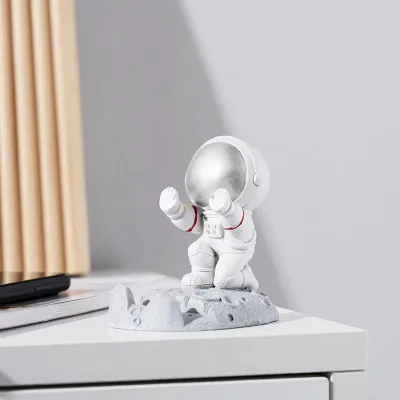
94 Lazada user ratings
Attractive and charming, Perfect desk decoration, Resin material quality, Resin material quality, Unique character style, Sturdy and durable
Sturdy and durable, Perfect desk decoration, Fast shipping service, Great gift for friends. value for money.
Pretty nice, looks good, and can even be used as a decor piece, great home item haha
A lot. Really pretty.
So cute thanks
Prices are valid at publication and may change. Please refer to the product page for the latest price.
Your primary gaming platform heavily influences your furniture requirements. A dedicated PC setup typically demands a deeper desk to accommodate a monitor, keyboard, mouse, and desktop tower. Conversely, a console setup can be more compact, often utilizing a wall-mounted television or a smaller monitor on a slim console table. If you use multiple monitors, consider whether a single ultra-wide screen could replace two separate displays to simplify mounting and reduce visual clutter.
When planning your budget, allocate the largest portion to high-impact, ergonomic items that protect your physical health. A supportive chair and a sturdy, appropriately sized desk should always take priority over purely cosmetic upgrades like custom RGB wall panels. Investing in comfort ensures you can enjoy long gaming sessions without developing back or neck strain, making it a far more practical use of a limited budget.
Select Space-Saving Furniture for a Budget Gaming Room Setup
Choosing the right desk is the most critical decision for a compact HDB gaming room. A standard straight desk measuring 80cm to 100cm in width is highly versatile and fits neatly along most bedroom walls without blocking walkways. If you have an unused corner, a dedicated corner desk can maximize your floor plan by turning an awkward angle into a functional workstation. For ultra-tight spaces, a wall-mounted foldable desk can be folded flat against the wall when your session is over, though you must strictly adhere to its weight limits.

Your choice of seating should offer robust ergonomic support while maintaining a compact physical footprint. Many traditional gaming chairs are incredibly bulky, featuring wide wheelbases and flared shoulders that eat up valuable floor space. Look for a streamlined ergonomic office chair with a narrow wheelbase and adjustable armrests that can fold up or slide down. This allows you to slide the chair completely under your desk when it is not in use, instantly opening up the walkway.
To keep your desk surface clear of clutter, transition your storage from the floor to the walls. Modular pegboards are an affordable and highly customizable solution for hanging headphones, game controllers, cables, and keyboards. Installing floating wall shelves above your monitor provides a safe home for decorative items without consuming any floor area. For items you need close at hand, a slim rolling utility cart or a set of under-desk drawers can easily slide out of sight when your setup is active.
Arrange the Layout and Manage Cables
Proper desk positioning is essential for maintaining comfort and preventing eye strain. Position your desk perpendicular to your windows to minimize screen glare from natural sunlight while keeping the room bright. Avoid placing your desk directly in front of your bedroom door or wardrobe doors, as this creates physical bottlenecks. Ensuring easy access to wall outlets will also prevent you from having to pull your desk far away from the wall to plug in your devices.
A chaotic web of wires instantly makes a small room feel cramped and disorganized. To combat this, install an under-desk cable management tray or basket beneath your desktop to house your power strips and heavy power adapters. Use adjustable Velcro sleeves to bundle cables running from your monitor and PC tower, and secure them along the back legs of your desk using adhesive cable clips. This keeps the wires completely hidden from view and prevents them from dangling near your feet.
Keeping your power strips and heavy adapters off the bedroom floor does more than just improve aesthetics. It eliminates dust traps and makes daily cleaning tasks, such as sweeping, vacuuming, or mopping, significantly easier in a tight room. When mounting power strips under your desk, ensure they are placed in well-ventilated areas and are not overloaded, reducing the risk of heat buildup and electrical hazards.
Use Lighting and Decor to Enhance the Vibe
You do not need an expensive, complex lighting rig to create an immersive gaming atmosphere. Implementing bias lighting, such as a monitor light bar or an adhesive LED strip attached to the back of your desk, is a cost-effective way to add visual depth. This soft, indirect light makes the wall behind your screen appear to recede, which can make a compact room feel larger. It also reduces eye strain by balancing the contrast between your bright monitor and the darker surrounding room.
Avoid relying solely on harsh overhead lighting, which can wash out your screen. Instead, build a layered lighting scheme using dimmable, low-wattage ambient lights. A small desk lamp or a floor lamp fitted with a smart LED bulb allows you to adjust the color temperature and brightness. When purchasing LED strips or smart bulbs, always verify that they match Singapore’s standard voltage of 220V-240V and carry recognized safety certifications to ensure safe, long-term operation.
Personalize your gaming space without sacrificing physical room by utilizing your walls for decor. Lightweight posters, framed art prints, or fabric tapestries can be hung easily using non-damaging adhesive strips, taking up absolutely zero floor space. If you want to improve the acoustics of your room while adding a modern aesthetic, consider installing lightweight acoustic foam panels in geometric patterns. These panels serve a dual purpose by adding visual texture to your walls while dampening sound reflections.
Manage Heat and Airflow in a Compact Room
High-performance gaming PCs and consoles generate a substantial amount of heat, which can quickly turn a small, enclosed HDB bedroom into an uncomfortable hotbox. To prevent your hardware from thermal throttling and to keep your room comfortable, never place your PC tower or console inside an enclosed cabinet or tight shelf. Always position your gaming system in an open area with at least 10cm to 15cm of clearance around all intake and exhaust vents to ensure unrestricted airflow.
In Singapore’s warm and humid climate, maintaining active air circulation is crucial for both your comfort and your hardware’s longevity. A compact USB-powered desk fan or a small floor-standing air circulator can help push hot exhaust air away from your seating area and toward your room’s main ventilation points. These compact fans provide targeted cooling without the bulky footprint or loud operation of a traditional pedestal fan.
If you run multiple monitors or high-end graphics cards, the cumulative heat output will require active room ventilation. When running your air conditioning during gaming sessions, ensure the unit’s air filters are cleaned regularly to maintain optimal cooling efficiency. If you prefer natural ventilation, keep your bedroom door or window slightly ajar to allow the rising hot air to escape, preventing heat from building up around your desk setup.
Frequently Asked Questions (FAQ)
Is it safe to mount monitors on HDB bedroom walls?
Mounting a monitor on an HDB bedroom wall is generally safe, provided you identify the wall material and use the correct mounting hardware. Most internal HDB walls are made of solid concrete or precast concrete panels, which are exceptionally strong and can easily support heavy displays. However, drilling into concrete requires a hammer drill and masonry wall plugs. If your room features lightweight drywall or partition walls, you must locate the internal studs or use specialized hollow-wall anchors, as these walls have much lower weight capacities.
Before you begin drilling, consult your home’s electrical layout plan to avoid hitting hidden electrical conduits or water pipes. For safety, isolate the power at your home’s main distribution board (DB box) before drilling near any light switches or power outlets. Carefully read the manufacturer’s installation instructions for both your monitor arm and the wall mount to verify weight compatibility. If you are working at height, lack the necessary tools, or are unsure of your wall’s structural composition, hire a qualified professional installer to complete the job safely.
How can I reduce echo in a small gaming room on a budget?
Reducing echo in a small bedroom is highly achievable on a budget by understanding the difference between sound absorption and sound isolation. Sound isolation blocks noise from entering or leaving the room, which requires expensive structural modifications. Sound absorption, on the other hand, focuses on reducing echo and sound reflections inside the room, which makes your voice sound much clearer on your microphone and improves your overall audio experience.
The most cost-effective way to absorb sound is by introducing soft, porous materials into your bedroom. Placing a thick fabric rug on the floor, hanging heavy blackout curtains over your windows, and using an upholstered chair or bed will naturally absorb sound waves and reduce flutter echo. For targeted treatment, you can mount lightweight polyurethane acoustic foam panels on the walls at your primary reflection points, which are the wall areas directly to your left and right where sound from your speakers or voice hits first.
Community discussion
Share your experience or ask a question. Comments are reviewed before publication.