
A bedroom nightstand is a highly specialized environment. Unlike a kitchen counter, an office desk, or a living room shelf, your bedside table demands accessories that respect your need for absolute rest, physical ease, and minimal sensory stimulation. While any basic timepiece can display the hours and minutes, a standard clock designed for general household use often fails when placed next to your pillow. Bright, unyielding displays can flood a dark room with sleep-disrupting blue light, loud mechanical components can keep you awake during quiet nights, and bulky designs can easily overcrowd a limited tabletop surface.
Choosing a mini digital clock for your bedside table requires balancing clear visibility with strict sleep hygiene. The ideal bedside clock operates silently in the background, offering readable time when you need it without imposing itself on your sleep environment. To find the right model, you must evaluate how a clock manages light output, how it structures its alarm and snooze functions, and how it integrates into your existing power setup. By understanding these core features, you can select a compact timepiece that supports both a restful night and a reliable morning routine.
Display Features That Protect Your Sleep Hygiene
Your body relies on environmental cues to regulate its natural sleep-wake cycle. Even small amounts of artificial light during the night can interfere with your sleep quality, making display customization one of the most critical factors when choosing a bedside timepiece.
Products mentioned in this guide
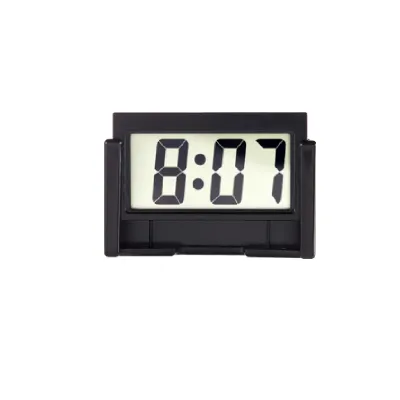
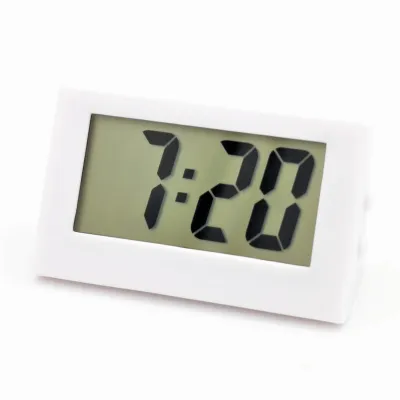
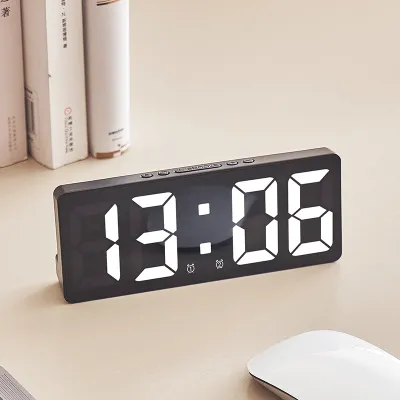
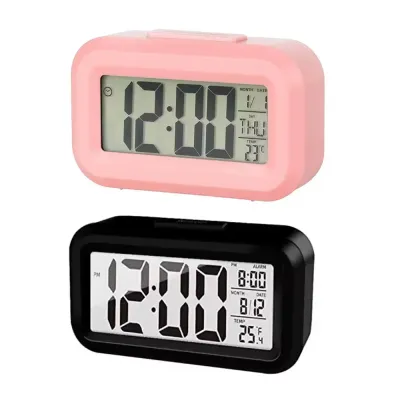
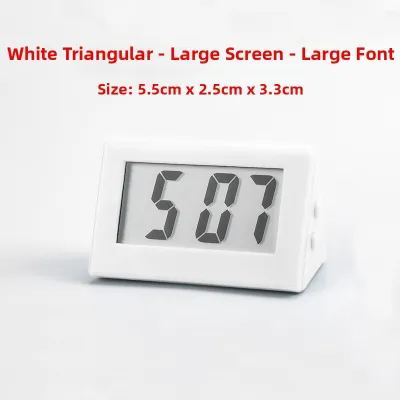
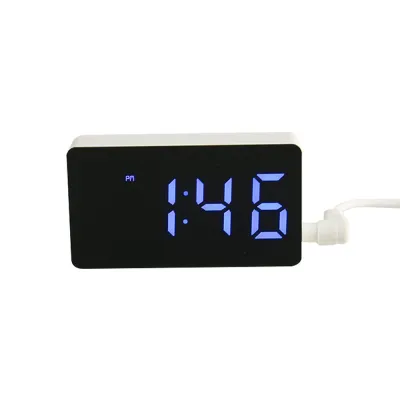
Prices are valid at publication and may change. Please refer to the product page for the latest price.
Dimmable Displays
A high-quality bedside clock must offer adjustable brightness settings to accommodate both midday sun and midnight darkness. Basic digital clocks often feature a single, high-intensity brightness level that is highly disruptive in a dark room. Look for clocks that offer multi-level manual dimming or, ideally, step-less dimming adjustment via a rotary dial, allowing you to fine-tune the illumination to your exact comfort level.
Some advanced mini digital clocks feature built-in ambient light sensors that automatically adjust the screen brightness based on the surrounding environment. While auto-dimming is highly convenient, verify that the sensor is responsive and does not flicker when passing headlights or shifting shadows hit the room. If you prefer complete control, a manual dimming button that is easy to locate in the dark is often the most reliable option.
Color Options
The color of your clock’s display segments plays a significant role in sleep preservation. Short-wavelength blue and cool white light are known to suppress the production of melatonin, the hormone responsible for regulating sleep. When exposed to blue light at night, your brain receives signals that mimic daytime, which can make falling asleep or returning to sleep after waking up much more difficult.
To protect your sleep hygiene, prioritize displays that utilize warm colors such as red, amber, or warm orange. Red light has a longer wavelength and has been shown to have a negligible impact on melatonin suppression. If you prefer a white display, ensure the clock features an ultra-low dimming mode that reduces the light output to a faint, non-glaring glow.
Screen-Off Modes
For individuals who are highly sensitive to light, even a dim red display can feel intrusive. Many modern mini digital clocks address this by offering a “blackout” or screen-off mode. This feature turns the display completely dark after a few seconds of inactivity, keeping the room pitch-black while the internal timekeeping and alarm functions remain fully active.
To view the time on a blackout clock, you typically tap the top of the device, press a button, or make a sound (such as clapping or tapping the nightstand) to temporarily wake the display. When selecting a sound-activated clock, ensure the sensor sensitivity is adjustable so that normal breathing, air conditioning units, or outdoor traffic do not accidentally trigger the display throughout the night.
Viewing Angles
Because a bedside clock is typically positioned higher or lower than your direct line of sight when lying down, viewing angles are highly important. Cheap Twisted Nematic (TN) LCD screens often suffer from severe contrast inversion when viewed from an angle, making the numbers appear faded, distorted, or completely invisible from a low mattress position.
To avoid this issue, look for clocks that utilize light-emitting diode (LED) segment displays or high-contrast Vertical Alignment (VA) LCD screens. These technologies offer much wider viewing angles, ensuring that you can easily read the time from a lying position without needing to sit up, tilt the clock, or strain your eyes in the dark.
Alarm and Snooze Functions for a Better Morning
How a clock wakes you up is just as important as how it helps you sleep. A harsh, startling alarm can spike your cortisol levels and leave you feeling groggy, while a poorly designed interface can lead to accidental oversleeping.

Snooze Function
The snooze button is often the most frequently used physical control on a bedside clock, making its design and placement a key usability factor. The snooze button should be large, distinct, and positioned on the very top of the clock where it can be easily located by touch alone, without requiring you to open your eyes or turn on a light.
Additionally, consider the snooze duration and customization. While many traditional clocks feature a fixed nine-minute snooze cycle, some modern digital models allow you to program custom snooze intervals ranging from five to sixty minutes. If you share a bed, look for a snooze button that operates silently when pressed, avoiding loud plastic clicks that could disturb your partner.
Wake-Up Styles
Traditional digital alarms often rely on high-pitched, static beeps that startle you awake. A more gentle approach is a progressive or gradual alarm, which starts at a barely audible volume and slowly escalates over thirty to sixty seconds. This gradual increase allows your brain to transition smoothly out of deep sleep states, reducing morning grogginess.
If you dislike standard electronic beeps, look for mini digital clocks that offer alternative sound profiles. Many models feature built-in sound chips with natural options, such as gentle rain, birds chirping, or soft wind chimes. Ensure the audio quality of these sounds is clear; low-quality speakers can turn a soothing nature sound into a distracting, static-heavy noise.
Silent and Vibration Options
For deep sleepers, individuals with hearing impairments, or couples who operate on different daily schedules, standard audible alarms are not always effective or appropriate. A silent alarm system utilizing a vibrating accessory is an excellent alternative. These systems typically feature a small, wired or wireless vibrating disc (often called a bed shaker or alarm puck) that you place under your pillow or mattress pad.
When the alarm time is reached, the puck vibrates vigorously to wake you directly through physical sensation, leaving your partner completely undisturbed. If you choose a clock with a vibrating accessory, verify the cable length of wired models to ensure it can comfortably reach from your nightstand to the center of your bed without creating a tripping hazard.
Dual Alarms
If you and your partner wake up at different times, or if you require different wake-up schedules for weekdays and weekends, a dual-alarm function is highly beneficial. This feature allows you to program two completely independent alarm times, each with its own unique sound, volume, and snooze settings. This eliminates the need to constantly reprogram your clock every evening, reducing the risk of setting the wrong time by mistake.
Power Sources and Nightstand Cable Management
Bedside tables are often crowded with charging cables, lamps, and personal items. Managing how your clock receives power and how it interacts with your other devices is crucial for maintaining an organized, safe, and functional nightstand.
USB-Powered vs. Plug-In
Traditional bedside clocks rely on standard AC wall plugs, which often feature bulky adapters that block adjacent outlets on your power strip. Modern mini digital clocks frequently utilize USB power inputs (typically Micro-USB or USB-C), allowing you to power the clock using standard USB ports found on multi-port chargers, power banks, or modern wall outlets.
USB power delivery is highly efficient and significantly reduces cable clutter. It also allows you to use longer or more flexible third-party cables if your nightstand is positioned far from the nearest wall outlet. When using a USB-powered clock, ensure you pair it with a reliable power source that delivers a stable voltage to prevent screen flickering or time drift.
Built-in USB Charging Ports
To maximize limited nightstand space, many mini digital clocks double as charging hubs by including built-in USB-A or USB-C pass-through charging ports. This feature allows you to plug the clock into a single wall outlet and then run your phone or tablet charging cable directly from the back of the clock.
When evaluating clocks with built-in charging ports, pay close attention to the power output specifications. Many budget-friendly clocks only provide a basic 5V/1A (5W) output, which will charge modern smartphones very slowly. For faster, more efficient overnight charging, look for clocks that offer at least a 5V/2.1A (10.5W) output or support dedicated USB-C Power Delivery (PD) standards.
Battery Backup
A reliable power source is essential for keeping your schedule on track. If your home experiences a brief power outage or a tripped circuit breaker during the night, a clock without a backup power source will reset, causing you to miss your alarm. A built-in battery backup prevents this by maintaining the clock’s internal timekeeping and alarm settings during power disruptions.
Battery backups typically fall into two categories:
- Coin-Cell Memory Backups: These utilize a small CR2032 or similar lithium coin-cell battery. During a power outage, the clock display turns off to preserve energy, but the internal chip continues to keep time. Once main power is restored, the display turns back on with the correct time and alarm settings intact.
- Rechargeable Lithium Batteries: Some mini digital clocks feature larger, built-in rechargeable lithium batteries. These allow the clock to remain fully functional—including the display and alarms—for several days without being plugged into a wall outlet, making them highly portable and versatile.
Recommended Clock Profiles for Different Sleepers
Because no single clock is perfect for everyone, identifying your specific sleep style and nightstand requirements will help you narrow down the ideal feature set. The following profiles outline the most effective feature combinations for different types of users.
The Minimalist Profile for Light Sleepers
If you are easily disturbed by light, noise, or electronic distractions, your primary goal is to maintain an absolute sanctuary for sleep. Your ideal mini digital clock should prioritize passive operation and minimal visual interference.
- Display: A low-intensity red or amber LED display with a manual, physical dimming dial or a complete blackout mode that turns off entirely when not in use.
- Controls: Non-glowing, silent physical buttons that do not make loud clicking sounds when pressed in the middle of the night.
- Alarms: A simple, low-frequency beep alarm with a progressive volume control that starts softly and increases gradually.
- Connectivity: A completely offline device with no Wi-Fi, Bluetooth, or smart features that could emit standby lights or status indicators.
The Tech-Hub Profile for Device-Heavy Nightstands
If your nightstand serves as the central charging station for your phone, smart watch, and wireless earbuds, you need a clock that consolidates utility and saves valuable surface space.
- Power Input: A modern USB-C power input that integrates easily with your existing multi-port charging blocks.
- Charging Ports: At least one high-output USB-A or USB-C pass-through charging port (5V/2.1A or higher) to support efficient overnight device charging.
- Design: A compact, vertically oriented, or angled design with a small physical footprint to leave maximum space for your devices.
- Trade-offs: Be aware that clocks with built-in charging hubs may have slightly brighter default displays and require a higher-wattage wall adapter to power both the clock and your connected devices simultaneously.
The Gentle-Waker Profile for Couples and Deep Sleepers
If you share a bed with someone who operates on a different schedule, or if you struggle to wake up to standard audio alarms, your clock must focus on targeted, non-disruptive alarm delivery.
- Alarms: Dual-alarm functionality with completely independent time, volume, and snooze settings for each user.
- Vibration: A dedicated, wired or wireless vibrating pillow shaker accessory that wakes you silently through physical sensation.
- Audio: Progressive nature sounds or gentle chimes that provide a pleasant, non-startling waking experience if you choose to use audio alarms.
- Snooze: A large, silent-press snooze button that allows you to delay your alarm without waking your partner with loud plastic clicks.
Pre-Purchase Checklist for Singapore Bedrooms
Before finalizing your purchase, take a moment to verify that your chosen mini digital clock is fully compatible with your local bedroom environment and electrical standards.
Power Compatibility
Singapore operates on a 230V supply voltage at 50Hz, utilizing Type G three-pin electrical plugs. If you are purchasing a plug-in digital clock from an international online retailer, verify that the included power adapter is rated for 230V input and features a compatible Type G plug.
If the clock is USB-powered, it is universally safe to use, as the voltage conversion happens within the wall adapter rather than the clock itself. However, you must ensure that the USB wall adapter you pair with the clock is certified for local use. Look for adapters that carry the Enterprise Singapore Safety Mark, which indicates the product has been tested and certified to meet local safety standards, preventing potential electrical hazards or short circuits.
Physical Dimensions
Many bedrooms in Singapore, particularly in modern HDB flats, feature compact layouts with limited space for bedside furniture. It is common to use narrow nightstands, floating shelves, or slim headboard ledges to hold personal items.
Before ordering, use a measuring tape to check the exact depth and width of your available nightstand surface. Product photos can often be misleading, making a clock appear smaller than it is in reality. A true “mini” digital clock should ideally feature a width of under 12 centimeters and a depth of under 6 centimeters, allowing it to sit securely on narrow surfaces without risk of falling.
Warranty and Returns
Electronic components such as LED segments and LCD screens can occasionally suffer from manufacturing defects, such as dead pixels, uneven backlighting, or unresponsive touch sensors. When purchasing your clock, verify the retailer’s return and warranty policies.
Opt for sellers that offer a clear return window (typically 7 to 14 days) to test the device in your home. Once your clock arrives, plug it in and test all display segments, dimming levels, and physical buttons immediately to ensure everything functions correctly before discarding the packaging.
Frequently Asked Questions (FAQ)
Do mini digital clocks emit radiation that affects sleep?
Standard bedside digital clocks emit negligible levels of electromagnetic fields (EMF), which are far below any safety thresholds established by international guidelines. Unlike mobile phones or smart tablets, a basic digital clock does not continuously transmit radiofrequency signals to cellular towers or Wi-Fi routers. The primary factors that disrupt sleep are actually light pollution from bright displays and noise pollution from ticking components. If you have concerns about EMF emissions, keeping the clock at least an arm’s length away from your head on your nightstand will provide complete peace of mind while keeping the display easily readable.
Can I use a smart speaker with a screen as a bedside mini clock?
While smart speakers with integrated displays offer advanced features—such as voice control, weather updates, and highly customizable alarm schedules—they present several distinct trade-offs when used as bedside clocks. Smart displays are designed to be highly interactive, which often means their screens are significantly brighter and emit more blue light than a dedicated mini digital clock, even when set to night mode. Additionally, smart displays require a continuous Wi-Fi connection to function fully, which can lead to connectivity alerts or software updates interrupting your sleep. A dedicated mini digital clock remains the superior choice if you prioritize a distraction-free, reliable, and sleep-friendly nightstand environment.
Community discussion
Share your experience or ask a question. Comments are reviewed before publication.