
Selecting the right digital table clock requires balancing immediate readability with seamless integration into your daily environment. The ideal combination of display technology and power source depends entirely on where the clock will sit and how you intend to use it. By understanding the practical differences between LED and LCD screens, alongside the trade-offs of battery, USB, and mains power, you can select a timepiece that remains highly functional without disrupting your sleep or cluttering your workspace.
Display Technologies: LED vs. LCD Screens
The choice between Light Emitting Diode (LED) and Liquid Crystal Display (LCD) screens directly impacts how easily you can read the time under different lighting conditions. LED displays emit their own light, producing high-contrast, vibrant digits that are exceptionally easy to read in dark or dimly lit rooms. This self-illuminating quality makes them highly popular for nightstands and dark hallways where quick visibility is essential. However, because they emit active light, standard LED screens can sometimes feel overly bright in a pitch-black bedroom.
To prevent sleep disruption, look for LED clocks equipped with adjustable brightness levels or integrated auto-dimming sensors. These sensors detect ambient light levels and automatically lower the display’s intensity when the room goes dark, ensuring the numbers remain readable without casting an intrusive glow across your bed. Some models also feature a display-off mode that only activates the screen when you tap the device or make a sound nearby.
Products mentioned in this guide

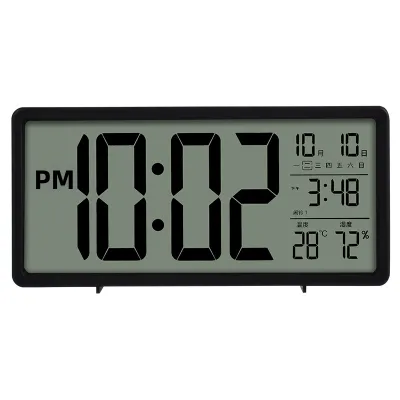
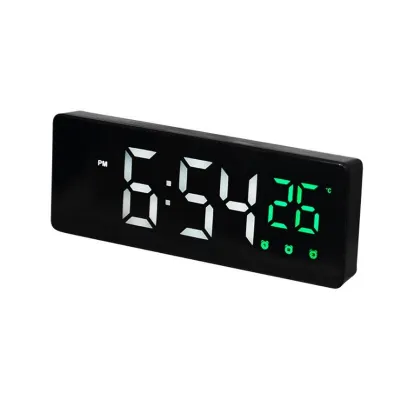
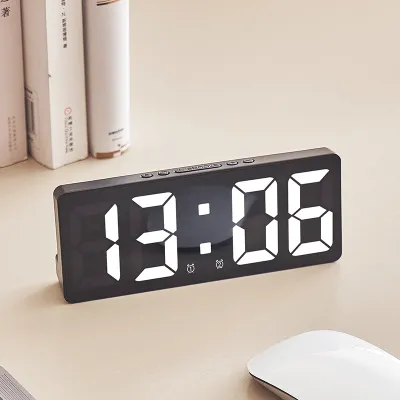
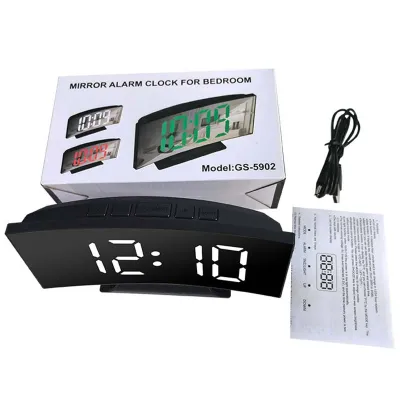

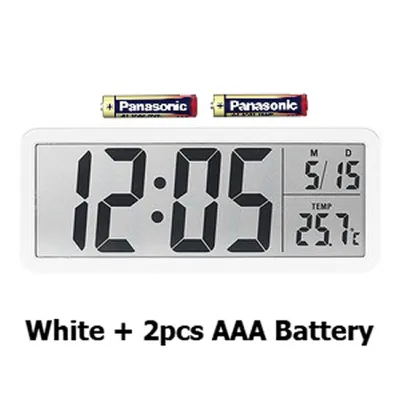

Prices are valid at publication and may change. Please refer to the product page for the latest price.
In contrast, traditional LCD screens rely on reflective technology, meaning they do not emit light on their own but instead reflect the ambient light in the room. This results in a much softer, paper-like appearance that is highly legible in bright daylight or well-lit office environments. Because they do not produce glare, LCD screens are incredibly gentle on the eyes during long working hours.
The primary limitation of a standard LCD is readability in the dark, which typically requires a manual backlight button or a low-intensity ambient sensor. Additionally, LCD screens can suffer from restricted viewing angles; if you look at the clock from a sharp side angle or from below desk level, the digits may appear faded or disappear entirely. When evaluating an LCD model, check the manufacturer’s specifications regarding viewing angles and backlight behavior to ensure it matches your physical placement plans.
Power Options: Battery, USB, and Mains Adapters
How your digital table clock receives power determines its placement flexibility, reliability, and overall contribution to cable clutter. Battery-operated clocks offer complete cordless freedom, allowing you to place the device on floating shelves, central kitchen islands, or minimalist desks without worrying about reaching a wall outlet. This portability also makes them excellent travel companions, though they require periodic battery replacements or recharging.

For stationary setups, USB-powered and mains-powered clocks provide continuous, worry-free operation without the risk of a dead battery silencing your morning alarm. USB-powered models are particularly convenient for modern workspaces, as they can draw power directly from a computer monitor, a desktop tower, or a multi-port charging hub. When selecting a USB or mains-powered clock, verify the voltage and interface requirements specified by the manufacturer to ensure compatibility with your existing adapters and power strips.
A critical feature to look for in any plug-in digital clock is a battery backup system. This secondary power source, often utilizing a small button-cell battery, does not typically power the main display during a blackout but keeps the internal timekeeping chip running. When the main power is restored, the clock displays the correct time immediately without requiring you to manually reset the hours, minutes, and alarm settings.
Cable management is another practical consideration for plug-in models, especially on crowded nightstands or compact desks. A long, stiff power cord can pull a lightweight clock out of alignment or create an untidy look. Opt for models that feature flexible, detachable cables and rear routing channels, which allow you to tuck the wire neatly out of sight behind your furniture.
Matching Specifications to Your Usage Scenarios
To make the most of your purchase, align the technical specifications of the clock with the specific demands of the room it will occupy. For bedroom environments, prioritize sleep comfort and reliability. A clock with an auto-dimming LED display or a gentle, touch-activated LCD backlight is ideal, paired with a reliable battery backup system to guarantee your alarms sound even during unexpected power outages.
In a home office or study, focus on high-contrast readability and seamless integration with your existing devices. A USB-powered LED or high-contrast LCD clock sits perfectly alongside computer setups, drawing power directly from your workstation. This setup eliminates the need to occupy an extra wall socket while keeping the time clearly visible at a quick glance during video calls or focused work sessions.
For larger, shared spaces like living rooms or entryways, visibility from a distance is the most important factor. A mains-powered clock with a large, bright LED display ensures that family members can easily read the time from across the room, regardless of the angle. Since these clocks are rarely moved, a permanent connection to a standard wall outlet provides the continuous power needed to support larger, high-visibility screens.
Frequently Asked Questions (FAQ)
Do digital table clocks consume a lot of electricity?
No, digital table clocks are highly efficient, low-wattage devices that consume minimal electricity. LCD models are exceptionally energy-efficient, especially those running on standard batteries or utilizing reflective screens without continuous backlighting. While LED displays draw slightly more power to keep their digits illuminated, their overall energy consumption remains negligible, even when plugged into a mains adapter or USB port continuously.
How do I clean the screen of a digital table clock safely?
To clean the screen safely, always start by unplugging the clock or removing its batteries to prevent accidental button presses. Use a soft, dry microfiber cloth to gently wipe away dust and fingerprints, applying minimal pressure to avoid scratching the plastic or glass surface. Avoid using harsh chemical cleaners, glass sprays, or excessive moisture, as liquid can seep into the casing and damage the internal electronic components; always refer to the manufacturer’s care instructions for specific material guidelines.

Community discussion
Share your experience or ask a question. Comments are reviewed before publication.