
Finding a reliable timekeeper in Singapore often leads to a choice between traditional quartz movements and modern connected devices. For those who require absolute precision without manual adjustments, a WiFi clock is an exceptional solution. These devices connect directly to your home wireless network to synchronize their time with global atomic standards, ensuring your schedule remains perfectly aligned.
Unlike standard digital clocks that gradually drift over weeks or months, a WiFi-enabled model maintains its accuracy automatically. This makes them highly practical for busy households, home offices, and bedside tables where every minute counts. However, selecting the right model for your space involves understanding how these devices interact with your local network and physical environment.
To find the ideal WiFi clock in Singapore, you must look beyond aesthetics and evaluate technical compatibility. Factors such as network band requirements, display technology, power configurations, and local electrical safety standards play a critical role in daily performance. By focusing on these specifications, you can secure a device that offers seamless operation and long-term reliability.
Products mentioned in this guide
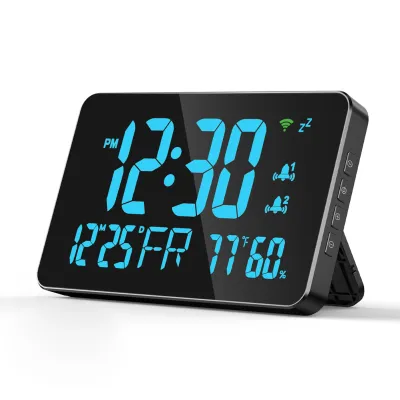
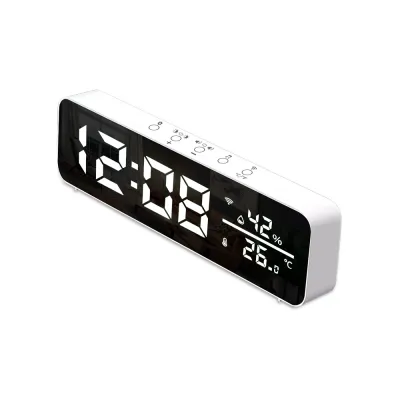
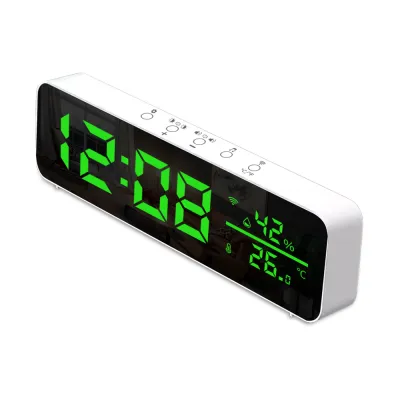
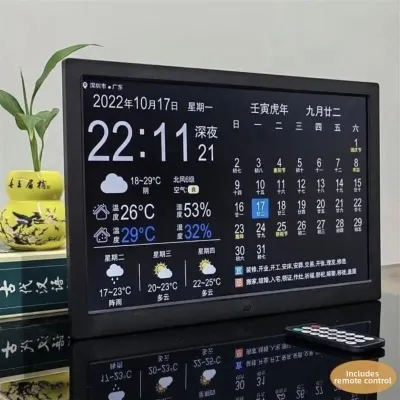
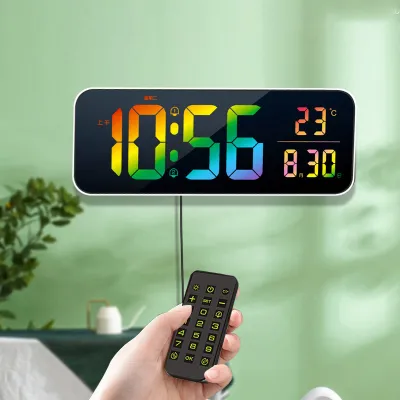
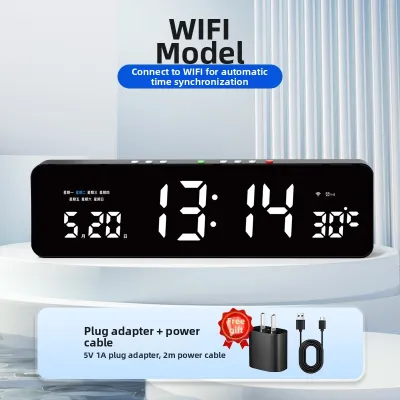
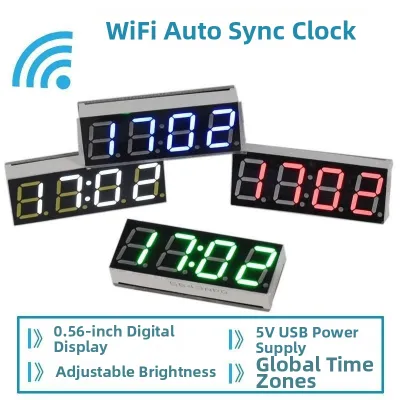
Prices are valid at publication and may change. Please refer to the product page for the latest price.
How WiFi Time Syncing and NTP Technology Actually Work
At the heart of every WiFi clock is a protocol designed to keep computer networks synchronized across the globe. Network Time Protocol (NTP) distributes time from highly accurate atomic reference clocks. When your clock connects to the internet, it sends a request to an NTP server, which responds with the precise Coordinated Universal Time (UTC).
Once received, the clock’s internal processor calculates the local time by applying the correct time zone offset. For Singapore, this means adding eight hours to the UTC reference (UTC+8). Because Singapore does not observe daylight saving time, the configuration remains straightforward, though many smart clocks can adjust automatically if moved to other regions.
Unlike traditional radio-controlled clocks, which rely on low-frequency radio transmitters located in countries like Japan or China, WiFi clocks utilize your existing broadband connection. In Singapore, weak radio signals rarely penetrate modern high-rise concrete buildings, making radio-controlled clocks highly unreliable locally. WiFi clocks bypass these physical geographical limitations entirely.
The accuracy of a WiFi clock is exceptionally high, typically maintaining time within a fraction of a second. Between scheduled synchronization intervals, the clock relies on its internal quartz crystal oscillator to keep time. While all quartz crystals experience minor drift due to temperature fluctuations, the clock corrects this drift during its next scheduled NTP sync.
Most consumer WiFi clocks are programmed to sync with NTP servers once a day or every few hours. This frequency is more than sufficient to prevent any noticeable time drift in daily life. Even if your network experiences temporary instability, the drift accumulated over a few days is usually imperceptible.
Key Specifications to Check for Reliable Daily Performance
When browsing online marketplaces for a WiFi clock, the variety of display technologies can be overwhelming. LED displays are popular for their bright, sharp digits that are easily readable from a distance. However, because they emit active light, they can disturb your sleep in a dark bedroom unless the clock features an automatic or manual dimming function.

LCD screens offer a different set of advantages, relying on ambient light reflection rather than emitting intense brightness. They are excellent for well-lit living rooms or offices but require an integrated backlight for nighttime viewing. E-ink displays, similar to those found on e-readers, provide superb contrast and wide viewing angles without glare, making them a sophisticated choice for modern interiors.
Power configurations are another critical factor to verify before making a purchase. Most WiFi clocks require a continuous mains power connection via a USB cable or a dedicated wall adapter to maintain their wireless connection. Because constant WiFi communication draws more power than a standard quartz movement, relying solely on batteries is rarely practical for daily operation.
However, a robust battery backup system is highly desirable. A small backup battery, such as a lithium button cell, ensures the clock retains its internal time and network settings during a power outage. When the main power is restored, the clock can reconnect to your WiFi network automatically without requiring you to repeat the initial setup process.
Smart home integration and companion app requirements should also influence your decision. Many WiFi clocks require a specific smartphone application for initial setup, where you input your home network credentials. Checking whether the clock uses a widely supported app, like Smart Life or Tuya, can simplify the installation process and allow you to sync the clock with other smart home devices.
Finally, consider the physical dimensions, base weight, and build materials of the clock. A bedside table clock needs a compact footprint to leave room for other essentials, while a living room clock should be large enough for quick-glance readability. A solid base weight and non-slip rubber feet prevent the clock from sliding or tipping over when you interact with its physical buttons.
Network Requirements to Ensure Uninterrupted Syncing
A WiFi clock is only as reliable as the wireless network it connects to. One of the most common setup hurdles involves frequency band compatibility. The vast majority of smart home IoT devices, including WiFi clocks, are designed to operate exclusively on the 2.4GHz wireless band.
The 2.4GHz band is preferred for these devices because it offers superior range and better penetration through concrete walls compared to the faster 5GHz band. When configuring your clock, ensure your home router broadcasts a dedicated 2.4GHz signal. If you use a modern mesh router with a single SSID for both bands, you may need to temporarily disable the 5GHz band during setup to allow the clock to connect.
Router security protocols can also impact the initial connection handshake. Most modern WiFi clocks are compatible with WPA2 security, which is the standard for home networks. If your router is configured to use the newer WPA3 protocol exclusively, verify that the clock supports this standard, or set your router to a transitional WPA2/WPA3 mode to ensure compatibility.
It is also important to note that WiFi clocks generally cannot connect to networks that utilize captive portals. Captive portals are web pages that require users to enter a username, password, or accept terms of service before granting internet access, commonly found in commercial buildings or shared condominium networks. For these environments, a standard offline clock or a Bluetooth-synced model may be more appropriate.
Internet outages are inevitable, but a well-designed WiFi clock handles these disruptions gracefully. When the internet connection drops, the clock’s internal quartz movement continues to run, keeping the time accurate to within standard quartz tolerances. Once the router restores the internet connection, the clock should automatically reconnect and perform an NTP sync to correct any minor drift.
How to Shortlist and Compare WiFi Clocks for Your Space
To choose the right WiFi clock, you must evaluate how its features align with the specific room it will occupy. For a bedroom, your primary focus should be on sleep preservation. Look for models that offer step-less dimming, an automatic ambient light sensor, or a scheduled display-off mode that turns the screen off entirely during sleeping hours.
Silent operation is another non-negotiable feature for the bedroom. Because WiFi clocks use digital displays rather than mechanical hands, they are inherently silent, eliminating the distracting ticking sounds associated with traditional analog clocks. Additionally, ensure the alarm controls are intuitive and easy to operate in the dark.
For a home office or kitchen, visibility and utility take precedence over darkness. In these spaces, look for a clock with large, high-contrast digits that can be read clearly from various angles and lighting conditions. Models that display supplementary information, such as the date, day of the week, and indoor temperature, add significant practical value to your daily routine.
Before purchasing any electrical device for use in Singapore, it is essential to verify its voltage compatibility and plug type. Singapore’s electrical grid operates at 230V and 50Hz, utilizing Type G three-pin plugs. If the WiFi clock you select comes with a dedicated wall adapter, ensure it is rated for this voltage and carries the appropriate safety certifications, such as the local Safety Mark.
If the clock is powered via a standard USB interface, you have more flexibility. You can use any certified USB wall charger available locally, provided it meets the voltage and amperage requirements specified in the clock’s user manual. This is often the safest and most convenient option when purchasing international models online.
When shopping on online marketplaces, pay close attention to seller warranties and return policies. Because WiFi clocks rely on both hardware and software compatibility, having access to local customer support or a straightforward return policy is invaluable if you encounter connectivity issues. Prioritize reputable sellers who offer clear warranty terms to protect your purchase.
Placement and Maintenance Tips for Optimal Signal and Display
The physical placement of your WiFi clock can significantly influence its connection stability and display longevity. To ensure consistent NTP syncing, avoid placing the clock directly behind large metal objects, thick concrete pillars, or near other electronic appliances that emit electromagnetic interference. Devices like microwave ovens, wireless speakers, and baby monitors can disrupt the 2.4GHz wireless signal.
If you are placing the clock on a desk or bedside table, manage the power cable carefully. Route the cable neatly behind furniture to prevent it from being snagged or pulled, which could damage the clock’s power port or create a tripping hazard. Using cable clips or ties can help maintain a clean, organized aesthetic while ensuring safety.
For clocks placed in areas with higher humidity, such as a kitchen counter near a sink, ensure the device is kept away from direct water splashes. Standard WiFi table clocks are rarely waterproof, and moisture ingress can damage the internal circuitry and display. If you plan to use a clock in a bathroom, look for models specifically rated for damp environments.
Routine maintenance for a WiFi clock is minimal but essential for optimal performance. Periodically open the companion app on your smartphone to check for firmware updates. Manufacturers often release updates that improve network stability, patch security vulnerabilities, or optimize the synchronization process with NTP servers.
Keep the exterior of the clock clean by wiping it gently with a dry, soft microfiber cloth. Avoid using harsh chemical cleaners, alcohol, or abrasive materials, as these can scratch the display screen or degrade the protective coatings on the casing. If the clock uses a backup battery, remember to replace it every few years to ensure your settings remain protected during power outages.
Frequently Asked Questions (FAQ)
Do WiFi clocks consume a lot of electricity?
WiFi clocks are highly energy-efficient devices that consume very little electricity. The primary power draw comes from the display screen rather than the WiFi module itself, which only activates intermittently to sync the time. An average LED or LCD table clock typically draws between 1 and 5 watts of power, depending on the brightness level.
To minimize energy consumption further, look for models that feature auto-dimming or scheduled sleep modes. These features lower the display brightness during the night, reducing both light pollution in your bedroom and overall power usage. Over the course of a year, the cost of operating a WiFi clock on Singapore’s electrical grid is negligible.
What happens to the time if the internet goes down?
If your internet connection is interrupted, a WiFi clock will continue to function normally using its internal quartz movement. The clock does not stop running when it loses its connection; instead, it relies on its internal hardware to keep time until the network is restored.
While operating offline, the clock may experience a very minor drift of a few seconds over several weeks, which is typical for standard quartz timepieces. Once your router reconnects to the internet, the clock will automatically perform its next scheduled NTP sync, correcting any accumulated drift and restoring perfect accuracy.
Can I use a WiFi clock without connecting it to the internet?
Most WiFi clocks can function as standard digital clocks without an active internet connection, but their features will be significantly limited. Without internet access, you will need to set the time and date manually using the physical buttons on the device, assuming the model supports manual configuration.
Additionally, any smart features, such as automatic time zone adjustments, live weather updates, or synchronization with companion apps, will be unavailable. If you do not plan to connect the device to a wireless network, a standard quartz digital clock may be a more practical and cost-effective choice.
Community discussion
Share your experience or ask a question. Comments are reviewed before publication.