
Quick Answer: How to Compare Clip-On Light Performance Claims
When comparing popular clip-on light brands, you will quickly find that standardized, independent testing is rarely available. This means that manufacturer-claimed metrics—such as maximum lumens or extended battery runtimes—often represent ideal laboratory conditions rather than everyday performance. To make an informed decision, you must treat these specifications as maximum potential limits rather than guaranteed baselines.
A reliable comparison strategy requires looking beyond marketing headlines. You should cross-reference verified user reviews on major ecommerce platforms to identify real-world issues, such as clamp slippage, rapid battery degradation, or drooping necks. By focusing on verifiable physical attributes—such as the clamp’s padding material, the charging interface, and the structural design of the neck—you can accurately assess which model fits your specific workspace.
Evaluating Brightness and Light Quality
To evaluate the brightness of a clip-on light, it is essential to distinguish between raw lumen output and actual, usable illumination on your work surface. Many brands advertise high lumen ratings, but this figure only measures the total light emitted by the source in all directions. In practice, the design of the reflector and the diffuser determines how much of that light actually reaches your book, keyboard, or desk. A model with a poorly designed lens may scatter light widely, causing distracting glare while leaving your actual workspace dim.
Products mentioned in this guide
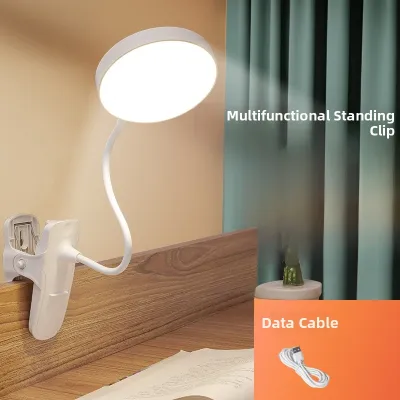
![[Goose neck] Table Lamp USB Rechargeable Clip on Table Lamp Desk Clamp Light 100 Lumens Touch Sensor Button Portable Light Long Battery Life Suitable for Reading](https://img.lazcdn.com/g/p/a5018143924cab09f10d36718cbe31b6.jpg_400x400q80.jpg_.webp)
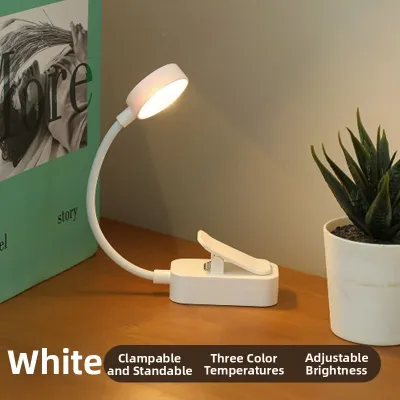
![[LOCAL SELLER] LED Touch On/Off Switch 3 Modes Clip Desk Lamp 2000MAh Eye Protection Desk Light Dimmer Rechargeable USB Led Table Lamp](https://img.lazcdn.com/g/p/c5062fc78b0d51f10105f68700cb1e94.jpg_400x400q80.jpg_.webp)
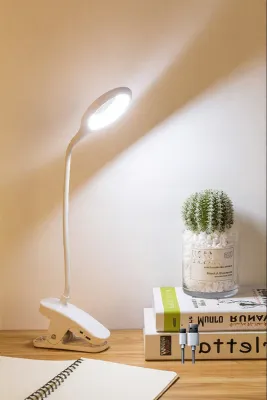
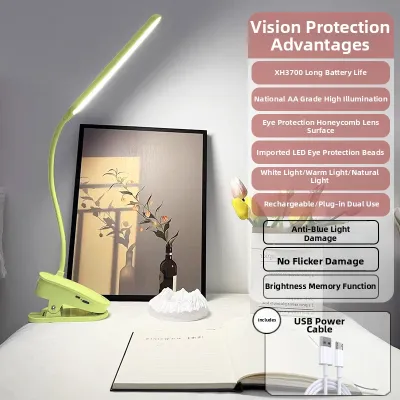
![[SG SELLER] [FREE SHIPPING] Portable Clip On Reading Lights (Type B) Bendable Night Light On The Go](https://img.lazcdn.com/g/p/d9539bff27c468247a79fdc1ad237d65.jpg_400x400q80.jpg_.webp)
Prices are valid at publication and may change. Please refer to the product page for the latest price.

When comparing models, look for those that specify lux levels at a given distance, which provides a much more accurate picture of real-world brightness. A well-engineered diffuser is critical for minimizing harsh shadows and reducing eye strain, especially when working on glossy paper or digital screens. If you frequently work with physical documents, a wider beam angle is preferable to prevent hot spots of intense light that wash out text.
Color temperature adjustability is another key differentiator among modern clip-on lights. Fixed-temperature models limit you to a single light profile, whereas adjustable fixtures typically offer three distinct modes: warm white (around 2700K to 3000K), cool white (around 4000K to 5000K), and daylight (6000K or higher). Warm light is highly suited for evening reading as it minimizes blue light exposure, while cool white or daylight settings are better for high-focus tasks and daytime study.
Finally, pay close attention to the dimming mechanism and light stability. Low-quality LED drivers can produce high-frequency flickering that, while invisible to the naked eye, can lead to headaches and eye fatigue over extended periods. Opt for brands that explicitly advertise flicker-free technology and offer step-less dimming or multiple distinct brightness levels. This flexibility allows you to adjust the illumination to match the ambient light in your room, preventing your eyes from having to constantly adapt to extreme contrast.
Assessing Battery Life and Power Delivery
Battery performance is often the most variable aspect of portable clip-on lights, making it crucial to understand how power delivery affects daily usability. Most portable models utilize built-in lithium-ion batteries, which offer the convenience of recharging but are subject to gradual capacity loss over time. Alternatively, some compact travel models rely on replaceable alkaline batteries, which are convenient when power outlets are entirely unavailable but can become costly and environmentally unfriendly over long-term use.
When reviewing battery life claims, always read the fine print regarding brightness settings. A brand advertising a 40-hour battery life is almost certainly measuring performance at the lowest, dimmest setting, which may only emit a few lumens. At maximum brightness, that same battery might only last for two to three hours. To get a realistic estimate, look for manufacturers that provide a detailed breakdown of runtime hours for each specific brightness level.
The charging interface and power management features also play a significant role in overall convenience. Modern fixtures increasingly feature USB-C ports, which offer faster charging and better durability than older Micro-USB connections. If you plan to use the light in a fixed location for long periods, verify whether the model supports pass-through charging. This feature allows the light to operate at full brightness while plugged into a power source without degrading the battery through excessive heat buildup.
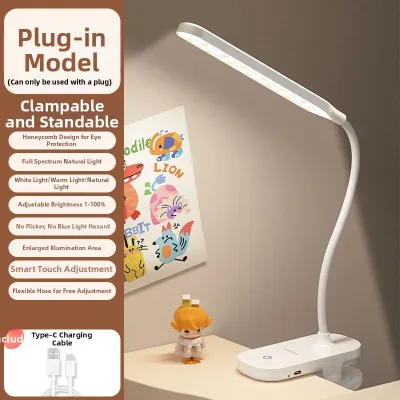
For stationary setups, a direct USB plug-in model that bypasses internal batteries entirely is often the most reliable choice. These models eliminate the risk of battery swelling or degradation and can be powered continuously via a wall adapter, a laptop port, or a power bank. When choosing a plug-in model, ensure the included cable is long enough to reach your power source without tension, and verify that the voltage and wattage requirements match your USB outlet’s output to prevent flickering or underpowering.
Checking Clamp Stability and Adjustability
A clip-on light is only as useful as its ability to stay securely in place, making clamp design and neck adjustability critical points of comparison. Clamps generally fall into two categories: spring-loaded tension clips and screw-tightened mounts. Spring-loaded clips offer rapid, one-handed attachment and are ideal for temporary setups, but their grip strength depends entirely on internal spring tension, which can weaken over years of use. Screw-tightened mounts, or C-clamps, provide a much more secure, adjustable grip that can accommodate thicker surfaces, though they require more effort to install and move.
To protect your furniture, always inspect the contact surfaces of the clamp. High-quality models feature thick, textured silicone or dense foam padding on the inside of the jaws. This padding serves a dual purpose: it prevents the hard plastic or metal of the clamp from scratching delicate wooden, glass, or lacquered surfaces, and it significantly increases friction to prevent the light from sliding or rotating under its own weight. Clamps lacking adequate padding are prone to slipping, especially when attached to smooth, vertical surfaces like bed headboards or metal poles.
The neck of the light determines how precisely you can direct the beam. Flexible goosenecks are highly popular for their infinite adjustability, but they vary wildly in build quality. A gooseneck that is too thin or flexible will droop or bounce when you type on your desk or adjust your seating position. Look for models that utilize a stiff, multi-core metal interior wrapped in a protective silicone sleeve, which provides the necessary resistance to hold heavy light heads steady.
For larger workspaces, articulated jointed arms offer superior stability and reach compared to standard goosenecks. These arms use mechanical joints and tension springs to maintain their position, allowing you to extend the light far over your desk without tipping the base. However, articulated arms require a much stronger clamp to counterbalance the leverage exerted when the arm is fully extended. Always check the manufacturer’s specified maximum clamp opening width to ensure it can accommodate the thickness of your desk edge or shelf.
Decision Framework: Choosing the Right Clip-On Light
Selecting the right clip-on light requires matching the fixture’s mechanical and electrical specifications to your specific physical environment and daily habits. If your primary goal is portability—such as moving between different study areas in a compact apartment or traveling—a lightweight, rechargeable model with a spring-loaded clamp is highly practical. For these mobile setups, prioritize a compact light head and a clamp with high-friction silicone padding that can secure itself to various temporary surfaces like tray tables or shelf edges.
For permanent or semi-permanent workspaces, such as a dedicated home office desk, a stationary plug-in USB model is generally the more durable and hassle-free option. By choosing a model that plugs directly into a USB port or wall adapter, you avoid the inevitable battery degradation that limits the lifespan of rechargeable devices. Pair this with a rigid articulated arm or a heavy-duty gooseneck to ensure the light remains perfectly positioned over your keyboard or documents without requiring constant readjustment.
If you intend to attach the light to delicate or non-traditional surfaces, such as the bezel of a computer monitor or a glass-topped table, extreme caution is required. In these scenarios, look for specialized low-weight fixtures with wide, gently tensioned clamps designed specifically to distribute pressure evenly. Avoid heavy, high-tension spring clamps on fragile materials, as the concentrated force can crack glass or damage sensitive display panels.
Before making any purchase, always measure the exact thickness of the surface where you plan to mount the light. Compare this measurement against the manufacturer’s specified maximum clamp opening, leaving a safe margin of at least a few millimeters. Additionally, verify that your chosen mounting spot has sufficient clearance behind it to accommodate the depth of the clamp jaws, ensuring a full, secure grip that will not slip over time.
Frequently Asked Questions (FAQ)
Will a clamp damage my desk or monitor?
Yes, a clamp can cause permanent damage if it lacks proper protective materials or if it is applied to an unsuitable surface. To prevent scratches, dents, or structural cracks, ensure the clamp features thick silicone or foam padding that cushions the contact points. When mounting a light near a computer monitor, avoid clamping directly onto thin plastic bezels or the screen glass itself; instead, look for lights specifically designed with counterweighted mounts or wide, low-tension clips that rest gently on the monitor frame without applying excessive pinching force.
Do rechargeable models overheat during long use?
While the LED light source itself typically generates very little heat, the internal lithium-ion battery and charging circuitry in rechargeable models can warm up during extended operation. This heat buildup is particularly noticeable if you run the light at maximum brightness while simultaneously charging it. To preserve battery health and prevent thermal degradation, avoid covering the battery compartment, check for models with built-in thermal protection, and consider switching the light to a lower brightness setting or unplugging it once fully charged during long study or work sessions.
Community discussion
Share your experience or ask a question. Comments are reviewed before publication.