
Quick Answer: Which Desk Light Bar Offers the Best Value?
Choosing the ideal desk light bar for your workspace depends entirely on your primary usage patterns, your monitor design, and whether you require precise color accuracy for professional tasks. There is no single universal winner in the market, as different engineering approaches cater to distinct user needs and budgets.
You should choose a premium-tier desk light bar from an established lighting or monitor manufacturer if your work involves graphic design, photo editing, or long hours of reading physical documents. These premium models feature true asymmetric optical designs that project light precisely onto your desk without casting glare onto your screen or directly into your eyes. They also provide high color accuracy, flicker-free performance, and robust aluminum alloy construction that effectively dissipates heat.
Conversely, you should opt for a budget-tier desk light bar from a mobile accessory brand if you only require basic screen illumination to reduce eye strain in a dark room and are working with a strict budget. These models typically rely on simple physical shields or basic diffusers rather than advanced optical lenses, and they use standard USB power. While they do not offer perfect optical control, they provide a highly cost-effective solution for casual computing, gaming, and general administrative tasks.
Products mentioned in this guide
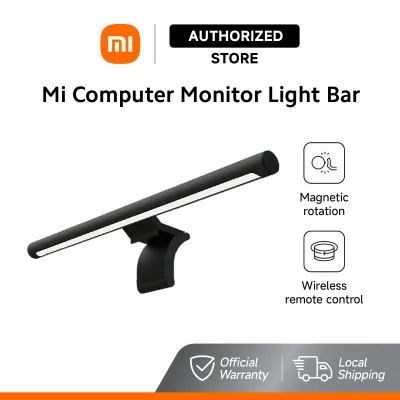
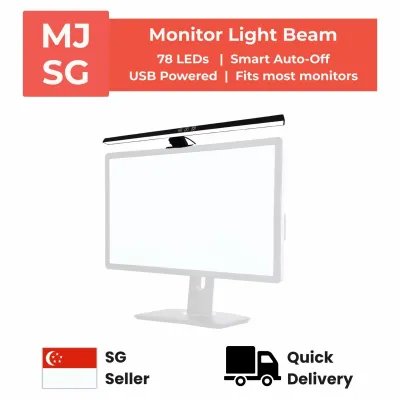
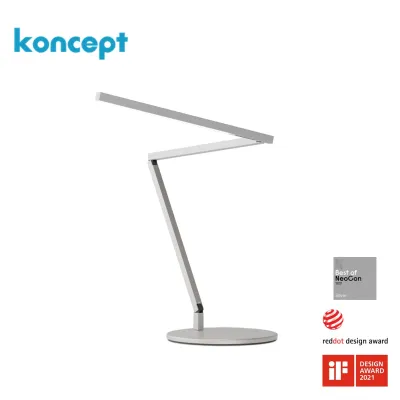
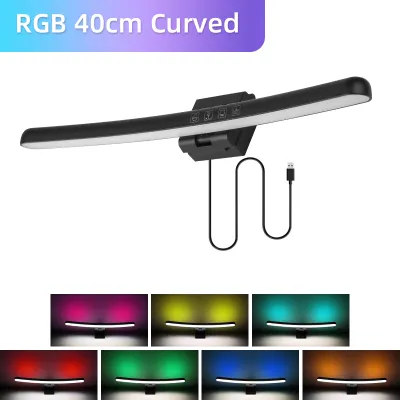
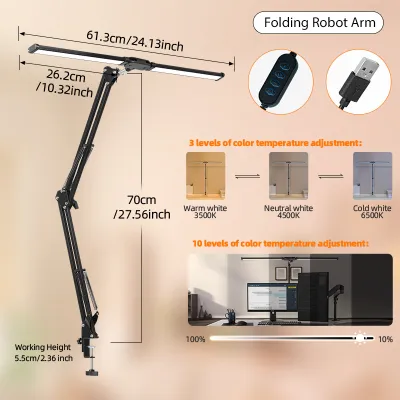
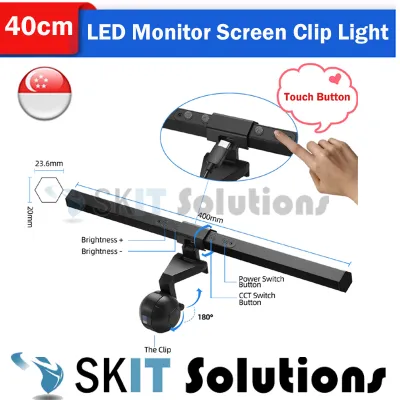
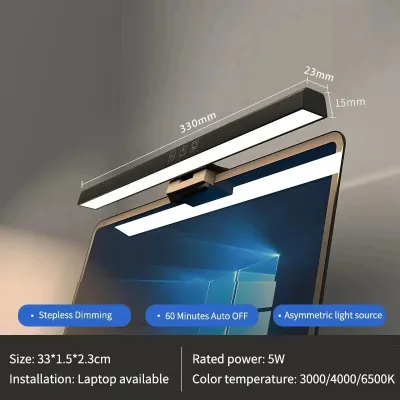
Prices are valid at publication and may change. Please refer to the product page for the latest price.
Regardless of the tier you choose, buyers in Singapore should always verify local warranty support when purchasing from cross-border online retailers. Ensuring access to local customer service and verifying that any included power adapter meets local electrical safety standards will protect your investment and guarantee long-term reliability.
Lighting Performance: Asymmetric Optics, Brightness, and Glare Control
The primary appeal of a desk light bar is its ability to illuminate your work surface without creating glare on your computer screen. Achieving this requires sophisticated optical engineering. Understanding how different brands handle light distribution, color rendering, and eye safety is essential for selecting the right model for your setup.

True asymmetric optical design is the defining feature of high-quality desk light bars. These premium models use custom-engineered internal reflectors or physical refractors to shape the light into a precise, forward-angled beam. This beam projects light downward and forward at an angle of approximately 45 degrees, illuminating the entire desk surface while leaving the monitor screen completely in the dark. Because no light shines directly onto the screen glass, there are no distracting reflections or washed-out contrast zones, and the light source itself remains hidden from your direct line of sight.
In contrast, budget-tier models often utilize symmetric light paths that are merely partially blocked by a physical hood or a basic plastic diffuser. While these designs prevent the light from shining directly into your eyes, they frequently allow a significant amount of light to spill onto the monitor screen. This stray light reflects off the glass panel, causing a veil of glare that reduces screen contrast and forces your eyes to work harder to read text. Over several hours of continuous use, this subtle glare can lead to significant eye strain and physical fatigue.
Color rendering is another critical performance metric that varies widely between brands. The Color Rendering Index (CRI), measured as a Ra value, indicates how accurately a light source reveals the true colors of physical objects compared to natural daylight. For tasks such as graphic design, digital illustration, photo editing, or reading printed textbooks, you should check the product specification sheet for a verified CRI rating of Ra > 90 or Ra > 95. Premium brands invest in high-quality LED chips that cover a broad color spectrum, whereas budget models often use cheaper LEDs with low CRI ratings (often below Ra > 80), which can make colors look dull, distorted, or muddy.
Most modern desk light bars offer adjustable Correlated Color Temperature (CCT), allowing you to transition between warm white and cool white light. Warm light, typically around 2700K to 3000K, is ideal for evening work as it reduces blue light exposure and helps promote a relaxing atmosphere. Cool light, ranging from 5000K to 6500K, mimics daylight and is excellent for daytime focus, reading, and high-concentration tasks. When evaluating different brands, check whether the color temperature adjustment is stepless or limited to a few rigid presets, as stepless adjustment allows you to match the light bar’s output perfectly with the ambient lighting in your room.
Brightness levels and dimming mechanisms also play a vital role in visual comfort. A high-quality task light should deliver a minimum of 300 to 500 lux of illumination at the center of your desk surface. Premium brands often feature advanced dimming circuits that provide smooth, stepless brightness adjustments. They also incorporate high-frequency LED drivers to prevent flicker. Invisible high-frequency flickering, common in cheap LED circuits that use low-frequency Pulse Width Modulation (PWM) for dimming, can cause headaches, eye strain, and general fatigue during long working hours. Look for models that carry certified flicker-free markings or comply with recognized international safety standards.
Build Quality and Mounting: Materials, Weight, and Desk Compatibility
The physical construction and mounting design of a desk light bar determine its durability, safety, and compatibility with your existing monitor setup. Since these devices rest directly on top of expensive displays, evaluating their materials and mechanical engineering is crucial before making a purchase.
Premium desk light bars are almost exclusively constructed with extruded aluminum alloy housings. Aluminum is not only highly durable and aesthetically pleasing, but it also serves as an excellent heat sink. LEDs generate a substantial amount of heat at their internal junctions, and if this heat is not dissipated efficiently, it can degrade the LED phosphors over time, leading to a permanent shift in color temperature and a rapid decline in maximum brightness. Budget-tier light bars, on the other hand, frequently use ABS plastic housings. While lightweight and inexpensive, plastic has very poor thermal conductivity, which can cause the light bar to run hot and shorten the overall lifespan of the internal LEDs.
Mounting mechanisms vary significantly across different brands and can be categorized into three main designs:
- Gravity Pivot Clips: These designs use a heavy counterweight that rests against the back of the monitor, balancing the light bar on the top bezel using friction and gravity. Because they do not apply active clamping force, they are highly recommended for modern, delicate displays.
- Spring-Loaded Clamps: These clamps actively squeeze the top frame of the monitor to stay in place. While secure, they apply constant physical pressure to the bezel, which can be problematic for modern borderless screens.
- Adhesive or Fixed Mounts: Some budget models use adhesive pads or rigid brackets. These lack flexibility, make it difficult to adjust the angle of the light, and can leave sticky residue on your monitor.
Compatibility with modern monitor designs is a critical risk factor. Many modern screens feature ultra-thin profiles, highly curved panels, or irregular geometric shapes on their back casings. Squeezing a tight, spring-loaded clamp onto an ultra-thin bezel can pinch the liquid crystal layer of the display, causing permanent backlight bleeding or physical cracks in the screen glass. Before purchasing, carefully measure your monitor’s thickness and check the back-panel geometry against the light bar manufacturer’s specified clamping range.
Power delivery is another area where compatibility must be verified. Most desk light bars are powered via a USB cable, but their wattage requirements differ. Premium models with high brightness levels and extra features often require a stable 5V/2A (10W) power supply. If you attempt to power a high-wattage light bar directly from a standard USB 2.0 port on your computer or monitor, which typically outputs only 5V/0.5A (2.5W), the light bar may flicker, hum, shut down unexpectedly, or operate at a fraction of its intended brightness. Always verify the power requirements on the product label and use a certified USB wall adapter or a dedicated high-output USB port to ensure stable and safe operation.
Smart Controls and Extra Features: Touch, Dials, and App Integration
Beyond basic illumination, the user interface and smart features of a desk light bar can significantly enhance your daily workflow. Comparing physical controls, automated sensors, and smart ecosystem integrations will help you determine which features are genuinely useful and which are unnecessary additions.
Physical control methods vary greatly between premium and budget tiers. Premium brands often include a wireless rotary dial that sits on your desk. These dials operate on low-power radio frequencies (typically 2.4GHz) and feature a weighted, high-quality rotary encoder. You can rotate the outer ring to adjust brightness, click and rotate to change the color temperature, or press the top to turn the light on and off. This desktop interface is incredibly convenient because it allows you to adjust your lighting without reaching up to touch the monitor, preventing screen wobble and fingerprints.
Budget-tier light bars, by contrast, usually feature touch-sensitive panels directly on the light bar housing or physical inline button switches on the USB power cable. Touch controls on the bar itself are clean and modern, but tapping them requires physical contact that can shift the light bar’s carefully adjusted angle or leave smudges on your monitor’s top bezel. Inline cable controllers are reliable and simple, but they can be awkward to reach if you route your cables neatly behind your desk or use a standing desk that moves throughout the day.
Automated features, such as ambient light sensors, are increasingly common in mid-to-high-end models. These sensors detect the brightness of your room and automatically adjust the light bar’s output to maintain a constant, pre-configured lux level on your desk. In premium models, these sensors are carefully calibrated to prevent rapid, distracting brightness fluctuations when clouds pass overhead or when you move your hands across the desk. In lower-end models, however, basic light sensors can sometimes over-compensate, causing the light to cycle up and down in a distracting manner.
Some advanced desk light bars also offer smart home integration, allowing you to control the light via smartphone apps, voice assistants, or local Wi-Fi networks. While app control can be convenient for integrating your desk light with your overall room lighting scenes, it introduces potential points of failure. App-dependent smart features require a stable wireless network and rely on the manufacturer maintaining their cloud servers. If the manufacturer discontinues app updates or shuts down their servers, those smart features may become completely unusable. For long-term reliability, physical controls and local wireless dials remain the safest and most robust choice.
Price-to-Value Breakdown: Premium vs. Budget Desk Light Bars
To make an informed purchasing decision that fits your budget and workspace, it is helpful to evaluate desk light bars using a structured decision framework. Rather than looking purely at price tags, consider the long-term value, safety, and physical protection of your computer equipment.
Choose a Premium-Tier Desk Light Bar if:
- You perform color-critical work: If you are a graphic designer, video editor, photographer, or digital artist, you require the verified high color accuracy (CRI Ra > 95) and precise asymmetric optics that only premium brands provide.
- You use an expensive or delicate monitor: If you own an ultra-thin, bezel-less, or curved display, investing in a premium model with a gravity-balanced counterweight mount protects your screen from physical clamping damage.
- You work long hours at your desk: If you spend eight or more hours a day in front of your computer, the flicker-free certification, precise glare control, and convenient wireless desk dial will significantly reduce eye strain and improve your daily comfort.
- You value local support: Premium brands sold through authorized channels in Singapore offer local warranties, giving you access to quick replacements and reliable customer service if any technical issues arise.
Choose a Budget-Tier Desk Light Bar if:
- You are a casual computer user: If you only use your computer for a few hours in the evening for general web browsing, basic administrative tasks, or casual gaming, a budget model offers sufficient ambient light.
- You have a standard, robust monitor: If your monitor is a traditional flat panel with a thick, sturdy bezel, it can easily accommodate a basic spring-loaded clamp without any risk of screen damage.
- You are working with a limited budget: If you are a student or are setting up a temporary home office, a budget light bar provides a functional, cost-effective upgrade over a traditional desk lamp that takes up valuable desk space.
- You prefer simple plug-and-play functionality: If you do not need smart home integration, automatic dimming, or wireless dials, a simple model with inline cable controls will meet your needs perfectly.
Critical Verification Steps Before Buying:
Before finalizing your purchase, especially when browsing cross-border online marketplaces, always perform these essential checks:
- Check the Power Specifications: Ensure the light bar's power requirements match your available power sources. If it requires more than 5V/1A, plan to use a dedicated, safety-certified USB wall adapter rather than your monitor's built-in USB ports.
- Verify local electrical safety: If the light bar comes with a dedicated 230V power adapter for use in Singapore, verify that the adapter features the appropriate safety marks and utilizes a standard Type G three-pin plug.
- Measure your monitor's dimensions: Compare your monitor's bezel width, overall thickness, and back-panel curvature against the light bar's mounting specifications to ensure a secure, damage-free fit.
- Confirm the warranty terms: Read the fine print to see if the warranty is local or if you would need to ship the product overseas for repairs, which can be costly and time-consuming.
Frequently Asked Questions (FAQ)
Do desk light bars work on curved monitors?
Standard straight desk light bars can be difficult to mount on curved monitors because the straight housing can touch the curved screen edges, block parts of the display, or fail to clamp securely. For curved screens, you should look for light bars specifically engineered with curved housings, adjustable mounting brackets, or specialized counterweights designed to accommodate a specific curvature radius, such as 1000R or 1500R. Always verify the manufacturer’s compatibility list before purchasing to ensure a safe fit.
Can I power a desk light bar directly from my monitor's USB port?
You can often power budget or lower-wattage desk light bars directly from a monitor’s USB-A port, provided the port outputs sufficient current, which is typically at least 5V/1A. However, many standard monitor USB ports only supply 5V/0.5A, which is insufficient for premium or high-brightness light bars. Underpowering the device can cause it to flicker, hum, shut down unexpectedly, or fail to reach its maximum brightness. For stable performance, connect high-wattage light bars to a dedicated USB wall charger or a certified power strip.
Community discussion
Share your experience or ask a question. Comments are reviewed before publication.