
Quick Answer: When a Hue Hub is Optional vs. Required
You do not always need a Hue Hub (also known as the Bridge) to use Hue dimmers and remotes, but your options depend entirely on the specific hardware generation you own and your overall smart home goals. If both your remote control and your smart bulbs support Bluetooth, you can pair them directly to achieve basic dimming and on-off functionality without purchasing any additional hub hardware.
However, a Hue Hub becomes mandatory if you are using older, Zigbee-only generations of remotes and bulbs that lack Bluetooth chips. You will also require the Hub if you want to expand your setup beyond a single room, control your lights while away from home, set up complex automated schedules, or integrate your lighting with broader smart home ecosystems and voice assistants. Deciding whether to buy the Hub comes down to balancing your budget against the scale and functionality you want from your lighting system.
How to Use Hue Remotes Without a Hub (Bluetooth Setup)
Setting up a Hub-free smart lighting system relies on direct Bluetooth communication between your controller and your light sources. To begin this setup, you must ensure that both your smart bulbs and your dimmer switch or remote are Bluetooth-compatible. The pairing process is typically managed through the manufacturer’s official mobile app, which guides you through searching for nearby Bluetooth-enabled bulbs and linking them directly to your wireless remote.
Products mentioned in this guide
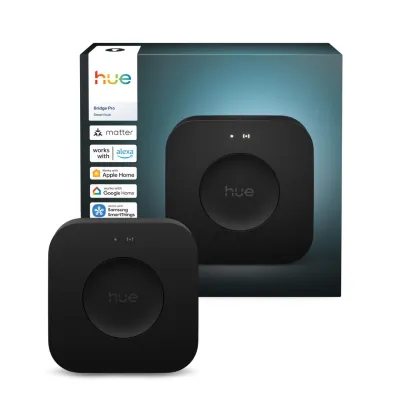
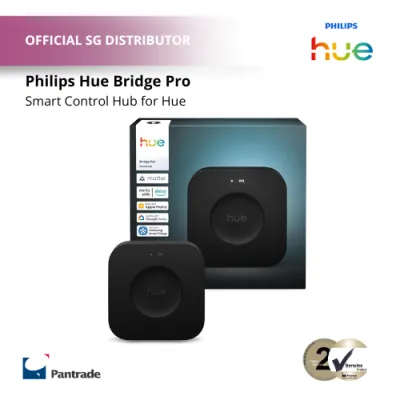
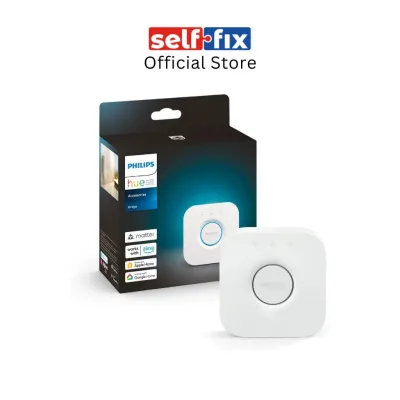
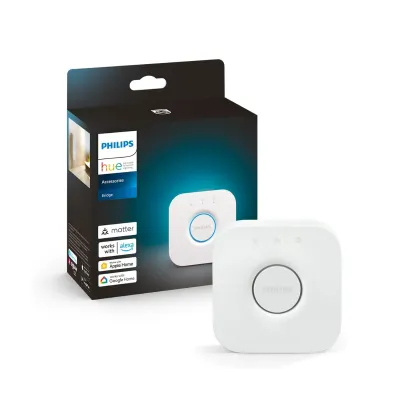
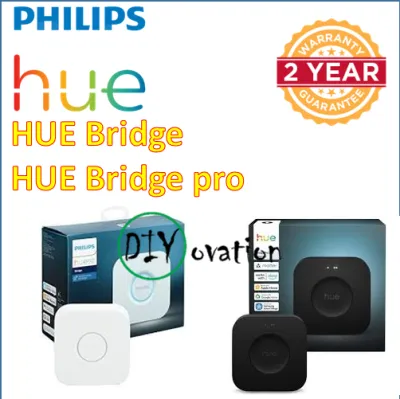
Prices are valid at publication and may change. Please refer to the product page for the latest price.

While a Bluetooth setup is highly cost-effective, it operates within strict physical boundaries. Bluetooth signals have a limited range, meaning your remote must remain relatively close to the bulbs it controls. In homes with dense concrete walls or structural pillars, the signal range can decrease significantly, sometimes limiting control to a single room.
Additionally, a direct Bluetooth connection limits the number of bulbs you can control simultaneously. While a Hub-based system can handle dozens of lights, a Bluetooth-only remote is generally restricted to controlling a maximum of 10 bulbs. This localized setup is highly suitable for simple, single-room upgrades—such as adding a wireless dimmer next to your bed or controlling a study desk lamp—where you do not need whole-home integration or advanced automation.
When You Must Buy a Hue Hub
As your smart lighting collection grows, the limitations of a Bluetooth-only setup quickly become apparent, making the purchase of a Hue Hub unavoidable. The first major trigger for buying a Hub is hardware compatibility. Older generations of dimmers, tap switches, and smart bulbs do not contain Bluetooth hardware; they communicate exclusively via the Zigbee wireless protocol, which requires the Hub to translate signals to your home network.
Another critical factor is feature availability. Without a Hub, you are locked out of advanced smart lighting features. For example, you cannot control your lights when you are away from home, nor can you set up complex schedules that trigger lights based on the time of day, sunrise, or sunset. If you want to integrate motion sensors to automatically light up hallways at night, or if you wish to sync your color-changing bulbs with movies, music, and gaming systems, the Hub is required to coordinate these high-speed data transfers.
Finally, the Hub is essential for scaling your system and integrating it with other smart home platforms. The Hub uses Zigbee to create a dedicated mesh network, where each mains-powered smart bulb acts as a signal repeater. This ensures stable connectivity across large, multi-room layouts without congesting your home Wi-Fi. Furthermore, if you want to control your lights using voice assistants like Apple Home, Google Home, or Amazon Alexa, the Hub acts as the necessary bridge to connect your Zigbee devices to your local Wi-Fi router.
Feature Comparison: Bluetooth Direct vs. Hue Hub Setup
To help you decide which path fits your home and budget, it is helpful to compare the two setups side by side. The table below outlines the core differences in range, capacity, and smart features.
| Feature | Bluetooth Direct Setup | Hue Hub (Bridge) Setup |
|---|---|---|
| Control Range | Limited (approx. 10 metres, single room) | Whole-home coverage via Zigbee mesh |
| Maximum Bulb Capacity | Up to 10 bulbs | Up to 50 lights and 12 accessories |
| Out-of-Home Control | Not supported | Fully supported via internet connection |
| Automations & Timers | Basic schedules only | Advanced routines, timers, and sensor triggers |
| Smart Home Integration | Limited direct phone connection | Full integration (Apple Home, Google Home, Alexa) |
| Connection Protocol | Bluetooth | Zigbee |
While starting with a Bluetooth setup avoids the upfront cost of a Hub (which typically retails around S$89 to S$99 when purchased individually), it functions primarily as a localized, entry-level solution. If you plan to eventually automate your entire living space, investing in the Hub early on provides a more stable foundation and saves you the hassle of reconfiguring your devices later.
How to Check Your Current Setup and Accessories
Before purchasing new accessories or a Hub, you should verify the capabilities of your existing hardware. To check if your smart bulbs or remotes support a Hub-free Bluetooth setup, look for the official Bluetooth logo on the product packaging or printed directly on the back of the device. Modern dual-protocol bulbs will feature both the Bluetooth and Zigbee logos on their metal bases.
If you no longer have the packaging, you can check the model number printed on the rear of your dimmer switch or remote. Cross-reference this model number with the manufacturer’s official online specification sheets or compatibility lists to confirm whether it includes Bluetooth hardware. Remember that compatibility is a two-way street: even if you have a brand-new Bluetooth remote, it cannot control older, Zigbee-only bulbs without a Hub.
If you are planning to replace a traditional, hardwired wall switch with a smart dimmer mounting plate, always prioritize electrical safety. Wireless smart remotes are battery-powered and can be safely mounted anywhere using adhesive tape. However, if your project involves disconnecting or modifying any fixed electrical wiring behind your existing switches, you must isolate the power at your home’s main distribution board before starting. If you are unfamiliar with home electrical systems, always hire a licensed electrical worker to perform the installation to ensure compliance with local safety standards.
Frequently Asked Questions (FAQ)
Can I add a Hue Hub later if I start with Bluetooth?
Yes, you can easily upgrade your system later. If you start with a Bluetooth-only setup and decide to purchase a Hue Hub in the future, you do not need to buy new bulbs or remotes. You can migrate your existing Bluetooth-paired devices to the Hub using the official mobile app. The app will guide you through connecting the Hub to your router and transferring your lights and accessories over to the new Zigbee mesh network, preserving your initial hardware investment.
Do all Hue dimmer switches support Bluetooth?
No, not all dimmer switches support Bluetooth. Older generations of the dimmer switch rely solely on the Zigbee wireless protocol and require a Hub to function. Newer models feature dual-protocol support, allowing them to connect directly to Bluetooth bulbs or integrate into a Hub-based system. Always check the product specifications, model number, or packaging icons before purchasing to ensure the accessory matches your intended setup.
Community discussion
Share your experience or ask a question. Comments are reviewed before publication.