
Quick Answer: Finding Energy-Efficient TV Backlights Under S$30
To find an energy-efficient TV backlight under S$30 on online marketplaces in Singapore, prioritize static warm white or basic remote-controlled RGB LED strips over complex smart systems. At this highly affordable price point, budget-friendly strips that focus on simple functionality offer superior build quality, more reliable heat management, and lower standby power consumption than feature-heavy alternatives. Simple bias lighting strips typically draw very little power, making them highly cost-effective to run in Singaporean households.
Before finalizing your purchase, it is essential to verify the strip’s operating voltage, total wattage, and included accessories. Many ultra-cheap options under S$10 consist of only the bare LED strip, requiring you to purchase a separate power adapter or controller that can easily push your total project cost past the S$30 threshold. Checking these technical specifications upfront ensures you select a safe, compatible, and truly economical lighting solution for your home entertainment setup.
Key Specifications for Energy Efficiency and TV Compatibility
Selecting the right TV backlight requires a clear understanding of technical specifications rather than relying on vague product descriptions. To achieve optimal energy efficiency and ensure your lighting setup is safe, you must examine the relationship between electrical power draw, physical dimensions, and thermal output.
Products mentioned in this guide
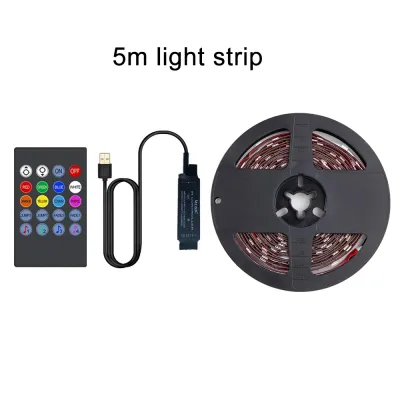
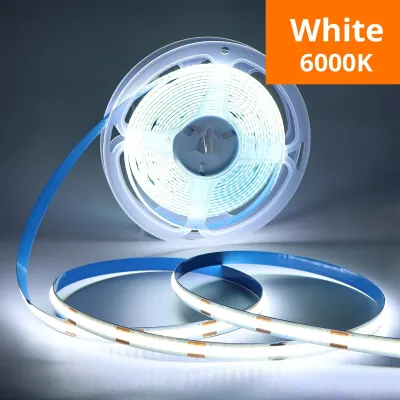
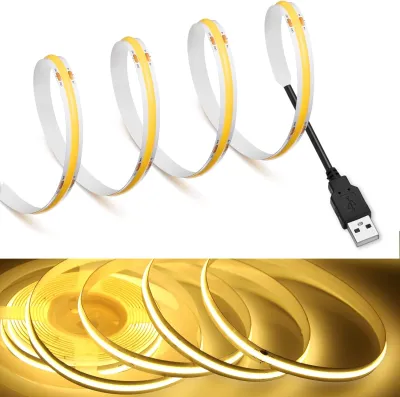
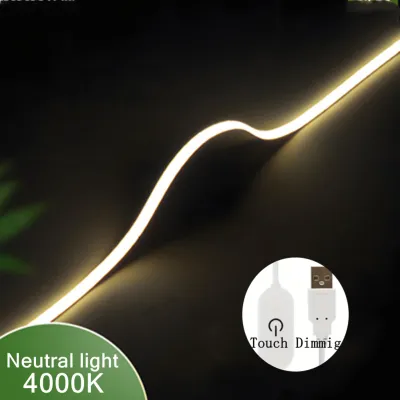
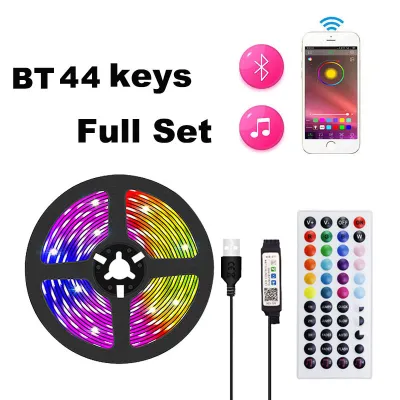
Prices are valid at publication and may change. Please refer to the product page for the latest price.

Power Consumption and Voltage Requirements
When evaluating energy efficiency, look closely at the nominal wattage per meter (W/m) rather than generic marketing terms like “eco-friendly” or “ultra-low consumption.” A highly efficient LED strip typically consumes between 4W and 8W per meter while providing sufficient illumination for ambient bias lighting. To calculate the total power draw, multiply the wattage per meter by the total length of the strip you plan to install. For example, a 3-meter strip rated at 5W/m will consume 15W at maximum brightness.
You must also choose between 5V and 12V operating systems, as this dictates how the strip is powered:
- 5V USB-Powered Strips: These are designed to plug directly into your TV's USB ports. They are highly convenient because they turn on and off automatically with your television. However, they are strictly limited by the current output of the TV's USB port, which is typically capped at 0.5A (2.5W) or 1A (5W).
- 12V DC-Powered Strips: These require a separate external wall adapter. They can support longer runs and higher brightness levels without straining your TV's internal circuitry. However, they require an extra mains outlet and will not automatically sync with your TV's power state unless you use a smart plug or a manual inline switch.
For most Singaporean living rooms, a low-wattage 5V USB strip is the most energy-efficient and practical choice, provided its maximum power draw matches or is lower than your TV’s USB port rating.
LED Density, Length, and Heat Management
Physical compatibility is just as critical as electrical specifications. Before purchasing a TV backlight, measure the actual perimeter of your television’s back panel rather than relying on the diagonal screen size. A 55-inch television, for example, typically requires a strip length of approximately 3 to 4 meters to cover all four sides, or 2 to 2.5 meters to cover the top and sides in a three-sided configuration.
LED density—the number of individual LED chips per meter—directly influences both power consumption and heat generation:
- Low to Medium Density (30 to 60 LEDs/m): This range is highly recommended for TV bias lighting. It provides a smooth, diffused glow against the wall while keeping power draw low and heat output to a minimum.
- High Density (120 LEDs/m or more): These strips draw significantly more power and generate substantial heat. Without an aluminum profile to act as a heatsink, high-density strips can run hot.
Excessive thermal output can degrade the adhesive backing, cause the LEDs to dim prematurely, and potentially affect the sensitive plastic casing or internal components of your television. Always check the operating temperature limits printed on the product packaging or manufacturer’s datasheet to ensure the strip is safe for enclosed installation behind a TV panel.
Prioritizing Features Within a S$30 Budget
With a budget of S$30, making deliberate trade-offs is key to securing a high-quality, energy-efficient product. Attempting to buy a strip that offers every premium feature at this price point often results in poor manufacturing quality, fragile wiring, or electrical hazards.
Must-Have Features
- High-Quality Adhesive: Look for strips that utilize recognizable, branded double-sided adhesives, such as genuine 3M tape. Poor-quality adhesives will quickly degrade under the mild heat generated by the TV and the LEDs, causing the strip to peel off and sag.
- Manual or Simple Remote Dimming: The ability to adjust brightness is the most effective way to save energy. Dimming the strip to 50% or 75% brightness significantly reduces power consumption while still providing excellent contrast-enhancing bias lighting.
- Verifiable Safety Certifications: Ensure the product packaging or listing displays standard safety markings such as CE, RoHS, or FCC. If the kit includes a 12V wall adapter, verify that the adapter carries the Enterprise Singapore Safety Mark, which guarantees it has been tested and approved for safe use in Singapore homes.
Features to Compromise On
- App Control and Smart Home Integration: Wi-Fi and Bluetooth-enabled strips require constant standby power to remain connected to your network, even when the lights are turned off. This standby draw, while small, runs 24/7 and erodes your energy savings over time. Furthermore, smart controllers drive up the retail price, leaving less of your S$30 budget for high-quality LEDs and reliable adhesives.
- Music Synchronization and Camera Color Matching: These features require active processing microchips and external sensors, which increase both the retail price and the overall power draw.
For a reliable and energy-efficient setup under S$30, select a static warm white (around 2700K to 3000K) or a simple, remote-controlled RGB strip. These designs keep standby power near zero and allocate the manufacturing budget to physical durability and electrical safety.
Safe Installation and Power Supply Boundaries
Improper installation can lead to electrical instability, damage to your television, or premature product failure. Following strict safety boundaries ensures your new lighting system operates efficiently without risking your home entertainment hardware.
USB Port Power Limits Before plugging any USB-powered LED strip into your television, inspect the labels next to the TV’s USB ports. Standard USB 2.0 ports are typically rated for 5V and 0.5A, which can safely supply only 2.5W of power. USB 3.0 ports (often marked in blue or labeled “USB 3.0”) usually support 5V at 0.9A (4.5W). Some televisions feature a dedicated high-power port labeled “5V 1A” or “5V 2A,” capable of delivering 5W or 10W respectively.
If your LED strip draws more wattage than the port is rated to supply, the TV’s internal motherboard can overheat, leading to port failure, system crashes, or permanent hardware damage. If the strip’s maximum power draw exceeds your TV’s port rating, or if you notice the lights flickering or resetting, immediately isolate the power and connect the strip to a dedicated external 5V wall adapter.
Adhesive and Surface Safety To ensure a permanent bond and prevent thermal build-up, follow these preparation steps:
- Isolate Power: Always turn off and unplug your television from the wall outlet before beginning the installation process.
- Clean the Surface: Wipe the back panel of the TV thoroughly with isopropyl alcohol and a lint-free microfiber cloth to remove dust, oils, and static buildup. Allow the surface to dry completely.
- Avoid Critical Areas: Never apply the LED strip directly over ventilation grilles, cooling vents, warning labels, product identification stickers, or structural screws. Covering ventilation grilles traps heat inside the television, which can severely shorten the lifespan of your TV's internal electronics.
- Perform a Spot Test: If your television features a delicate matte finish or a textured plastic back, test a tiny piece of the adhesive tape on an inconspicuous corner first to ensure it can be removed safely without peeling away the plastic finish.
- Refer to Manuals: Always consult the manufacturer's user manual for both your television and the LED strip. If the installation instructions or power specifications conflict, defer to the television manufacturer's guidelines or consult a qualified electronics professional.
Verifying Product Claims on E-Commerce Platforms
Shopping on online marketplaces in Singapore requires a critical eye to separate genuine, energy-efficient products from low-quality listings covered in misleading marketing jargon. Use this verification checklist to ensure you get authentic value within your S$30 budget.
Filtering Out Marketing Buzzwords Be skeptical of listings filled with vague, unscientific claims. Terms like “eye-protection technology,” “ultra-bright cinematic glow,” or “military-grade adhesive” are marketing buzzwords designed to distract from a lack of technical data. Instead, search the product description for concrete specifications:
- Wattage (W): Look for the exact total wattage or wattage per meter.
- Lumen Output (lm): This measures actual brightness. For comfortable TV bias lighting, a moderate output of 150 to 300 lumens per meter is ideal.
- Color Rendering Index (CRI): A higher CRI (80 or above) ensures colors look natural and vibrant, reducing eye fatigue during long viewing sessions in dark rooms.
Evaluating Reviews and Seller Reputation Do not rely solely on star ratings, which can sometimes be inflated. Instead, navigate directly to the user review section and filter for reviews that contain real-world photos and videos. Pay close attention to these details:
- Included Accessories: Verify if the power adapter, USB cable, and remote controller shown in user photos match the product description.
- PCB Build Quality: Look for close-up photos of the strip. High-quality strips feature a thick, dual-layer copper printed circuit board (PCB) that resists tearing and dissipates heat effectively. Thin, paper-like PCBs are highly fragile and prone to electrical shorts.
- Seller Responsiveness: Check the seller's overall rating and response rate. Reliable sellers are quick to answer technical questions regarding voltage and power ratings.
Calculating the True Total Cost To stay strictly under your S$30 budget, watch out for hidden costs that are common on e-commerce platforms. Many listings show a very low base price (such as S$5) that only covers a 50cm sample strip or a spare remote control. Once you select the correct length for your TV (e.g., 3 meters) and include the necessary USB controller or wall adapter, the price will adjust upward. Always add the final configuration to your cart and factor in shipping fees to Singapore to ensure the total landed cost remains comfortably below S$30.
Frequently Asked Questions (FAQ)
Do TV backlight strips significantly increase my electricity bill?
No, standard LED TV backlight strips consume an incredibly small amount of electricity, making their impact on your monthly utility bill virtually unnoticeable. A typical 5V USB-powered LED strip draws about 5 watts of power at maximum brightness. If you operate this backlight for 5 hours every single day, it will consume approximately 25 watt-hours (Wh) of electricity per day, which translates to just 9.125 kilowatt-hours (kWh) over an entire year. At typical Singapore household electricity tariffs (roughly 30 to 32 cents per kWh), running your TV backlight daily will cost less than S$3.00 for the entire year. They are exceptionally energy-efficient and highly cost-effective home decor additions.
Can I cut the LED strip to fit a smaller TV?
Yes, most LED backlight strips are designed to be cut to size, but you must do so with extreme care. Locate the designated cut lines on the strip, which are clearly marked with copper pads, vertical lines, or small scissors icons. These markings typically appear every few centimeters. Cutting exactly along these lines preserves the electrical circuit for the remaining sections. If you cut anywhere else, you will permanently sever the copper traces, rendering that entire segment of the strip inoperable and voiding any warranty or return claims. Always disconnect the strip from its power source before cutting, and seal the cut end with electrical tape or an end cap to prevent accidental short circuits.
Is USB-powered backlighting safe for my TV's USB port?
USB-powered backlighting is entirely safe, provided the maximum power draw of the LED strip is strictly lower than the rated output of your television’s USB port. Before plugging the strip in, verify the port’s amperage rating, which is usually printed directly on the TV’s back panel (e.g., 5V 0.5A or 5V 1A). If your TV port is rated for 0.5A (2.5W) and you plug in a strip that requires 1.5A (7.5W), the port will be overloaded. This can cause the LEDs to flicker, dim, or shut down, and can eventually overheat and damage your TV’s internal circuitry. If there is any mismatch or uncertainty, play it safe by powering the strip with a dedicated external 5V wall adapter instead.
Community discussion
Share your experience or ask a question. Comments are reviewed before publication.