
When shopping for a galaxy projector, marketing materials often highlight dozens of features that sound impressive but rarely impact your daily experience. To make a practical purchasing decision, you only need to evaluate a few core specifications that dictate how the device will actually look and sound in your room. Focusing on the light source type, projection coverage, and motor noise will help you find a model that fits your space and sleep habits without getting lost in technical jargon.
Light Source: Laser vs. LED Differences
The visual quality of a galaxy projector depends heavily on its internal light source. Most consumer models use either light-emitting diodes (LEDs), lasers, or a combination of both to create their cosmic effects. Understanding how these technologies function allows you to choose the right visual style for your bedroom or living space.
LED light sources are excellent for creating broad, soft, and colorful nebula clouds. They produce a diffused light that mimics shifting gases, offering rich color saturation across a wide area. Because LEDs emit a gentler, more scattered light, they are generally considered suitable for general ambient lighting and are easy on the eyes during casual viewing.
Products mentioned in this guide
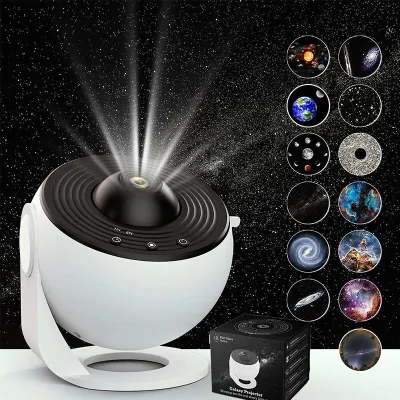
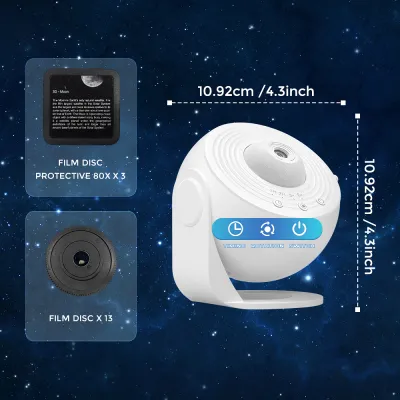
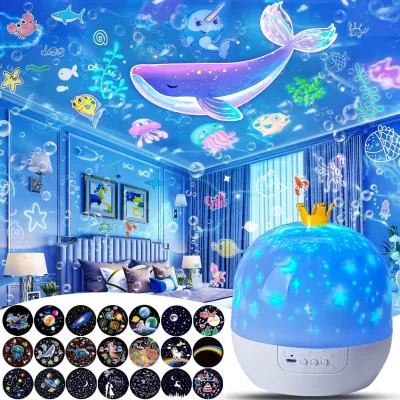
![[SG Local Stock]Mini Galaxy Projector Night Light USB Starry Sky Lamp Portable Star Light for Bedroom Sleep&Decoration](https://img.lazcdn.com/g/p/02e39b2f92605772015c60dac3aef3a5.png_400x400q80.png_.webp)

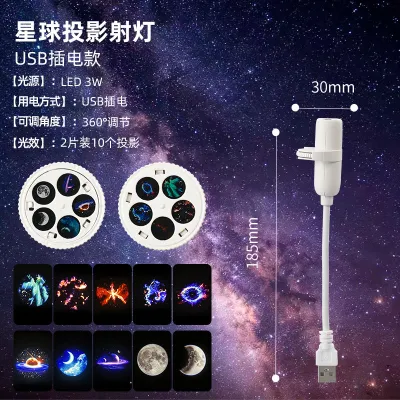
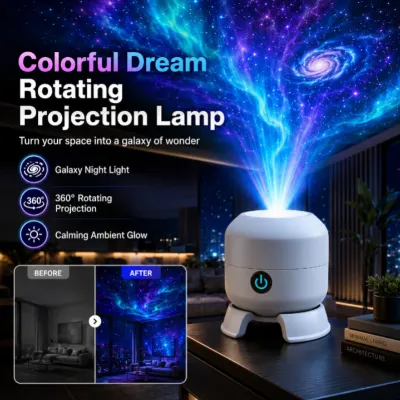
Prices are valid at publication and may change. Please refer to the product page for the latest price.
Lasers, on the other hand, are used to project sharp, distinct points of light that represent stars. These coherent light beams can travel long distances without losing focus, resulting in crisp, bright pinpricks that stand out clearly against the background nebula. However, lasers require careful handling and placement.
When purchasing a laser-equipped projector, you must check the product label or manufacturer specifications for the exact laser classification and rated power. In Singapore, consumer laser products should comply with safety standards to prevent eye strain or injury. It is essential to position laser projectors where the beams cannot shine directly into anyone’s eyes, particularly in children’s bedrooms.
Coverage Area and Throw Distance
A projector’s ability to fill your room depends on its optical design, specifically its projection angle and throw distance. Manufacturers often advertise wide-angle projection or full-room rotation, but these claims must be verified against your actual room dimensions and ceiling height.

The projection angle determines how wide the image spreads as it leaves the lens. A wider angle means the projection will cover more of your ceiling and walls from a shorter distance. If you have a compact bedroom, a wide-angle lens is crucial to get a full-room effect without needing to place the projector far from the ceiling.
Throw distance is the physical space between the projector lens and the surface where the image is displayed. Placing a projector too close to the wall or ceiling can result in a small, overly bright, and sometimes blurry image. Conversely, placing it too far away can cause the image to lose brightness and clarity, making the stars and nebulae look faint.
Before buying, measure your room’s dimensions and ceiling height. Compare these measurements with the manufacturer’s recommended throw distance and coverage specifications. This ensures the device can project a clear, focused image that matches the scale of your living space.
Motor Noise for Bedroom Use
Many galaxy projectors feature rotating effects to simulate the slow, drifting movement of the night sky. While these dynamic projections are visually appealing, they rely on small internal electric motors that can generate operational noise.
In a quiet bedroom environment, especially when you are trying to fall asleep, even a faint hum or clicking sound can become distracting. The acoustic impact of these moving parts is a critical factor that is often overlooked during the buying process.
To evaluate potential noise levels, check the product specifications for decibel (dB) ratings. Some manufacturers explicitly state noise levels or use terms like “whisper-quiet” operation. When official decibel ratings are unavailable, checking user feedback specifically regarding motor noise can provide valuable insights into real-world performance.
If you are sensitive to sound, consider the trade-offs between dynamic and static projections. Some models allow you to turn off the rotation motor entirely, leaving a static but completely silent projection. Choosing a model with a dedicated motor-pause function gives you the flexibility to enjoy movement during the day and silence at night.
Power, Connectivity, and Timers
How a galaxy projector receives power and how you control it will directly affect your daily convenience. These features also impact the safety and electrical compatibility of the device in your home.
Power delivery options typically include USB-powered cables, built-in rechargeable batteries, or direct AC power adapters. USB-powered models offer versatile power options, as they can run off a standard phone charger, a power bank, or a computer port. If you use a direct AC plug adapter, always verify that the adapter is compatible with local electrical standards, such as Singapore’s 230V grid, and carries the appropriate safety marks.
Control methods range from simple physical buttons on the device to infrared remotes, Bluetooth connectivity, and Wi-Fi smart app integrations. Physical remotes are convenient for quick adjustments from bed, while smart app integrations allow you to schedule operation times or sync the projector with other smart home devices.
Built-in timers and auto-shutoff features are essential for safe, unattended overnight use. Leaving a projector running indefinitely can lead to heat accumulation inside the housing, which may shorten the lifespan of the LEDs or lasers. A reliable timer ensures the device shuts down automatically after you fall asleep, conserving energy and protecting the internal components.
Frequently Asked Questions (FAQ)
Do I need a specific screen or wall color for the best projection?
You do not need a specialized projection screen, but the color and texture of your walls and ceiling will affect the visual quality. Light-colored, matte white, or off-white surfaces provide optimal reflectivity, allowing the colors of the nebula and the brightness of the stars to stand out clearly. Darker walls will absorb more light, making the projection appear dimmer. Additionally, minimizing ambient light is crucial, as even small amounts of external light can wash out the faint details of the projected galaxy.
Are galaxy projectors safe to leave on all night?
It is generally not recommended to leave a galaxy projector running continuously all night unless it is specifically designed with an automatic shutoff feature. Continuous operation can cause heat to accumulate within the compact, enclosed housing of the projector, which can degrade the light source over time. To ensure safety and extend the lifespan of the device, utilize the built-in auto-shutoff timers, which typically turn the projector off after a few hours of use.
Community discussion
Share your experience or ask a question. Comments are reviewed before publication.