
Quick Answer: Matching Brand Tiers to Your Desk Setup
Finding the right table lamp for your study or desk setup in Singapore is not about finding a single universal winner. Instead, the ideal choice depends on matching a brand’s specific engineering focus to your physical workspace, monitor configuration, and daily tasks. Because desk space is often at a premium in Singapore apartments and HDB flats, selecting a lighting solution requires a careful balance of physical footprint, optical performance, and functional features.
To simplify your search, table lamp options can be categorized into three distinct brand tiers:
- Premium Specialized Brands: Choose these high-end brands if you work long hours in front of multiple screens, use curved monitors, or require precise, asymmetric light distribution that completely eliminates screen glare. These brands prioritize advanced optical engineering, heavy-duty build materials, and automated environmental sensors.
- Mid-Range Smart and Ergonomic Brands: Opt for these brands if you want a highly adjustable light source that integrates seamlessly into a smart home ecosystem. They offer excellent color rendering, customizable schedules, and articulating arms that allow you to reposition the light easily throughout the day.
- Budget-Friendly Traditional Brands: Select these established appliance or utility brands if you need straightforward, reliable illumination for physical reading and writing on a dedicated, uncomplicated desk. They focus on basic LED panels with simple physical controls and compact, stable footprints.
Ultimately, a brand’s reputation is only as good as the specifications of its individual models. Before making a purchase, always verify the exact dimensions, adjustment mechanisms, and light output specs against your current desk depth and monitor height to ensure a perfect physical and visual fit.
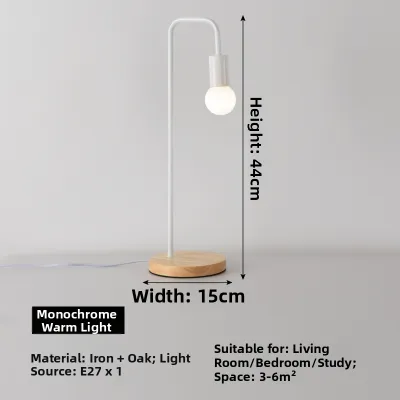
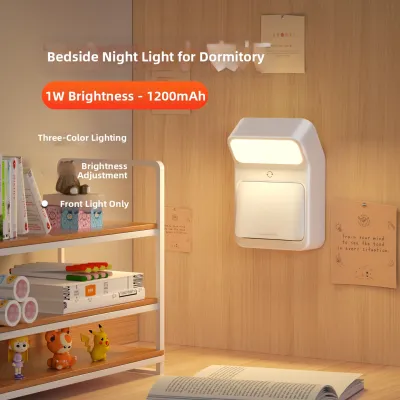
Products mentioned in this guide
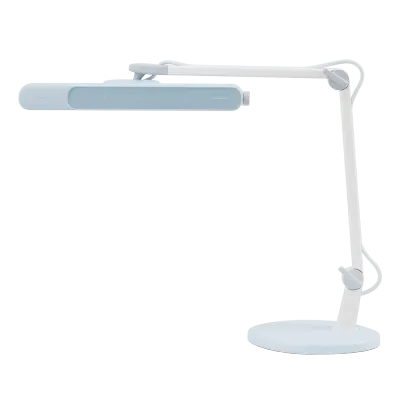
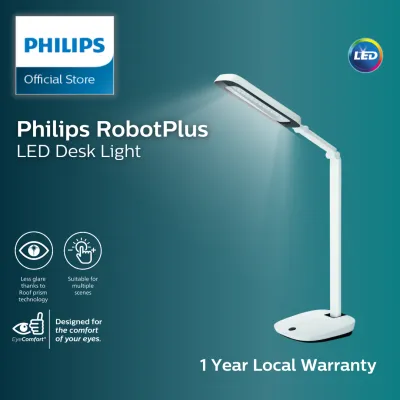
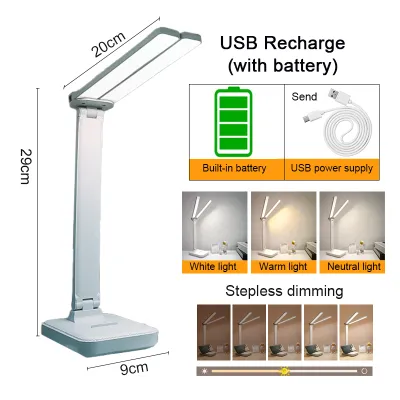
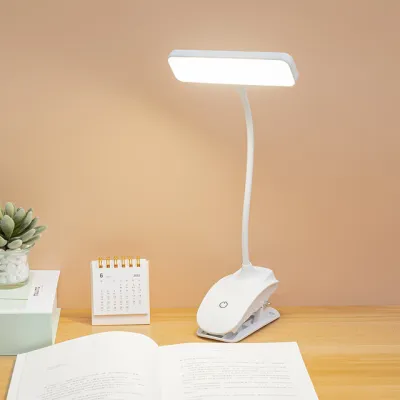
![[SG Local Stock] 2000mAh LED Table Lamp Study Foldable Desk Light Bedroom Bedside Touch Control Dimmable USB Rechargeable 台灯 CNY Gift Present](https://img.lazcdn.com/g/p/254b9aa79170e7ac80d5ab37505c1212.jpg_400x400q80.jpg_.webp)
Prices are valid at publication and may change. Please refer to the product page for the latest price.
Core Lighting Metrics to Compare Across Table Lamp Brands
When comparing different table lamp brands, it is easy to get lost in subjective marketing terms like “eye-care,” “natural light,” or “anti-fatigue.” To make an objective decision, you must look past the promotional copy and compare the standardized technical metrics listed on the product specification sheets.

Illuminance and Uniformity
Illuminance refers to the amount of light that actually reaches your desk surface, measured in lux. While lumens measure the total light emitted by the bulb in all directions, lux tells you how bright your specific workspace will be. For comfortable study and desk work, look for brands that specify both the center lux rating and the light distribution pattern.
Uniformity is equally critical. A high-quality lamp distributes light evenly across a wide rectangular area, preventing high-contrast boundaries between bright and dark zones on your desk. Cheap, poorly engineered lamps often project a highly focused, circular hotspot directly beneath the lamp head, forcing your eyes to constantly adjust as you glance between your paperwork and your wider desk area, which rapidly accelerates eye strain.
Color Rendering Index (CRI)
Color Rendering Index, or CRI (expressed as Ra), measures how accurately a light source reveals the true colors of objects compared to natural daylight. Daylight has a CRI of 100. For studying, reading, and color-sensitive design work, you should prioritize brands that offer a CRI of Ra 90 or higher.
Lamps with a low CRI (typically Ra 80 or below) make colors look dull, washed out, or artificially tinted. This low color fidelity makes text harder to read and forces your eyes to work harder to distinguish fine details. Premium and reputable mid-range brands will explicitly state their CRI ratings on their packaging or technical specifications, whereas budget brands often omit this metric entirely.
Color Temperature and Brightness Adjustability
Your lighting needs change depending on the time of day and the task at hand. High-quality brands offer both adjustable color temperature (measured in Kelvin, or K) and variable brightness controls.
- Cool White Light (4000K to 5000K): Ideal for high-concentration tasks, proofreading, and detailed manual work, as it mimics daylight and helps keep you alert.
- Warm White Light (2700K to 3000K): Best for evening reading, casual browsing, and winding down, as it minimizes blue light exposure and promotes relaxation.
Look for brands that offer stepless dimming and tunable white light rather than a few rigid presets. This allows you to fine-tune the illumination to match the shifting ambient light in your room, preventing the lamp from being either blindingly bright or too dim.
Flicker and Glare Control
Many cheap LED lamps exhibit high-frequency flicker. While this flicker is often invisible to the naked eye, your brain still registers it, which can lead to headaches, silent eye strain, and fatigue after just an hour of study. Reputable brands design their power drivers to deliver a continuous, smooth electrical current, minimizing flicker. To verify this, look for brands that carry recognized independent certifications, such as the IEEE PAR 1789 standard for flicker-free performance or TÜV Rheinland low blue light and flicker-free certifications.
Glare is another major contributor to visual discomfort. It occurs in two forms: direct glare from looking straight at an exposed light source, and reflective glare from light bouncing off your monitor screen or glossy book pages. Brands that utilize physical shielding, frosted diffusers, or asymmetric optical lenses direct light precisely where it is needed while keeping the source out of your direct line of sight.
Comparing Table Lamp Brand Tiers: Premium, Mid-Range, and Budget
Understanding how different brands position themselves in the market helps you set realistic expectations for build quality, optical performance, and price. Here is how the three main brand tiers compare for study and desk use.
Premium and Specialized Optics Brands
Premium brands in this category focus heavily on advanced optical engineering, ergonomic flexibility, and high-end materials. These manufacturers often design specialized asymmetric desk lamps and monitor screen bars that project light at a precise angle, illuminating your entire desk surface while casting absolutely zero light onto your computer screen. This eliminates reflective glare entirely, making them incredibly popular for modern, screen-heavy workspaces.
Lamps in this tier are typically constructed from high-grade, machined aluminum alloys and feature heavy-duty desk clamps, counterbalanced articulating arms, and built-in ambient light sensors for automatic dimming. They also boast exceptionally high CRI ratings (often Ra 95 or higher) and strict flicker-free certifications. While these brands require a significant upfront investment—often ranging from S$150 to over S$300—they offer unmatched durability and optical precision.
Before purchasing a premium clamp-on or monitor-mounted model, always verify the physical compatibility. Check your monitor’s bezel thickness, back-panel curvature, and the clearance of your desk edge to ensure the premium mounting hardware will fit securely without obstructing your screen or damaging your furniture.
Mid-Range Smart and Ergonomic Brands
Mid-Range brands offer a compelling balance of modern features, physical adjustability, and accessible pricing, typically ranging from S$50 to S$150. These manufacturers excel at integrating their products into smart home ecosystems, allowing you to control the lamp via smartphone apps, voice assistants, or dedicated wireless dial controllers.
These lamps frequently feature multi-axis articulating arms, allowing you to adjust the height, tilt, and rotation of the lamp head to suit different tasks. Many models in this tier offer advanced smart features, such as circadian rhythm scheduling that automatically adjusts the color temperature and brightness throughout the day to match natural daylight patterns. They also generally provide very respectable light quality, with CRI ratings commonly sitting between Ra 90 and Ra 95.
When choosing a brand in this tier, pay close attention to the long-term durability of the physical joints and the stability of the smart app ecosystem. Because these lamps rely on physical friction or tension joints to hold their position, check user feedback regarding whether the arm tends to sag over time. Additionally, ensure the brand’s companion app is regularly updated and compatible with your existing smart home setup.
Budget and Traditional Task Lighting Brands
Budget-friendly brands focus on delivering straightforward, reliable illumination without the added cost of smart connectivity or complex optical engineering. Typically priced under S$50, these lamps are widely available at local home furnishing stores, appliance shops, and online marketplaces.
These lamps generally feature basic, flat LED panels, simple plastic construction, and intuitive physical buttons or touch-sensitive bases. While they may offer a few preset color temperatures (such as warm, neutral, and cool) and basic dimming levels, they rarely feature the stepless adjustment or high-end asymmetric optics found in more expensive tiers. The CRI ratings for budget brands typically hover around Ra 80 to Ra 90, which is perfectly adequate for general reading and writing but less ideal for color-critical work.
When buying from a budget brand, your primary focus should be on safety and physical stability. Because these lamps often use lightweight plastic materials, verify that the base is heavy enough to prevent the lamp from tipping over when the arm is fully extended. Furthermore, always check that the power adapter carries local safety certifications to ensure safe daily operation.
Build Quality, Ergonomics, and Desk Footprint
The physical design of a table lamp directly impacts how comfortable it is to use and how much usable space you have left on your desk. In Singapore, where study desks in HDB bedrooms or home offices are often compact, managing your desk real estate is a critical consideration.
Base Weight vs. Desk Footprint
A traditional table lamp relies on a heavy base to remain stable. While a heavy base prevents the lamp from tipping over when you adjust the arm, it also consumes valuable surface area on a small desk. If your desk is cluttered with textbooks, notebooks, a keyboard, and a mouse, a large circular base can feel highly intrusive.
To maximize your workspace, consider brands that offer alternative mounting options:
- Desk Clamps: These secure the lamp to the edge of your desk, freeing up almost all of your surface area. However, they require a desk with a sturdy, flat edge and sufficient clearance underneath.
- Monitor Light Bars: These clip directly onto the top of your computer monitor, utilizing zero desk space. They are ideal for compact setups but are less suited for desks where you primarily read physical books away from the screen.
Arm Tension and Adjustability
To position your light source perfectly, you need a highly adjustable arm. Brands generally use one of three joint mechanisms:
- Spring-Loaded Arms: These mechanical arms use external springs to balance the weight of the lamp. They offer excellent reach and are easy to adjust, but cheap springs can squeak or lose tension over time, causing the lamp to droop.
- Friction-Based Joints: These rely on tightened screws or internal friction pads. They look much sleeker than spring-loaded arms, but you must ensure the joints are made of high-quality materials (such as metal rather than cheap plastic) so they do not slip or wear down with frequent use.
- Gooseneck Arms: Made of flexible silicone or metal tubing, goosenecks offer infinite directional adjustability but limited height reach. They are excellent for compact, simple setups but cannot clear tall monitors.
Always measure your monitor’s height before buying a desk lamp. The lamp head must be able to reach high enough to sit above your screen, or adjust to the side, to prevent blocking your view or casting a harsh reflection.
Material and Heat Dissipation
High-power LEDs generate a surprising amount of heat at their core. If this heat is not properly dissipated, the LED chips will degrade rapidly, leading to a drop in brightness, color shifting, and a significantly shorter lifespan.
Premium and high-quality mid-range brands construct their lamp heads from aluminum or other metal alloys, which act as highly effective passive heat sinks to draw heat away from the LEDs. Budget brands often use thin plastic housings that trap heat. When comparing brands, feel the lamp head after it has been running for an hour; a warm metal housing indicates that heat is being successfully drawn away from the internal electronics, whereas a hot plastic housing suggests poor thermal management.
Smart Features vs. Traditional Controls: What Adds Real Value?
Modern desk lamps come packed with a wide range of digital features. While some of these technologies genuinely improve your study environment, others may add unnecessary cost and complexity to your daily routine.
Auto-Dimming Sensors
Lamps equipped with built-in ambient light sensors measure the surrounding brightness in your room and automatically adjust the lamp’s output to maintain a constant, optimal lux level. This is highly useful if you study near a window; as the afternoon sun fades into evening, the lamp gradually brightens to compensate, preventing eye strain without requiring you to stop working to adjust the settings.
However, the accuracy of these sensors varies wildly between brands. High-end brands place their sensors in optimal positions and use sophisticated algorithms to ignore temporary shadows. Cheaper implementations can be easily fooled by highly reflective desk surfaces, glossy computer screens, or secondary overhead lights, causing the lamp to dim or brighten erratically.
App Control and Scheduling
Smart connectivity allows you to integrate your table lamp with platforms like Google Home, Apple HomeKit, or proprietary brand apps. This enables features like hands-free voice control, remote operation, and automated scheduling.
For most users, the real value of app control lies in automated schedules that support your circadian rhythm. For example, you can program the lamp to automatically transition to a warm, low-intensity light after 8:00 PM to help prepare your body for sleep. However, if a lamp relies solely on an app for adjustments, it can introduce frustrating friction. Physical controls—such as a rotary dial, a touch slider, or physical buttons on the lamp base—remain far more convenient for quick, daily adjustments than unlocking your phone and opening an app.
Integrated Power Delivery
Many brands now build USB charging ports directly into the base of their table lamps. This is an excellent space-saving feature that reduces cable clutter on your desk, allowing you to charge your phone, wireless earbuds, or smartwatch directly from the lamp.
However, you must check the exact power output of these ports. Many budget and mid-range lamps only provide a basic 5-watt (5V/1A) USB-A port, which charges modern devices incredibly slowly. If you want to charge power-hungry devices like tablets or fast-charge your smartphone, look for brands that offer dedicated USB-C Power Delivery (PD) ports with a rated output of at least 15 to 18 watts.
Verifying Safety, Power, and Physical Compatibility
Before finalizing your purchase, it is vital to ensure that your chosen table lamp is safe, electrically compatible with Singapore’s infrastructure, and physically suited for your specific desk environment.
Electrical Standards and Voltage
Singapore’s national electrical grid operates on a voltage of 230V at a frequency of 50Hz. When purchasing a table lamp—especially when ordering online from international sellers—always verify that the lamp’s power adapter is rated to handle this voltage range (typically marked as 100V–240V or 220V–240V).
Additionally, the lamp must be equipped with a standard Type G (BS 1363) three-pin plug, or connect to a compliant USB power supply. Avoid using cheap, uncertified travel adapters for daily task lighting, as poor contact points can cause overheating and pose a fire hazard.
Safety Certifications
For peace of mind, check for recognized safety certifications on the product and its power supply unit. In Singapore, controlled electrical goods must carry the local Safety Mark. This mark indicates that the power adapter has been tested by an accredited body and meets stringent safety standards against short circuits, overloading, and electrical shocks.
If you are buying an imported lamp that does not have a local Safety Mark, ensure the power supply carries reputable international certifications, such as CE (Europe), UL (United States), or CCC (China). Never compromise on electrical safety, particularly for a device that will sit on your wooden desk and run for hours at a time.
Physical Compatibility Checklist
To avoid the hassle of returning a lamp that does not fit, perform these quick physical checks before buying:
- Desk Thickness: If you are buying a clamp-on lamp, measure the thickness of your desk. Ensure the clamp's maximum opening width exceeds your desk's thickness, and check that there are no structural metal frames or backboards underneath the desk that will block the clamp.
- Cable Routing: Identify the nearest power outlet and check the length of the lamp's power cable. Many modern lamps use relatively short cords (around 1.2 to 1.5 meters), so you may need to plan your desk layout accordingly.
- Screen Obstructions: Ensure that the lamp's arm can extend high enough to position the light head above or to the side of your monitor. If the light source sits directly behind your screen, it will cast a distracting shadow and block your view.
- Installation Safety: Always follow the manufacturer's provided installation instructions. Before assembling your lamp, adjusting heavy mechanical joints, or cleaning the unit, ensure the power is completely isolated by unplugging it from the wall socket. If you are installing a specialized fixture that requires custom fixed wiring, always consult a qualified professional to handle the electrical work.
Frequently Asked Questions (FAQ)
Is a monitor light bar better than a traditional desk lamp for studying?
A monitor light bar is highly effective for computer-heavy study sessions. Because it clips directly to the top of your screen and uses asymmetric optics, it illuminates your desk surface without casting light onto the screen, completely eliminating reflective glare. It also saves valuable desk space, making it ideal for compact setups.
However, if your study routine primarily involves reading thick physical textbooks, sketching, or writing on paper away from your monitor, a traditional table lamp is often a better choice. Traditional lamps provide a wider, more diffuse beam of light that can be easily angled and repositioned to illuminate your entire reading area, preventing shadows cast by your hands or head.
How many lumens or lux do I need for reading and desk work?
For comfortable reading, writing, and general desk work, you should aim for an illuminance level of 300 to 500 lux on your desk surface. This level of brightness provides sufficient contrast to read fine print clearly without causing eye strain.
Rather than focusing solely on a fixed lumen rating (which only measures total light output at the source), look for a table lamp that offers stepless brightness adjustment. This allows you to customize the light output dynamically to match the shifting ambient light in your room, ensuring your workspace remains perfectly illuminated whether you are working in a bright afternoon sunlit room or late at night.
Community discussion
Share your experience or ask a question. Comments are reviewed before publication.