
Selecting the right digital clock for your bedroom is a decision that directly impacts both your sleep quality and your morning routine. A poorly chosen clock can flood your room with disruptive light or startle you awake with an abrasive sound, while the right model integrates seamlessly into your bedside environment. To find a device that supports your rest, you must evaluate how its display, alarm mechanisms, power features, and physical design align with your personal habits and bedroom layout.
By focusing on customizable settings rather than static designs, you can find a clock that keeps accurate time without compromising your sleep hygiene. This guide breaks down the essential features to look for, helping you build a practical shortlist that fits your bedside table and your budget.
Core Display Features for a Restful Bedroom
The primary challenge of placing a digital clock in a bedroom is managing its light output. A display that is easy to read during the bright afternoon can easily become an unwanted light source at night, casting a glow that interferes with your ability to fall and stay asleep. When evaluating display features, prioritize models that offer comprehensive control over brightness and color.
Products mentioned in this guide
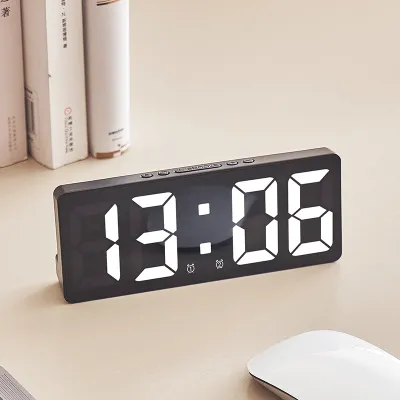
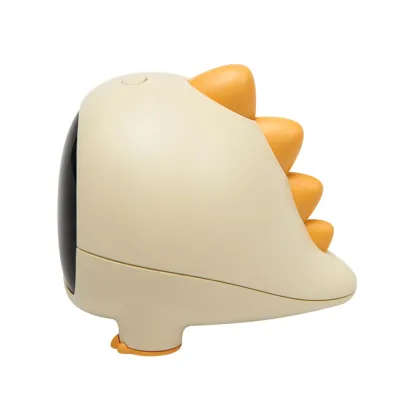
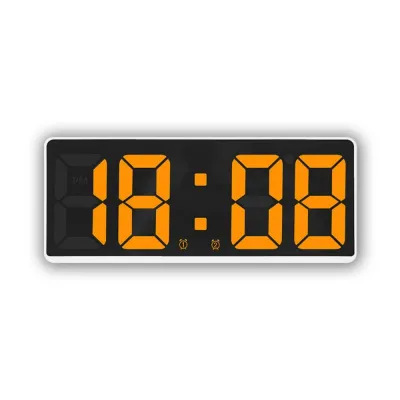
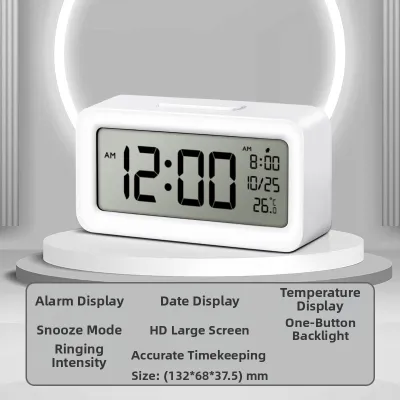
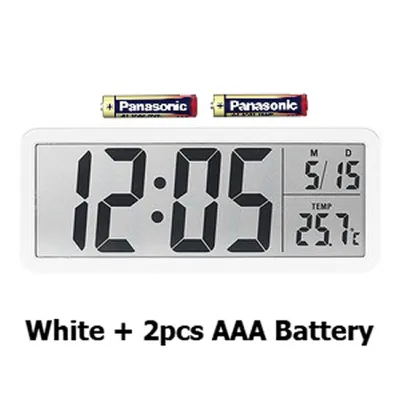
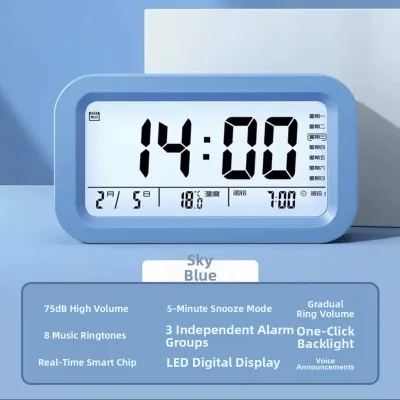
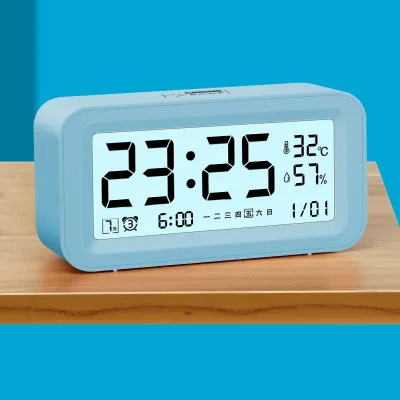
Prices are valid at publication and may change. Please refer to the product page for the latest price.
Adjustable Brightness and Auto-Dimming Sensors
To ensure your clock does not disrupt your sleep, look for models that offer adjustable brightness levels. Basic digital clocks often feature only two or three static brightness settings, which may still be too bright in a completely dark room. High-quality models provide continuous or stepless dimming, allowing you to dial the brightness down to a bare minimum.
Some digital clocks feature built-in ambient light sensors that automatically adjust the display brightness based on the light levels in the room. While convenient, verify if the clock allows you to override this automatic sensor manually. In some environments, shadows or bedside lamps can confuse the sensor, causing the display to flicker or remain too bright when you are trying to sleep.
Display Colors and Sleep Hygiene
The color of the digital display plays a significant role in sleep comfort. Many modern clocks use bright blue or white LED displays, which emit short-wavelength light. Manufacturers often note that blue light can suppress melatonin production, making it harder to fall asleep.
When browsing options, look for displays that use warm colors such as red, orange, or amber. These wavelengths are generally less disruptive to your eyes in the dark. If you prefer a white or blue display for daytime visibility, ensure the clock has a reliable dimming feature to mitigate its nighttime impact.
Blackout and Display-Off Modes
For light sleepers who are highly sensitive to any ambient light, a “display off” or blackout mode is an invaluable feature. This setting turns the screen completely dark after a few seconds of inactivity, keeping the room pitch-black while the internal clock and alarm remain fully active.
To check the time in the middle of the night, you simply tap the top of the clock or make a sound (depending on the model’s activation method), which temporarily illuminates the display for a brief period before it fades back to black. This ensures you can access the time when needed without exposing your bedroom to constant illumination.
Alarm Types and Snooze Functions for Different Sleepers
An alarm clock’s primary job is to wake you up, but the method it uses can set the tone for your entire day. A harsh, sudden alarm can trigger a startle response, raising your heart rate and leaving you feeling groggy. Matching the alarm’s sound profile and control interface to your waking style is essential for a smooth morning transition.

Sound Options and Gradual Wake-Up Features
Standard digital clocks often rely on a single, high-pitched beeping sound. If you prefer a gentler start to your morning, look for clocks that offer customizable sound profiles. Many models feature progressive or crescendo alarms that start at a very low volume and gradually increase until you turn them off.
Other options include built-in nature sounds, such as rainfall, ocean waves, or birds chirping, which provide a more soothing transition from sleep. If you enjoy waking up to current events or music, look for a clock with an integrated FM radio. Some advanced models also incorporate gradual wake-up lights, which slowly brighten over 10 to 30 minutes before the audible alarm sounds, mimicking a natural sunrise to help regulate your circadian rhythm.
Snooze Button Design and Interface Controls
The physical design of the snooze button is a critical usability factor for groggy mornings. Look for a clock with a large, easily accessible snooze button located on the top of the device. It should be easy to find by touch alone, without requiring you to open your eyes or fumble with small buttons on the back.
Consider the difference between physical buttons and capacitive touch panels. Physical buttons provide tactile feedback, letting you know instantly if you have successfully pressed the button. Touch-sensitive panels can be sleek and modern, but they are often easier to trigger accidentally or miss entirely when you are half-awake. Additionally, check if the snooze duration is adjustable; while many clocks default to a standard nine-minute snooze, some allow you to customize this interval from five to thirty minutes.
Specialized Alarms for Heavy Sleepers
If you regularly sleep through standard alarms, basic beeping may not be sufficient. Heavy sleepers should look for specialized alarm features designed to break through deep sleep cycles safely. Some clocks are compatible with bed shakers—small, vibrating pods that slide under your mattress or pillow and shake physically when the alarm goes off.
When looking at extra-loud alarm clocks, always check the manufacturer’s specifications for maximum decibel levels to ensure they do not exceed safe hearing limits. Look for models that allow you to adjust both the volume and the pitch of the alarm, as varying frequencies can sometimes be more effective at waking deep sleepers than volume alone.
Convenience and Power Features
Modern digital clocks often serve as multi-functional bedside hubs. While extra features can add convenience, they must be designed safely and operate reliably without introducing unnecessary clutter or electrical hazards to your sleeping area.
USB Charging Port Specifications
Many bedside clocks feature built-in USB ports, allowing you to charge your smartphone or tablet overnight without taking up an extra wall outlet. However, not all USB ports are created equal. You must check the output amperage specified in the clock’s manual or on its product label.
Older or budget-friendly clocks often provide a standard 5V/1A (5-watt) USB-A port. While this is sufficient for older phones or small accessories, it will charge modern smartphones very slowly and may not support tablets at all. For faster, more reliable charging, look for clocks that offer at least a 5V/2.1A or 2.4A (10W to 12W) output, or models equipped with modern USB-C Power Delivery (PD) ports. Always ensure your charging cables are certified by the device manufacturer to prevent overheating.
Battery Backup Capabilities
A power outage should not cause you to oversleep or lose your settings. A reliable digital clock must include a battery backup system. It is important to understand how different backup systems function, as they vary by model.
Most digital clocks use a small button-cell battery (such as a CR2032) to maintain the clock’s internal memory during a power cut. When the main power returns, the clock will display the correct time without requiring manual resetting, but the display and alarm will not function while the power is out. If you live in an area prone to frequent power fluctuations and need the alarm to sound even during a blackout, look for clocks that run fully on backup batteries (such as AAA or AA batteries) as a secondary power source.
Smart Features and Connectivity
Smart digital clocks offer features like Wi-Fi time synchronization, Bluetooth audio streaming, and integration with smart home assistants. Wi-Fi connectivity ensures your clock always displays the exact time and adjusts automatically for seasonal changes, while Bluetooth allows you to use the clock as a bedside speaker.
However, weigh these conveniences against potential drawbacks. Smart clocks often require active network connections, which can result in blinking status lights or error messages on the screen if your router disconnects overnight. Ensure that any smart clock you choose allows you to disable wireless signals or turn off status indicators completely when you want a dark, distraction-free sleeping environment.
How to Build Your Bedroom Clock Shortlist
To find the perfect digital clock, you need to translate these features into a structured decision-making process. By evaluating your physical space, your budget, and safety standards, you can narrow down your options to a reliable shortlist.
Step 1: Define Your Priority Matrix and Budget
Start by identifying your non-negotiable features based on your sleep habits. If you are a light sleeper, your top priority should be display dimming and a warm color output. If you struggle to wake up, focus on progressive alarms and physical snooze buttons.
Establish a realistic budget for your purchase. Basic digital clocks with standard alarms and simple displays typically range from S$15 to S$30. Mid-range models featuring adjustable dimming, USB charging ports, and multiple alarm sounds generally cost between S$35 and S$70. Premium smart clocks with high-quality speakers or sunrise simulation features can range from S$80 to over S$150. Setting your budget early helps you filter out unnecessary features.
Step 2: Measure Bedside Space and Outlet Access
Before purchasing, measure the available surface area on your bedside table. In compact bedrooms, space is often limited, and your clock will share room with lamps, books, and water glasses. Check the physical dimensions of the clock to ensure it fits comfortably without crowding.
Additionally, consider the placement of your wall outlets. Measure the distance from your bedside table to the nearest plug to ensure the clock’s power cord is long enough (typically 1.2 to 1.8 meters) without being stretched tight. Pay attention to the plug design; a bulky wall adapter can block adjacent outlets on a shared power strip, which is a common issue if you also plug in a fan or a bedside lamp.
Step 3: Verify Electrical Safety and Certifications
Because a bedside clock remains plugged in and active 24 hours a day, electrical safety is paramount. Always verify that the clock and its power adapter carry recognized safety certifications. Look for official safety labels on the packaging or the device itself, which indicate that the product has been tested for electrical safety, short-circuit protection, and overcurrent prevention.
Read the manufacturer’s instructions regarding heat dissipation. Avoid placing the clock or its power adapter near soft bedding, curtains, or in tight, unventilated spaces where heat can build up. If you plan to use the built-in USB ports to charge devices overnight, ensuring proper airflow around the clock is essential for maintaining a safe sleeping environment.
Frequently Asked Questions (FAQ)
Do digital alarm clocks emit blue light that affects sleep?
Many digital clocks with blue or bright white LED displays do emit light in the blue spectrum, which can interfere with your body’s natural sleep signals. To minimize this effect, look for clocks that feature red, amber, or warm orange displays, as these colors are less disruptive to sleep hygiene. Alternatively, choose a clock with a physical dimmer control or a complete blackout mode that turns the display off entirely until you touch it.
Is it safe to charge my phone via the clock's USB port overnight?
Yes, it is generally safe to charge your phone overnight using a clock’s built-in USB port, provided the clock carries recognized electrical safety certifications and you use high-quality, certified charging cables. Always check the user manual to ensure the port’s power output matches your phone’s requirements. To prevent heat buildup, place both the clock and your phone on a hard, flat bedside surface rather than on your mattress or under a pillow, and stop using the port if you notice excessive heat during charging.
Community discussion
Share your experience or ask a question. Comments are reviewed before publication.