
When buying an electronic clock for a bedside table, desk, or living space, the most critical features to evaluate are display readability, alarm customization, power reliability, and how well the device fits your daily routine. A well-chosen clock does more than show the time; it integrates seamlessly into your environment without causing sleep disruption or operational frustration. By focusing on practical specifications and physical design, you can select a model that enhances your space and keeps you on schedule.
Display Types and Readability
The screen technology of an electronic clock directly impacts how easily you can read the time. Light-emitting diode (LED) displays offer high contrast and self-illumination, making them highly visible in dark rooms. However, without adequate dimming controls, LEDs can be too bright for a bedroom. Liquid crystal displays (LCDs) rely on ambient light or a gentle backlight, offering a softer, less intrusive viewing experience that works well for light-sensitive sleepers.
To prevent sleep disruption, prioritize models with adjustable brightness settings. Look for manual multi-level dimming or an auto-dimming feature that uses a built-in light sensor to lower the screen’s intensity when the room darkens. This ensures the display remains readable under bright lights without casting an annoying glow at midnight.
Products mentioned in this guide
![[Ready stock] KIPRUN Electronic Alarm Clock Noiseless Calendar Weather Temperature Humidity Display LED Table Clock for Office and Living Room Battery Operated](https://img.lazcdn.com/g/p/06b26fbc843284f995d9d022b76720f1.jpg_400x400q80.jpg_.webp)
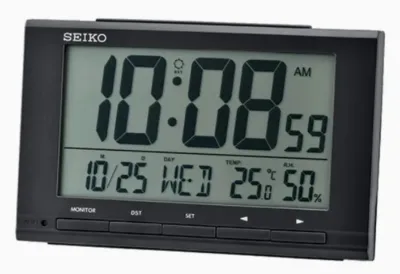
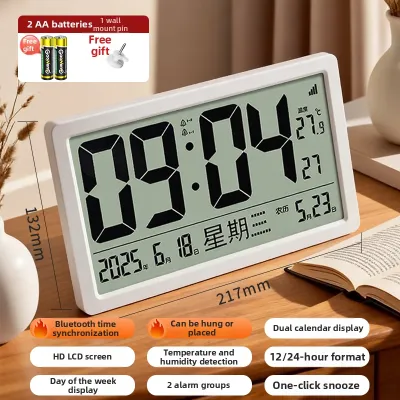
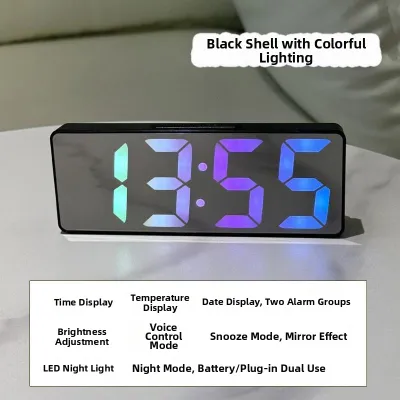
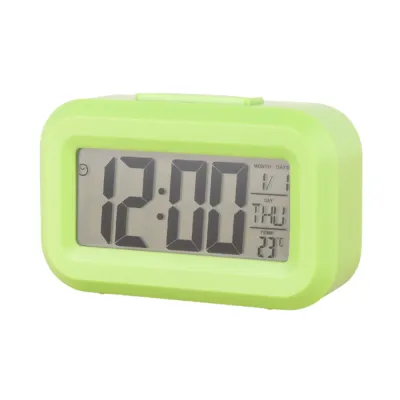
Prices are valid at publication and may change. Please refer to the product page for the latest price.
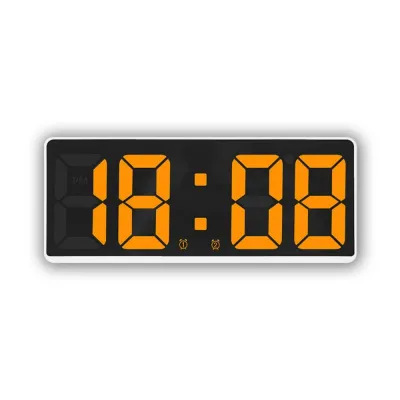
Additionally, check product specifications for screen glare, viewing angles, and color temperature options. A wide viewing angle is essential if the clock sits on a high shelf or desk corner, preventing the numbers from fading when viewed from the side. Warm display colors like amber or red are also much easier on the eyes at night than cool blue or bright white light.
Alarm Functions and Sound Controls
An effective alarm system should accommodate your waking habits and household schedule. If you share a bedroom or have a routine that changes between weekdays and weekends, look for an electronic clock with dual alarm settings. This allows you to program two independent wake-up times without reprogramming the device every evening.

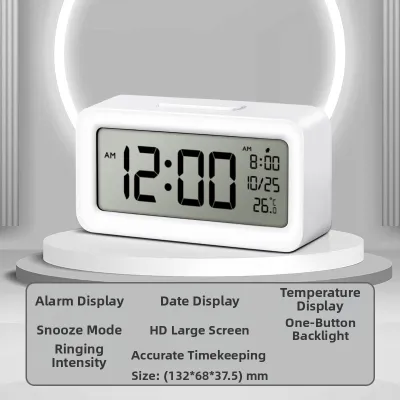
Snooze functionality is another critical consideration. Verify the snooze duration—while many models default to a standard nine-minute interval, some allow customization. Equally important is the physical placement of the snooze button. A large, easily accessible button on top of the casing is much simpler to locate by touch in the dark, reducing the risk of knocking the clock off your bedside table.
Sound customization also plays a major role in how pleasant your morning feels. Look for clocks with adjustable volume controls rather than a single, fixed decibel level, and check the specifications for minimum and maximum volume limits. Progressive alarms, which start quietly and gradually increase in volume, provide a gentler transition from sleep than sudden, loud beeping. If you prefer alternative wake-up sounds, look for models that include nature sounds or an integrated FM radio.
Power Sources and Battery Backup
Understanding how your electronic clock is powered is essential for continuous, reliable timekeeping. Fully battery-operated clocks offer maximum portability and a clean, cable-free aesthetic, making them ideal for minimalist desks or shelves. However, they require periodic battery replacements and may feature dimmer displays to conserve energy. Mains-powered clocks provide a consistently bright, always-on display but must remain plugged into a wall outlet.
For mains-powered models, a reliable battery backup system is crucial for handling unexpected power outages. Note that backup batteries—typically small coin cells or AAA batteries—are designed for memory retention rather than keeping the main display illuminated. During a power cut, the backup battery keeps the internal clock chip running so that your time and alarm settings are preserved, ensuring you do not have to manually reset the device once power returns.
Before buying, verify the specific battery requirements for the backup system and check if the clock features a low-battery indicator. Additionally, pay close attention to the length of the included power adapter cable to ensure it reaches your wall outlet safely. For safety and compatibility in Singapore, always verify that the mains adapter carries the appropriate local electrical safety certifications and matches the standard 220V–240V voltage requirements.
Evaluating Extra Functions and Smart Features
Modern electronic clocks often come packed with secondary features, but it is important to decide which ones add genuine value. Built-in environmental sensors that display indoor temperature and humidity are highly practical, especially in tropical climates where monitoring humidity helps manage air conditioning use. Integrated USB charging ports on the clock’s casing are also convenient for bedside tables, though you should check the port’s output wattage to ensure it charges devices at a reasonable speed.
Smart connectivity, such as app control or smart home integration, offers advanced features like automatic time synchronization. However, these are conditional features that require careful verification before purchase. Always check the product specifications to ensure the clock is compatible with your mobile operating system and existing smart home ecosystem.
Be cautious of overly complex features, such as multi-city calendars or ceiling projection systems, which can significantly increase the price. If your primary goal is simple, reliable timekeeping, these additions may introduce unnecessary setup steps and clutter the display interface.
Matching Features to Your Space and Routine
To find the right electronic clock, match its features directly to the specific room where it will be placed. For a bedroom, prioritize sleep-friendly features such as an auto-dimming display, warm-colored backlights, and gentle, progressive alarm tones. Minimizing light pollution and harsh sounds in the sleeping environment is essential for maintaining good sleep hygiene.
For a home office or study desk, your priorities shift toward visibility and productivity. Look for a clock with a clear, high-contrast display that can be easily read from across the room, along with silent electronic operation to prevent distracting ticking sounds. Integrated USB charging ports and a compact footprint are also highly beneficial for keeping your workspace organized.
Finally, verify the physical dimensions and weight of the clock against your intended placement space. A clock that is too light or top-heavy can easily slide or tip over when you reach to turn off an alarm, so look for models with a stable base and non-slip rubber feet.
Frequently Asked Questions (FAQ)
Do electronic table clocks emit blue light that affects sleep?
Yes, many digital displays, particularly cool white or blue LED screens, emit blue light wavelengths that can interfere with your sleep cycle. To minimize this, look for electronic clocks with warm-colored displays, such as amber or red, or models with manual dimming controls. Some clocks also offer a complete display shut-off mode that only illuminates the screen when physically tapped.
How long do backup batteries typically last in a mains-powered clock?
Because backup batteries in mains-powered clocks are designed solely to maintain internal memory during a power outage rather than powering the display, they typically last between one and two years. However, their actual lifespan depends on the frequency of local power interruptions. Check the user manual for specific battery maintenance guidelines and replace the backup batteries periodically to ensure they function when needed.

Community discussion
Share your experience or ask a question. Comments are reviewed before publication.