
Quick Answer: Matching Smart Clocks to Your Routine
Choosing a smart clock for your home in Singapore requires balancing functionality with your daily environment. To find the right device, you must first identify where it will sit and how you intend to interact with it. A bedroom clock needs to support your sleep hygiene with dimmable screens and gentle alarms. A desk companion should boost your focus with glanceable schedules and minimal distractions. Meanwhile, a living room hub must act as a central command center, offering robust smart home integration and clear audio. By matching display brightness, speaker quality, and ecosystem compatibility to these specific spaces, you can select a device that seamlessly enhances your daily routine.
How to Match Smart Clock Features to Your Use Case
To narrow down your options, it is helpful to look at how specific features address the unique challenges of different rooms.

Bedroom Alarm and Sleep Companion In the bedroom, the primary goal of a smart clock is to assist with sleep and wake cycles without disrupting your rest. A critical feature to look for is an auto-dimming display or an ambient light sensor. This technology automatically lowers the screen’s brightness to a faint glow when you turn off the lights, preventing harsh glare from keeping you awake. Many modern bedroom models also incorporate sunrise simulation, which gradually increases light levels before your audio alarm sounds to mimic a natural dawn. When evaluating audio options, prioritize devices that offer gentle, progressive alarm tones rather than sudden, loud buzzers. Some specialized sleep clocks also feature built-in white noise options or guided relaxation integration to help you wind down at night.
Products mentioned in this guide
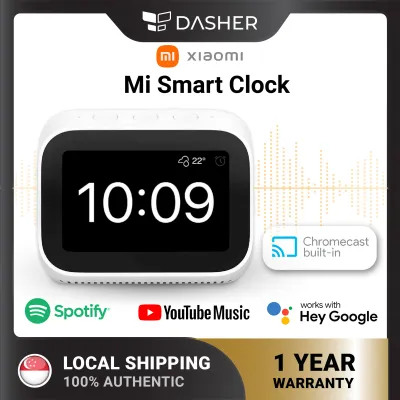
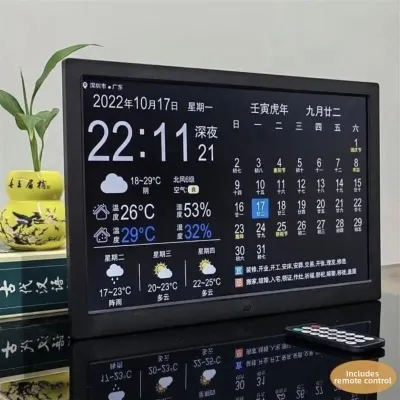
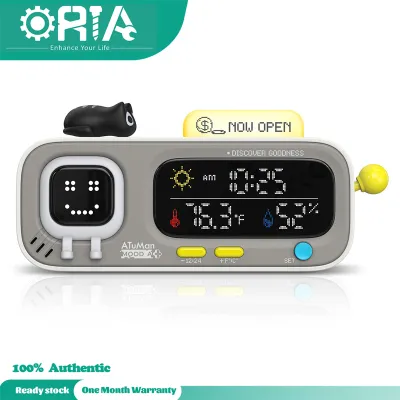
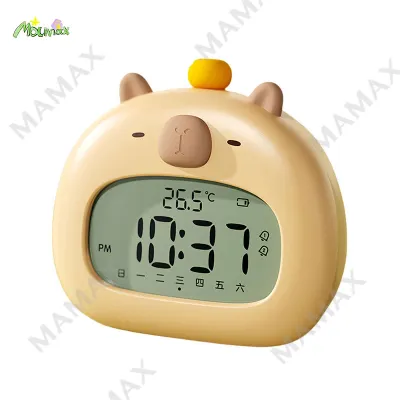
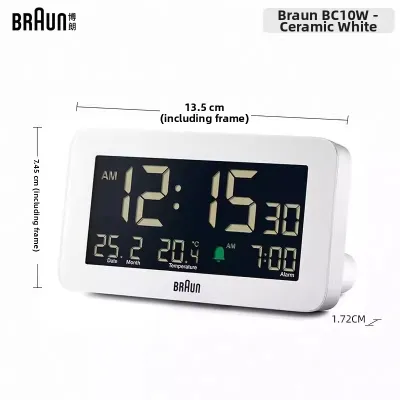
Prices are valid at publication and may change. Please refer to the product page for the latest price.
Desk Companion and Productivity For a home office or study desk, a smart clock serves as a productivity tool rather than a simple timepiece. Here, you want a compact physical footprint that does not clutter your workspace, especially on smaller desks common in modern apartments. The display should offer glanceable information layouts, showing your upcoming calendar events, task lists, or local weather at a single glance. Matte screens or anti-glare coatings are highly beneficial in this setting, as they prevent reflections from overhead lighting or nearby windows. Look for models that offer customizable widgets, allowing you to keep track of time-tracking apps or basic schedules without needing to open a browser tab on your main computer monitor.
Smart Home Hub and Living Area When placed in a living room, kitchen, or common corridor, a smart clock often doubles as a central control panel for your entire household. For these high-traffic areas, a larger touch-responsive screen is essential, allowing family members to easily adjust smart lighting, view security camera feeds, or control smart appliances. Voice assistant microphone range is another vital consideration; the device should be able to hear commands clearly from across the room, even over ambient noise like a running fan or television. If you plan to use the clock for video calls or displaying family photos, pay close attention to the camera resolution and the overall color accuracy of the screen. High-quality built-in speakers are also a plus for playing background music or listening to news updates while preparing meals.
Essential Specifications to Verify Before Purchase
Before finalizing your purchase on an online marketplace or at a local electronics store, you must verify several technical specifications to ensure the device is safe, compatible, and functional in your home.
Power and Electrical Safety In Singapore, household electricity operates at 230V and 50Hz, utilizing the Type G three-pin plug. When purchasing a smart clock, especially from international sellers online, always verify that the power adapter is rated for this voltage and comes with the appropriate plug. Look for local safety certifications, such as the Safety Mark, to ensure the power supply has been tested for electrical safety. Additionally, check whether the clock requires a constant wired connection to function. While most smart clocks must remain plugged into a wall outlet, some models include a built-in rechargeable battery or a small coin-cell backup battery. This backup ensures that your alarm settings and timekeeping are preserved if there is a temporary power disruption.
Display Technology The type of screen technology used significantly impacts both visibility and energy consumption. Traditional LED displays are highly readable from a distance and are often the most budget-friendly, but they may offer limited customization. LCD screens allow for rich graphics and touch controls, but they can suffer from poor viewing angles and may emit a noticeable backlight glow even when dimmed, which can be distracting in a dark bedroom. E-ink displays offer an excellent alternative for those sensitive to light; they consume very little power, cause minimal eye strain, and remain perfectly readable under direct sunlight or bright desk lamps, though they lack color and do not support video playback.
Audio and Connectivity A smart clock’s audio capabilities should match the size of the room it occupies. For a small bedroom, a modest 3-watt to 5-watt speaker is usually sufficient for alarms and voice responses. For larger living areas, you may want a device with a 10-watt speaker or higher to ensure clear sound projection. Connectivity is equally crucial. Verify whether the clock supports dual-band Wi-Fi (both 2.4GHz and 5GHz frequencies). Many smart home devices only operate on 2.4GHz bands, which can experience interference in high-density housing areas. Finally, check for Bluetooth support, which allows you to use the clock as a local speaker for your phone or connect it to external wireless headphones for private listening.
Smart Home Integration and Ecosystem Compatibility
A smart clock is only as smart as the ecosystem it connects to. Ensuring seamless communication with your existing devices prevents frustration down the line.
Ecosystem Lock-in Before buying, identify which smart home platform you currently use or plan to adopt, such as Apple Home, Google Home, or Amazon Alexa. Smart clocks are typically designed to work best within a specific ecosystem. To avoid compatibility issues, visit the manufacturer’s official website to review their certified compatibility list. This step ensures that the clock can directly trigger your existing smart light bulbs, smart plugs, or air conditioning controllers without requiring complex third-party workarounds.
Voice Assistant Limitations While a smart clock may advertise advanced voice control features, some services and third-party integrations are subject to regional availability. Before purchasing, verify whether the voice assistant features you rely on are fully supported in Singapore. Certain localized skills, news broadcasts, or music streaming services may require specific regional settings or may not function at all. Checking user forums or official support documentation can help you confirm if the voice commands you plan to use daily are active and reliable in your area.
Privacy and Hardware Controls Because smart clocks often reside in private spaces like bedrooms, privacy is a paramount concern for many users. Look for devices that feature physical, hardware-level switches to disable the microphone and camera. Unlike software-based mutes, physical switches physically disconnect the power to these components, ensuring they cannot record audio or video. Additionally, take a moment to review the manufacturer’s data privacy policy to understand how your voice recordings and usage data are stored, processed, and secured.
Setup, Placement, and Daily Maintenance
Proper installation and regular care will extend the lifespan of your smart clock and ensure it performs reliably day after day.
Placement Guidelines When deciding where to place your smart clock, avoid areas exposed to direct sunlight, as prolonged exposure can overheat the processor and cause screen discoloration. In Singapore’s tropical climate, high humidity can also pose a risk to electronic devices. Unless a smart clock is explicitly rated for high-humidity environments, keep it away from open windows during rainstorms or damp areas like the immediate vicinity of a shower or kitchen sink. Ensure there is adequate ventilation around the device, especially if it has a large display that generates heat during operation.
Initial Configuration During the initial setup, place the clock close to your Wi-Fi router to ensure a stable connection while downloading the latest firmware updates. Manufacturers frequently release updates to patch security vulnerabilities and improve system stability, so keeping the software updated is essential. Once connected, take the time to calibrate the voice recognition settings in a quiet room. This calibration helps the device distinguish your voice from background noise, such as a spinning ceiling fan or street traffic, improving command accuracy.
Cleaning and Care To clean your smart clock, always unplug it from the wall outlet first. Use a dry or slightly damp microfiber cloth to gently wipe the screen and casing. Avoid using chemical solvents, glass cleaners, or abrasive materials, as these can strip away protective anti-glare coatings on the display and damage the plastic housing. Periodically inspect the power cable and adapter for any signs of wear, fraying, or loose connections, replacing them immediately if any damage is detected to prevent electrical hazards.
Frequently Asked Questions (FAQ)
Do smart clocks work during a power outage?
Most smart clocks rely on a continuous connection to mains power and will shut down immediately during a power outage. Without electricity, they cannot display the time, trigger alarms, or connect to your home network. However, some models feature a built-in battery backup or accommodate a small coin-cell battery. This backup power keeps the internal clock running and, in some cases, allows a basic buzzer alarm to sound even if the power is out. To ensure you do not sleep through an outage, check the manufacturer’s specifications to confirm if the device has a battery backup and what functions remain active when running on battery power.
Can I use a smart clock without connecting it to Wi-Fi?
While you can physically plug in a smart clock without a Wi-Fi connection, its functionality will be severely limited. Without internet access, smart features such as voice assistant queries, weather updates, calendar syncing, and smart home automation will not work. Some models may still display the local time, allow you to set basic manual alarms, or function as a standard Bluetooth speaker for your phone. However, other models require an active internet connection even for initial setup and time synchronization. If you need a clock for an area without reliable Wi-Fi, verify the device’s offline capabilities before purchasing.
Community discussion
Share your experience or ask a question. Comments are reviewed before publication.