
Finding the right Xiaomi alarm clock for your bedroom depends on balancing your desire for smart home automation with your personal sleep environment preferences. While some models function as central hubs that link your bedside environment to your wider smart home ecosystem, others serve as quiet, distraction-free timepieces designed to protect your sleep quality. By evaluating how a clock powers its display, connects to your home network, and fits onto your nightstand, you can select a device that integrates seamlessly into your daily routine.
Identify Your Core Bedroom Needs
Determining how you intend to use your bedside clock is the first step in narrowing down the available options. A primary consideration is whether you want your clock to interact with other appliances in your home. A smart-enabled clock can trigger automated routines, such as turning on a smart plug-connected kettle or adjusting a smart light bulb when your alarm goes off. If you prefer to keep your bedroom a tech-free sanctuary, a standalone digital clock with local controls might be more appropriate, as it eliminates the need for constant network connectivity and app management.
Your sensitivity to light during the night should also dictate your choice of display technology. Traditional LED and LCD screens offer high visibility during the day but can cast a disruptive glow in a dark room unless they feature advanced auto-dimming capabilities. E-ink displays provide exceptional contrast under ambient light and emit zero light of their own, making them excellent for light-sensitive sleepers. However, because e-ink does not produce its own light, you will need an external light source or a built-in backlight feature to read the time in total darkness.
Products mentioned in this guide
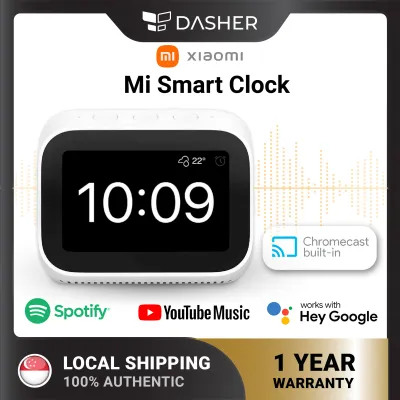
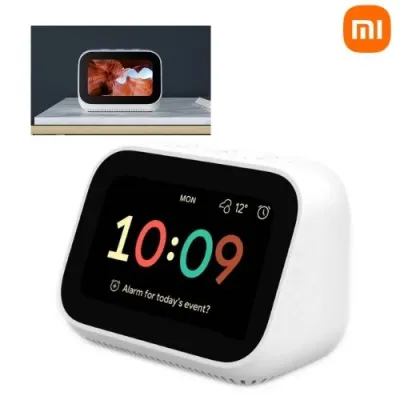
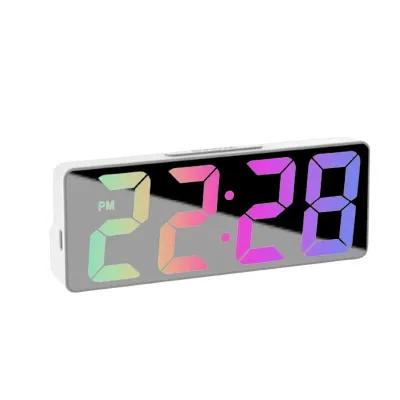
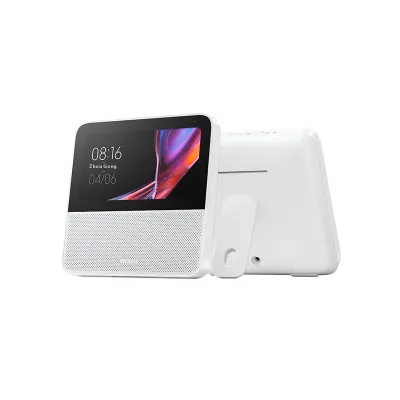
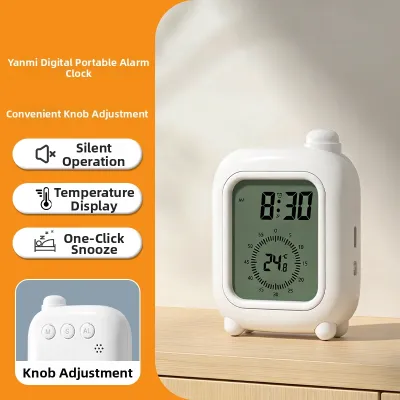

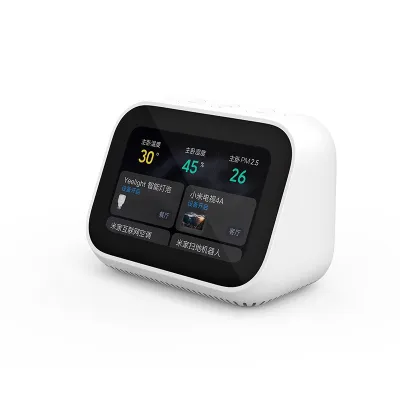
Prices are valid at publication and may change. Please refer to the product page for the latest price.
Power constraints and placement flexibility are equally important environmental factors to evaluate. Mains-powered clocks are necessary for continuous Wi-Fi connectivity and advanced smart features, but they limit placement to areas near an electrical socket. Battery-operated models offer the freedom to place the clock anywhere, from a floating shelf to a travel bag, though they typically rely on low-power Bluetooth connections and require periodic battery replacements. Assessing the layout of your bedroom and the availability of power outlets will help you choose the right power configuration.
Key Features to Evaluate in Xiaomi Alarm Clocks
When evaluating different models, understanding the underlying connectivity requirements is essential for a smooth setup. Xiaomi’s ecosystem utilizes various wireless protocols to connect devices. Some clocks connect directly to your home Wi-Fi network, allowing for remote control and automatic time synchronization. Others use Bluetooth or Bluetooth Low Energy, which requires a compatible Bluetooth gateway—often integrated into other smart home devices like smart speakers or ceiling lights—to enable remote access and automation rules.

Alarm customization options vary significantly across the product lineup and directly impact your morning routine. Examine how each model handles wake-up sequences, looking for features that support multiple alarm schedules, which are essential if your weekday and weekend routines differ. Some smart models allow you to customize the alarm tone through a companion app, while others feature gradual volume increases or pair with smart lighting to simulate a natural sunrise, helping you wake up more gently.
Secondary functions can turn a simple timepiece into a highly useful bedside utility. Many Xiaomi models include built-in temperature and humidity sensors, allowing you to monitor your bedroom’s climate and automate your air conditioner or humidifier. Other models feature integrated night lights with adjustable color temperatures, or even wireless charging pads on the base, reducing cable clutter on your nightstand. Evaluating these extra features ensures you select a device that maximizes utility without overwhelming your space.
Matching Xiaomi Alarm Clock Types to User Profiles
For smart home enthusiasts, the ideal choice is a model that features voice assistant integration or acts as a Bluetooth gateway. These devices allow you to use voice commands to check the weather, set timers, or control other smart appliances directly from your bed. They serve as an active node in your smart ecosystem, bridging the gap between your bedside and your home automation network. This integration allows you to create complex routines, such as dimming the lights and lowering the thermostat when you set your night alarm.
Light sleepers should prioritize models with e-ink displays or highly customizable dimming profiles to avoid sleep disruption. An e-ink clock displays the time clearly using ambient room light and remains completely dark at night, preventing unnecessary light pollution. Alternatively, look for LED models that offer a dedicated night mode or automatic brightness adjustment that scales down to a faint, non-disruptive glow when the room lights are turned off. These features help maintain a dark, restful environment conducive to deep sleep.
Minimalists and travelers will find the most value in compact, battery-operated models that focus on delivering highly readable time displays and reliable alarm functions. These clocks eliminate the need for constant network connections and bulky power adapters, making them easy to pack for trips. Their small footprint ensures they fit easily on crowded nightstands or minimalist shelving, providing essential timekeeping and alarm features without unnecessary digital distractions.
Pre-Purchase Checklist and Compatibility Verification
Before purchasing a mains-powered clock, always verify the local voltage and plug type compatibility to ensure safe operation. In Singapore, the standard household electrical supply is 230V at 50Hz, utilizing Type G three-pin plugs. Ensure the clock’s power adapter is rated for this voltage range and carries the appropriate safety certifications to prevent electrical hazards. Using incompatible voltage ratings can damage the device or pose a safety risk in your home.
Regional server restrictions are another critical factor to verify when integrating a new device into your smart home. Xiaomi’s smart home ecosystem, managed via the Mi Home app, often utilizes regional servers to manage devices. Before buying, check whether the specific clock model is designed for the global market or the domestic Chinese market. A device locked to the China mainland server may not easily pair with other smart devices set to the Singapore server, requiring you to switch regions within the app and potentially losing access to localized devices.
Finally, review the physical dimensions, weight, and mounting options of the clock to ensure it fits your bedside table or wall space securely. Measure your nightstand to ensure the clock’s footprint leaves enough room for other essentials like a water glass or reading lamp. Additionally, check the viewing angles of the display to ensure you can easily read the time from your sleeping position without having to sit up or tilt the device.
Setup, Placement, and Maintenance Tips
Proper placement of your clock is essential for both display visibility and sensor accuracy. Place your clock on a flat, stable surface where the display is easily visible from your pillow. If your model includes temperature and humidity sensors, avoid placing it in direct sunlight, near air conditioning vents, or close to humidifiers, as these microclimates will distort the sensor readings and trigger inaccurate automation routines.
Maintaining your clock’s appearance and functionality requires gentle cleaning according to the manufacturer’s guidelines. For glossy LED or LCD screens, use a dry, clean microfiber cloth to gently wipe away dust and fingerprints without scratching the surface. For e-ink displays, a soft, dry cloth is sufficient; avoid using liquid cleaners, chemical solvents, or abrasive materials that could damage the screen coatings or seep into the casing.
If you experience connectivity issues or display glitches, knowing basic troubleshooting steps can save time. If your clock loses connection to the companion app or fails to sync the time, start by checking your home network stability. For Bluetooth-dependent models, ensure the clock is within range of your smartphone or Bluetooth gateway. If connection issues persist, consult the manufacturer’s instructions to perform a factory reset, which typically involves holding down a physical button combination for several seconds.
Frequently Asked Questions (FAQ)
Can I use a Xiaomi alarm clock without the companion app?
Yes, many Xiaomi alarm clocks offer basic standalone functionality, allowing you to view the time and set simple alarms using physical buttons on the device. However, advanced features such as automatic time synchronization, custom alarm tones, smart home automation rules, and firmware updates require initial setup and connection through the companion app. Without the app, the clock operates as a traditional digital timepiece with limited customization.
Do Xiaomi alarm clocks integrate with third-party smart home ecosystems?
Integration capabilities depend heavily on the specific model and its firmware. While some global models offer compatibility with popular third-party voice assistants and smart home platforms, many models are designed primarily to operate within the proprietary Mi Home ecosystem. Always check the product specifications and compatibility labels before purchasing if you plan to integrate the clock with non-Xiaomi smart systems.
How can I stop the display from being too bright at night?
To minimize light pollution, access the device settings in the companion app to enable automatic brightness adjustment or set a specific schedule for night mode, which dims the display during your sleeping hours. If your model lacks these features, consider angling the clock slightly away from your direct line of sight, or choose an e-ink model that relies entirely on ambient light and emits no glow of its own.
Community discussion
Share your experience or ask a question. Comments are reviewed before publication.