
Selecting the right galaxy light night setup requires matching the projector’s brightness, color modes, and movement speeds to the specific function of each room. A setting that energizes a living room might disrupt sleep in a bedroom, making a one-size-fits-all approach impractical. By evaluating key technical specifications against your room’s layout and purpose, you can select a versatile projection light that enhances your home decor while supporting your daily routines.
Specialty ambient lighting has evolved from simple novelty items into sophisticated decor tools. Because different rooms have distinct ambient light levels and spatial constraints, understanding how to configure these devices is essential. Whether you want to create a calming sanctuary for sleep or a vibrant backdrop for entertaining, the right combination of settings will transform your space.
Understanding Key Features of Galaxy Projection Lights
To choose the right projector, you must first understand the core hardware specifications that dictate performance. Brightness controls are essential; look for models that offer incremental dimming rather than a simple high-low switch. This allows you to adjust the output based on whether you are using the light in a darkened room at night or as a subtle accent during the day. Color temperature options also play a significant role, with some devices offering cool blue and green laser stars, while others include warmer, multi-colored nebula clouds.
Products mentioned in this guide

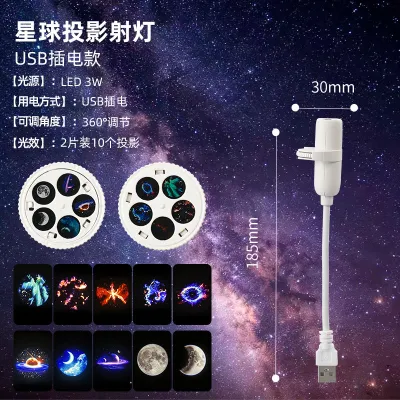
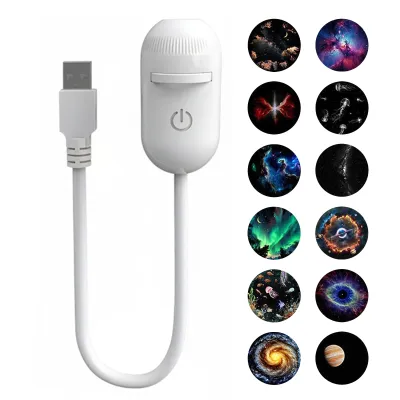
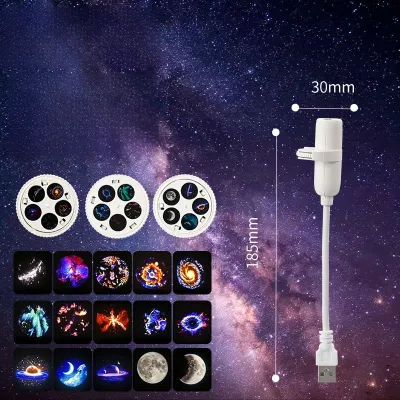
![[SG Ready Stock]Mini Galaxy Projector Night Light USB Starry Sky Lamp Portable Star Light for Bedroom Sleep&Decoration](https://img.lazcdn.com/g/p/02e39b2f92605772015c60dac3aef3a5.png_400x400q80.png_.webp)
Prices are valid at publication and may change. Please refer to the product page for the latest price.
Movement settings determine the energy of the projection. High-quality galaxy lights feature adjustable rotation speeds, allowing you to transition from a completely static starfield to a slow, drifting nebula, or a fast-paced, swirling cosmic display. Slow-moving or static patterns are ideal for relaxation, while faster speeds suit active social environments.
Convenience features like built-in timers, auto-shutoff functions, and remote controls are critical for energy management and ease of use. A timer ensures the device does not run indefinitely, which helps preserve the lifespan of the internal light-emitting diodes (LEDs) and laser diodes. Remote controls or companion mobile applications allow you to adjust settings from across the room without disrupting your comfort.
Finally, verify the physical power requirements before purchasing. Check the manufacturer’s specifications for the plug type, voltage compatibility, and cable length. Many modern projectors use a standard USB power interface, but you must ensure the supplied cable is long enough to reach your desired mounting location without creating a tripping hazard or requiring unsafe daisy-chained extension cords.
Choosing a Galaxy Light for the Bedroom: Focus on Calm and Sleep
When installing a galaxy light night projector in a bedroom, the primary goal is to support relaxation and preserve sleep hygiene. Excessive light exposure, particularly in the blue spectrum, can interfere with your body’s natural sleep cycle. Therefore, prioritize models that feature low-lumen settings and customizable color palettes. Selecting deep reds, warm ambers, or dim greens can help create a soothing environment that prepares the mind for rest.

Motor noise is another critical factor that can disrupt a quiet bedroom. Many projection lights use small internal motors to rotate the lenses and create moving nebula effects. Before purchasing, review the product specifications or user manual to verify silent motor operation. A noisy motor can quickly become a distraction in a quiet room, defeating the purpose of a calming light display.
Utilizing built-in sleep timers is highly recommended for bedroom setups. Setting the device to automatically shut off after 30, 60, or 90 minutes ensures that your room returns to complete darkness once you fall asleep. This prevents prolonged light exposure throughout the night, which can disrupt deep sleep phases.
Safety and placement are paramount when positioning a projector near a bed. Always consult the manufacturer’s instructions regarding safe viewing distances and eye safety, especially if the device utilizes class 1 or class 2 lasers to project star points. Position the projector on a stable nightstand or shelf where the light beams project upward onto the ceiling or walls, completely out of the direct line of sight of anyone lying in bed.
Selecting Projection Lights for Living and Entertainment Areas
Living rooms, media spaces, and home theatres demand a different approach to ambient lighting. In these active areas, the galaxy light serves as a dynamic backdrop for social gatherings, movie nights, or casual lounging. Look for projectors that offer multi-color cycling and faster rotation modes to inject energy into the room. These settings can turn a plain ceiling into an active, engaging visual feature that complements your home decor.
For entertainment spaces, audio-synchronisation features add an extra layer of immersion. Some advanced galaxy lights include built-in microphones or auxiliary inputs that allow the projection’s pulse and color transitions to sync with the beat of your music or the audio from your television. When using these modes, check the product manual for any specific setup requirements, such as proximity to speakers or external connection steps.
Because living rooms are typically larger than bedrooms, projection coverage and image clarity are vital. Evaluate the recommended projection distance of the device. A quality projector should feature an adjustable focus ring or a high-quality lens system that keeps the nebula clouds and stars sharp, even when projected onto high ceilings or wide walls. Placing the unit too far from the surface without proper focusing can result in a blurry, washed-out image.
To maintain seamless control during social events, consider the remote-control range or smart-home integration capabilities. Being able to dim the galaxy light, change color schemes, or turn off the rotation directly from your couch via a smartphone app or voice command ensures that you can adjust the atmosphere instantly without interrupting your guests or your movie.
Adapting Galaxy Lights for Kids' Rooms and Play Areas
Introducing a galaxy light night projector to a child’s bedroom or play area requires careful attention to safety and daily routines. Children’s eyes are more sensitive to bright light sources, making it essential to choose a device designed with safety in mind. Always verify that the product carries recognized electrical safety certifications and check the packaging for age-appropriate design warnings and guidelines.
The physical build of the projector must be durable and stable. Children’s play areas are prone to activity, so select a model with a wide, tip-resistant base that is unlikely to be easily knocked over. Additionally, inspect the device to ensure there are no small, detachable parts, loose battery compartments, or accessible cables that could pose a choking or tripping hazard to younger children.
A galaxy light can be an excellent tool for establishing a structured bedtime routine. You can use the bright, colorful, and rotating modes during playtime to create an exciting environment, and then transition to a dim, static, warm-toned setting as bedtime approaches. This visual cue helps signal to children that it is time to wind down and prepare for sleep.
To protect developing eyes, strictly follow the manufacturer’s guidelines regarding blue light emission and recommended viewing distances. Never place the projector on the floor where a child might look directly down into the light source. Instead, mount the device securely on a high shelf, out of reach, and angle the projection away from areas where children play or sleep.
Cross-Room Compatibility and Setup Guidelines
If you plan to use a single galaxy projection light in multiple rooms, or if you want to optimize its placement in a dedicated space, understanding setup physics is key. Start by calculating the throw distance, which is the physical space between the projector lens and the surface where the image is displayed. As the distance increases, the projected image expands but loses intensity. Adjust the focus dial on your device to find the perfect balance between coverage area and image sharpness.
Safe placement is critical to prevent damage to the device and ensure home safety. Always position the projector on a flat, stable surface away from heat sources like radiators, direct sunlight, or heating vents. Avoid placing the unit in damp environments, such as bathrooms, unless the manufacturer explicitly states the device has an appropriate ingress protection (IP) rating for moisture. Keep the power cord neatly routed to prevent tension on the plug or the device itself.
For maximum flexibility, look for projectors with adjustable bases or multi-angle magnetic stands. These designs allow you to easily pivot the lens to target different areas of a room, such as shifting the projection from the ceiling to a side wall, without physically moving the entire unit. This versatility makes it much easier to adapt the light to different room layouts when moving it between spaces.
While adjusting your setup is generally straightforward, there are limits to safe DIY troubleshooting. If the projected image becomes severely distorted, if the internal motor begins to emit unusual noises, or if the housing of the device feels excessively hot to the touch during extended use, turn off the power immediately. Disconnect the device from the wall outlet and consult the manufacturer or a qualified professional rather than attempting to open the casing or repair the internal electronics yourself.
Frequently Asked Questions (FAQ)
Can I leave a galaxy projection light on all night?
Whether you can leave a galaxy projection light on all night depends entirely on the specific model’s design and components. You should always check the product’s user manual for the manufacturer’s maximum continuous run-time limits. While some models are engineered with heat-dissipating materials suitable for overnight use, others may require a cool-down period after a few hours to prevent overheating. Utilizing the built-in auto-shutoff timer is the safest way to manage overnight operation while protecting the device’s internal light source.
Do galaxy lights work well in rooms with high ceilings?
Yes, galaxy lights can work beautifully on high ceilings, but the height will affect the projection’s appearance. A higher ceiling increases the throw distance, which naturally expands the size of the projected nebula and stars but may reduce their overall brightness and intensity. To ensure a clear and vibrant display, check the manufacturer’s specifications for the maximum recommended projection distance and choose a unit equipped with an adjustable focus ring to keep the cosmic patterns sharp.
Community discussion
Share your experience or ask a question. Comments are reviewed before publication.