
Designing a dedicated gaming room is an exciting project that blends personal style with high-performance functionality. In Singapore’s typical high-density housing, such as HDB flats or condominiums, space is often at a premium. Creating an optimal setup requires smart spatial planning, ergonomic furniture selection, and strategic lighting to prevent eye strain and maximize comfort. By systematically addressing layout, ergonomics, lighting, and cable management, you can transform any spare room or corner into a high-performance sanctuary.
Step 1: Assess Your Space and Define Your Gaming Needs
Before purchasing any furniture or lighting, you must map the physical boundaries of your designated room. Measure the exact length, width, and height of the space. Pay close attention to door swings, window placements, and the locations of existing power outlets, as these fixed elements dictate where your heavy equipment must go.
Your primary gaming style directly influences your spatial requirements. A dedicated PC gamer typically needs a deep desk for multi-monitor setups, whereas a console player might prioritize a comfortable sofa and a media console positioned at an optimal viewing distance. If you plan to use Virtual Reality (VR) headsets, you must reserve a clear, unobstructed physical zone of at least two meters by two meters to allow for safe movement. Hybrid rooms that combine gaming with a home office require a layout that cleanly separates work and play mindsets.
Products mentioned in this guide

94 Lazada user ratings
Attractive and charming, Perfect desk decoration, Resin material quality, Resin material quality, Unique character style, Sturdy and durable
Sturdy and durable, Perfect desk decoration, Fast shipping service, Great gift for friends. value for money.
Pretty nice, looks good, and can even be used as a decor piece, great home item haha
A lot. Really pretty.
So cute thanks

181 Lazada user ratings
The leaves are small but quite pretty and also long. It’s a bit disappointing that I ordered too few because the stock was depleted, making …Read full reviewShow less
The leaves are small but quite pretty and also long. It’s a bit disappointing that I ordered too few because the stock was depleted, making them difficult to decorate with. You’d have to order a larger quantity for it to work well. Thank you!
Durable and long-lasting, Perfect for indoor decoration,first time buy the leaf not big diameter around 3cm,long more than 2m I get,so beaut…Read full reviewShow less
Durable and long-lasting, Perfect for indoor decoration,first time buy the leaf not big diameter around 3cm,long more than 2m I get,so beautiful i like it
Received the product .. waiting for goods from China .. not long about 7 days .. if not hurry to order .. good products .. inexpensive. will…Read full reviewShow less
Received the product .. waiting for goods from China .. not long about 7 days .. if not hurry to order .. good products .. inexpensive. will order again
Suitable for home decoration, high quality plastic material, suitable for party and events, easy to decorate and sort,
I have to decorate the window at the time of the wind, the wind looks good, like a vine and a lot more refreshing,👍👍👍👍👍

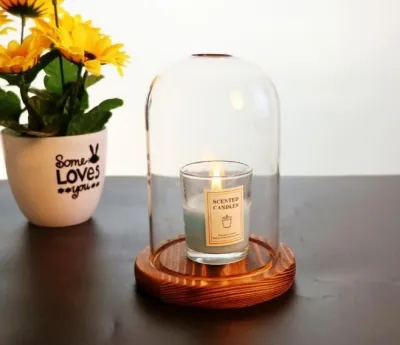
42 Lazada user ratings
This is really good to use for my tealight to avoid it going off with the fan turned on. I used to have another one specifically for tealigh…Read full reviewShow less
This is really good to use for my tealight to avoid it going off with the fan turned on. I used to have another one specifically for tealight with a hollow to slot it in but the glass was super thin & it broke! This one is much better quality & the glass is thick. It’s also decorative - simple design. Love it!
💰Price:price is reasonable ..next time I'll Purchase.. 🎨Design:design is good and wooden quality and glass quality is fantastic
💰Price:price is high 🎨Design:nice very good quality Transparent bottle style, Windproof and dustproof,
Windproof and dustproof, Heat resistant glass, transparent and very nicely done. Worth the value
Windproof and dustproof,

22 Lazada user ratings
Overall Review: Got all the flower pots. Two of the pumpkin pots arrived in a different color than I ordered. One small old village high pot…Read full reviewShow less
Overall Review: Got all the flower pots. Two of the pumpkin pots arrived in a different color than I ordered. One small old village high pot had two missing parts, probably damaged during shipping, but I used glue to fix it, and it's not very noticeable. Craftsmanship and Quality: Pretty good. Size/Model Recommendation: Matches what the picture said. Appearance: Simple and beautiful. 😜😅
Great home decoration item, Perfect for succulent plants,
very nice. love it.
Good craftsmanship.
Prices are valid at publication and may change. Please refer to the product page for the latest price.
Identify structural limitations early to avoid costly mistakes. Note the positions of fixed air-conditioning units, wall vents, and load-bearing walls that cannot be altered. Placing a high-heat PC tower directly under an AC vent might seem ideal for cooling, but condensation risks must be checked. Ensure your planned desk position does not block access to built-in wardrobes or window handles.
Step 2: Choose the Right Layout and Desk Placement
The layout of your desk forms the structural anchor of the entire room. A wall-facing layout is the most space-efficient option for compact rooms, keeping cables hidden and maximizing floor space. L-shaped corner desks utilize underused corner areas, providing expansive surface space for dual-setup systems or hybrid work-and-play configurations. Floating desks positioned in the center of the room offer a commanding aesthetic but require floor-integrated power outlets or cable runways to prevent tripping hazards.

Natural light can be both a blessing and a curse in a gaming environment. Placing your monitor directly opposite a window leads to intense screen glare, causing eye strain and washed-out visuals. Conversely, facing a bright window directly can fatigue your eyes due to high contrast. Position your desk perpendicular to windows whenever possible, and install adjustable window treatments such as blackout curtains or double-layered roller blinds to control ambient light throughout the day.
Do not underestimate the physical footprint of your seating. Calculate the necessary clearance space behind your desk by measuring your chair’s full depth when fully reclined. You generally need at least 90 to 100 centimeters of clear space behind the desk edge to glide back, recline comfortably, and allow for general room traffic flow without bumping into walls or storage units.
Step 3: Select Essential Furniture for Comfort and Function
Your desk is the foundation of your hardware setup, requiring careful evaluation of physical dimensions and structural limits. A standard gaming desk should have a depth of at least 70 to 80 centimeters to ensure your eyes are at a comfortable distance from large screens. Verify the desk’s weight capacity, especially if you plan to clamp heavy dual-monitor arms to the edge, as thin particle-board desks can sag or crack under concentrated pressure.
An ergonomic chair is the single most important investment for your physical health during long sessions. Look for chairs that offer adjustable lumbar support that matches the natural curve of your spine, 3D or 4D armrests that align with your desk height to prevent shoulder strain, and adjustable seat depth to support your thighs without cutting off circulation behind your knees. Avoid chairs that prioritize aggressive racing-style aesthetics over genuine ergonomic adjustability.
Keeping your primary play area uncluttered is essential for mental focus and physical safety. Vertical storage solutions, such as wall-mounted pegboards, allow you to store controllers, headphones, and cables within arm’s reach without consuming valuable desk space. Under-desk drawer units on wheels provide flexible storage for physical media and accessories, while dedicated equipment racks keep external drives and consoles off the floor where dust accumulates.
Step 4: Plan Lighting for Ambiance and Eye Comfort
A successful lighting scheme relies on three distinct layers: task, ambient, and accent lighting. To protect your eye health, avoid relying solely on a bright screen in a pitch-black room, which causes severe contrast strain. Position a bias light—such as a USB-powered LED strip—directly behind your monitor to cast a soft glow on the wall behind it, neutralizing extreme contrast without casting glare onto the screen surface.
Coordinating color temperatures across your light sources prevents visual chaos. If your main overhead light emits a cool daylight temperature while your accent LED strips are set to warm orange, the clashing tones can cause visual fatigue. Utilize smart lighting systems that allow you to synchronize color temperatures, keeping ambient lights around a comfortable 3000K to 4000K for active tasks, and shifting to warmer or colored accent tones during immersive evening sessions.
Electrical safety must be your top priority when installing custom lighting fixtures. Always verify the voltage, base interface, and wattage limits of any smart bulbs or fixtures before installation, ensuring they match your home’s electrical supply. For any fixed wiring modifications, high-mount installations, or heavy suspended ceiling tracks, always isolate the power at the main distribution board and hire a qualified licensed electrician to perform the work safely.
Step 5: Manage Cables and Arrange Your Tech Setup
A chaotic tangle of wires is not just an eyesore; it is a physical hazard and a dust magnet. Start your cable management by mounting a sturdy under-desk cable tray or raceway to house power strips and bulky power bricks off the floor. Use desk grommets to route mouse, keyboard, and monitor cables directly beneath the desk surface, and secure running cables along desk legs using reusable velcro ties rather than permanent plastic zip ties.
Hardware placement directly impacts system performance and longevity. Position your PC tower and gaming consoles in well-ventilated areas with at least 10 to 15 centimeters of clearance from walls to prevent thermal throttling. Avoid placing your computer tower directly on carpeted floors, as this restricts intake fans and accelerates dust buildup; instead, use a dedicated riser or keep the tower on your desk.
Acoustic staging and future maintenance require deliberate planning during setup. Position your stereo or surround-sound speakers at ear level, forming an equilateral triangle with your primary seating position for optimal audio imaging. When routing cables, always leave a small amount of slack near the connectors to prevent strain when adjusting monitor arms or reclining your chair, and label both ends of each cable to simplify future hardware troubleshooting.
Step 6: Add Personal Touches and Acoustic Treatments
Personalizing your space transforms a sterile tech setup into an inspiring retreat. Choose a cohesive thematic color palette—such as minimalist monochrome, retro synthwave, or industrial wood and metal—to guide your choice of wall decor and desk accessories. Install floating display shelves to showcase physical collectibles, art prints, or custom keyboards, ensuring these displays are securely anchored to the wall.
High-performance audio is easily ruined by poor room acoustics, especially in rooms with hard tiled or concrete floors. To reduce echo and improve in-game audio clarity, introduce soft, sound-dampening materials into the space. Laying down a thick, high-pile rug beneath your chair and hanging heavy, dense curtains over windows can dramatically reduce high-frequency sound reflections. For targeted treatment, place acoustic foam panels or fabric-wrapped fiberglass panels on the walls at the primary reflection points.
Always balance your decorative ambitions with the physical needs of your hardware. Ensure that wall art, hanging plants, or display shelves do not block the exhaust paths of your PC or console. Keep decorative items dust-free, as accumulated dust on nearby shelves will inevitably find its way into your computer’s cooling fans, compromising thermal efficiency over time.
Frequently Asked Questions (FAQ)
How should I allocate my budget for a complete gaming room setup in Singapore?
When planning your budget in Singapore, prioritize your physical health and core visual experience before spending on purely cosmetic upgrades. Whether you are working with an initial budget of S$1,500 or S$5,000, allocate the largest portion of your budget—approximately 40% to 50%—to your primary interface tools: a high-quality ergonomic chair that supports your back during long sessions, and a color-accurate, high-refresh-rate display. Your body and eyes interact with these elements constantly, making them the most critical investments for long-term comfort.
The remaining budget can be split systematically between your core computing hardware and aesthetic enhancements. Dedicate roughly 35% to your PC or console hardware, desk, and input peripherals. Reserve the final 15% for secondary aesthetic upgrades, such as smart LED lighting strips, acoustic wall panels, and custom desk mats. This phased approach ensures you do not blow your budget on decorative lighting while sitting on an uncomfortable chair that causes back pain.
Can I design a functional gaming room in a small bedroom?
Yes, you can design an incredibly functional and immersive gaming setup within a compact bedroom by utilizing smart space-saving strategies. Swap bulky desk stands for wall-mounted or desk-clamped monitor arms, which instantly frees up valuable desk surface area for your keyboard and mouse. Opt for a compact corner desk or a shallow-depth desk paired with vertical wall storage, such as pegboards and floating shelves, to keep accessories off your workspace.
Visual design choices can also make a small room feel significantly larger and more organized. Use a light, neutral color palette for your walls and primary furniture to reflect light and create an airy feel, then use customizable smart lighting to inject vibrant colors when gaming. Consider multi-functional furniture, such as a bed frame with built-in storage drawers or a desk that doubles as a vanity or work-from-home station, to maximize every square centimeter of your room.
Community discussion
Share your experience or ask a question. Comments are reviewed before publication.