
You do not strictly need a Hue Bridge to use modern Hue dimmer switches and remote controls. If you own newer-generation accessories and bulbs, you can control your lighting directly using Bluetooth or direct device-to-device pairing. However, while a hubless setup offers a convenient and budget-friendly entry point, it comes with distinct physical and functional boundaries that might limit your smart home experience. Understanding these differences will help you decide whether to start simple or invest in a dedicated hub from day one.
Quick Diagnosis: When Bluetooth Is Enough and When You Need the Bridge
When setting up smart lighting, your choice between a Bluetooth-only configuration and a hub-based system depends entirely on the scale of your home and how you intend to interact with your lights. A Bluetooth-only setup is highly practical if you are looking to control a single room, such as a bedroom or a study, where you have a direct line of sight to the bulbs. This method allows you to pair your physical dimmer switch directly to your lights, giving you immediate tactile control without any complex network configuration.
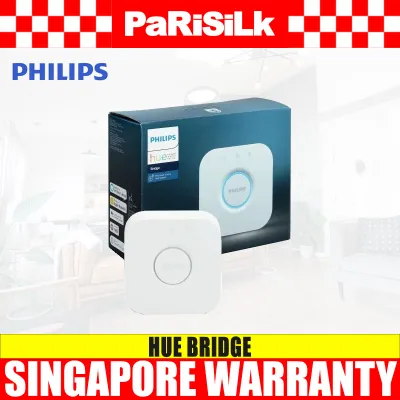
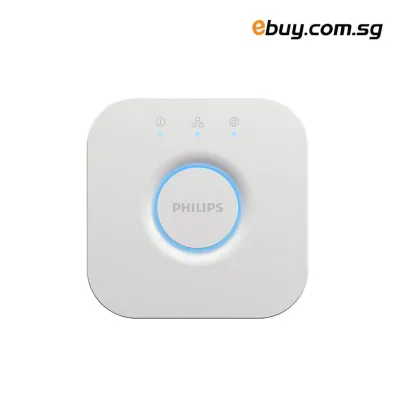
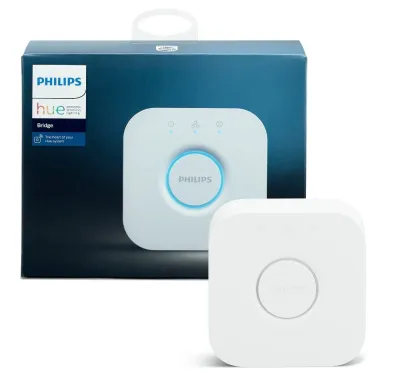
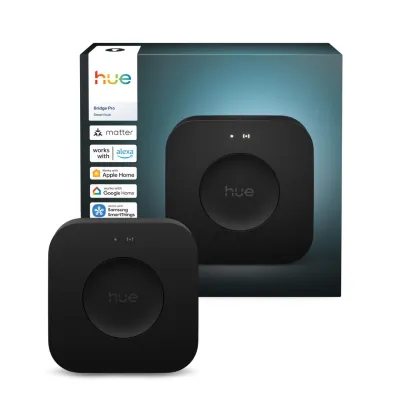
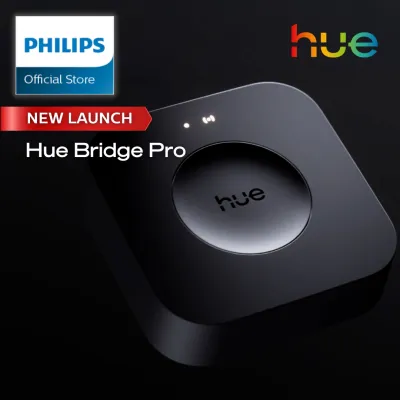
Conversely, the Hue Bridge becomes a necessity the moment your smart lighting ambitions expand beyond a single room. If you want to manage lights across multiple rooms, control your home’s lighting while you are away, set up automated schedules, or integrate your switches with broader smart home ecosystems, the hub is indispensable. It acts as the central brain of your system, coordinating signals across a robust network that can cover your entire living space.
Products mentioned in this guide
Prices are valid at publication and may change. Please refer to the product page for the latest price.
Before making a decision, it is crucial to verify the hardware capabilities of your specific devices. Not all smart switches and remotes are built with the same wireless chips. Always look for the Bluetooth logo or specific wireless compatibility indicators on the product packaging of your dimmer or remote control to confirm that it supports direct, hubless pairing before you begin your installation.
What to Expect From a Bluetooth-Only Setup
Operating your smart lighting without a central hub relies on direct communication between your controller and your bulbs. The pairing process for a Bluetooth-only setup is designed to be straightforward. You can typically link a compatible dimmer switch directly to a bulb by holding the switch close to the light source and pressing a specific button sequence, or by using the manufacturer’s dedicated mobile application to discover and pair the devices. This direct connection allows you to dim, brighten, and turn your lights on or off instantly.

However, this simplicity comes with physical range constraints that you must consider. Bluetooth signals operate over relatively short distances and are highly susceptible to physical obstacles. In homes constructed with dense materials, such as the reinforced concrete walls common in Singapore HDB flats, Bluetooth signals can degrade rapidly when traveling from one room to another. This means your remote control will generally only function reliably within the same room as the bulbs it is paired to, making whole-home control difficult without a hub.
Device limits are another critical factor in a hubless configuration. Without a central bridge to manage the network traffic, your system can only support a very limited number of connected bulbs and accessories. While a hub-based network can handle dozens of devices smoothly, a direct Bluetooth setup restricts you to a small fraction of that capacity. You must check the current manufacturer specifications for your specific hardware models to understand the exact device limits before attempting to expand your setup.
Furthermore, a Bluetooth-only setup lacks the advanced features that define a true smart home. Because there is no central gateway connected to your home router, you cannot set up automated timers, configure geofencing to turn lights on as you arrive home, or access your lights when you are away. Your physical switches and remotes will function reliably as local controllers, but they will not be able to participate in complex, automated routines.
What the Hue Bridge Unlocks for Your Remotes and Dimmers
Introducing the Hue Bridge to your smart lighting setup fundamentally changes how your devices communicate. Instead of relying on point-to-point Bluetooth connections, the bridge establishes a dedicated Zigbee mesh network. In this network, every smart bulb acts as a signal repeater, passing commands along to the next device. This mesh technology ensures that your dimmer switches and remotes can control lights on the opposite side of your home, or even on different floors, with minimal latency or dropped connections.
The bridge also unlocks comprehensive out-of-home access and advanced automation capabilities. With the hub connected directly to your home router, you can monitor and control your lights from anywhere in the world. This connectivity allows you to set up sophisticated schedules, such as having your lights fade in gradually to mimic a sunrise, or configuring random lighting patterns while you are on vacation to make your home look occupied. You can also link your dimmers to motion sensors, allowing your lights to adjust automatically based on movement and the time of day.
Ecosystem integration is another major benefit of the hub. The bridge acts as a translator, allowing your smart lighting to communicate with major smart home platforms and voice assistants. This integration enables you to create unified routines where pressing a button on your dimmer switch not only adjusts your lights but also interacts with other smart devices in your home, such as smart plugs or audio systems. It transforms your physical remote from a simple light switch into a versatile scene controller for your entire living space.
Finally, the bridge provides the expanded device capacity needed for a growing smart home. It can comfortably manage up to 50 bulbs and numerous accessories simultaneously. This scalability ensures that as you add more lights to your living room, kitchen, and outdoor areas, your physical switches will continue to respond instantly and reliably, free from the interference and lag that can plague crowded Bluetooth networks.
How to Decide: A Checklist for Your Smart Lighting Setup
To determine the best path forward for your home, start by evaluating your current living environment and immediate lighting needs. If you are living in a compact apartment or only want to control a few bulbs in a single room, a Bluetooth-only setup is an excellent, cost-effective choice. It allows you to enjoy the convenience of wireless dimming while saving you from spending extra S$ upfront on a hub, keeping your initial investment minimal.
Next, consider your future smart home plans. If you plan to expand your smart lighting to other rooms, add outdoor fixtures, or install motion sensors in hallways, starting with the Hue Bridge is highly recommended. Building your system around a hub from the beginning ensures a smooth expansion process, saving you the time and effort of reconfiguring your existing devices down the road.
Your daily lifestyle and automation needs should also guide your decision. If you value hands-free convenience, such as lights that turn on automatically when you arrive home, or if you want your physical switches to trigger highly customized lighting scenes for different activities, the bridge is essential. It provides the processing power and connectivity required to run these complex rules reliably in the background. Remember that decorative style, perceived color temperature, and spatial effects are highly subjective preferences; a hub simply gives you the granular control to adjust these elements to your liking.
Remember that your budget and upgrade path can be flexible. Starting with a simple Bluetooth setup does not prevent you from adding a bridge later. If you prefer to test the waters first, you can purchase your bulbs and dimmer switches now, use them via Bluetooth, and integrate a hub at a later date to unlock the full suite of smart features. When selecting bulbs to pair with your dimmer switch, always verify their voltage, base interface, wattage limits, and dimming methods to ensure full compatibility with your home’s electrical setup. If you do decide to install any wall-mounted smart switches that require fixed electrical wiring rather than a simple battery-powered adhesive mount, always isolate the power at your main distribution board first. For any installations involving fixed wiring, damp environments like bathrooms, or working at heights, follow the manufacturer’s installation instructions closely and consult a qualified professional to ensure safety and compliance.
Frequently Asked Questions (FAQ)
Do all Hue dimmer switches and remotes support Bluetooth?
No, not all models support direct Bluetooth pairing. While modern versions of these dimmer switches and smart remotes are equipped with dual-protocol chips that support both Zigbee and Bluetooth, older legacy models rely exclusively on Zigbee wireless technology. To ensure compatibility with a hubless setup, always check the product packaging for the Bluetooth logo, inspect the physical device, or refer to the official product specifications before making a purchase.
Can I start with Bluetooth and add the Hue Bridge later?
Yes, starting with a Bluetooth-only setup and adding the Hue Bridge later is a standard and highly supported upgrade path. When you decide to add the hub to your home, the manufacturer’s mobile application provides a straightforward migration process. This utility allows you to transfer your existing bulbs, dimmer switches, and customized settings over to the new Zigbee network managed by the bridge, ensuring you do not have to set up your devices from scratch.
Community discussion
Share your experience or ask a question. Comments are reviewed before publication.