
To find the right LED clip light, you need to evaluate its dimming mechanism, color temperature range, power source, and physical clamp compatibility. Matching these specifications to your specific workspace ensures comfortable illumination and safe operation. Whether you are setting up a cozy reading nook, illuminating a study desk, or adding task lighting to a crafting table, understanding these technical details helps you make an informed choice.
Selecting the wrong specifications can lead to eye strain, insufficient brightness, or compatibility issues with your existing furniture and power outlets. By focusing on verifiable product labels and manufacturer specifications, you can easily identify a model that fits your daily routine.
Understanding Dimming Levels and Brightness
When choosing an LED clip light, the way you adjust brightness significantly impacts its usability. Step dimming models offer preset brightness levels, typically controlled by a touch sensor or a physical button that cycles through low, medium, and high settings. While step dimming is straightforward and easy to operate, it limits your ability to fine-tune the light to changing ambient conditions.
Products mentioned in this guide
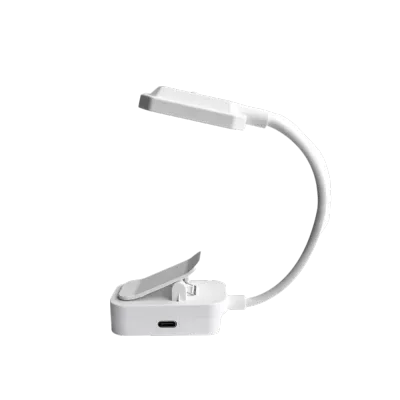
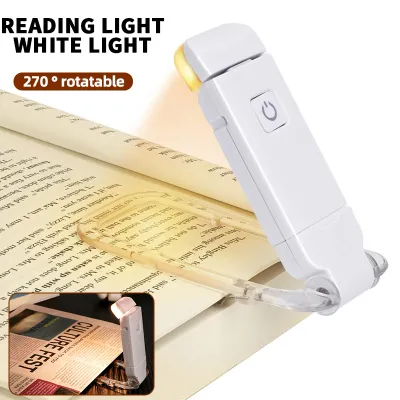
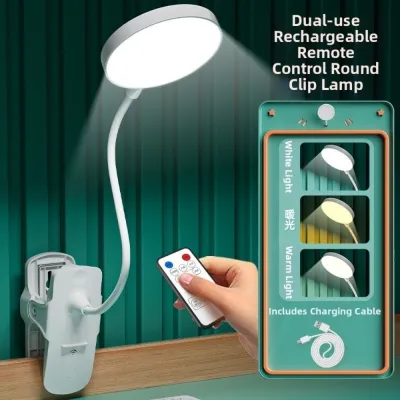
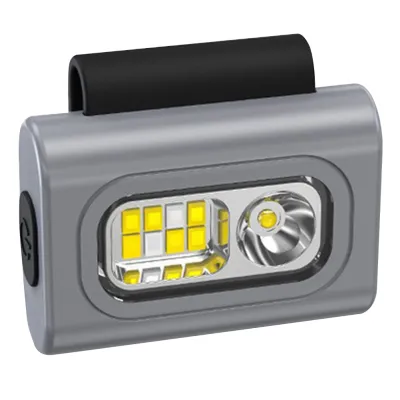
Prices are valid at publication and may change. Please refer to the product page for the latest price.
For precise control, look for continuous or stepless dimming. This feature allows you to hold down the control button to smoothly increase or decrease the brightness to any level. Stepless dimming is highly beneficial if you share a room or need to adjust the light gradually as daylight fades, preventing sudden, jarring changes in illumination.
To ensure the light is bright enough for your tasks, check the lumen output on the product packaging rather than relying solely on wattage. Wattage measures power consumption, whereas lumens indicate the actual brightness emitted. For casual nighttime reading, a light output of 100 to 200 lumens is generally sufficient, while detailed tasks like sewing or drawing may require 300 lumens or more.
Additionally, verify the manufacturer’s specifications for flicker-free performance. High-frequency flicker is often invisible to the naked eye but can cause headaches and eye fatigue during prolonged use. Checking for certified eye-safe or flicker-free labels on the packaging is a reliable way to protect your vision.
Evaluating Color Temperature Adjustments
Color temperature determines the warmth or coolness of the light, which directly influences your focus and comfort. Fixed color temperature models emit only one type of light, which may not be versatile enough for multi-purpose spaces. Adjustable models, however, allow you to switch between warm, neutral, and cool white modes to suit different activities.

To verify the light’s color characteristics, check the Kelvin (K) range printed on the box. A range of 2700K to 3000K produces a warm, yellowish glow that mimics traditional incandescent bulbs, making it ideal for winding down and reading before bed. A neutral white setting around 4000K provides a balanced, natural light suitable for general computer work, while a cool daylight setting between 5000K and 6500K offers high-contrast blue-toned light that aids concentration during intense study or detailed crafting.
You should also check how these adjustments are controlled. Some budget-friendly clip lights, often priced around S$15 to S$30, use a single button to cycle through both brightness levels and color temperatures, which can make adjusting the light a tedious process. Models with independent controls for brightness and color temperature offer a much more user-friendly experience, allowing you to change the light quality without altering your preferred brightness level.
Choosing the Right Power Source
The power source of your LED clip light dictates where you can place it and how mobile it can be. USB-powered models are highly convenient for modern desk setups, as they can draw power directly from a laptop, monitor, or desktop computer. When choosing a USB model, verify the input voltage requirements—usually 5V—and check the included cable length to ensure it can comfortably reach your power source without creating tension.
For maximum portability, battery-operated or rechargeable models are excellent options. These lights allow you to clip the fixture onto a headboard, a bookshelf, or even an outdoor patio table without worrying about nearby outlets. Before purchasing, check the product label for the battery type, capacity (measured in milliampere-hours or mAh), and the manufacturer’s estimated run time. Keep in mind that running the light at its maximum brightness setting will deplete the battery much faster than using a lower dimming level.
If you plan to install the clip light as a permanent fixture, a direct plug-in model is often the most reliable choice. These models provide consistent, uninterrupted power without the need to recharge batteries or occupy a USB port. Ensure you verify that the plug type matches your local wall sockets, such as the three-pin Type G sockets standard in Singapore. Additionally, check whether the power adapter is included in the package, as some models only supply a USB cable and require you to provide your own wall plug.
Verifying Mounting, Safety, and Compatibility Specs
Before finalizing your purchase, it is essential to check the physical compatibility of the clamp. Measure the thickness of the surface where you plan to attach the light, and compare it to the clamp’s maximum opening width specified by the manufacturer. Look for clamps lined with thick rubber or foam padding, which secures the light in place and prevents scratches on delicate wooden desks or painted headboards.
The flexibility and length of the neck or arm also determine how effectively you can direct the light. A flexible gooseneck allows for easy positioning, but it must be sturdy enough to hold its shape. Check user reviews or product specifications to ensure the arm does not droop over time, especially if the light head is relatively heavy.
Finally, prioritize electrical safety by looking for recognized safety certification marks on the packaging. When using USB adapters or power strips, avoid daisy-chaining multiple adapters, which can lead to overheating. Following the manufacturer’s guidelines regarding maximum wattage and voltage limits ensures your clip light operates safely for years to come.
Frequently Asked Questions (FAQ)
Can I use a USB LED clip light with a standard wall adapter?
Yes, you can use a standard wall adapter, but you must match the adapter’s output voltage and current to the light’s input requirements. Check the specifications printed on the clip light or its cable, which typically require a 5V input and a minimum current of 1A or 2A. Using an adapter with insufficient current may cause the light to flicker or fail to reach its maximum brightness, while using an incorrect voltage can damage the internal circuitry.
Do rechargeable LED clip lights degrade over time?
Yes, rechargeable LED clip lights that use built-in lithium-ion batteries will experience natural degradation over time. As the battery undergoes repeated charge and discharge cycles, its overall capacity will gradually decrease, resulting in shorter run times between charges. To ensure long-term usability, check the manufacturer’s warranty policy and verify if the light can still be operated directly via a USB cable even if the internal battery eventually loses its charge capacity.
Community discussion
Share your experience or ask a question. Comments are reviewed before publication.