
Quick Answer: Which Brand Should You Choose?
Selecting the ideal desk lamp for your study or work setup depends heavily on your daily task requirements, your budget, and your preference for smart home integration. There is no single brand that suits every user, as each manufacturer designs its products with a distinct philosophy and target audience in mind.
Panasonic is generally the preferred choice if you prioritize specialized optical engineering, exceptional light uniformity, and advanced eye-care technologies. Their lamps are designed to minimize glare and shadows, making them excellent for intense, long-duration reading and writing sessions.
Philips offers a highly balanced middle ground, providing reliable, flicker-free performance, robust ergonomic adjustability, and a wide product range. Because of their extensive distribution network in Singapore, finding replacement parts or accessing local warranty support is straightforward.
Products mentioned in this guide
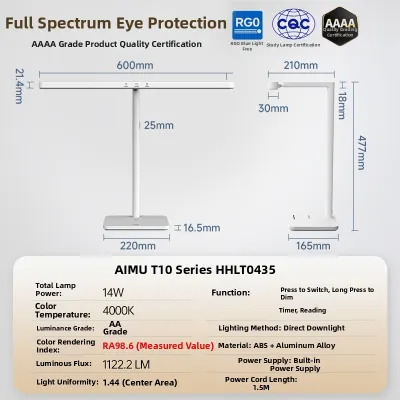
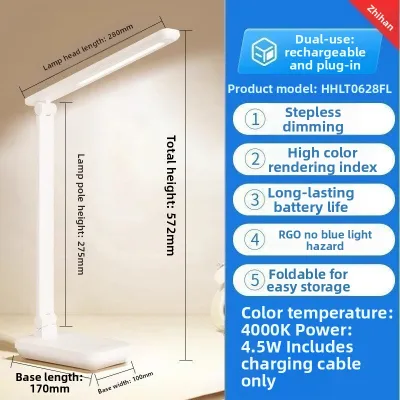
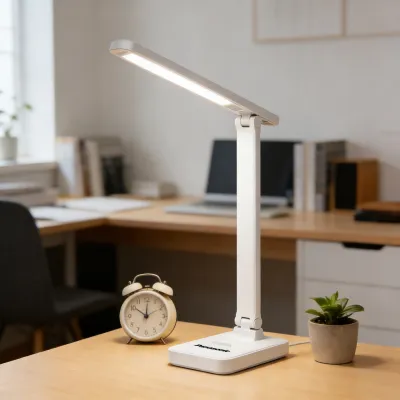
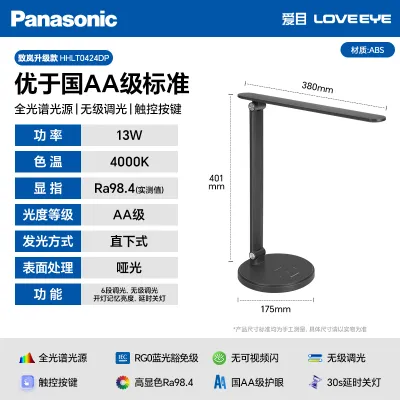
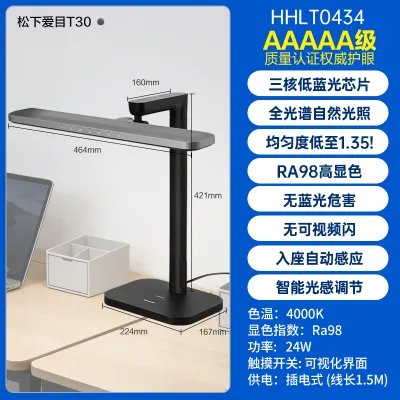
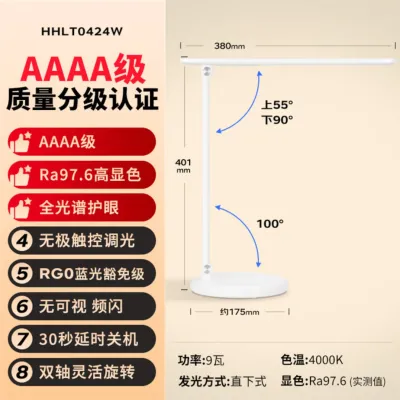
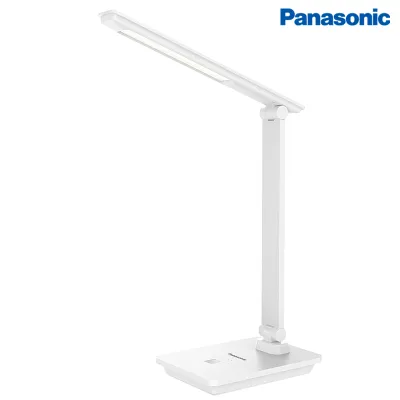
Prices are valid at publication and may change. Please refer to the product page for the latest price.
Xiaomi is the standout option if you want modern, minimalist design and seamless smart home connectivity on a budget. Their lamps integrate easily with mobile apps and voice assistants, though they may offer less physical adjustability and lighter construction than their premium competitors.
Because features, brightness levels, and control interfaces vary significantly across individual models, it is essential to verify the specific technical specifications of a lamp before making your final purchase.
Key Features to Compare for Study and Work
When evaluating a desk lamp for a home office or study room, looking past the aesthetic design to understand the underlying technical specifications is critical. The quality of light directly impacts visual comfort, focus, and long-term eye health during extended working hours.

Illuminance and Uniformity
Illuminance refers to the amount of light that falls onto a specific surface area, measured in lux. For detailed reading and writing, standard ergonomic guidelines generally recommend a surface illuminance of 300 to 500 lux. However, absolute brightness is only half of the equation; light uniformity is equally critical.
Uniformity measures how evenly light is distributed across your workspace. If a lamp creates a harsh, bright hotspot directly underneath the bulb while leaving the surrounding desk area in deep shadow, your eyes must constantly adjust as you look around. This continuous pupillary constriction and dilation lead to rapid eye fatigue. High-quality manufacturers will provide lux readings at specific distances—typically at 30cm and 50cm from the light source—allowing you to verify that the light spreads evenly across your entire work surface.
Color Temperature and Color Rendering Index (CRI)
Color temperature, measured in Kelvin (K), dictates the warmth or coolness of the light. This is not just a decorative choice; it has a direct psychological and physiological impact on your work. Cool white light (4000K to 5000K) mimics natural daylight, promoting alertness, concentration, and visual acuity, which is ideal for daytime study or detailed technical work. Conversely, warm white light (2700K to 3000K) is gentler on the eyes in the evening, helping to reduce blue light exposure before sleep. A versatile desk lamp should offer adjustable color temperature settings so you can transition from high-focus work to relaxed evening reading.
Alongside color temperature, you must consider the Color Rendering Index (CRI), expressed as an Ra value up to 100. CRI measures how accurately a light source reveals the true colors of objects compared to natural sunlight. For reading, drawing, or working with physical documents, you should look for a lamp with a CRI of 90 or higher. Low-CRI lighting can make colors look dull or distorted, forcing your eyes to work harder to distinguish fine details.
Glare and Flicker Control
Glare is one of the most common causes of immediate eye strain and headaches. It occurs when light reflects directly off glossy book pages, computer screens, or polished desk surfaces into your eyes. Premium desk lamps combat this by utilizing specialized anti-glare diffusers, side-emitting light guides, or honeycomb lenses that scatter the light rays, ensuring they hit your desk at an angle that minimizes direct reflection.
Flicker is another critical factor. While high-frequency flicker is often invisible to the naked eye, your optic nerve still detects it, causing the ciliary muscles in your eyes to strain continuously. Long-term exposure to flickering light can lead to persistent eye strain, fatigue, and mild headaches. High-quality lamps utilize advanced electronic drivers that deliver a steady, continuous direct current (DC) to the LEDs, complying with strict flicker-free standards such as IEEE 1789.
Ergonomics and Adjustability
Your desk lamp must be able to adapt to your physical workspace and your height. A lamp with limited adjustability forces you to adjust your posture to avoid shadows or glare, which can lead to neck and back pain over time.
When comparing models, examine the physical construction of the arm and joints. Look for multiple points of articulation—such as a rotating base, a tilting arm, and a swiveling lamp head. The joints must be stiff enough to hold their position over time without drooping, yet smooth enough to adjust easily. Additionally, consider the stability of the base; a heavy, well-balanced base prevents the lamp from tipping over when the arm is fully extended. If your desk is shallow or crowded, check if the manufacturer offers clamp-on mounting options to save valuable surface space.
Brand Breakdown: Panasonic vs. Philips vs. Xiaomi
Understanding the general design philosophies, typical strengths, and common limitations of each brand will help you narrow down your options to the model that best fits your daily routine.
Panasonic Desk Lamps
Panasonic has built a strong reputation in the lighting industry for its rigorous focus on optical engineering and eye safety. Their desk lamps are frequently designed with proprietary lens technologies that aim to replicate the gentle, even spread of natural light. For example, many of their premium models feature specialized side-emitting or double-shadowless designs, which redirect light across the desk to eliminate harsh shadows cast by your hands or writing utensils.
In terms of build quality, Panasonic lamps generally sit in the mid-to-premium bracket. They often utilize durable materials, including high-grade aluminum alloys and robust ABS plastics, ensuring that the joints and hinges remain stable over years of daily adjustments. Many Panasonic models also carry independent eye-care certifications, verifying their low blue-light emissions and exceptional flicker control. The primary trade-off with Panasonic is that their designs tend to be highly functional and conservative, focusing more on optical performance than on smart home integrations or ultra-minimalist aesthetics.
Philips Desk Lamps
Philips is a legacy brand in global lighting, offering an incredibly diverse portfolio of desk lamps. Their product range spans from very basic, affordable clip-on reading lights to highly sophisticated, ergonomic task lights equipped with advanced sensors. Philips lamps are widely recognized for their balanced performance, offering reliable flicker-free drivers and excellent color rendering across almost all price points.
One of the key advantages of choosing Philips is their long-standing focus on user-centric ergonomics. Many of their mid-range and premium models feature highly flexible silicone necks or counterbalanced mechanical arms that allow for precise positioning. Furthermore, because Philips has an established corporate presence and extensive retail distribution in Singapore, buyers benefit from reliable customer service, straightforward local warranty claims, and easy access to physical display units in major electronics stores where they can test the light quality before buying.
Xiaomi Desk Lamps
Xiaomi has taken a distinctly modern approach to lighting, focusing on sleek, minimalist industrial design and deep smart home integration. Their desk lamps typically feature clean lines, matte white finishes, and single-button control dials that appeal to users looking for a contemporary workspace aesthetic.
Where Xiaomi truly excels is in its smart features. Most of their lamps connect directly to local Wi-Fi or Bluetooth networks, allowing you to control brightness and color temperature via a mobile app or integrate the lamp into smart home ecosystems like Google Home or Apple HomeKit. This enables features like automated scheduling, voice control, and custom focus timers that mimic the Pomodoro technique.
However, there are trade-offs to consider. To maintain their highly competitive pricing, Xiaomi lamps often utilize lighter plastic components in their hinges and bases. Additionally, their minimalist structures sometimes offer fewer physical adjustment joints compared to the multi-axis articulation found on Panasonic or Philips models, meaning you may have to position the entire lamp base differently to get the light exactly where you need it.
Price and Value Considerations in Singapore
When shopping for a desk lamp in Singapore, it is helpful to understand how these brands align across different price points and how to evaluate their long-term value.
Market Pricing Tiers
In the local market, the three brands occupy distinct pricing segments:
- Xiaomi generally dominates the budget to mid-range tier, with most models priced between S$40 and S$90. These offer high functional value for those who appreciate smart features and modern aesthetics.
- Philips covers a very broad spectrum, with basic utility models starting around S$30, while their specialized eye-care and highly adjustable ergonomic models range from S$80 to over S$180.
- Panasonic primarily targets the mid to premium segment, with their entry-level study lamps starting around S$70 and their advanced, high-uniformity optical models retailing between S$120 and S$250.
To find the best current deals, compare listings across authorized local electronics retailers, physical department stores, and official brand storefronts on local ecommerce platforms.
Evaluating Long-Term Value
While the upfront cost is an important factor, evaluating the long-term cost of ownership is equally vital. High-quality LED chips are highly durable and often rated to last between 25,000 and 50,000 hours of use. However, the lifespan of a desk lamp is rarely limited by the LEDs themselves; instead, it is usually determined by the durability of the internal electronic driver and the physical wear on the joints.
Investing in a lamp with a comprehensive local warranty (typically 1 to 2 years in Singapore) provides peace of mind. Additionally, premium brands like Panasonic and Philips often have dedicated service centers in Singapore, making it easier to resolve issues or source replacement power adapters if the original plug is damaged.
Singapore Safety Mark and Electrical Compliance
Before purchasing any electrical appliance for your home, verifying local electrical compliance is critical for safety. In Singapore, portable luminaires and power adapters are controlled goods under the Consumer Protection (Safety Requirements) Registration Scheme.
Always ensure that the desk lamp you purchase carries the blue Singapore Safety Mark. This mark guarantees that the power adapter and internal circuitry have been tested and certified safe for use with Singapore’s standard electrical grid, which operates at 230V and 50Hz.
Be highly cautious when purchasing lamps from overseas sellers on online marketplaces. Parallel imports may come with flat two-pin plugs or non-compliant adapters designed for different voltages. Using these without a proper, certified adapter can lead to short circuits, damage the lamp’s internal driver, or even present a serious fire hazard.
Decision Framework: Which Lamp Fits Your Setup?
To help you make your final decision, consider how your specific desk layout, working habits, and daily routines align with the strengths of each brand.
Choose Panasonic if:
- You spend long, uninterrupted hours reading physical books, drafting, or sketching, and you require the absolute highest level of light uniformity and shadow reduction.
- You are willing to invest a higher budget upfront for premium optical engineering and certified eye-care technology.
- You prefer a straightforward, highly reliable physical interface without the need for mobile apps or wireless connectivity.
Choose Philips if:
- You need a highly flexible, ergonomically adjustable lamp that can easily pivot between a computer monitor, a writing pad, and a secondary reading area.
- You want a dependable, well-known brand with robust local warranty support and wide physical retail availability in Singapore.
- You are looking for a balanced product that offers excellent flicker-free eye protection at a moderate price point.
Choose Xiaomi if:
- You want to integrate your desk lamp into an existing smart home ecosystem, allowing you to use voice commands, automated schedules, or remote app controls.
- You prefer a clean, minimalist, modern aesthetic that matches a contemporary home office design.
- You are working with a tighter budget but still want high-quality light rendering and basic color temperature adjustments.
Critical Pre-Purchase Verification Checklist
Before finalizing your purchase, run through these essential checks to ensure the lamp will work safely and effectively in your specific environment:
- Electrical Certification: Does the product or its power adapter display the Singapore Safety Mark?
- Power Plug: Does the lamp come with a compliant Type G 3-pin plug, or a certified local adapter?
- Desk Space and Mounting: Measure your desk. If your workspace is shallow, will a large lamp base crowd your keyboard? Consider whether you need a clamp-on model or a monitor-mounted light bar instead.
- Dimming Controls: Does the lamp feature physical buttons or a dial that you can reach easily while seated, or does it rely solely on an app? Choose the interface that fits your workflow.
- Installation Environment: Ensure the lamp is placed on a dry, stable surface away from direct heat sources. If you are considering any fixed wall-mounted or suspended task lighting rather than a portable plug-in lamp, remember to isolate the mains power first and consult a qualified professional for installation.
Frequently Asked Questions (FAQ)
How far should a desk lamp be from my book or screen?
For optimal visual comfort, the light source should ideally be positioned about 30 to 50 centimeters above your desk surface. To prevent direct glare, adjust the lamp head so that the light source is shielded from your direct line of sight when you are seated in your normal working posture.
If you are right-handed, place the lamp on the left side of your desk; if you are left-handed, place it on the right. This simple adjustment prevents your writing hand from casting shadows across your paper, ensuring a consistently illuminated workspace.
Do I need a smart desk lamp for studying?
Smart features are highly convenient but are not strictly necessary for eye safety or basic study needs. Features like app-controlled schedules, automated dimming based on ambient room light, and built-in Pomodoro timers can actively support productive study habits and help manage eye fatigue.
However, if you prefer a distraction-free study environment, a traditional lamp with simple physical buttons or a tactile rotary dial is often more straightforward to operate, highly reliable, and generally more cost-effective.
How do I clean and maintain my LED desk lamp?
To clean your lamp safely, always disconnect the power plug from the wall outlet first and allow the lamp to cool down completely. Gently wipe the body and the light diffuser lens using a dry or slightly damp, lint-free microfiber cloth to remove dust.
Never use harsh chemical solvents, alcohol-based cleaners, or abrasive scrubbing pads, as these can degrade the plastic diffusers and damage the protective finishes. Avoid spraying liquids or getting moisture near the physical joints, touch control panels, or power input ports, as water ingress can cause electrical short circuits and void your manufacturer’s warranty.
Community discussion
Share your experience or ask a question. Comments are reviewed before publication.