
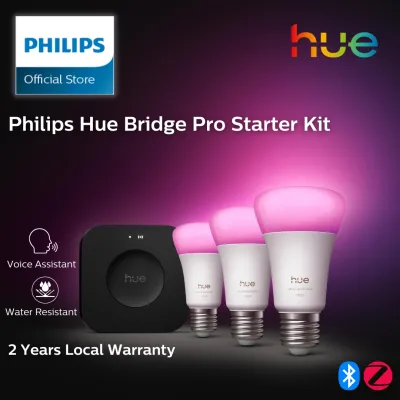
There is no official retail product named the “Philips Hue Bridge Pro” in the standard consumer smart lighting lineup. The core smart lighting hub offered by the brand is the square, second-generation Philips Hue Bridge. When you encounter listings, discussions, or tutorials referencing a “Pro” model, they typically refer to mislabeled standard bridges, regional enterprise variants, or entirely different smart home controllers. To build a reliable smart lighting setup, you must verify the exact model number, physical ports, and official protocol certifications of any hub before making a purchase.
In Singapore’s high-density housing environments, such as HDB flats and condominiums, choosing the right hub setup is crucial for managing signal penetration through reinforced concrete walls. Understanding the distinction between marketing terms and actual hardware specifications will save you time, money, and installation headaches. This guide helps you confirm the true identity of your smart lighting controller, establishes the baseline capabilities of the standard bridge, and provides a clear framework to decide which setup fits your home.
Verifying the "Pro" Model: Confirming the Exact Hub Identity
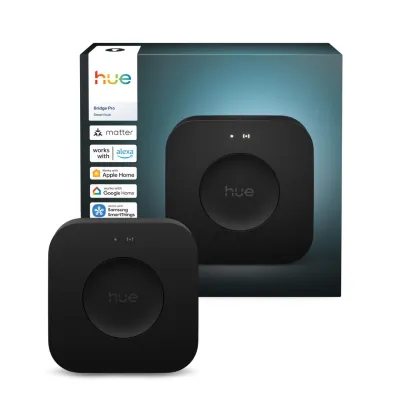
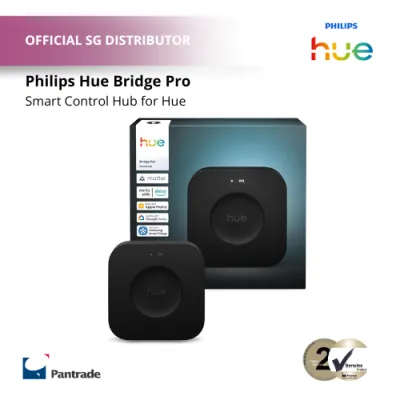
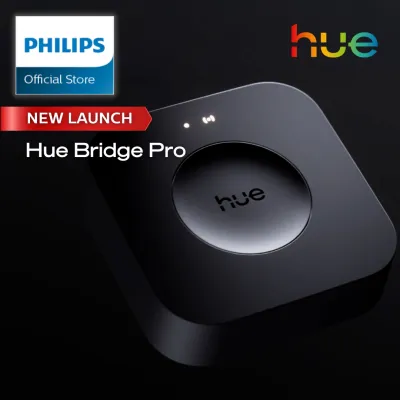
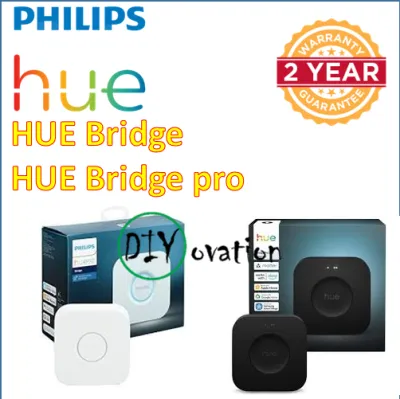
Online marketplaces and third-party sellers sometimes use terms like “Pro” or “Professional Edition” to attract buyers or to distinguish the current square bridge from the older, discontinued round version. To avoid purchasing the wrong device, always inspect the physical product and its packaging. The official second-generation bridge is square with rounded corners, featuring a large central button surrounded by three blue LED indicator lights. If the device you are looking at is circular, it is the legacy first-generation model, which no longer receives active software updates or cloud support.
Products mentioned in this guide
Prices are valid at publication and may change. Please refer to the product page for the latest price.
It is also common to confuse the standard bridge with other specialized accessories in the same ecosystem. For example, the Philips Hue Play HDMI Sync Box is a rectangular device designed to synchronize your smart lights with your television screen, but it does not function as a primary lighting controller. Additionally, some multi-protocol smart home hubs from other brands use “Pro” in their names and claim compatibility with Zigbee bulbs. These are entirely separate products with different setup procedures and app requirements.
Before finalizing any purchase, cross-reference the manufacturer’s official product database or check authorized local retail listings. Look for the specific model number printed on the underside of the device. If a listing claims to offer exclusive “Pro” features, verify whether those features are actually part of the standard bridge’s firmware or if the seller is simply rebranding a standard unit to justify a higher price point.
Baseline Capabilities: What the Standard Hue Bridge Delivers
The standard square Philips Hue Bridge serves as the dedicated brain of your smart lighting system, utilizing the Zigbee wireless protocol to control your bulbs. Unlike Wi-Fi-based smart bulbs that connect directly to your home router, Zigbee devices form a local mesh network where each mains-powered bulb acts as a signal repeater. This local network structure is highly beneficial in Singapore homes, where heavy concrete walls can severely degrade standard Wi-Fi signals and lead to unresponsive devices.

According to the official product specifications, a single standard bridge can support up to 50 lights and up to 12 accessories, such as motion sensors and wireless dimmer switches. This capacity is generally more than sufficient for a typical three-room or four-room flat. Because the bridge processes commands locally, your scheduled automations, routines, and physical switch inputs will continue to function even if your home’s fiber broadband connection temporarily goes offline.
The standard bridge integrates seamlessly with major smart home ecosystems, including Apple Home, Google Home, and Amazon Alexa. This compatibility allows you to control your lights using voice commands or integrate them into broader home automation scenes. Furthermore, the standard bridge has received software updates to support Matter, an industry-standard smart home protocol that improves interoperability with third-party devices and platforms.
Evaluating Potential Upgrades: Reading the "Pro" Spec Sheet
If you encounter a genuine enterprise-grade controller or a third-party hub claiming to be a “Pro” alternative, you must critically evaluate its specification sheet rather than relying on marketing claims. Look for advanced protocol support explicitly stated on the product label, such as native Matter over Thread. Thread is a newer, IP-based mesh networking protocol that offers faster response times and lower power consumption than traditional Zigbee, though it requires compatible bulbs to function.
Compare the physical hardware design and wireless range specifications of any alternative hub. Larger landed properties or multi-story homes may require a controller with an external antenna or a higher transmission power rating to ensure coverage across multiple floors. However, keep in mind that adding more standard Zigbee bulbs to your setup naturally extends the range of a standard bridge, often eliminating the need for a more powerful central transmitter.
Check the power input requirements and electrical safety certifications of the device. A reliable smart home hub should use standard power connections, such as a USB-C port or a certified DC power adapter. In Singapore, any power adapter plugged into a wall outlet must carry the Enterprise Singapore Safety Mark to ensure it has been tested against electrical hazards and overheating. Never use uncertified power supplies with your smart home hardware.
Network and Hardware Compatibility: Setup Requirements
Setting up a smart lighting hub requires a wired connection to your home network. The standard Hue Bridge does not connect to your router via Wi-Fi; it must be plugged directly into an available LAN port on your router or a network switch using an RJ45 Ethernet cable. Ensure you have physical space near your home network equipment and an available electrical outlet to power the bridge.
When planning your installation, consider the physical placement of your smart bulbs relative to the hub. While the Zigbee mesh network is self-healing, the first few bulbs should be placed within reasonable proximity to the bridge to establish a stable initial connection. If you plan to install smart wall switches or in-wall relay modules to control your lighting circuits, always isolate the power at the main distribution board before beginning any wiring work, or hire a licensed electrical worker to complete the installation safely.
Initial setup and configuration require the official mobile application, a stable internet connection, and a registered user account. The app guides you through the process of pairing the bridge, updating its firmware to the latest secure version, and importing your smart bulbs. Ensure your smartphone is connected to the same local Wi-Fi network as the bridge during this initial pairing process to allow the app to discover the hardware.
Decision Framework: Choosing the Right Hub for Your Home
To determine which controller setup is appropriate for your smart lighting project, evaluate your specific household needs against the verified capabilities of the hardware. Choose the standard square Hue Bridge if you want a reliable, plug-and-play system for up to 50 lights and you prefer an officially supported, hassle-free setup. It is the standard solution for the vast majority of residential smart homes and offers robust integration with major voice assistants.
Consider alternative multi-protocol hubs or advanced controllers only if you are an experienced smart home enthusiast who wants to unify multiple wireless standards (such as Z-Wave, Zigbee, and Thread) under a single interface, or if you are managing a large-scale commercial installation that exceeds standard residential limits. Be prepared for a more complex setup process and potential compatibility limitations when using third-party controllers with your bulbs.
Verify the authenticity of any product labeled “Pro” before purchasing to ensure you are not paying a premium for a mislabeled standard bridge or an outdated model. If your primary goal is to control only a few bulbs in a single room, you may not need a dedicated hub at all. Many modern smart bulbs offer direct Bluetooth control, allowing you to manage your lights directly from your phone without any additional network hardware.
Frequently Asked Questions (FAQ)
Do I need a Hue Bridge if my smart bulbs support Bluetooth?
You do not strictly need a bridge if your bulbs support Bluetooth, but your control options will be limited. Bluetooth control is designed for single-room setups, typically restricting you to a maximum of 10 bulbs within a short wireless range. Adding a standard bridge unlocks the full potential of your smart lighting, including out-of-home control, advanced scheduling, synchronization with entertainment systems, and compatibility with wireless motion sensors and dimmer switches.
Can I use two Hue Bridges in the same home?
Yes, you can connect and manage multiple bridges within the official smart lighting app. This is a practical solution for very large homes, multi-story properties, or setups that exceed the standard 50-light limit of a single bridge. However, note that accessories and automations cannot cross-communicate between different bridges; a wireless switch paired to Bridge A cannot directly control a smart bulb paired to Bridge B.
Community discussion
Share your experience or ask a question. Comments are reviewed before publication.