
Quick Answer: Does Philips Hue E14 Save More Energy?
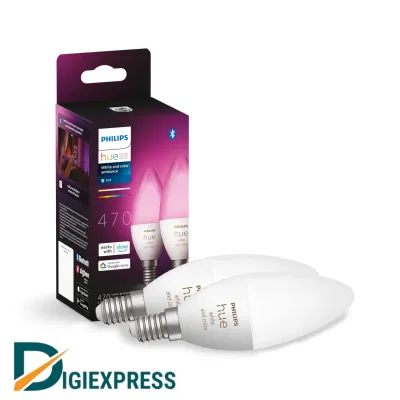
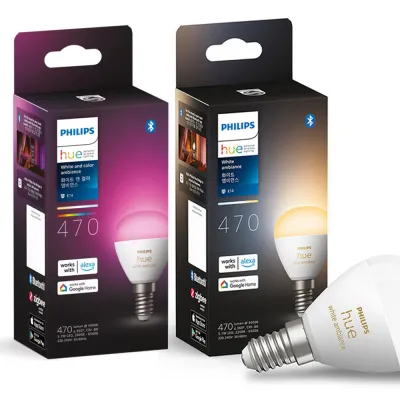
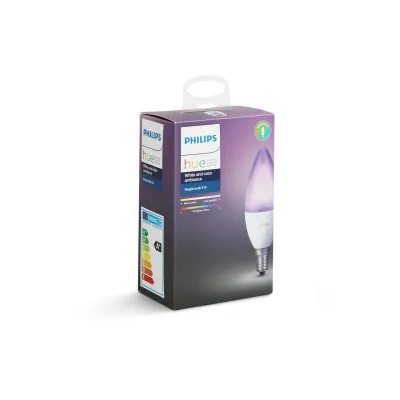
The Philips Hue E14 smart bulb is exceptionally efficient during active use, but its overall energy footprint depends heavily on your network architecture and whether you use a central hub. If you already run a Philips Hue Bridge for multiple smart lights across your home, the Hue E14 offers superior long-term energy value. It benefits from an ultra-low individual standby draw that keeps your collective electrical footprint minimal.
Conversely, if you only need to automate a single standalone table lamp, a hubless Wi-Fi competitor might consume less total system power. A standalone Wi-Fi bulb avoids the continuous 24/7 power draw of an active central hub, making it a more practical choice for isolated setups.
Ultimately, the true energy savings of any smart bulb stem from active automation. Using features like precise scheduling, geofencing, and automated dimming prevents electricity waste far more effectively than relying solely on the bulb’s baseline LED efficiency. By ensuring lights are only on when needed and at the appropriate brightness, you can significantly reduce your household energy consumption.
Products mentioned in this guide
![[Philips Hue] E14 Luster P45 Smart LED Bulb 470lm / WA White Ambiance or WCA White & Color / Bluetooth Zigbee](https://img.lazcdn.com/g/ff/kf/S867d0c270aed43158d4fe916fbc35104m.png_400x400q80.png_.webp)
Prices are valid at publication and may change. Please refer to the product page for the latest price.
How Smart LED Bulbs Actually Consume Power
To understand which smart bulb saves more energy, you must examine how these devices draw electricity. Unlike traditional incandescent bulbs that rely on a heated filament, light-emitting diodes (LEDs) use semiconductors to convert electrical energy directly into light. This process is inherently efficient, meaning wattage ratings on modern bulbs no longer dictate brightness. Instead, wattage represents power consumption, while lumens measure actual light output.

Smart bulbs introduce a secondary, continuous energy demand known as standby power or “vampire draw.” Because a smart bulb must remain alert to receive wireless commands from your phone, voice assistant, or motion sensors, it never truly shuts off unless you cut its physical power supply. This standby state requires a constant flow of electricity, even when the bulb is completely dark. Over a year, a high standby draw can quietly erode the energy savings achieved during active use.
Standby power is required to run the internal microcontroller and wireless radio built into every smart bulb. When you turn off the light via an app, these components continue monitoring the airwaves for a “turn on” signal. If the wireless radio is inefficient or has to communicate over a high-power protocol, the standby draw will be higher, leading to unnecessary energy waste over time.
The architecture of your smart lighting system dictates how this standby power is managed. In a hubless setup, each individual bulb contains its own Wi-Fi radio, which must maintain a direct connection to your home router. In a centralized system like Philips Hue, the individual bulbs communicate using a low-power protocol called Zigbee. The bulbs connect to a central hub—the Hue Bridge—which handles the heavier Wi-Fi communication. This architectural split shifts the standby burden, creating distinct energy profiles depending on the number of bulbs you install.
Key Specifications to Compare on the Packaging
When shopping for smart lighting, looking past marketing slogans is essential. Comparing technical specifications on the product packaging or manufacturer data sheets will reveal the true efficiency of the Philips Hue E14 against its competitors.
Luminous Efficacy (Lumens per Watt)
To evaluate active lighting efficiency, you must calculate the luminous efficacy of the bulb. You can do this by dividing the total lumen output by the active wattage listed on the packaging. For example, if an E14 bulb produces 470 lumens while consuming 5.2 watts of power, its efficacy is approximately 90 lumens per watt. Comparing this ratio across different brands allows you to identify which bulb produces the most light per unit of electricity.
Because E14 bulbs feature a Small Edison Screw (SES) base, they are typically installed in decorative chandeliers, wall sconces, or bedside table lamps. In these applications, raw brightness is often less critical than light quality, color rendering, and dimming smoothness. However, comparing the lumens-per-watt ratio ensures you select a bulb that maximizes light output for every watt consumed, preventing unnecessary energy waste in multi-bulb fixtures.
Standby Power Consumption
Standby power is the most critical metric for evaluating the baseline efficiency of a smart bulb. You should check the manufacturer’s technical specification sheets for “standby power” or “network standby power,” which is measured in fractions of a watt. This value represents the continuous power draw of the bulb when it is turned off via software but remains connected to your network.
While international regulations and local standards often cap standby power at 0.5 watts per device, actual performance varies. A bulb that draws 0.2 watts on standby will consume significantly less energy over a year of 24/7 connection than a competitor drawing 0.5 watts. When multiplied across an entire household of twenty or thirty bulbs, these fractional differences become highly noticeable on your monthly utility bill, making low standby draw a key priority.
Smart Dimming and Automation Savings
The true energy-saving potential of smart lighting lies in active power management rather than static specifications. Dimming an LED bulb directly reduces its energy consumption. For instance, dimming a smart bulb to 50% brightness can cut its active wattage draw by nearly half, while still providing ample ambient light for evening activities. This allows you to customize your energy use based on the time of day.
Ecosystems like Philips Hue offer robust integration with motion sensors, geofencing, and customized schedules. These features ensure that lights automatically turn off when a room is empty or when you leave the house. Choosing a brand with reliable, responsive automation tools prevents energy waste from lights left running in unoccupied spaces, which is where the most substantial household energy savings are realized in practice.
Ecosystem Efficiency: Hue vs Wi-Fi and Matter Competitors
The wireless protocol a smart bulb uses directly determines its standby power draw and overall ecosystem efficiency. Understanding the differences between Zigbee, Wi-Fi, and emerging standards like Thread will help you project the long-term energy impact of your lighting setup.
Philips Hue (Zigbee and Bluetooth)
Philips Hue E14 bulbs primarily utilize the Zigbee protocol, though newer models also support Bluetooth for direct, short-range control. Zigbee is a highly efficient mesh networking standard designed specifically for low-power smart home devices. Because Zigbee signals require very little energy to transmit, an individual Hue bulb has an exceptionally low standby power draw, often hovering around 0.2 watts. This makes the individual bulbs highly efficient.
However, to unlock the full smart ecosystem, these bulbs must connect to a Hue Bridge. The Hue Bridge remains powered on 24/7 and typically draws between 1.5 and 2 watts of continuous electricity. If you only install a single Hue E14 bulb, the combined standby draw of the bulb and the bridge is relatively high. If you scale your system to twenty bulbs, the bridge’s power draw remains the same, while the ultra-low standby draw of the individual Zigbee bulbs results in highly efficient whole-home energy performance.
Wi-Fi Smart Bulbs (Hubless)
Hubless smart bulbs connect directly to your home’s Wi-Fi router. This setup eliminates the need for a dedicated central bridge, saving you the upfront cost of purchasing extra hardware and avoiding the continuous 1.5 to 2-watt power draw of an active hub. This makes Wi-Fi bulbs highly appealing for small-scale installations.
The trade-off lies in the individual bulb’s standby draw. Because maintaining a direct Wi-Fi connection requires more energy than a Zigbee connection, each Wi-Fi bulb typically exhibits a higher standby power draw, often ranging from 0.4 to 0.5 watts. If you only need to smarten one or two E14 bulbs in a small apartment, a hubless Wi-Fi setup is often the most energy-efficient and cost-effective choice. However, clustering dozens of Wi-Fi bulbs can strain your router and increase your household’s collective standby power footprint.
Matter and Thread Alternatives
Thread is a newer IP-based mesh networking protocol designed specifically for smart home devices, operating alongside the Matter smart home standard. Thread offers the low-power, low-latency benefits of Zigbee without requiring a proprietary, brand-specific hub. Instead, Thread devices connect to the network via a border router, which is often integrated into existing smart speakers or home hubs you may already own.
When comparing options, look for Matter-over-Thread compatibility on the product packaging. This standard provides a highly efficient, interoperable alternative to proprietary ecosystems. By using an existing smart device as a border router, you can achieve the ultra-low standby power of a mesh network without adding another dedicated, always-on hub to your power strips, optimizing your overall household energy use.
Calculating Long-Term Energy Value in Singapore
To evaluate the actual financial impact of your smart lighting choices, you must ground your calculations in the local economic and environmental context of Singapore.
Electricity Tariffs
To calculate the exact monetary savings of your smart lighting setup, you should refer to the current regulated electricity tariff set by SP Group, which fluctuates quarterly. Multiply the active and standby wattage of your chosen bulbs by the current tariff rate per kilowatt-hour (kWh) to project your monthly and annual operating costs. While a few watts of savings may seem negligible on a daily basis, calculating these figures over several years reveals the true financial return on your investment, especially when replacing multiple bulbs.
Air-Conditioning Synergy
In Singapore’s tropical climate, heat management is a constant consideration. Traditional incandescent and halogen bulbs convert a significant portion of their energy into heat rather than light, warming up enclosed rooms. Highly efficient smart LED bulbs, such as the Philips Hue E14, generate very little heat during operation. By replacing older, heat-emitting bulbs with cool-running LEDs, you marginally reduce the thermal load in your living spaces, slightly lowering the energy required by your air-conditioning systems to maintain a comfortable indoor temperature.
Lifespan vs Upfront Cost
The premium price of a Philips Hue E14 bulb can be a barrier compared to cheaper Wi-Fi alternatives. However, this upfront cost must be weighed against the bulb’s operational lifespan, which often ranges from 15,000 to 25,000 hours. A long-lasting bulb reduces the frequency of replacements, saving money and material waste over time. To protect your investment and ensure reliable warranty support, always purchase your smart bulbs from official brand stores or authorized local retailers in Singapore, making sure the products carry the appropriate safety certifications for local electrical grids.
Decision Framework: Which Smart Bulb Fits Your Setup?
Choosing the right smart E14 bulb requires balancing your current home infrastructure, your future automation plans, and physical installation constraints.
Choose Philips Hue E14 if:
- You already own a Philips Hue Bridge or plan to automate multiple rooms across your home.
- You want a highly reliable, low-latency Zigbee mesh network that will not congest your home Wi-Fi router.
- You prioritize exceptionally smooth dimming transitions, precise color accuracy, and advanced automation features like geofencing and motion-triggered scenes.
Choose Wi-Fi Competitors if:
- You only need to smarten one or two E14 light fixtures, such as a bedside lamp or a study desk light.
- You want to avoid the upfront cost and continuous standby power draw of a dedicated central hub.
- You prefer a simple, direct-to-router setup without managing additional network hardware.
Verify first if:
- Base and physical space: Ensure your light fixture supports the E14 Small Edison Screw base. Measure the physical dimensions inside your lampshade or fixture housing, as smart E14 bulbs are often bulkier and longer than standard non-smart bulbs due to their internal wireless radios and heat sinks.
- Electrical limits: Check that the fixture's maximum wattage rating is not exceeded by the smart bulb, and verify that the bulb matches Singapore's standard 220V-240V voltage.
- Safety protocol: Always isolate the electrical power at your home's main circuit breaker before installing, cleaning, or replacing any light bulb. If you are working at heights to reach ceiling fixtures, use a stable ladder and exercise extreme caution. If your fixture has complex wiring, is located in a damp environment like a bathroom, or if the manufacturer instructions conflict, stop immediately and consult a licensed electrician or qualified professional.
Frequently Asked Questions (FAQ)
Do smart bulbs use electricity when turned off via the app?
Yes, smart bulbs continue to draw a small amount of electricity when turned off via an app, voice command, or automation. This is known as standby power or standby draw. The bulb’s internal wireless receiver must remain active to listen for the next command to turn back on. To stop all power consumption completely, you must flip the physical wall switch to the off position, though doing so will disconnect the bulb from your smart home network and disable all automated features.
Are all E14 smart bulbs the same physical size?
No, E14 smart bulbs vary significantly in size and shape. Because they contain internal wireless radios, microcontrollers, and heat-dissipating components, smart E14 bulbs are typically larger, wider, or longer than traditional non-smart candle bulbs. Before purchasing, always measure the clearance inside your light fixture, chandelier, or lampshade to ensure the smart bulb will fit comfortably without touching the sides or protruding awkwardly.
Does dimming a smart LED bulb actually save energy?
Yes, dimming a smart LED bulb directly reduces its active energy consumption. When you lower the brightness of an LED bulb using your app or a smart dimmer switch, the microcontrollers reduce the electrical current flowing to the diodes, lowering the active wattage draw almost proportionally. Running your smart bulbs at 50% or 75% brightness for daily ambient lighting is an excellent way to reduce your electricity bills and extend the operational lifespan of the bulbs.
Community discussion
Share your experience or ask a question. Comments are reviewed before publication.