
Choosing between the Philips Hue E14 and alternative smart E14 bulbs requires balancing long-term network reliability, energy efficiency, and upfront costs. Because smart bulb performance and compatibility vary by specific model and network setup, this guide provides a structured framework to compare specifications, verify energy claims, and determine which smart E14 option delivers the right balance of features and value for your home.
While the Philips Hue E14 is widely recognized for its seamless integration and robust mesh networking, competitors in the smart lighting space offer compelling alternatives, often at a lower initial price point. To make an informed decision, you must look beyond brand names and evaluate the underlying technology, physical dimensions, standby power draw, and ecosystem compatibility of each bulb. By understanding these technical nuances, you can select a lighting solution that operates efficiently within your household budget.
Core Comparison Dimensions for Smart E14 Bulbs
Before purchasing any smart E14 bulb, it is essential to establish a baseline of physical and electrical criteria to ensure compatibility with your existing light fixtures. The E14 base, also known as the Small Edison Screw (SES), is a standard 14mm thread commonly found in decorative fixtures such as chandeliers, wall sconces, and bedside lamps. However, unlike traditional incandescent or simple LED bulbs, smart E14 bulbs contain internal electronic components, including wireless receivers and LED driver boards, which alter their physical profile.
Products mentioned in this guide
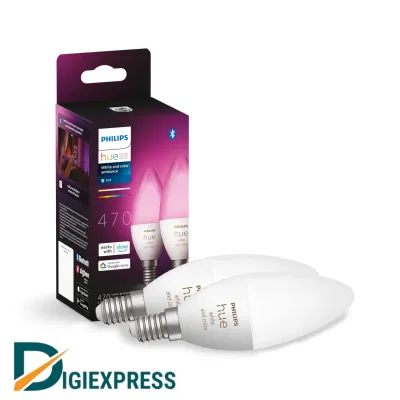
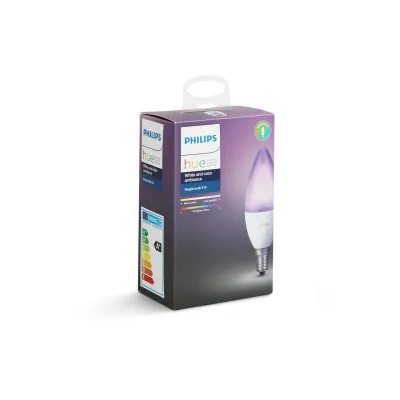
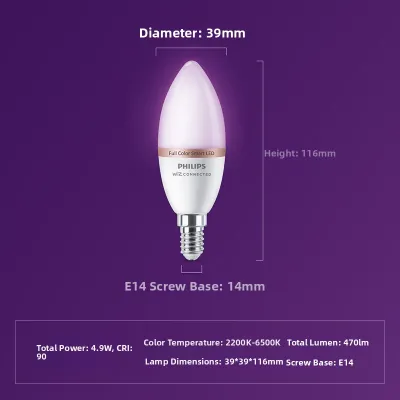
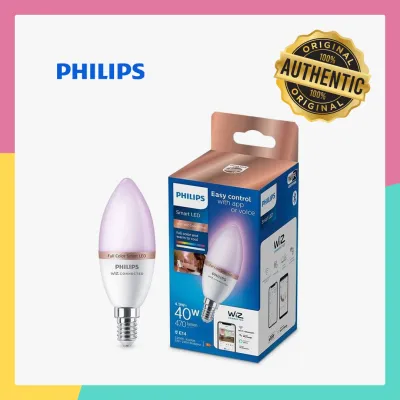
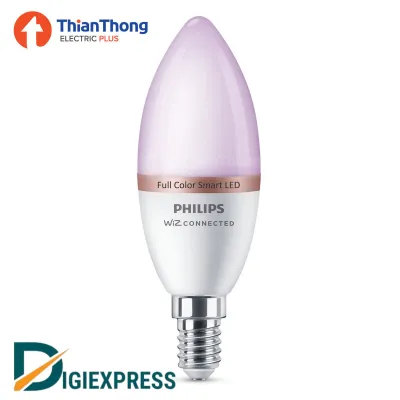
Prices are valid at publication and may change. Please refer to the product page for the latest price.
When evaluating different brands, always check the physical dimensions listed on the product packaging. Smart E14 bulbs are frequently longer and wider than their non-smart counterparts. A standard candle-shaped bulb (often designated as C37) typically measures around 35mm to 37mm in diameter, but smart versions can exceed these measurements or feature a bulkier collar near the base. If your fixture has a narrow glass shade, a tight decorative cage, or a limited harp clearance, a slightly oversized smart bulb may not fit or may sit awkwardly, disrupting the aesthetic of the fixture.
Electrical compatibility is another critical dimension. In Singapore, the standard residential electrical supply operates at 230V AC at a frequency of 50Hz. You must verify that any smart E14 bulb you purchase is rated for this voltage range (typically labeled as 220V-240V). Importing bulbs designed for 110V markets will result in immediate electrical failure and poses a severe safety hazard. Additionally, look for recognized safety certifications, such as the local Safety Mark, which indicates the product has undergone rigorous testing for electrical safety and electromagnetic compatibility.
Finally, consider the wireless architecture of the bulb. Smart E14 bulbs generally fall into two categories: hub-dependent mesh bulbs (such as those utilizing the Zigbee protocol) and hub-free bulbs (which connect directly via Wi-Fi or Bluetooth). This architectural choice dictates how the bulbs communicate with your home network, affecting everything from response latency to the maximum number of devices your home network can reliably support.
Energy Efficiency and Power Consumption
Evaluating the energy efficiency of smart E14 bulbs requires looking at both active power consumption and standby power draw. Active power consumption refers to the electricity used when the bulb is illuminated at full brightness. To compare this accurately, check the product packaging for the lumen output (which measures brightness) relative to the actual wattage draw. A highly efficient smart LED bulb should deliver approximately 80 to 90 lumens per watt. For example, a bulb producing 470 lumens (the typical equivalent of a traditional 40W incandescent bulb) should ideally draw no more than 4.5W to 5.5W of active power.

Standby power consumption is a frequently overlooked factor that significantly impacts long-term energy costs, especially in fixtures with multiple bulbs, such as a six-arm chandelier. Because smart bulbs must remain “always-on” to listen for wireless commands from your app or smart assistant, they continuously draw a small amount of electricity even when the light is turned off. The efficiency of this standby state depends heavily on the wireless protocol used.
Hub-free Wi-Fi bulbs must maintain a direct, high-power connection to your home router, which typically results in a higher standby power draw, often ranging from 0.5W to 1.2W per bulb. In contrast, Zigbee-based bulbs, like the Philips Hue E14, offload the heavy network processing to a central bridge. The individual bulbs communicate using a low-power mesh protocol, allowing them to maintain a standby draw that is often below 0.2W to 0.5W.
To understand the financial impact, you can calculate the estimated annual standby cost using a simple formula:
Annual Standby Cost = (Standby Wattage 24 Hours 365 Days / 1000) * Electricity Tariff (S$ per kWh)
If you install an eight-bulb chandelier using Wi-Fi smart bulbs with a standby draw of 1.0W each, the fixture consumes 8W continuously when turned off. Over a year, this equates to approximately 70 kWh of electricity. At a local tariff rate of S$0.32 per kWh, this standby power alone costs over S$22.40 annually. Utilizing lower-power Zigbee bulbs with a 0.2W standby draw reduces this annual idle cost to approximately S$4.48, demonstrating how standby efficiency scales in multi-bulb installations.
Smart Features and Ecosystem Compatibility
The true value of a smart bulb lies in its feature set and how seamlessly it integrates into your daily routines. The Philips Hue ecosystem is built around the Zigbee protocol and the Hue Bridge, which acts as a dedicated translator between your home router and your lights. This setup offers exceptional network stability and near-instantaneous response times. Furthermore, because the Hue Bridge supports the Matter smart home standard, it allows Hue E14 bulbs to integrate smoothly with Apple Home, Google Home, Amazon Alexa, and Samsung SmartThings.
Competitor smart E14 bulbs often rely on direct Wi-Fi connections, bypassing the need for an external hub. While this simplifies the initial setup, it introduces potential network stability issues. Standard home routers are typically designed to handle a limited number of simultaneous wireless connections. As you add more Wi-Fi smart bulbs, smart plugs, and personal devices, you may experience “router congestion.” This can lead to delayed responses, bulbs randomly disconnecting from the network, or the router dropping connections entirely. If you plan to smarten multiple fixtures across your home, a hub-based Zigbee system is generally more stable because it creates its own dedicated mesh network, leaving your home Wi-Fi bandwidth free for other devices.
Feature depth also varies widely between brands. Premium options like the Philips Hue E14 offer sophisticated color-tuning capabilities, allowing you to transition smoothly from warm white (2200K) for a cozy evening ambiance to cool daylight (6500K) for focused tasks. They also feature high Color Rendering Index (CRI) ratings, ensuring that colors in your room appear vibrant and true to life. Many budget-friendly competitors offer basic color changing but may lack the smooth dimming curves, precise color calibration, and advanced software features like dynamic light scenes, music synchronization, and circadian rhythm automation.
When comparing features, review the manufacturer’s app interface. A well-designed app should allow you to create schedules, set up geofencing (so lights turn on automatically when you arrive home), and configure power-on behavior. Power-on behavior is a crucial safety and convenience feature; it determines whether the bulb returns to its last state or turns on at full brightness after a power outage, preventing your lights from shining at full capacity in the middle of the night after a brief grid fluctuation.
Value and Pricing Considerations
When assessing the financial aspect of smart E14 bulbs, you must evaluate the total cost of ownership rather than just the upfront retail price of a single bulb. The initial investment for a Philips Hue system is undeniably higher, particularly if you do not already own a Hue Bridge. For a household starting from scratch, purchasing a bridge alongside your first few E14 bulbs represents a significant upfront cost.
In contrast, hub-free Wi-Fi or Bluetooth E14 bulbs offer a much lower barrier to entry. You can purchase a single bulb, screw it into your fixture, connect it directly to your home Wi-Fi via a free app, and begin using it immediately. This makes hub-free alternatives highly attractive for renters or those who only wish to smarten one or two bedside lamps.
However, the cost dynamic shifts as you expand your smart lighting setup. Once you own a central hub, the incremental cost of adding more bulbs is limited to the price of the bulbs themselves. Furthermore, you must factor in the expected lifespan and warranty coverage of the products. Premium smart bulbs often carry longer warranty periods (typically two years) and are rated for a longer operational lifespan (often 15,000 to 25,000 hours) compared to generic budget brands.
To safeguard your investment, always purchase smart bulbs from authorized retail channels or official brand stores. This ensures you receive genuine products designed for the local electrical grid and guarantees access to valid warranty support. Be sure to check the return policies and warranty terms provided on the manufacturer’s official listings before finalizing your purchase.
Decision Framework: Which Smart E14 Bulb Fits Your Needs?
To determine the right smart E14 bulb for your home, apply a structured decision framework based on your specific installation environment, budget, and long-term smart home goals.
Choose the Philips Hue E14 if you:
- Already own a Hue Bridge or plan to install more than ten smart bulbs throughout your home.
- Prioritize absolute network reliability, low-latency response times, and advanced automation features.
- Require precise color calibration, smooth dimming down to very low levels, and integration with high-end smart home platforms via Matter.
- Are installing bulbs in multi-bulb fixtures where minimizing standby power consumption is a priority.
Choose a hub-free competitor E14 bulb if you:
- Are looking for a low-cost entry point to smart lighting and only plan to control a few isolated fixtures.
- Prefer not to have an additional hardware bridge connected to your home router.
- Have a robust, high-capacity home Wi-Fi network (such as a mesh Wi-Fi system) capable of handling multiple smart home clients without congestion.
- Only require basic scheduling, voice control, and standard color-changing capabilities.
Regardless of the brand you choose, always perform a physical and environmental check of your light fixture before installation. Smart E14 bulbs generate heat, primarily from the driver electronics located in the base. If you install a smart bulb in a tightly enclosed, unventilated glass dome or a narrow decorative fixture, the trapped heat will cause the internal temperature to rise rapidly. This thermal stress can degrade the LED chips, cause the wireless radio to malfunction, and drastically shorten the bulb’s lifespan. Ensure the fixture allows for adequate airflow around the bulb base to maintain optimal performance and safety.
Frequently Asked Questions (FAQ)
Do smart E14 bulbs work with standard wall dimmer switches?
No, smart E14 bulbs should not be used with traditional wall dimmer switches. Standard wall dimmers (such as leading-edge or trailing-edge triac dimmers) work by rapidly chopping the incoming AC voltage to reduce the power delivered to the bulb. Because a smart bulb contains a miniature computer and wireless radio, it requires a constant, uninterrupted supply of full mains power to remain connected and function correctly.
Connecting a smart bulb to a circuit controlled by a traditional wall dimmer will starve the internal electronics of power. This typically results in severe flickering, audible buzzing, constant wireless disconnections, or permanent physical damage to the bulb’s internal driver. To avoid these issues, you must keep the physical wall switch turned fully on at all times. For dimming control, utilize the smart bulb’s companion app, voice assistants, or compatible wireless smart switches and dimmer accessories designed specifically for smart lighting systems.
Can I mix Philips Hue E14 bulbs with other smart bulb brands in the same app?
Generally, you cannot control different brands of smart bulbs directly within a single manufacturer’s proprietary app. For instance, the Philips Hue app is designed specifically to manage Hue hardware and compatible Zigbee devices connected to the Hue Bridge. It will not natively discover or control third-party Wi-Fi bulbs that rely on their own proprietary cloud services and apps.
However, you can easily achieve unified control of different smart bulb brands by using a third-party smart home platform. Platforms such as Apple Home, Google Home, Amazon Alexa, or Samsung SmartThings act as an overarching control layer. By linking your individual brand accounts or connecting the bulbs via the Matter protocol, you can group Philips Hue E14 bulbs and competitor bulbs together in the same virtual room, control them simultaneously, and include them in unified automation routines.
Community discussion
Share your experience or ask a question. Comments are reviewed before publication.