
Quick Answer: Does Philips Hue E27 Save More Energy?
When comparing the Philips Hue E27 to other smart LED bulbs, the short answer is that it depends on how many bulbs you install and which wireless protocol your alternative options use. When actively illuminated, almost all modern LED bulbs are highly efficient, converting the vast majority of their energy into light rather than heat. The real differentiator in energy savings lies in standby power consumption—the tiny amount of electricity a smart bulb draws while waiting for a wireless command.
Because the Philips Hue E27 relies on the Zigbee protocol, it generally consumes significantly less standby power than standard Wi-Fi-based smart bulbs. However, because Zigbee bulbs require a central hub to connect to your home network, you must factor the continuous power draw of that hub into your overall energy calculations. For a single lamp, a Wi-Fi bulb might use less total energy overall; for a whole-home setup, a hub-based system like Philips Hue becomes the more efficient choice. Ultimately, your actual household savings will depend heavily on your automated scheduling, dimming habits, and usage patterns rather than the bulb brand alone.
Understanding Smart Bulb Power Consumption
To understand how smart bulbs use electricity, you must look beyond the active wattage printed on the box. Traditional LED bulbs only consume power when the physical wall switch is turned on. Smart bulbs, however, operate on a dual-energy profile: active power and standby power.
Products mentioned in this guide
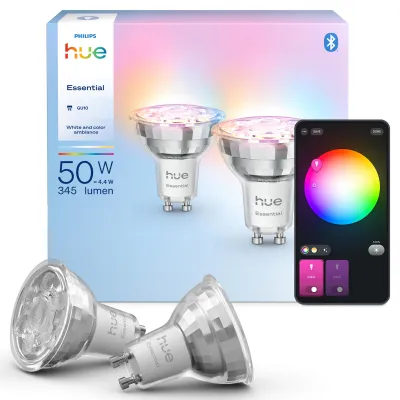
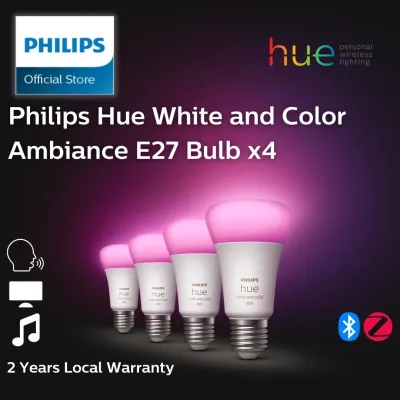
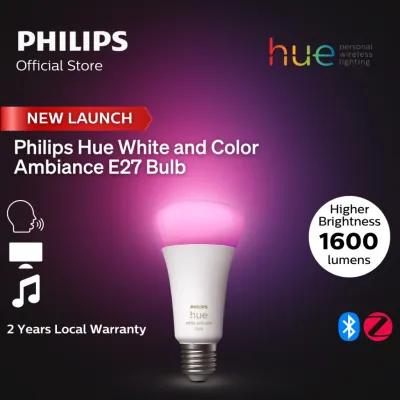
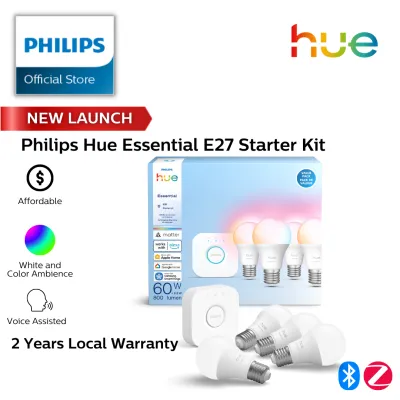
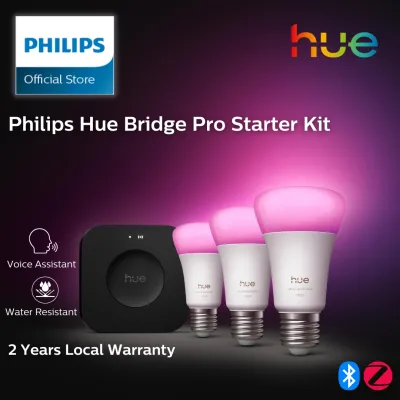
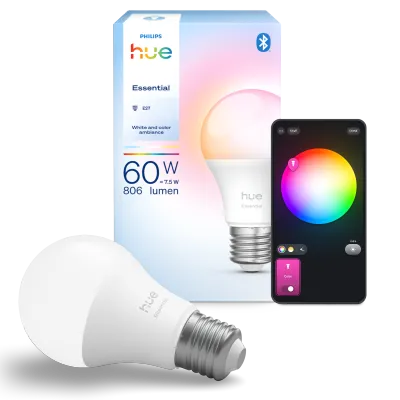
Prices are valid at publication and may change. Please refer to the product page for the latest price.

Active power is the electricity used to illuminate the LEDs. When you turn a smart bulb on via an app or voice assistant, it draws its rated active wattage (typically between 8 and 9.5 watts for an E27 bulb replacing a traditional 60-watt incandescent). Because LED technology is highly mature, the active efficiency across reputable brands is remarkably similar.
Standby power, often called vampire draw, is the energy consumed when the light is “off” but the bulb’s internal wireless receiver remains active. This receiver must stay powered 24/7 to listen for your next command to turn on, change color, or dim. This is where wireless protocols make a massive difference in your monthly utility bills.
Wi-Fi smart bulbs connect directly to your home router. Maintaining a continuous, high-bandwidth Wi-Fi connection requires a relatively large amount of energy from the bulb’s internal microchip. Bluetooth bulbs use less energy but suffer from limited range and slower response times.
Zigbee and Thread protocols, which are used by Philips Hue and newer smart home standards, are designed specifically for low-power, low-bandwidth smart home devices. Instead of connecting directly to your router, these bulbs form a local mesh network. They pass signals to one another and communicate back to a central bridge or border router. This offloads the heavy network processing, allowing the individual bulbs to maintain an incredibly low standby power state.
Before purchasing any smart bulb, always verify the electrical compatibility with your home. In Singapore, residential mains voltage is 230V at 50Hz. Ensure any imported or locally purchased E27 bulb is rated for this voltage range to prevent electrical hazards or premature component failure.
Key Energy Efficiency Metrics to Check on the Box
When shopping for smart lighting, you do not have to rely on marketing claims. You can compare the efficiency of the Philips Hue E27 against any competitor by looking at three specific metrics on the product packaging or technical specification sheets.
The first metric is luminous efficacy, measured in lumens per watt (lm/W). This ratio tells you exactly how much light a bulb produces for every watt of electricity it consumes. To calculate this, divide the total light output (lumens) by the active power draw (watts). For example, if an E27 bulb produces 800 lumens while drawing 9 watts, its efficacy is approximately 88.8 lumens per watt. A higher number indicates a more efficient bulb that will cost less to run at full brightness.
The second metric is the standby power rating. Manufacturers of quality smart lighting will explicitly state the standby wattage in their technical documentation. Look for bulbs that specify a standby draw of 0.5 watts or lower. While a difference of 0.5 watts per bulb sounds negligible, it accumulates quickly if you plan to install twenty or thirty smart bulbs throughout your home.
The third metric to evaluate is the dimming range and its relationship to power draw. Dimming an LED bulb reduces its active power consumption, but not always in a perfectly linear fashion. High-quality smart bulbs use advanced pulse-width modulation (PWM) to dim smoothly down to 1% or less, significantly cutting active power draw. Lower-quality alternatives may flicker at low levels or fail to reduce their power consumption proportionally when dimmed.
Additionally, always check the physical installation environment. If you plan to install smart bulbs in enclosed fixtures, verify that the bulb is rated for enclosed use. Enclosed fixtures trap heat, which can degrade the internal driver electronics of a smart bulb, drastically reducing both its operating efficiency and its overall lifespan.
Balancing Smart Features with Power Savings
While smart bulbs consume standby power, their advanced features can actually help you achieve a net reduction in your household energy consumption. The key is using these features strategically to offset the continuous vampire draw.
Automated scheduling and geofencing are highly effective tools for reducing waste. It is common to leave lights running in empty rooms or to forget to turn off outdoor lights in the morning. By programming your smart lighting system to turn off automatically when you leave the house, or setting strict schedules based on sunrise and sunset, you eliminate hours of unnecessary active runtimes.
Integrating motion and daylight sensors takes these savings a step further. A motion sensor placed in a hallway, bathroom, or walk-in wardrobe ensures that lights are only active when someone is physically present. Daylight sensors can automatically dim or turn off indoor lights when natural sunlight is sufficient, ensuring you never use more electricity than necessary to illuminate a space.
However, when calculating the total energy footprint of a hub-based system like Philips Hue, you must include the power consumption of the central bridge. The bridge runs continuously and typically draws between 1.5 and 2 watts of power.
To determine if a hub-based system is more efficient for your home, you can use a simple comparison. If you only need two smart bulbs for bedside lamps, two Wi-Fi bulbs with a standby draw of 1 watt each will consume 2 watts of standby power combined. In this scenario, a Philips Hue system with two bulbs (0.2 watts standby each) plus the Hue Bridge (1.5 watts) would consume 1.9 watts of standby power, offering almost no energy advantage. However, if you scale up to twenty bulbs, the Wi-Fi setup would draw 20 watts of standby power, while the Hue system would draw only 5.5 watts (4 watts for the bulbs plus 1.5 watts for the bridge), resulting in substantial long-term savings.
Decision Framework: Which Smart Bulb System Fits Your Needs?
Choosing between the Philips Hue E27 and alternative smart bulb brands requires balancing your budget, the scale of your installation, and your energy-saving goals. Use the following guidelines to determine the best fit for your home.
Choose Philips Hue (Zigbee/Hub) if:
- You plan to install a large number of smart bulbs (more than ten) throughout your home.
- You want to minimize the standby power draw of individual light points.
- You require highly reliable, instantaneous response times and seamless integration with motion sensors and physical smart switches.
- You want to avoid overloading your home Wi-Fi router with dozens of individual smart device connections.
Choose Wi-Fi Smart Bulbs if:
- You only want to smarten up a few select fixtures, such as a living room floor lamp or bedside reading lights.
- You prefer a lower upfront cost and want to avoid purchasing a dedicated central hub or bridge.
- Your home network can easily handle a few additional connected devices without experiencing latency or dropouts.
Choose Matter/Thread Bulbs if:
- You are building a modern, future-proof smart home ecosystem from scratch.
- You already own a compatible smart home border router (such as certain smart speakers or home hubs) and want to avoid proprietary brand bridges.
- You want the low standby power benefits of a mesh network combined with open-industry compatibility.
Verify first before making any purchase:
- Voltage and Base: Confirm that the bulb matches your fixture's socket (E27 screw base) and is rated for your local voltage (230V).
- Physical Dimensions: Smart bulbs are often slightly larger or heavier than traditional LEDs due to their internal wireless components. Ensure they will physically fit inside your chosen lamp shades or fixtures.
- Dimmer Compatibility: Never install smart bulbs on circuits controlled by traditional wall dimmer switches. Doing so can starve the bulb of necessary voltage, causing flickering, buzzing, or permanent damage to the wireless receiver. Smart bulbs require constant, un-dimmed power from the wall.
- Installation Safety: For any installation involving work at height, damp environments (like bathrooms or balconies), or fixed wiring modifications, always isolate the power at the main circuit breaker. If you are unsure about the safety of your fixtures or wiring, consult a qualified professional electrician.
Frequently Asked Questions (FAQ)
Do smart LED bulbs use electricity when turned off?
Yes, smart LED bulbs continue to draw a small amount of electricity even when they are turned off via an app, voice assistant, or automation. This is known as standby power or vampire draw. The bulb requires this continuous electrical current to keep its internal wireless receiver active so that it can listen for commands to turn back on. To find the exact standby power consumption of a specific bulb, check the manufacturer’s technical specification sheet, as this value can range from under 0.2 watts to over 1 watt depending on the brand and wireless protocol used.
Is it more energy-efficient to use a smart switch or a smart bulb?
For general overhead lighting where color-changing features are not required, a smart switch is typically more energy-efficient than installing multiple smart bulbs. A smart switch controls the entire electrical circuit, allowing you to use standard, highly efficient non-smart LED bulbs that draw zero standby power when turned off. The only standby draw comes from the single smart switch itself. Conversely, if you use smart bulbs, every single bulb in the fixture must remain in a standby state, multiplying the total standby power draw of the room. However, smart bulbs remain the preferred choice if you require individual bulb dimming, color tuning, or personalized lighting scenes.
Community discussion
Share your experience or ask a question. Comments are reviewed before publication.