
When planning a smart home lighting setup, energy efficiency is often a top priority. If you are comparing the Philips Hue Lightstrip, Govee, and LIFX, the short answer is that no single brand is universally the most efficient across all product lines. Real-world energy consumption depends heavily on the specific model, the generation of the LED chips, and your daily usage patterns.
To determine which smart lightstrip uses less energy in your home, you must look beyond marketing claims. Maximum wattage, standby power (often called vampire draw), and whether the system requires a dedicated smart hub are the true drivers of long-term electricity costs. Before making a purchase, always check the specific model’s packaging or official technical specification sheet for its exact wattage ratings.
How to Calculate and Compare Lightstrip Efficiency
To make an informed decision, it is essential to understand how smart lightstrips consume electricity. Many users confuse a lightstrip’s maximum power draw with its typical daily consumption. The maximum wattage listed on the box represents the power consumed when the strip is set to 100% brightness, displaying cool white light with all LED channels fully active. In contrast, typical daily consumption is usually much lower, as most users dim their lights or display single colors that require only a fraction of the total power.
Products mentioned in this guide
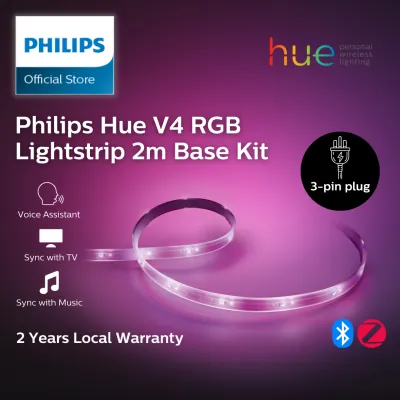
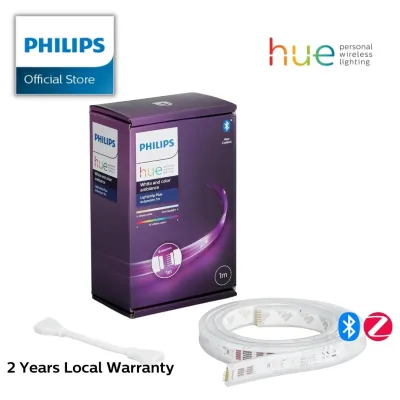
Prices are valid at publication and may change. Please refer to the product page for the latest price.
The most reliable metric for comparing the true efficiency of different lightstrips is luminous efficacy, which is measured in lumens per watt (lm/W). This value tells you how much visible light the strip produces for every watt of electricity it consumes. A lightstrip with higher luminous efficacy delivers brighter illumination without inflating your utility bill.
You can easily estimate the monthly operating cost of any smart lightstrip using a simple formula. First, identify the rated wattage of the lightstrip from its power adapter or manual. Multiply this wattage by the number of hours you plan to run the light each day, and then multiply by 30 to find the monthly watt-hours. Divide this number by 1,000 to convert it to kilowatt-hours (kWh). Finally, multiply the result by your local electricity tariff in S$ to find the total cost.
For example, if a lightstrip draws 24 watts and runs for 5 hours a day, the calculation is:
(24 watts × 5 hours × 30 days) / 1,000 = 3.6 kWh per month
Multiplying 3.6 kWh by a typical local electricity tariff (for instance, S$0.30 per kWh) yields a monthly running cost of approximately S$1.08. Performing this calculation allows you to compare different brands based on your actual household usage.
Key Specifications to Check Before You Buy
When comparing the Philips Hue Lightstrip, Govee, and LIFX, several technical specifications will directly influence your energy consumption.

Maximum Wattage and Length Always compare the power draw per meter rather than the total wattage of the starter kit. A longer lightstrip naturally consumes more total energy because it contains more LED chips. However, some brands design high-density strips with more LEDs per meter to provide seamless, hotspot-free lighting. While these high-density strips offer superior visual effects, they also require a higher maximum wattage. If energy savings are your primary goal, check the wattage-per-meter ratio to ensure you are not paying for excess capacity you do not need.
Voltage and Power Supply Efficiency Smart lightstrips typically operate on low-voltage direct current (DC), usually 12V or 24V, supplied by an external power adapter that plugs into your wall outlet. This adapter converts the mains alternating current (AC) to DC. During this conversion, some energy is lost as heat. High-quality power adapters are more efficient and waste less electricity during conversion. When evaluating lightstrips, look for power adapters that carry recognized electrical safety certifications, such as the Safety Mark in Singapore, which ensures the power supply meets strict efficiency and safety standards.
Dimming and Color Modes The way you configure your smart lightstrip plays a massive role in its power draw. Running a strip at 10% brightness consumes significantly less energy than running it at 100%. Furthermore, displaying specific colors can alter power consumption. Producing a warm white light typically requires fewer active LED channels than producing a bright, cool white, which often forces red, green, blue, and white diodes to run simultaneously at full power. If you prefer dynamic color scenes or highly saturated colors, your energy usage will vary compared to using the strip solely for ambient warm lighting.
The Hidden Energy Costs: Standby Power and Smart Hubs
Beyond the energy used to illuminate your room, smart lightstrips incur hidden energy costs that run continuously in the background.
Wireless Protocols and Standby Draw Because smart lightstrips must remain ready to receive commands from your phone, voice assistant, or automation schedules, they never truly turn off unless unplugged. This continuous connection requires standby power, also known as phantom load. The wireless protocol used by the lightstrip determines how much standby power it draws. Wi-Fi-based lightstrips, such as those from LIFX and certain Govee models, connect directly to your home router. While this eliminates the need for extra hardware, Wi-Fi modules generally require more standby power to maintain their network connection.
The Smart Hub Trade-Off In contrast, the Philips Hue Lightstrip primarily uses the Zigbee protocol, which is designed for ultra-low power consumption. Zigbee lightstrips require very little standby power because they communicate with a central hub (the Hue Bridge) rather than directly with your Wi-Fi router. However, to calculate the true energy footprint of a Zigbee system, you must include the power consumed by the hub itself, which runs 24 hours a day. If you only plan to install a single lightstrip, a hub-free Wi-Fi strip may be more practical. If you plan to install multiple smart lights throughout your home, a Zigbee-based system with a single hub will quickly become the more energy-efficient choice, as the low standby draw of individual bulbs offsets the constant power draw of the hub.
Checking the Labels To verify standby power before buying, inspect the manufacturer’s technical specifications or the regulatory label printed on the power adapter. Look for standby power ratings, which are ideally below 0.5 watts per device to comply with modern energy-efficiency guidelines.
Decision Framework: Which Smart Lightstrip Should You Choose?
To choose the right smart lightstrip for your home, balance your energy-saving goals with your existing smart home ecosystem and installation requirements.
Choose Philips Hue Lightstrip if: You already own or plan to build a larger smart lighting system using the Hue Bridge. The Zigbee protocol ensures exceptionally low standby power for each individual lightstrip, making it highly efficient for multi-room setups. Additionally, the Hue ecosystem offers precise dimming controls and scheduling options that make it easy to minimize daily energy use.
Choose Govee if: You want a highly customizable, budget-friendly lightstrip and prefer a direct Wi-Fi or Bluetooth connection without purchasing a separate hub. Govee strips are ideal for localized accent lighting, such as behind a television or under kitchen cabinets. To keep energy costs low, you can easily use the Govee app to set automated schedules that turn the lights completely off during sleeping hours.
Choose LIFX if: You prioritize intense brightness and vivid color reproduction without the need for a dedicated hub. Because LIFX strips connect directly to Wi-Fi and are known for high lumen output, they may draw more power at maximum brightness and in standby mode. This option is best suited for users who want premium, standalone accent lighting and are comfortable managing the slightly higher power requirements.
Verify first if: You plan to mix different brands in the same room. Combining various power adapters, wireless protocols, and control apps can make it difficult to track and optimize your total household energy consumption.
Safety and Installation Boundaries Before installing any smart lightstrip, always isolate the power supply at the mains. If you are planning a complex installation—such as integrating fixed wiring, mounting strips in damp environments like bathrooms, working at heights, or installing heavy suspended profiles—consult a qualified professional. Ensure all components, including extension cables and connectors, match the voltage and wattage limits specified by the manufacturer to prevent electrical hazards.
Frequently Asked Questions (FAQ)
Do smart lightstrips use electricity when turned off?
Yes, smart lightstrips draw a small amount of standby power even when they appear to be turned off. This electricity powers the internal wireless receiver (Wi-Fi, Zigbee, or Bluetooth) so the device can listen for commands from your smart home app or voice assistant. To find the exact standby consumption, check the manufacturer’s product label or use a home energy monitor to measure the standby wattage.
Is it more energy-efficient to leave smart lights on dim or turn them off completely?
It is always more energy-efficient to turn smart lightstrips off completely rather than leaving them on a dimmed setting. Even at a 1% dim level, the LED chips and the controller continue to draw active power. Because modern LED technology is highly durable, frequent switching on and off does not degrade the lifespan of the lightstrip, making it best practice to turn them off whenever you leave the room.
Can I use a smart plug to completely cut power to my lightstrips?
Using a smart plug is an effective way to eliminate standby power completely, but it comes with a trade-off. When the smart plug cuts power to the lightstrip, the strip loses its network connection entirely. This means you will not be able to turn the lightstrip back on using its native app, voice commands, or automated smart home routines until the smart plug itself is turned back on. This method is highly practical for lightstrips that you only use on a strict schedule or control via the smart plug’s own automation system.

Community discussion
Share your experience or ask a question. Comments are reviewed before publication.