
Smart light bars have become a staple of modern home entertainment setups, casting vibrant backlighting behind television screens, computer monitors, and living room shelves. When choosing between the Philips Hue Play, Govee, and Nanoleaf systems, energy efficiency is a key consideration for homeowners looking to manage their monthly utility bills. The most energy-efficient option depends on how you configure your brightness levels, the wireless protocol your system uses to stay connected, and the luminous efficacy of the individual light bars.
While each brand offers distinct hardware designs and smart features, comparing their rated wattages, standby power draws, and ecosystem requirements will reveal the most cost-effective option for your home. By understanding how these devices consume power both when active and on standby, you can design an ambient lighting setup that delivers stunning visual effects without unnecessarily inflating your electricity bill.
Key Metrics for Smart Light Bar Energy Efficiency
To accurately compare these smart light bars, you must look beyond the marketing headlines and understand the technical metrics that govern power consumption. The first metric is the maximum rated wattage, which represents the absolute peak power the light bar draws when set to its brightest, most power-demanding setting—typically a combination of cool white and warm white LEDs running at 100% capacity.
Products mentioned in this guide
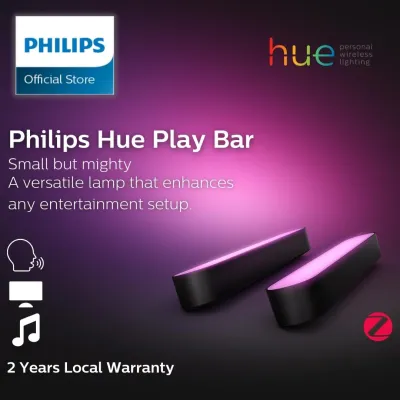
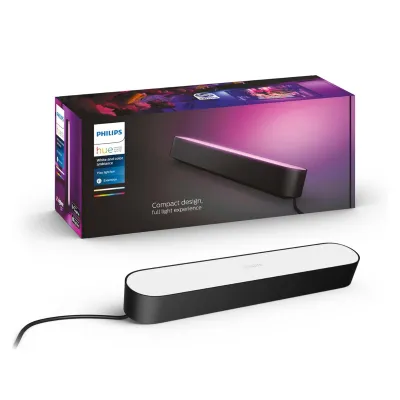
![[Clearance] PHILIPS Hue Play Light bar/ Double Pack/ TV Screen Background Color Control/ 16 million color](https://img.lazcdn.com/g/p/b0e5406b54662a90e3d72d0991f1a49c.jpg_400x400q80.jpg_.webp)
Prices are valid at publication and may change. Please refer to the product page for the latest price.
In contrast, typical operating wattage reflects real-world usage. When you display rich colors like deep red, blue, or green, or when you dim the lights to create a cozy movie-watching atmosphere, the actual power draw drops significantly. This is because colored light requires only a subset of the internal LED diodes to be active, whereas full white light requires all diodes to run simultaneously.
Standby power consumption, often referred to as vampire draw, is another critical factor. Because smart light bars must remain connected to your home network to respond to app commands, voice assistants, or automation schedules, they continuously draw a small amount of electricity even when the light itself is turned off. Over a year, a high standby draw across multiple light bars can add up to a noticeable amount of wasted energy.
Finally, luminous efficacy measures how efficiently a light bar converts electrical energy into visible light, expressed in lumens per watt. A light bar with high luminous efficacy will produce a brighter glow while consuming fewer watts, making it inherently more efficient than a model that requires more power to achieve the same brightness level.
Evaluating Philips Hue Play, Govee, and Nanoleaf Specifications
Before purchasing any smart light bar, it is essential to locate and analyze the official technical specifications provided by the manufacturer. You can find these details on the product packaging, the user manual, or the official brand website. In Singapore, you should also look for the Safety Mark on the power adapter to ensure the device has been tested and certified for safe use with the local 230V, 50Hz electrical grid.

One of the most significant differences between the Philips Hue Play, Govee, and Nanoleaf systems lies in their wireless connectivity protocols, which directly impact standby power consumption. The Philips Hue Play relies on the Zigbee protocol, which requires a dedicated central hub called the Hue Bridge. Because Zigbee is an ultra-low-power mesh networking technology, the individual light bars require very little energy to maintain their connection to the bridge. While the Hue Bridge itself draws a small, constant amount of power, the cumulative standby draw of multiple Hue lights is often lower than that of independent Wi-Fi devices.
Conversely, many Govee and Nanoleaf light bars connect directly to your home Wi-Fi network. While this eliminates the need for an extra hub and lowers your upfront hardware costs, direct Wi-Fi connectivity generally demands more standby power. Wi-Fi chips must maintain a continuous, high-bandwidth connection to your home router, which inherently consumes more milliwatts than a low-power Zigbee radio. If you plan to install a large number of light bars throughout your home, the standby draw of multiple Wi-Fi-connected units can accumulate.
Maximum brightness limits and color-rendering capabilities also play a role in peak power consumption. Light bars designed for high-intensity illumination or those featuring high Color Rendering Index (CRI) values require more robust LED arrays that naturally draw more power at peak performance. When comparing models, check the rated lumen output alongside the maximum wattage to determine which system delivers the best balance of brightness and efficiency for your specific space.
Estimating Monthly Electricity Costs in Singapore
Calculating the actual running costs of your smart light bars allows you to make an informed financial decision. To estimate the monthly electricity cost of any light bar, you can use a straightforward mathematical formula based on the device’s wattage, your daily usage hours, and the prevailing local electricity tariff rate.
First, calculate the daily energy consumption in kilowatt-hours (kWh) using the following formula:
Daily Energy Consumption (kWh) = (Device Wattage in Watts * Daily Usage Hours) / 1000
Once you have the daily consumption, you can project the monthly usage and multiply it by the current electricity tariff rate in Singapore (expressed in S$ per kWh) to find the total cost:
Monthly Cost (S$) = Daily Energy Consumption (kWh) 30 days Tariff Rate (S$ per kWh)
For example, if you run a light bar rated at 10 watts for 6 hours a day, the daily consumption is 0.06 kWh. Over a 30-day month, this totals 1.8 kWh. If the local electricity tariff is S$0.32 per kWh, running that single light bar will cost approximately S$0.58 per month.
Keep in mind that this calculation assumes the light bar is running at its maximum rated wattage. In practice, because ambient lighting is frequently dimmed or set to dynamic color scenes, the actual operating wattage—and therefore the monthly cost—will likely be lower. However, if you leave multiple light bars on standby 24 hours a day, you must add the continuous standby power draw to your calculations to get a complete picture of your energy expenses.
Optimizing Smart Lighting for Lower Power Draw
Regardless of the brand or model you choose, you can implement several practical strategies and smart routines to minimize energy waste and lower your electricity bills. The most effective way to reduce power consumption is to avoid running your light bars at 100% brightness when ambient or accent lighting is all that is required.
Using the companion mobile app for your lighting system, you can set automated dimming schedules and sleep timers. For instance, you can program your light bars to automatically dim to 30% brightness after 10:00 PM or turn off completely when it is time for bed. Because LED power consumption scales down significantly when dimmed, these minor adjustments can lead to noticeable energy savings over time.
Integrating motion sensors or daylight sensors into your smart home ecosystem is another excellent way to optimize efficiency. By pairing your light bars with a motion sensor, you can ensure the lights only turn on when someone is actively using the room and automatically shut off after a set period of inactivity. Daylight sensors can prevent the light bars from turning on during the day when natural sunlight provides sufficient illumination.
To address standby power consumption, consider grouping your smart lights onto a single smart plug or a physical switch that you can turn off when you leave the house for extended periods, such as during vacations. While this temporarily disconnects them from your smart network, it completely eliminates standby vampire draw during times when smart functionality is not needed.
When mounting light bars at height, behind hot AV equipment, or near entertainment centers, always ensure proper ventilation to prevent heat buildup, which can degrade LED efficiency over time. Always isolate the power supply before adjusting any physical wiring or mounting brackets, and follow the manufacturer’s installation instructions closely.
Making Your Final Selection
When choosing between the Philips Hue Play, Govee, and Nanoleaf systems, you must balance energy efficiency with your broader smart home ecosystem needs, lighting quality preferences, and budget. Each brand offers a unique set of advantages that cater to different user priorities.
The Philips Hue Play is an excellent choice if you prioritize deep smart home integration, exceptional hub reliability, and synchronized ecosystem efficiency. Because it operates on the Zigbee protocol via the Hue Bridge, it keeps individual standby power draw to a minimum, making it highly efficient for larger installations where multiple lights are spread across different rooms.
Govee light bars are ideal if you prefer direct Wi-Fi convenience, lower upfront hardware costs, and highly flexible app controls. While direct Wi-Fi connectivity may result in a slightly higher standby power draw per device compared to Zigbee, the absence of a required hub simplifies setup and makes it a cost-effective entry point for localized ambient lighting behind a TV or desk.
Nanoleaf light bars and modular panels are best suited for users who want specialized modular effects, unique geometric designs, and specific aesthetic layouts. If these design features are your primary goal, the minor differences in baseline power draw compared to other brands are easily offset by the creative freedom the system provides.
Before making your final purchase, always verify the exact model’s energy label, rated wattage, and standby specifications on the manufacturer’s official spec sheet. Ensure the power adapters carry the appropriate local electrical safety certifications, and choose the system that aligns best with your daily usage habits and aesthetic goals.
Community discussion
Share your experience or ask a question. Comments are reviewed before publication.