
Selecting the right Zigbee smart bulb for your Singapore home depends on balancing your existing smart home ecosystem, your budget, and your automation requirements. While Philips Hue, Aqara, and Yeelight all offer capable smart lighting solutions, they approach integration, hub dependencies, and hardware design differently. By evaluating how each brand operates within local households—taking into account concrete wall interference, local electrical standards, and standby power consumption—you can build a reliable, responsive lighting setup that enhances your daily living space.
Smart bulbs do more than change color; they serve as critical nodes in your home automation network. Because Zigbee is a mesh protocol, mains-powered bulbs typically act as repeaters, extending the range of your smart network across different rooms. Understanding how these brands manage their wireless connections, power requirements, and ecosystem integrations will prevent common pitfalls like unresponsive devices, high standby energy bills, or compatibility issues with local voice assistants.
Core Differences in Ecosystem and Hub Requirements
Before purchasing any smart bulb, you must determine the foundational hardware required to control it. Philips Hue relies primarily on the proprietary Philips Hue Bridge to unlock its full suite of features, including out-of-home control, advanced schedules, and entertainment synchronization. While some newer Hue bulbs support direct Bluetooth control, this method limits your range and prevents integration with wider smart home automations. The Hue Bridge connects directly to your home router via an Ethernet cable, establishing a dedicated Zigbee network that keeps your local smart lighting traffic off your primary Wi-Fi band.
Products mentioned in this guide
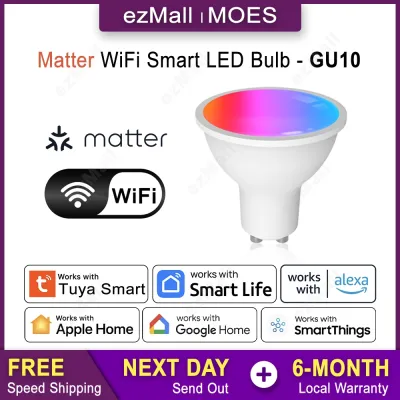
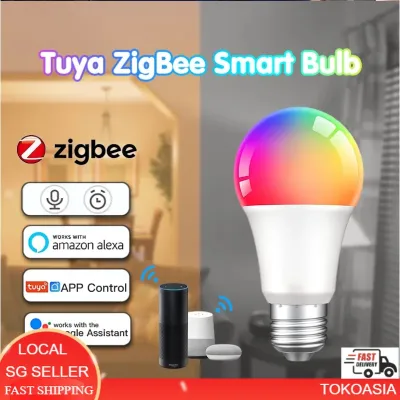
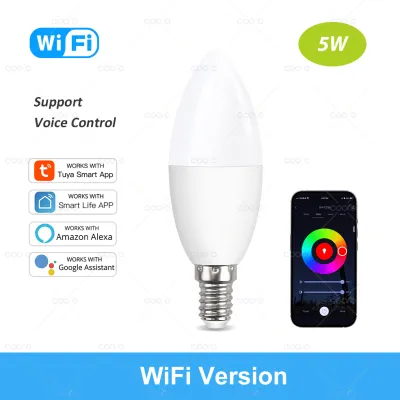
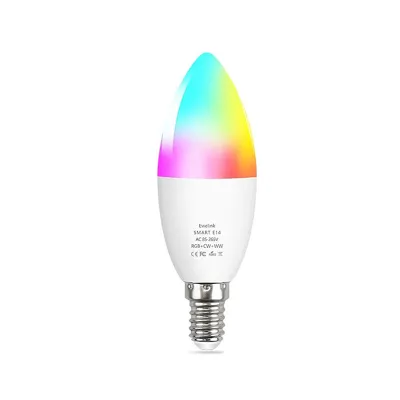
Prices are valid at publication and may change. Please refer to the product page for the latest price.
Aqara takes a highly integrated approach to home automation, requiring an Aqara Zigbee hub (such as the Hub M3, M2, or Camera Hub G3) to connect its bulbs to your network. Aqara’s ecosystem is designed around sensor-driven automation, meaning its bulbs are built to work seamlessly alongside Aqara motion sensors, door sensors, and wireless switches. If you plan to build a comprehensive smart home where lights react instantly to physical movement or door states, staying within the Aqara ecosystem ensures low-latency local execution, meaning your automations can run even if your active internet connection drops.
Yeelight offers a more hybrid product lineup, with many of its standard smart bulbs utilizing direct Wi-Fi connections rather than Zigbee. However, for their dedicated Zigbee models, such as those in the Yeelight Pro lineup, a compatible Yeelight or Xiaomi gateway is required. Yeelight bulbs are deeply integrated into the Mi Home and Yeelight app ecosystems, making them a popular choice for users who already own compatible smart appliances. If you prefer local control without relying on external cloud servers, you must verify whether your chosen hub supports local API execution or integrates directly with open-source platforms like Home Assistant.
Feature and Performance Comparison Matrix
To compare these brands effectively, you must look at the technical specifications provided on the product packaging. The table below outlines the typical hardware capabilities you can expect to find across their standard color-changing and tunable white bulb ranges.

| Feature | Philips Hue (White & Color Ambiance) | Aqara (Smart LED Bulb Series) | Yeelight (Smart LED Bulb Zigbee/Pro) |
|---|---|---|---|
| Protocol | Zigbee & Bluetooth | Zigbee | Zigbee (Pro models) or Wi-Fi |
| Typical Base Types | E27, GU10, B22 | E27 | E27, GU10 |
| Color Temp. Range | 2000K to 6500K (Tunable models) | 2700K to 6500K (Tunable models) | 1700K to 6500K (Model dependent) |
| Max Lumen Output | Typically 800 to 1100 lumens | Typically 800 lumens | Typically 800 to 950 lumens |
| Dimming Range | 1% to 100% (Smooth transition) | 1% to 100% (App controlled) | 1% to 100% (App controlled) |
| Primary App | Philips Hue App | Aqara Home App | Yeelight App / Mi Home App |
When evaluating these specifications, always verify the physical dimensions of the bulb against your existing light fixtures. Enclosed ceiling fixtures or narrow track light canisters can restrict heat dissipation, which may shorten the lifespan of the internal LED driver. Additionally, check the product packaging for the Color Rendering Index (CRI); a higher CRI (typically 90 or above) ensures that colors in your home appear natural and vibrant under artificial light. Beam angles should also be verified on the packaging to ensure the light spreads adequately across your living spaces.
Energy Efficiency and Long-Term Operating Costs
Smart bulbs remain in a constant “soft-off” state when turned off via an app or voice assistant, meaning they continuously draw a small amount of standby power to keep their Zigbee radios active. When planning a whole-home installation with dozens of bulbs, this standby power draw can accumulate. To manage long-term operating costs, look for the official energy label on the packaging. In Singapore, energy labels provide a clear indication of the bulb’s power consumption relative to its light output, helping you identify the most efficient models.
Compare the rated wattage of each bulb against its maximum lumen output to calculate its luminous efficacy (lumens per watt). A bulb that delivers 800 lumens at 8.5 watts is more energy-efficient than one requiring 10 watts to achieve the same brightness. Over several years of daily use, choosing highly efficient bulbs can lead to noticeable savings on your monthly utility bills.
Additionally, review the manufacturer’s rated lifespan and warranty terms before making a purchase. Most reputable smart lighting brands offer warranties ranging from one to two years, but you must verify that these warranties are backed by authorized local distributors in Singapore. A longer rated lifespan (such as 15,000 to 25,000 hours) indicates better thermal management and component quality, reducing the frequency and cost of replacements.
Pricing and Value Assessment
Smart lighting systems vary widely in upfront costs, and your choice should factor in both individual bulb prices and the cost of necessary infrastructure. Philips Hue sits firmly in the premium pricing tier, with individual color-changing bulbs often retailing between S$50 and S$90, and starter kits including the Hue Bridge costing significantly more. While the initial investment is high, the brand’s long-term software support, smooth dimming performance, and extensive third-party integrations provide strong value for users seeking a polished, hassle-free experience.
Aqara offers a mid-tier pricing structure, with standard tunable white bulbs generally positioned in the S$25 to S$45 range. However, because Aqara bulbs are designed to work in tandem with sensors, you must factor in the cost of an Aqara hub (typically S$50 to S$120 depending on the model) and any wireless switches or motion sensors needed to complete your automation scenes. This ecosystem approach provides excellent value if you are building a fully automated home rather than just controlling lights via an app.
Yeelight represents the budget-friendly entry point, with individual smart bulbs often priced between S$20 and S$35. This lower cost makes it highly accessible for homeowners looking to smarten up a single room or test the waters of smart lighting without a massive financial commitment. To ensure you are getting genuine products with valid local warranties, always verify current retail prices and seller credentials through official brand stores or authorized local distributors rather than unverified parallel importers on online marketplaces.
Installation, Compatibility, and Safety Checks
Before installing any smart bulb, you must perform essential electrical and physical compatibility checks to ensure safe operation. Singapore’s standard residential electrical grid operates at 230V at 50Hz. Always check the product packaging or the bulb’s base to confirm it is rated for this voltage range. Using bulbs designed solely for 110V environments (often sourced via parallel imports from other regions) can cause immediate hardware failure, electrical shorts, or fire hazards.
[Power Source: 230V Wall Switch]
       │
       ▼
[Physical Base: E27 / B22 / GU10] ──► Must match fixture socket
       │
       ▼
[Smart Bulb Hardware] ──► Verify SAFETY Mark & physical dimensions
       │
       ▼
[Enclosed Fixture Check] ──► Ensure adequate space for heat dissipation
Identify the base type of your existing light fixtures before purchasing replacements. The most common base types in Singapore homes are E27 (screw-in), B22 (bayonet), and GU10 (twist-lock spotlights commonly used in false ceilings). Never attempt to force a bulb into an incompatible socket or use low-quality adapters, as this can compromise electrical safety. If your installation involves working at heights, replacing fixed track light rails, or modifying hardwired wall switches, always isolate the mains power at the distribution board (DB box) and consult a qualified professional electrical contractor.
Finally, look for the mandatory SAFETY Mark issued by Enterprise Singapore on the product packaging. This mark indicates that the electrical appliance has been tested and certified to meet local safety standards. Avoiding uncertified parallel imports ensures that your smart bulbs are safe for continuous operation in your home and that your household insurance remains valid in the unlikely event of an electrical issue.
Final Decision Framework: Which Brand Fits Your Setup?
To finalize your purchase decision, evaluate your current smart home infrastructure and automation goals against the following condition-based recommendations:
- Choose Philips Hue if you want a premium, highly reliable lighting system with industry-leading color accuracy, smooth dimming, and seamless integration across Apple Home, Google Home, and Amazon Alexa. It is the ideal choice if you want to sync your lights with movies or gaming, or if you prefer a dedicated bridge that keeps your smart lighting traffic completely separate from your home Wi-Fi network.
- Choose Aqara if your primary goal is advanced, sensor-driven home automation. If you already own or plan to install Aqara motion sensors, presence detectors, or smart door locks, adding Aqara bulbs allows you to create complex, local-running automation rules that execute instantly without relying on an active internet connection.
- Choose Yeelight if you are looking for a budget-friendly entry point into smart lighting and prefer to manage your devices through the Mi Home or Yeelight apps. It is well-suited for renters or homeowners who want to smarten up specific rooms without investing heavily in a premium ecosystem.
- Verify first if you have existing smart hubs or complex wiring setups. If you already own a universal Zigbee coordinator (such as a Home Assistant setup), you may be able to mix and match these bulbs, but you must verify compatibility and feature limitations before purchasing.
Frequently Asked Questions (FAQ)
Can I mix different Zigbee bulb brands on the same hub?
While Zigbee is an open, standardized wireless protocol, cross-brand compatibility is often limited when using proprietary hubs. For example, while you can sometimes pair third-party Zigbee bulbs directly with a Philips Hue Bridge or an open-source coordinator like Home Assistant, you may lose access to brand-specific features such as dynamic scene transitions, entertainment syncing, or firmware updates. For the most stable experience and access to all advertised features, it is generally recommended to pair bulbs with their respective manufacturer’s hub.
Do Zigbee bulbs consume power when turned off via the app?
Yes, Zigbee bulbs consume a small amount of standby power (often referred to as vampire draw or soft-off power) when they are turned off via an app, voice assistant, or automation. This standby power is necessary to keep the internal Zigbee receiver active so the bulb can listen for the next wireless command to turn back on. If you turn off the light using a traditional physical wall switch, you cut the electrical current entirely (hard-off), which reduces power consumption to zero but prevents the bulb from being controlled wirelessly until the physical switch is turned back on.
Community discussion
Share your experience or ask a question. Comments are reviewed before publication.