
Choosing between Philips Hue and Yeelight for your Singapore home comes down to a fundamental choice between premium, hub-based ecosystem stability and budget-friendly, direct-to-Wi-Fi simplicity. For homeowners setting up smart lighting in HDB flats or private condominiums, this decision impacts your wallet, home network performance, and daily automation experience. While one brand relies on a dedicated bridge to manage traffic, the other connects directly to your home router, presenting distinct advantages depending on your space and technical comfort.
To build a reliable smart home setup, you must evaluate how these systems integrate with your existing smart assistants, how they handle the physical layout of your home, and what safety checks you need to perform before installation. This guide breaks down the core differences in connectivity, lighting features, long-term costs, and electrical compatibility to help you select the ideal smart light bulb system for your living space.
Core Ecosystem and Smart Home Compatibility
The underlying wireless technology of your smart lighting system dictates how reliably your bulbs respond to commands, especially when you install multiple fixtures across different rooms. Philips Hue primarily utilizes the Zigbee protocol, which requires a dedicated central hub—the Hue Bridge—connected directly to your home router. This hub creates a dedicated mesh network where each bulb acts as a repeater, passing signals along to extend coverage without putting a strain on your home Wi-Fi network. For larger homes or apartments with thick concrete walls that naturally degrade wireless signals, this hub-based approach keeps your main Wi-Fi bandwidth free for streaming and working.
Products mentioned in this guide
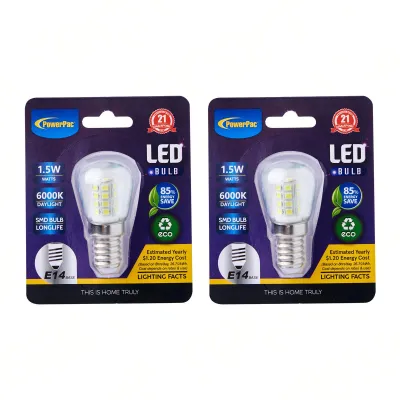
Prices are valid at publication and may change. Please refer to the product page for the latest price.
In contrast, Yeelight bulbs typically connect directly to your home network via Wi-Fi or Bluetooth, eliminating the need for an additional hardware bridge. While this makes the initial setup straightforward, every individual bulb you add occupies a slot on your router’s client list. If you plan to install dozens of smart bulbs throughout your living room, kitchen, and bedrooms, a direct Wi-Fi setup can heavily congest standard service-provider routers, potentially leading to delayed responses or disconnected devices.
When it comes to smart home integration, both brands offer extensive compatibility with major voice assistants, including Amazon Alexa and Google Assistant. However, if you are building an Apple HomeKit ecosystem, you must verify the specific model specifications, as Philips Hue offers comprehensive HomeKit support through its bridge, while only select Yeelight models feature native HomeKit compatibility. Both brands have actively embraced the Matter protocol, which aims to unify smart home devices across different platforms, but you should always check the product packaging or official manufacturer specifications to confirm Matter readiness for the exact model you intend to purchase.
Third-party application support and automation routines also differ between the two ecosystems. The Philips Hue app provides a highly polished interface with deep integration options for third-party software, allowing for complex, multi-device automation sequences. Yeelight operates within the broader Xiaomi ecosystem, allowing seamless integration with the Mi Home app alongside other smart home appliances, which is highly beneficial if you already use compatible robot vacuums, fans, or sensors.
Feature Comparison: Lighting Quality and Automation
Evaluating lighting quality requires looking closely at color rendering, tunable white temperature ranges, and brightness levels. When selecting a smart light bulb, always check the product label for the exact lumen output to ensure it meets the functional requirements of your room, whether you need bright task lighting for a study or soft ambient light for a bedroom. The color gamut—the range of colors a bulb can physically produce—varies across different product tiers, with premium models generally offering richer greens and blues, while entry-level options might show slight color shifts at extreme ends of the spectrum. Decorative style, perceived color temperature, and spatial effects are highly subjective, so choosing a bulb with a wide tunable range allows you to adjust these settings based on your conditional preferences.

For entertainment enthusiasts, the ability to synchronize lighting with movies, gaming, or music is a major consideration. Philips Hue features a dedicated entertainment sync system that integrates with computer software, select smart televisions, and external sync boxes to dynamically match your room’s lighting to the on-screen action. Yeelight also offers synchronization capabilities, particularly through integrations with gaming platforms and Razer Chroma, making it a popular choice for desktop gaming setups, though setting up whole-room television synchronization may require more manual configuration.
Automation triggers form the backbone of any hands-free smart home experience. Both brands support standard scheduling, sleep and wake routines that gradually adjust brightness to mimic natural daylight, and geofencing, which uses your smartphone’s location to turn lights on or off as you arrive or leave. To expand these automations, you can pair the bulbs with dedicated motion sensors or wireless switches; however, using sensors within the same brand ecosystem generally yields the fastest response times and the most reliable performance.
Pricing and Long-Term Value
The initial financial investment and the long-term cost of expanding your smart lighting system are key differentiators. Philips Hue typically requires a higher upfront cost because you must purchase either a starter kit that includes the Hue Bridge or buy the bridge separately alongside your first few bulbs. While individual Hue bulbs represent a premium investment, the system’s long-term value lies in its stability, extensive product catalog, and consistent software updates that keep older hardware functional for years.
Yeelight offers a much lower barrier to entry, as you can purchase a single standalone bulb, connect it to your Wi-Fi, and begin using smart features immediately without any hub fees. This makes it an attractive option for renters or those who only want to smarten up a few select fixtures, such as a bedside lamp or a desk light. However, if you plan to scale up your system to cover an entire multi-room flat, the cost of adding multiple high-bandwidth Wi-Fi bulbs should be weighed against the potential need to upgrade your home router to handle the increased device load.
When shopping in Singapore, it is crucial to purchase from official brand storefronts or authorized local distributors on online marketplaces to ensure you receive authentic stock. Buying local sets guarantees that the bulbs are rated for the correct local voltage and come with valid local warranty coverage. Parallel imported bulbs may lack local warranty support and might not comply with local electrical safety standards, leaving you without recourse if a device fails prematurely.
Installation and Electrical Safety Checks
Before purchasing any smart light bulb, you must perform several physical and electrical checks to ensure safe and proper operation. First, identify the exact bulb base type required by your existing light fixtures. The most common types in Singapore are E27 (screw-on), B22 (bayonet), and GU10 (bi-pin spotlight); installing a bulb with the incorrect base can damage the socket or prevent a secure electrical connection. Additionally, measure the physical dimensions of the fixture’s housing, as smart bulbs often contain internal wireless radios and power converters that make them bulkier than traditional incandescent or standard LED bulbs.
Electrical safety is paramount when retrofitting smart lighting. Always verify that the smart bulb’s voltage rating matches Singapore’s standard electrical supply of 230V at 50Hz. Furthermore, check the maximum wattage limit printed on your light fixture; even though LED smart bulbs consume relatively low wattage, exceeding the fixture’s rated limit can lead to heat buildup and potential electrical hazards. For any installation involving fixed wiring, damp environments like bathrooms, work at heights, or suspended loads, always isolate the main power supply at the distribution board, follow the manufacturer’s installation instructions, and consult a qualified professional to ensure safety.
A common point of failure for smart bulbs is compatibility with traditional wall dimmer switches. Smart bulbs require a continuous, uninterrupted flow of electricity to keep their internal wireless chips powered; traditional dimmers work by rapidly cutting the electrical current to reduce brightness, which causes smart bulbs to flicker, buzz, disconnect from the network, or suffer permanent hardware damage. To avoid these issues, smart bulbs must only be installed in fixtures controlled by standard on/off switches, with all dimming handled digitally via the app, voice commands, or compatible smart wireless switches.
How to Decide: Which Smart Bulb Brand Fits Your Needs?
To finalize your decision, evaluate your budget, the scale of your planned smart home, and your tolerance for network configuration. Choose Philips Hue if you prioritize a highly stable, premium ecosystem that can scale to dozens of bulbs without degrading your home Wi-Fi performance. It is the ideal choice for homeowners who want seamless, whole-home entertainment synchronization, advanced automation options, and are prepared to make a larger initial investment in a hub-based system.
Choose Yeelight if you prefer a budget-friendly, hub-free entry point that allows you to smarten up individual rooms or specific fixtures without a significant upfront cost. It is well-suited for smaller apartments, renters, or users who already utilize the Xiaomi smart home ecosystem and want a straightforward setup directly through their existing Wi-Fi network.
Before making any purchase, verify your home network’s capacity to ensure your router can handle additional direct Wi-Fi clients if you choose a hub-free route. Inspect your existing light fixtures to confirm they use standard, non-dimmable wall switches and have sufficient physical clearance to accommodate the dimensions of your chosen smart bulb model.
Frequently Asked Questions (FAQ)
Can I mix Philips Hue and Yeelight bulbs in the same app?
You cannot control both brands simultaneously within their respective native apps, as the Philips Hue app and the Yeelight app operate on separate proprietary ecosystems. However, you can achieve unified control by linking both brands to a third-party smart home platform such as Apple Home, Google Home, or Amazon Alexa. By grouping bulbs from different brands into the same virtual room within these platforms, you can control them together using a single interface or voice command.
Do I need a smart bridge for both brands?
No, the hardware requirements differ significantly between the two brands. Philips Hue requires the Hue Bridge to unlock its full suite of features, including out-of-home control, entertainment sync, and Apple HomeKit integration, though some newer Hue bulbs also support limited direct Bluetooth control. Yeelight bulbs are designed to connect directly to your home Wi-Fi or Bluetooth network, meaning they do not require a dedicated brand-specific bridge to function, which reduces initial setup costs but increases the load on your home router.
Will smart bulbs work with my existing wall dimmers?
Smart bulbs are not compatible with traditional analog wall dimmer switches. Using them on a dimmed circuit restricts the voltage flowing to the bulb’s internal computer, leading to constant flickering, connection drops, and potential hardware failure. To ensure safe operation and protect your warranty, you should keep traditional wall dimmers set to their maximum output at all times, or replace them with standard on/off switches and use dedicated smart wireless dimmers to control your lighting levels.
Community discussion
Share your experience or ask a question. Comments are reviewed before publication.