
Quick Answer: Which Smart Bulb Brand Fits Your Home?
Designing a smart home in Singapore requires careful planning, especially when it comes to lighting. Selecting the right smart bulbs involves balancing upfront costs, network reliability, and ecosystem integration. If you are comparing a premium philips tri color bulb setup against a more budget-friendly Yeelight alternative, the choice depends heavily on your housing type, existing smart home platforms, and long-term scaling plans.
To define “tri-color” in this context, we refer to smart bulbs capable of adjusting across three primary white spectrums—warm white (typically 2700K), cool white (4000K), and daylight (6500K)—as well as full RGB color-mixing options that let you dial in millions of shades.
Choose Philips Hue if you prioritize rock-solid network reliability, seamless Apple HomeKit integration, advanced entertainment syncing, and plan to scale up to a whole-home lighting system.
Products mentioned in this guide
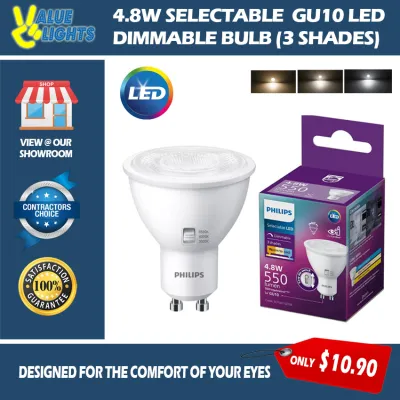
Prices are valid at publication and may change. Please refer to the product page for the latest price.
Choose Yeelight if you prefer a budget-friendly, hub-free (Wi-Fi) setup for a few rooms, want native Matter support on newer models without buying a bridge, or are renting and need a quick, low-commitment installation.
Ecosystem Compatibility: Hub-Based vs Hub-Free Setup
The fundamental difference between these two brands lies in how they connect to your home network and communicate with other smart devices. Understanding this technical distinction is crucial before purchasing, as it dictates the long-term stability of your home lighting.

Philips Hue relies on the Zigbee protocol, which requires a dedicated hardware hub called the Hue Bridge to access its full suite of smart features. Instead of connecting each bulb directly to your home router, the bulbs form a local Zigbee mesh network. This setup offloads the wireless traffic from your router, keeping your home Wi-Fi bandwidth clear for streaming, gaming, and working. The Hue Bridge connects directly to your router via an Ethernet cable and acts as the translator, enabling advanced routines, geofencing, remote access, and seamless integration with Apple HomeKit. For modern smart home standards, the Hue Bridge also grants Matter compatibility to all connected Hue bulbs, ensuring they work seamlessly with any Matter-certified controller.
Yeelight, by contrast, primarily uses a hub-free architecture, with most of its smart bulbs connecting directly to your home’s 2.4GHz Wi-Fi network. This design eliminates the need to purchase an external hub, significantly lowering the barrier to entry. You simply screw the bulb in, pair it with the Yeelight app over Wi-Fi, and begin controlling it. While this is highly convenient for a single room or a small apartment, it has distinct trade-offs. Every Wi-Fi bulb requires its own IP address from your router. If you plan to install dozens of smart bulbs throughout a larger flat, a standard service-provider router can quickly become congested, leading to dropped connections or sluggish response times. To address this, newer Yeelight models have begun incorporating native Matter support and Bluetooth Mesh technology, though this may require a compatible Matter controller or a dedicated Yeelight gateway to unlock full functionality.
When evaluating platform integration, both brands offer robust out-of-the-box compatibility with major voice assistants like Google Home and Amazon Alexa. However, Apple HomeKit users will find a much smoother, more native experience with Philips Hue. Because the Hue Bridge is officially certified for HomeKit, adding your lights to the Apple Home app is incredibly fast and reliable. Yeelight’s HomeKit compatibility is highly model-dependent; while some premium models support it natively, others require specific software workarounds or Matter bridges, which can complicate the setup process for iOS users.
Light Quality and Philips Tri-Color Bulb Performance
Beyond connectivity, the actual visual performance of the bulbs dictates how comfortable and functional your home lighting will be on a daily basis.
When comparing tri-color capabilities, both brands allow you to transition smoothly between warm white (2700K) for a cozy, relaxing evening atmosphere, cool white (4000K) for focused reading or cooking, and bright daylight (6500K) to help you wake up in the morning. While these color temperatures are highly customizable, the perceived spatial effect and style of the light are ultimately subjective preferences. What matters objectively is how accurately the bulb renders those colors and how smoothly it dims.
To assess color accuracy, consumers should verify the Color Rendering Index (CRI) listed on the product packaging. A higher CRI (typically 90 or above) ensures that colors in your home’such as furniture, paint, and food—appear natural and true to life under artificial light. The philips tri color bulb is widely recognized for maintaining an exceptionally high CRI across its entire dimming and color spectrum. Additionally, Hue bulbs excel at ultra-low dimming levels. If you want to dim your lights down to 1% for a nightlight or a movie night, Hue utilizes premium driver circuits that prevent any visible flickering, buzzing, or sudden drop-offs.
Budget-friendly Wi-Fi bulbs, including some older or entry-level Yeelight models, can struggle at the extreme ends of the dimming curve. You may notice slight “stepping” rather than a smooth fade when adjusting the brightness, or a faint flicker when the bulb is dimmed below 10%. While newer Yeelight models have made significant strides in dimming smoothness, Philips Hue remains the gold standard for seamless, analog-style transitions.
In terms of specialized software features, Philips Hue offers advanced entertainment syncing. By pairing your lights with the Hue Sync app on a computer or using a dedicated HDMI sync box, your lights can dynamically match the colors on your TV screen or the beat of your music. Yeelight offers its own set of creative features, including pre-programmed dynamic scene modes (such as “sunset” or “romance” flows) and music sync capabilities directly through the mobile app. While Yeelight’s sync features are highly entertaining for casual use, Hue’s ecosystem provides a more polished, low-latency performance for dedicated home theater setups.
Pricing and Scaling Costs in Singapore
The financial commitment of smart lighting involves analyzing both the immediate upfront cost and the long-term expense of expanding the system across multiple rooms.
The initial entry cost heavily favors Yeelight. In Singapore, a single Yeelight smart bulb typically ranges from S$15 to S$35, depending on the model and color capabilities. Because it connects directly to Wi-Fi, there are no additional hardware costs. You can easily outfit a single bedroom or a study room for under S$50. Conversely, starting with Philips Hue requires a larger initial investment. A single Hue color bulb can cost between S$70 and S$90, and if you want the full smart experience, you must also purchase the Hue Bridge, which retails for approximately S$80 to S$100. A basic starter kit containing a bridge and two or three bulbs can easily cross the S$200 threshold.
However, the scaling economics tell a different story. Once you have made the upfront investment in a Hue Bridge, adding more Zigbee bulbs to your home becomes highly efficient. The Bridge can support up to 50 bulbs and accessories without putting any strain on your home internet. On the other hand, if you attempt to scale a Yeelight system to 15, 20, or 30 bulbs across a four-room HDB flat, you will likely need to upgrade your home network. Standard routers provided by local internet service providers often struggle to maintain stable connections for dozens of smart home devices simultaneously. To prevent frequent drop-outs, you may need to purchase a premium dual-band or tri-band mesh Wi-Fi system, which can add S$200 to S$500 in hidden networking costs.
When purchasing smart lighting in Singapore, it is highly recommended to buy from official brand stores, authorized local retailers, or reputable sellers on major e-commerce platforms. This ensures you receive authentic products designed for Singapore’s 230V electrical standard and backed by a valid local warranty. Buying parallel imports or unverified international versions can leave you without recourse if a bulb fails prematurely or exhibits electrical compatibility issues.
Ultimately, the pricing difference should be viewed as an investment decision. If you want a flexible, low-commitment entry point to test smart lighting in a single room, Yeelight offers unmatched value. If you are looking for long-term network stability, ecosystem longevity, and a system that can reliably scale to cover an entire house, the higher upfront cost of Philips Hue represents a more stable long-term investment.
App Experience and Network Reliability
The day-to-day enjoyment of smart lighting depends heavily on how reliable the physical connection is and how intuitive the mobile app feels during daily use.
The Philips Hue app is widely regarded as one of the most polished and intuitive smart home applications available. It offers a clean user interface, rapid response times, and advanced automation features. You can easily set up sophisticated routines based on geofencing (turning lights off when you leave the house and on when you return), schedule natural wake-up fades, and organize lights into precise zones. The Yeelight app is highly functional and offers an array of customization options, but the user interface can sometimes feel cluttered, and users may occasionally encounter minor translation issues or slow loading times when syncing with cloud servers.
Network reliability in Singapore’s unique housing landscape is another critical factor. Most residential properties in Singapore, such as HDB flats and condominiums, are constructed with thick, reinforced concrete walls. These dense structures are notorious for blocking and degrading Wi-Fi signals. If your Wi-Fi router is located in the living room, a Yeelight Wi-Fi bulb installed in a master bedroom or bathroom may suffer from weak signal strength, leading to delayed responses or offline statuses. Because Philips Hue uses a Zigbee mesh network, every plugged-in bulb acts as a signal repeater. The signal hops from bulb to bulb, easily bypassing concrete walls and ensuring that even the most distant lights in your home remain responsive.
Furthermore, the distinction between local and cloud control is vital during internet outages. If your local fiber broadband connection goes down, Yeelight bulbs—which rely heavily on cloud servers for smart control‑will lose most of their smart functionality, leaving you unable to control them via the app or voice assistants. In contrast, a Philips Hue system paired with a Bridge maintains local control. Even without an active internet connection, your local schedules, routines, and physical smart switches (such as Hue dimmer switches) will continue to function perfectly because the commands are processed locally within the Bridge.
Final Verdict: How to Choose the Right Brand
To make the final decision for your Singapore home, consider your housing situation, budget, and desired scale.
Choose Philips Hue if you own your home, use Apple HomeKit as your primary smart home platform, demand premium light quality with flawless, flicker-free dimming, and plan to install smart lighting in more than three rooms. The long-term stability of the Zigbee mesh network and local control capabilities make it the superior choice for a comprehensive, hassle-free smart home integration.
Choose Yeelight if you are renting your home, want a quick and highly affordable smart lighting upgrade for a single room or studio apartment, prefer a hub-free setup with native Matter support on newer models, and already have a robust, high-performance Wi-Fi router capable of handling multiple connected devices.
Before making any purchase, always perform a physical pre-installation check. Verify the base type of your existing light fixtures; most standard ceiling lamps and track lights in Singapore use E27 screw bases, but some may require B22 bayonet or GU10 bi-pin interfaces. Ensure that you check the wattage limits and physical dimensions of your fixtures to guarantee compatibility. Additionally, remember that smart bulbs require constant electrical power to receive wireless commands. You must keep your physical wall switches in the “on” position at all times, or consider installing compatible smart wireless switches to control your lights without cutting off their power supply.
For any installations that involve fixed electrical wiring, working at heights, or damp environments like bathrooms, always ensure you isolate the mains power first. If you are unsure about the electrical safety, wattage limits, or compatibility of your home’s wiring, it is highly recommended to hire a qualified, licensed electrical worker (LEW) in Singapore to handle the installation safely.
Frequently Asked Questions (FAQ)
Can I use Philips Hue and Yeelight bulbs together in the same app?
No, you cannot natively control Philips Hue and Yeelight bulbs together within their respective proprietary mobile applications. The Philips Hue app only controls Hue-compatible Zigbee devices connected to the Hue Bridge, while the Yeelight app is designed specifically for Yeelight’s Wi-Fi and Bluetooth ecosystem. However, you can easily unify both brands under a single third-party smart home platform. By integrating both systems into Apple Home, Google Home, or Amazon Alexa, or by utilizing Matter-compatible hub applications, you can group bulbs from both brands into the same room and control their basic on/off functions, brightness, and colors simultaneously.
Do tri-color smart bulbs work with standard wall dimmer switches?
No, you should never use tri-color smart bulbs with traditional physical wall dimmer switches. Traditional dimmers work by restricting or chopping the electrical voltage sent to the light fixture. Because smart bulbs contain delicate internal computer chips and wireless radios, reducing the incoming voltage will starve the bulb of the power it needs to function. This can lead to severe flickering, loud buzzing noises, connection drops, or permanent electrical damage to the bulb’s internal circuitry. To ensure safe operation, always keep your physical wall switches fully turned on, and use the dedicated mobile app, voice commands, or wireless smart switches to adjust the brightness of your smart bulbs.
Community discussion
Share your experience or ask a question. Comments are reviewed before publication.