
Choosing between Philips and Xiaomi for a home study desk depends entirely on your specific priorities, as there is no universal winner. Philips typically emphasizes specialized optical engineering and ergonomic adjustability, making it a strong candidate for prolonged, focused reading. Xiaomi generally focuses on minimalist aesthetics, modular designs, and deep smart home ecosystem integration, often appealing to tech-savvy users looking for streamlined desk setups. To make the right choice, you must evaluate how each brand’s approach to light distribution, physical footprint, and smart controls aligns with your daily study habits and existing desk space.
Evaluating Design and Build Quality for Your Desk
Philips and Xiaomi approach the physical design of a table lamp from fundamentally different angles. Philips often utilizes multi-jointed, articulated arms that allow precise positioning of the lamp head. This traditional approach prioritizes physical adaptability, making it easy to direct light exactly where you need it, whether you are sketching, reading a textbook, or typing. The aesthetic tends to be functional and robust, focusing on stability and reach rather than minimalist styling.
Xiaomi leans heavily into a modern, minimalist aesthetic characterized by clean lines, single-stem profiles, and hidden cables. Many of their models feature a compact circular base and a slender neck, which blends seamlessly into contemporary study spaces. While this design looks exceptionally neat on a modern desk, it may offer fewer physical articulation points compared to a multi-jointed Philips model, meaning you have to position the entire base to adjust the light angle.
Products mentioned in this guide
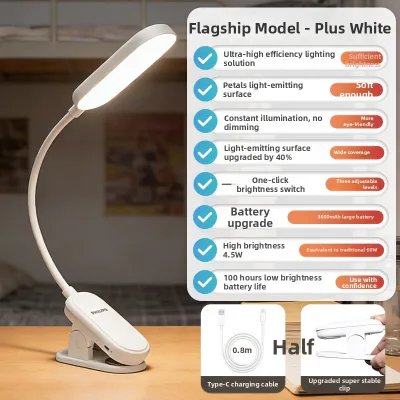
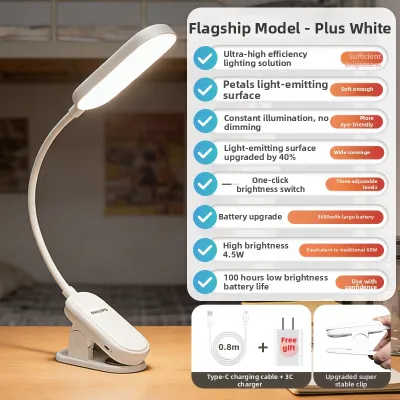
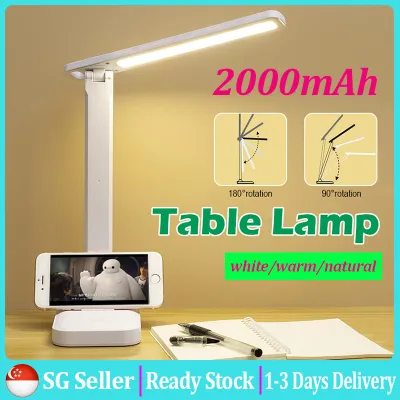
![[SG Local Stock] 2000mAh LED Table Lamp Study Foldable Desk Light Bedroom Bedside Touch Control Dimmable USB Rechargeable 台灯 CNY Gift Present](https://img.lazcdn.com/g/p/254b9aa79170e7ac80d5ab37505c1212.jpg_400x400q80.jpg_.webp)
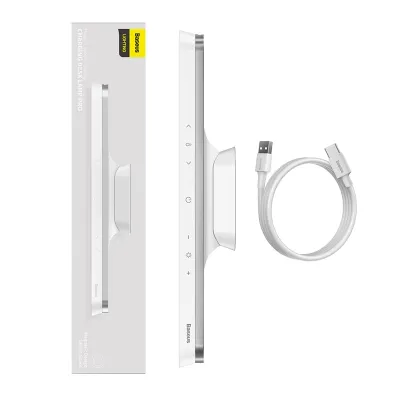
Prices are valid at publication and may change. Please refer to the product page for the latest price.
Before choosing a lamp, measure your desk space to ensure the physical footprint matches your layout. A heavy, wide base provides excellent stability but takes up valuable real estate on a compact study desk. If you use a dual-monitor setup, check the arm reach and maximum height of the lamp to ensure it can cast light over your screens without blocking your view or causing glare.
Material quality is another critical factor to verify before purchasing. Inspect the joints and hinges, as these are the primary wear points on any adjustable lamp. Metal hinges or reinforced polymer joints are essential if you plan to adjust the lamp angle frequently. Additionally, look for aluminum alloy lamp heads or integrated heat dissipation vents, which help manage the heat generated by the LEDs and prolong the lifespan of the internal components.
Comparing Lighting Quality and Eye Care Specifications
When comparing lighting performance, you should rely on verifiable specifications printed on the product packaging rather than broad marketing claims. Illuminance uniformity is a key metric to check, as it indicates how evenly the light spreads across your work surface. High uniformity prevents the contrast strain that occurs when your eyes constantly adjust between bright spots directly under the bulb and darker areas on the edge of your desk.

Color rendering index, represented as CRI or Ra, is crucial for maintaining natural color perception. For a study desk, look for a lamp with a CRI of Ra 90 or higher, which ensures that text, diagrams, and colors appear accurate and vivid. You should also check for flicker-free certifications from independent testing bodies, such as TÜV Rheinland, to ensure the lamp operates without high-frequency flickering that can cause silent eye strain during long study sessions.
Light distribution patterns vary significantly between models and brands. Symmetrical optical designs cast light directly downward in a cone shape, which is ideal for traditional reading and writing on physical paper. Asymmetrical optical designs, often found in monitor light bars or specialized desk lamps, project light at an angle to illuminate the desk surface while avoiding direct glare on computer screens, making them highly suitable for digital workflows.
Finally, evaluate the adjustability of the light output. A versatile study lamp should offer a wide color temperature range, typically from a warm 2700K for relaxing evening reading to a cool 5000K for high-focus daytime tasks. Check whether the lamp offers stepless dimming or distinct preset brightness levels, allowing you to fine-tune the illumination to match the changing ambient light in your room throughout the day.
Navigating Smart Features and Home Integration
Smart capabilities can significantly enhance your daily study routine, but only if they align with your existing technology habits. Philips lamps often feature dedicated touch panels or physical buttons on the base. This design allows you to access specific modes, adjust brightness, or change color temperatures instantly without needing to open a smartphone application, making it highly convenient for users who prefer tactile, straightforward controls.
Xiaomi lamps frequently utilize a single, multi-functional physical dial on the base. Pressing, rotating, or double-clicking this dial allows you to control power, brightness, and color temperature through a single interface. While this keeps the physical design incredibly clean, the advanced customization, scheduling, and automation features are accessed primarily through the Mi Home app, which may feel less intuitive if you prefer physical controls.
Ecosystem compatibility is a major deciding factor if you plan to integrate the lamp into a broader smart home setup. Xiaomi lamps are designed to connect seamlessly with the Xiaomi Home ecosystem, and many models also support popular platforms like Apple HomeKit, Google Home, or Amazon Alexa. Philips smart lamps, depending on the specific product line, may require their own proprietary app or a dedicated smart hub to unlock full automation features, so always verify the connection requirements on the spec sheet.
Practical smart routines can help structure your study sessions more effectively. Look for models that offer built-in Pomodoro timers, which gently flash or dim the light to signal when it is time to take a break. Some advanced models also feature ambient light sensors that automatically adjust the lamp’s brightness in real-time as daylight fades, ensuring your study area remains perfectly illuminated without manual intervention.
Final Decision: Which Brand Fits Your Study Table?
Your final choice between these two brands should depend on your primary study habits, aesthetic preferences, and existing smart home setup. There is no single option that suits every home office, so matching the lamp’s strengths to your daily routine is the key to a successful purchase.
Consider a Philips desk lamp if you prioritize specialized optical engineering, precise physical adjustability, and traditional build reliability. It is an excellent fit for students, researchers, or professionals who spend long hours reading physical books, writing by hand, and prefer dedicated, tactile controls on the lamp base itself.
Opt for a Xiaomi desk lamp if you prefer a modern, minimalist aesthetic that keeps your desk looking clean and uncluttered. It is highly suited for tech-savvy users who primarily work on screens, value deep integration with a smart home ecosystem, and want to customize their lighting environment through automated schedules and smartphone apps.
Before making your purchase, always verify the specific model’s technical compatibility for use in Singapore. Ensure the lamp supports the local standard voltage of 230V and comes with a compatible plug type, or check if a certified adapter is required. Additionally, look for the Enterprise Singapore Safety Mark on the power adapter to guarantee the electrical components meet local safety standards, and confirm the warranty terms offered by the retailer.
Frequently Asked Questions (FAQ)
Can I use a smart desk lamp without connecting it to Wi-Fi?
Yes, both Philips and Xiaomi smart desk lamps can be operated entirely offline using their physical buttons, dials, or touch panels. You can turn the lamp on or off, adjust the brightness, and change the color temperature manually. However, using the lamp offline means you will lose access to app-based scheduling, voice assistant controls, remote operation, and automated smart routines like Pomodoro timers or ambient light syncing.
How do I clean the light guide plate or diffuser without damaging it?
To clean the optical surfaces of your desk lamp, first disconnect the power supply to ensure safety. Use a dry, clean, and soft microfiber cloth to gently wipe away dust from the diffuser or light guide plate. If there are stubborn smudges, slightly dampen the microfiber cloth with water, but do not let moisture enter the internal housing or joints. Avoid using harsh chemical cleaners, alcohol, or abrasive pads, as these can scratch the delicate optical coatings and degrade the light distribution quality over time.
Community discussion
Share your experience or ask a question. Comments are reviewed before publication.