
A projection alarm clock offers the best value when its optical output, adjustability, and bedside display align perfectly with your bedroom’s layout and your personal light sensitivity. Rather than searching for a single ‘perfect’ model, you must weigh the trade-offs of projection clarity, brightness control, and physical flexibility to find the device that fits your sleep environment. Evaluating these technical specifications ensures your purchase remains a helpful bedside companion rather than an annoying source of light pollution.
Quick Answer: Which Projection Alarm Clock Offers the Best Value?
Finding the ideal projection alarm clock requires balancing your room’s physical dimensions with your personal sleep hygiene requirements. The absolute ‘best value’ is highly conditional, depending on how your bedroom is arranged and how easily you are disturbed by ambient light. High-value models are not those with the most features, but those that execute core optical and auditory functions reliably without disrupting your rest.
Several engineering trade-offs govern these devices. For instance, a clock that projects a highly visible, bright image onto a distant ceiling typically requires a continuous mains power connection. This constant power draw can generate minor internal heat, which requires adequate ventilation space. On the other hand, premium features like motorized projection rotation, automatic focus, and auto-dimming sensors will naturally increase the initial retail price.
Products mentioned in this guide
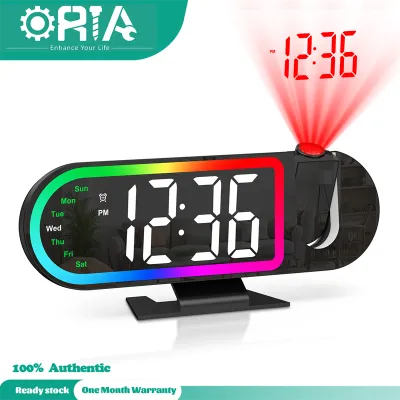
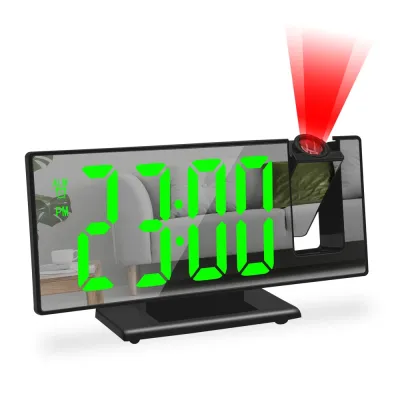
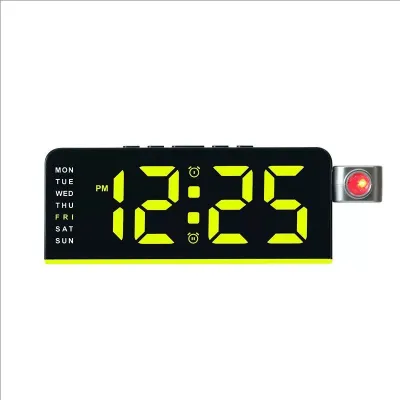
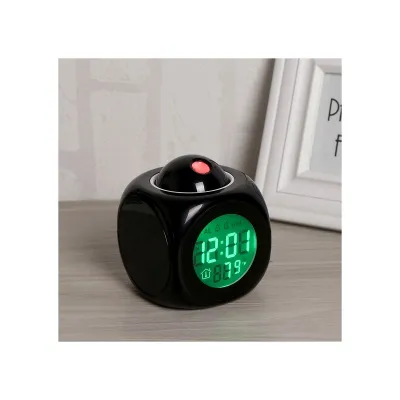
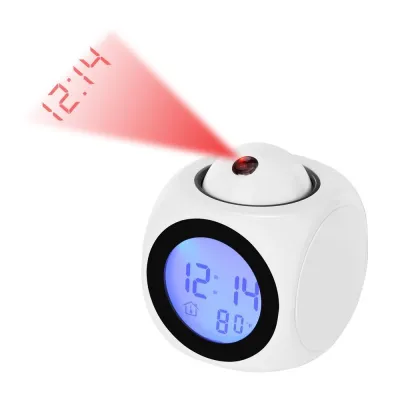
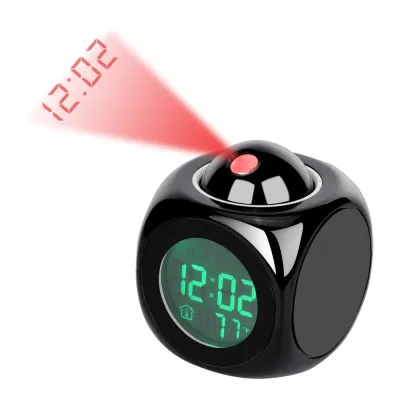
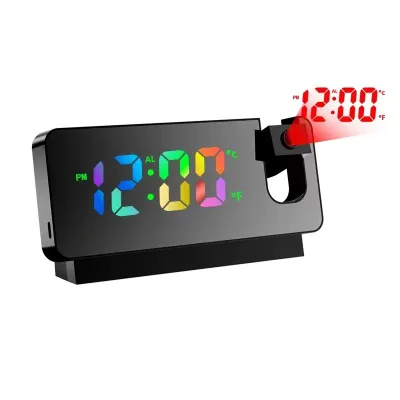
Prices are valid at publication and may change. Please refer to the product page for the latest price.
For light sleepers, the best value lies in a model that prioritizes precise, multi-level display dimming and gradual, low-frequency wake-up alarms. Conversely, if you have a large bedroom with high ceilings, the best value is a model equipped with a high-output projection lens and a manual focus ring. Prioritizing these specific environmental factors over generic feature lists prevents buyers from paying for unnecessary extras that do not improve their daily routine.
Key Comparison Criteria for Projection Alarm Clocks
To objectively compare different projection alarm clock models, you must look past aesthetic designs and focus on four fundamental performance pillars. These pillars directly determine whether the clock will integrate smoothly into your bedroom or become a source of nightly frustration.

The first pillar is projection quality, which encompasses image brightness, optical focus, and effective projection distance. A high-quality projector must produce sharp, legible numbers on your ceiling or wall without casting a broad, distracting halo of light across the room.
The second pillar is physical adjustability, which dictates where you can place the clock. This includes the tilt range of the projection arm and the ability to rotate or flip the projected image so that it reads correctly from your sleeping position.
The third pillar is display clarity, which concerns the main clock face on your nightstand. The screen must be readable during the day but capable of dimming to near-total darkness at night to preserve your sleep quality.
The fourth pillar is alarm functionality, covering volume control, sound variety, and snooze usability. A clock that fails to wake you gently or is difficult to silence when you are half-awake fails its primary utility, regardless of how clear its projection is.
Evaluating Projection Quality and Adjustability
The primary appeal of a projection alarm clock is the ability to check the time with a quick glance at the ceiling, eliminating the need to roll over or pick up a smartphone. However, this convenience depends entirely on the mechanical and optical quality of the projection system. Understanding how these components function allows you to select a model that projects a clear, readable image exactly where you need it.
Projection Brightness, Focus, and Distance
When evaluating optical performance, check the manufacturer’s specified maximum projection distance, which typically ranges from 1.5 to 4 meters. Ambient light from streetlamps, electronic devices, or moonlight will degrade the contrast of the projected image, making high-quality optics essential. A projector that performs well in a pitch-black testing lab may become unreadable if your bedroom has light-filtering curtains instead of total blackout blinds.
To counteract varying light levels, look for models that offer adjustable projection brightness settings rather than a single fixed output. A manual focus ring is another critical feature, as it allows you to adjust the lens to match the exact distance to your ceiling. Without a manual focus mechanism, a projection that appears sharp at a standard height of 2 meters can become blurry and unreadable if projected onto a higher ceiling or a distant wall.
Furthermore, consider the light source itself, which is usually a low-energy LED or a micro-laser. LEDs are highly durable and run relatively cool, but their light tends to disperse over longer distances, requiring a higher-quality lens to keep the edges of the numbers sharp. Laser-based projectors offer exceptional sharpness over longer distances but are less common and generally sit at a higher price point.
Rotation and Angle Adjustment
The physical flexibility of the projection arm determines where you can position the clock on your nightstand. Most standard models feature a projection arm that rotates 180 degrees, allowing you to project the time forward onto a wall or straight up onto the ceiling. Advanced models offer 360-degree rotation, giving you the freedom to project the image behind the clock or onto angled walls.
An equally important feature is image flipping, which is often controlled by a dedicated button that rotates the projected image by 180 degrees. Without this capability, the time may appear upside down from your perspective in bed, forcing you to position the physical clock in an awkward, inconvenient orientation. Some premium models feature 90-degree incremental rotation, which provides even greater placement flexibility.
While manual adjustment dials are the industry standard, some high-end clocks incorporate motorized, remote-controlled rotation. Motorized systems allow you to adjust the angle from your bed, but they also introduce potential points of mechanical wear and increase the overall cost. For most users, a sturdy manual hinge with clear detents offers the best balance of durability, ease of use, and value.
Assessing Display Clarity and Alarm Features
While the ceiling projection is the defining feature of these devices, the physical clock face on your nightstand remains highly active throughout the day and night. A poorly designed display or an abrasive alarm sound can quickly ruin the user experience. Balancing these bedside features with the projection quality ensures the clock supports both your sleep and wake cycles.
Screen Readability and Auto-Dimming
Bedside displays generally utilize LED, LCD, or Vacuum Fluorescent Display (VFD) technologies, each offering distinct visual characteristics. LED displays provide high contrast and bright, vibrant colors that are easy to read during the day, but they can emit significant ambient light at night. LCD screens with backlights often suffer from light leakage, where the ‘black’ areas of the screen still glow faintly in a dark room, potentially disrupting sensitive sleepers.
To prevent this nightstand glare, prioritize models equipped with automatic dimming sensors or multi-level manual brightness controls. An auto-dimmer uses a built-in light sensor to adjust the screen’s backlight dynamically, lowering it to a soft glow when the bedroom lights are turned off. If you prefer manual control, ensure the clock offers a complete ‘off’ setting for the main display, allowing you to rely solely on the ceiling projection for nighttime viewing.
The physical design of the screen also plays a role in reducing visual clutter on your nightstand. Some modern clocks feature a curved screen or a tinted, reflective bezel that completely hides the display panel when the backlight is turned off. This creates a clean, minimalist aesthetic that blends seamlessly into modern bedroom decor while reducing distracting reflections from surrounding light sources.
Alarm Volume, Tones, and Snooze Functions
The primary task of any alarm clock is to wake you reliably, but the method used can significantly impact your morning mood and stress levels. Look for models that offer adjustable alarm volume levels rather than a single, fixed decibel output. This adjustability is crucial for accommodating both light sleepers, who require only a gentle nudge, and heavy sleepers, who need a louder alert to wake up.
Modern models often move away from harsh, repetitive electronic beeps in favor of progressive wake-up systems. These systems start at a very low volume and gradually increase over several seconds, allowing your brain to transition naturally out of deep sleep. Additionally, models that feature integrated FM radios or a selection of nature sounds (such as rainfall or gentle waves) provide a more pleasant waking experience than standard buzzers.
Finally, evaluate the physical design of the snooze mechanism, as a small or poorly placed button can be frustrating to find when you are groggy. Large, top-mounted buttons that are easy to press by feel are highly practical. Some advanced models feature touch-sensitive bezels or motion sensors that allow you to snooze the alarm with a simple wave of your hand, though these capacitive systems can sometimes be triggered accidentally by nearby movement.
Decision Framework: Matching Features to Your Sleep Needs
To find the right projection alarm clock for your home, you must match the device’s technical specifications to your specific sleeping habits and bedroom layout. Using a structured decision framework helps narrow down the options based on practical daily scenarios.
Choose a high-brightness, motorized rotation model if:
- You have a spacious bedroom with high or vaulted ceilings that require a powerful optical lens to project a clear image.
- You share a bed and need to direct the projection to a specific side of the room or adjust the angle frequently without moving the physical clock.
- Your nightstand is positioned at an awkward angle relative to your bed, requiring advanced 360-degree rotation and precise focus adjustments to keep the image legible.
Choose a model with advanced auto-dimming and gradual wake-up features if:
- You are a light sleeper who is easily awakened by minor light pollution or sudden, loud noises in the middle of the night.
- You prefer a completely dark bedroom and want a display screen that can be turned off entirely while keeping the ceiling projection active.
- You want a gentle morning routine that utilizes rising volume levels, nature sounds, or soft radio play rather than a jarring electronic buzzer.
Choose a basic, budget-friendly model with manual focus if:
- You live in a compact bedroom or studio apartment where the projection distance to the ceiling is short and consistent.
- You only require a simple, instantaneous glance at the time during the night and do not need complex dual alarms, temperature displays, or radio features.
- You prioritize mechanical simplicity and want a durable, straightforward device with fewer electronic components that could fail over time.
Verify first if:
- The clock supports your local electrical standards and plug configurations without requiring bulky, unsafe adapters on your nightstand.
- The projection lens can be operated independently from the main display screen, allowing you to turn the ceiling image off entirely if you or your partner find it distracting on certain nights.
- The device includes a reliable battery backup system to preserve your time and alarm settings during unexpected power interruptions.
Before making a final purchase, read user reviews specifically focusing on the long-term durability of the LED projection element and the stability of the manual adjustment hinges. Avoid models that show frequent complaints of projection fading after a few months of continuous use or hinges that loosen and fail to hold their angle.
Setup and Safety Considerations for Singapore Homes
When setting up a projection alarm clock in Singapore, electrical compatibility must be your first consideration. Singapore operates on a standard voltage of 230V at a frequency of 50Hz, utilizing the three-pin Type G plug. Many popular projection alarm clocks sold online are imported from regions that use 110V standards, such as North America.
Always check the product specifications to confirm the power adapter supports universal voltage (100V–240V). If you accidentally plug a 110V-only adapter into a Singapore wall socket, you risk permanently damaging the clock’s internal circuitry, creating a short circuit, or causing an electrical fire hazard. Look for models that carry local safety certifications, such as the Enterprise Singapore Safety Mark, which ensures the power adapter has been tested and approved for safe local use.
Physical placement on your nightstand also requires careful attention to prevent accidents. Ensure the power cord is routed neatly behind your furniture and is not hanging off the edge of the bed or nightstand, where it could be tripped over or caught by pets, pulling the clock to the floor. Additionally, avoid placing the clock on soft bedding, blankets, or near heavy drapes that could block the ventilation vents on the casing, as continuous mains operation can cause the internal transformer to generate moderate heat.
Finally, position the projection lens safely to protect your eyes. While the LEDs and low-power lasers used in these clocks are generally safe for brief, indirect exposure, you should never position the clock where the projection beam points directly at your face or eyes at close range. Ensure the beam is directed straight up to the ceiling or onto a distant wall, well away from your direct line of sight when sitting up or lying down in bed.
Frequently Asked Questions (FAQ)
Do projection alarm clocks work on high ceilings?
Yes, projection alarm clocks can work on high ceilings, but their effectiveness depends on the optical quality and focus capabilities of the specific model. As the distance between the projector and the ceiling increases, the projected light naturally disperses, which can cause the numbers to appear faint, oversized, or blurry. To ensure a clear image on a high ceiling, select a model equipped with a high-lumen output and a manual focus ring, which allows you to adjust the lens sharpness to match your room’s exact height.
Can I turn off the projection while keeping the alarm on?
Most modern projection alarm clocks allow you to control the projection light independently from the main display and the active alarm functions. This dual-control setup is highly beneficial if you prefer to use the ceiling projection only on weekend nights or if you find the light distracting during periods of restlessness. Before purchasing, verify the product specifications to ensure the projection has a dedicated on/off button, as some budget-friendly models link the projection power directly to the main screen’s power setting.
Are battery-operated projection alarm clocks effective?
While some projection alarm clocks can run on batteries, they are generally not effective for continuous, all-night projection. The LEDs or lasers required to project a bright, visible image onto a ceiling consume a significant amount of electrical power, which would drain standard alkaline batteries within a few days of continuous use. Consequently, most models use batteries solely as a backup system to preserve your time and alarm settings during a power outage, requiring a continuous connection to a mains power outlet for daily projection use.
Community discussion
Share your experience or ask a question. Comments are reviewed before publication.