
When comparing a Quntis light bar to other popular desk lamp brands in Singapore, the decision comes down to matching your specific workspace layout with the correct lighting form factor and optical specifications. Quntis has established a strong presence in the monitor-mounted light bar category, offering a space-saving design that targets the desk area directly in front of your screen. Traditional desk lamps from established lighting brands, by contrast, focus on wide-angle, highly adjustable task lighting that covers a larger physical footprint. To determine which option delivers the best value for your setup, you must evaluate key technical specifications—such as illuminance, color rendering, mounting mechanics, and power delivery—rather than relying solely on brand reputation.
Understanding the Core Difference: Light Bars vs. Traditional Desk Lamps
Before comparing specific brands, it is essential to understand whether a monitor light bar or a traditional desk lamp suits your daily workflow. Monitor light bars sit on top of your display, projecting light downward in an asymmetric path. This design ensures that the light illuminates the desk surface directly below the screen without reflecting off the glass, which helps minimize eye strain and screen glare during long working hours. They are highly specialized tools for computer-centric tasks, making them ideal for office professionals who spend the majority of their day looking at a monitor.
Traditional desk lamps, on the other hand, offer a much broader and more flexible lighting footprint. With articulated arms and adjustable heads, these lamps can be angled to illuminate physical documents, sketchbooks, or side tables that sit away from your main screen. However, this flexibility comes at the cost of desk space, as traditional lamps require a heavy base or a clamp that occupies valuable real estate on your tabletop.
Products mentioned in this guide
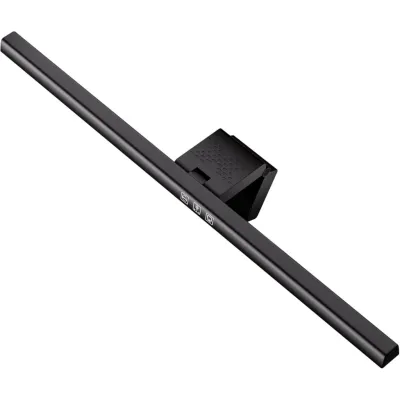
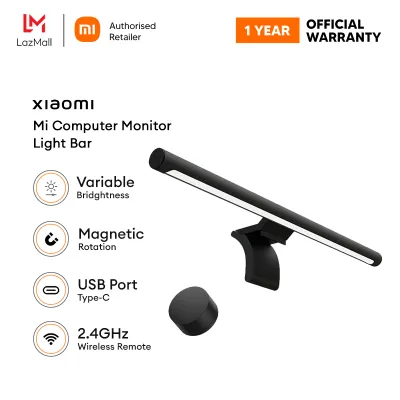
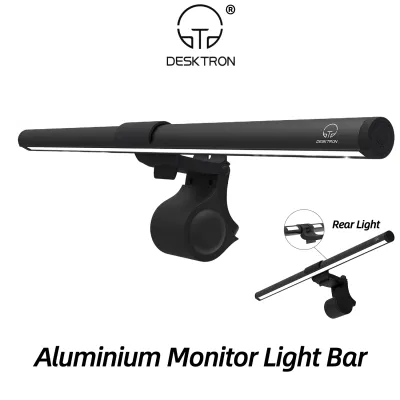
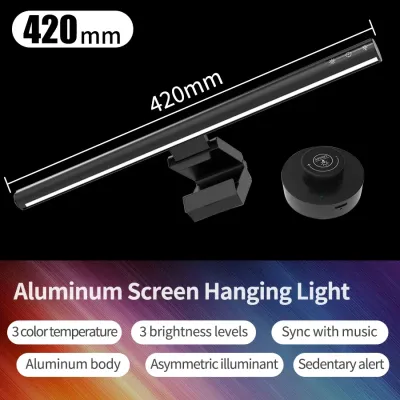
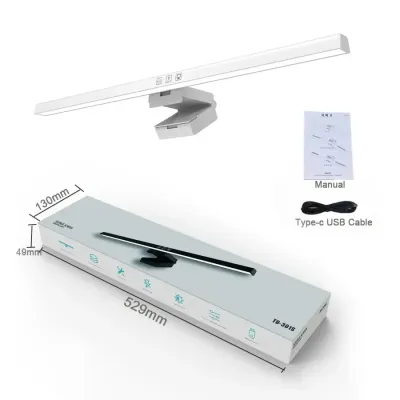
Prices are valid at publication and may change. Please refer to the product page for the latest price.
Your desk depth and monitor size play a critical role in determining which form factor is more effective. If you work on a shallow desk where space is at a premium, a monitor light bar frees up the area directly beneath your screen, creating a cleaner and more organized workspace. Conversely, if you use a very deep desk or multiple monitors arranged in a complex configuration, a single light bar may not provide sufficient coverage, and a high-reach traditional desk lamp might be necessary to cast light over the entire area.
Key Comparison Dimensions to Evaluate
When evaluating Quntis against other popular lighting brands, it is easy to get distracted by marketing buzzwords and aesthetic designs. To make an objective decision, you should focus on verifiable optical and structural specifications that directly impact your daily comfort and the longevity of the product. By analyzing these technical details, you can determine whether a premium price tag actually translates to better performance or if a mid-range option like Quntis offers everything you need.

Brightness, Glare Control, and Color Rendering
The primary function of any desk light is to provide adequate illumination without causing visual fatigue. First, check the stated illuminance, measured in Lux, at a specific distance (usually 30 to 45 centimeters below the light source). A high-quality workspace light should deliver at least 500 Lux to the central work area for comfortable reading and writing. Additionally, look for the uniformity ratio on the product label; a more uniform light distribution prevents harsh transitions between bright spots and shadows, which can tire your eyes over time.
Glare control is another critical factor, particularly for monitor light bars. You must verify asymmetric light distribution claims by examining the manufacturer’s optical design diagrams. True asymmetric light bars use a precise internal reflector or lens to direct light at an angle, ensuring that no light paths strike the monitor screen directly. Cheaper or poorly designed models often project a symmetric cone of light that spills onto the screen, causing distracting reflections.
Color accuracy is determined by the Color Rendering Index (CRI), which measures how realistically a light source reveals the true colors of objects compared to natural sunlight. For detailed tasks like photo editing, graphic design, or reading physical documents, a CRI of Ra 90 or above is highly recommended. When comparing Quntis to other brands, check the product specifications to ensure the CRI meets this threshold, as lower-quality lights with a CRI below 80 can make colors look dull and unnatural.
Finally, verify the adjustable color temperature range, measured in Kelvin (K). A versatile light should offer a range from warm white (around 3000K) for relaxed evening use to cool white (around 6000K) for high-focus daytime tasks. Ensure the light allows you to transition smoothly between these temperatures or offers distinct, useful presets that match your daily workflow.
Build Quality, Mounting, and Adjustability
The physical construction of a light bar or desk lamp determines how well it fits your monitor and how long it will last under daily use. Begin by checking the mounting mechanism of the light bar, which typically uses either a gravity-based counterweight clamp or a spring-loaded clip. You must verify the maximum and minimum monitor thickness the clamp can accommodate, as some designs are incompatible with extremely thin bezel-less displays or thick, curved monitors. A secure fit is essential to prevent the light bar from slipping or putting unnecessary pressure on the screen panel.
Next, inspect the materials used for the main body of the fixture. Aluminum alloy construction is generally superior to plastic, as it provides better structural rigidity and acts as an effective heat sink. Proper heat dissipation is crucial for LED longevity; when LEDs run too hot, their brightness and color accuracy degrade much faster over time. Checking the product descriptions for metal housing is a reliable way to gauge the overall durability of the unit.
The control interface is another important consideration for daily usability. Some light bars feature touch-sensitive panels on the bar itself, while others include physical dials or wireless remote controls that sit on your desk. Touch panels are simple but can cause the light bar to shift if the mount is not perfectly secure, whereas physical dials or wireless remotes offer convenient adjustment without requiring you to reach up to the top of your monitor. Evaluate these interfaces for potential failure points, such as fragile plastic dials or high battery consumption in wireless models.
Lastly, verify the power delivery method. Most modern light bars use a USB-C or USB-A connection, allowing them to draw power directly from your computer, monitor, or a standard wall adapter. Ensure the power cable length and connector type are compatible with your desk layout, and check if the manufacturer includes a dedicated power adapter or if you need to supply your own.
Evaluating Price and Value Across Brands
To assess the cost-to-feature ratio of Quntis light bars against competitors, it helps to categorize the market into distinct pricing tiers. In Singapore, budget-friendly options typically range from S$30 to S$60, offering manual controls and basic plastic or lightweight aluminum builds. Mid-range options, where many Quntis models sit, generally range from S$60 to S$120, providing sturdier aluminum construction, improved touch controls, and better optical uniformity. Premium tiers, which can exceed S$150 to S$250, often introduce advanced features such as wireless desktop controllers, auto-dimming ambient light sensors, and highly specialized asymmetric lenses.
When shopping, advise checking multiple online marketplaces and official brand stores to identify standard pricing baselines. This helps you avoid inflated listings from third-party resellers who may mark up prices significantly. Look for authorized local distributors to ensure you receive a valid warranty, which is a key component of overall value. A standard one-year local warranty provides peace of mind and reliable after-sales support if you encounter electrical or mounting issues.
Do not assume that a higher price tag automatically guarantees superior optical performance. A premium brand might charge more for its aesthetic design, wireless connectivity, or brand prestige, while a mid-range light bar might offer identical color rendering (CRI 90+) and illuminance (Lux) levels. Always cross-reference the retail price with the actual optical specifications and material quality to determine if the extra cost is truly justified for your specific workspace.
Decision Framework: Which Lighting Setup Fits Your Desk?
To finalize your choice, use this conditional decision framework to match your physical workspace constraints with the right lighting solution.
You should choose a monitor light bar, such as a Quntis model, if:
- Your desk space is highly limited, and you need to keep the tabletop clear of bulky lamp bases.
- Your primary daily tasks are performed directly in front of your computer monitor.
- Screen glare and reflections are a major source of eye strain during your working hours.
- Your monitor has a standard flat back and a thickness that falls within the light bar's clamp specifications.
You should choose a traditional desk lamp if:
- Your daily work involves reading physical documents, sketching, drafting, or crafting on areas of your desk away from the screen.
- You require highly flexible, multi-angle illumination that can be adjusted vertically and horizontally on the fly.
- You prefer ambient, indirect room lighting that can be bounced off walls or ceilings.
Neither option may fit your setup if:
- You use a heavily curved monitor (such as a 1000R curvature) or an ultra-wide display with a non-standard back panel that prevents standard gravity clamps from securing safely.
- Your desk lacks accessible USB power ports or nearby wall outlets to power the fixture.
Before making a purchase, verify if you have a glass desk, as heavy traditional clamps can put stress on the glass edges. Additionally, if your monitor has an extremely thin or fragile bezel, ensure the light bar’s mounting clip does not press directly against the active display area, which could cause permanent screen damage.
Frequently Asked Questions (FAQ)
Can I use a monitor light bar on a curved or ultra-wide screen?
Standard gravity clamps and mounting clips are primarily designed for flat screens and may not secure properly on heavily curved or ultra-wide monitors. Before purchasing, you must check the manufacturer’s specified minimum and maximum curvature ratings (such as 1500R or 1800R compatibility). If your monitor is highly curved, look for specialized light bar models that feature adjustable mechanical clips or custom adapters designed specifically to accommodate curved back panels without slipping.
Does a light bar draw too much power from my monitor's USB port?
Most monitor light bars require standard 5V USB power with a current draw of 1A to 2A, which most modern monitor USB ports can easily supply. However, you should check your monitor’s user manual to verify the maximum power output of its built-in USB ports. If the port does not provide sufficient amperage, you may experience issues such as light flickering, automatic shutoffs, or an inability to run the light bar at its maximum brightness setting. In such cases, connecting the light bar to a dedicated USB wall adapter is the safest and most reliable solution.
Community discussion
Share your experience or ask a question. Comments are reviewed before publication.