
A Tapo bulb uses significantly less electricity than traditional incandescent or halogen bulbs to produce the same amount of light. Because it is built on modern LED technology, it converts electrical energy primarily into light rather than wasting it as heat. However, because it is a smart device, it also draws a tiny amount of standby power to remain connected to your home network. To understand if upgrading to smart lighting is financially viable for your home, you need to look at the actual wattage differences, calculate your local electricity costs, and factor in how smart features change your daily usage patterns.
Understanding Power Consumption Differences
The fundamental difference in energy use comes down to how light is produced. Traditional incandescent bulbs rely on heating a metal filament until it glows, a process that wastes up to 90% of its energy as heat. Halogen bulbs are slightly more efficient but still run extremely hot. In contrast, LED technology—which powers the Tapo bulb—uses semiconductors to emit light, requiring far less electrical current to achieve the same brightness.
To compare these options fairly, you must look at light output (measured in lumens) rather than wattage. Wattage simply measures how much electrical power a bulb consumes, not how bright it is. For example, to replace a traditional 60-watt incandescent bulb, you would look for an LED bulb that produces roughly 800 lumens. A typical smart LED bulb achieves this brightness using only a fraction of that power, often around 8 to 9 watts.
Products mentioned in this guide
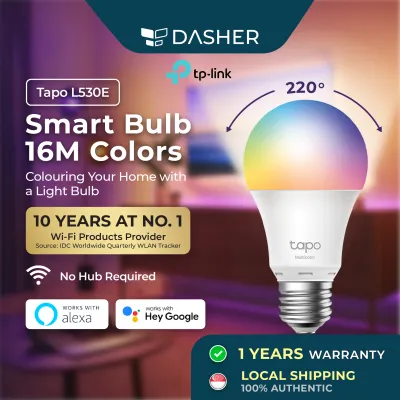
![TP-Link Tapo L530E Smart WiFi LED Light Bulb 16 mil Colors (E27/No Hub required/Works with Google Assistant & Alexa) [1 YR SG Warranty]](https://img.lazcdn.com/g/p/eff2a5aebdd34214e588e3e3a5bcdf48.png_400x400q80.png_.webp)
![[TAPO OFFICIAL] TP-Link Smart Wi-Fi LED Light Bulb 16 mil Colors Tapo L530E (E27/No Hub required/Google Assistant)](https://img.lazcdn.com/g/p/ca2cd9444e136fd67f17aa2a9224c711.jpg_400x400q80.jpg_.webp)
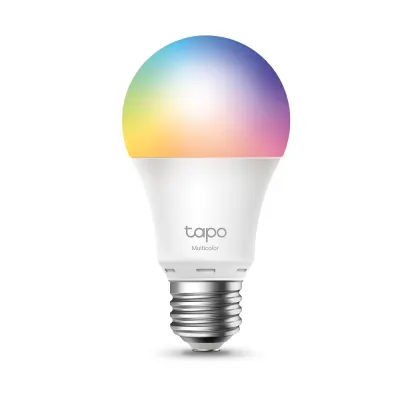
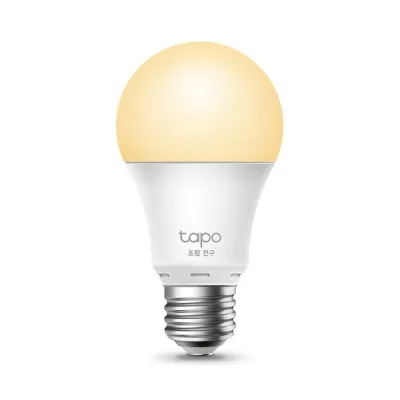
Prices are valid at publication and may change. Please refer to the product page for the latest price.
You can verify the exact operating wattage of your specific bulb by checking the markings printed directly on the bulb’s plastic or metal base, reviewing the product packaging, or consulting the manufacturer’s official technical specification sheet. Always ensure the bulb’s voltage rating matches your local household supply (typically 230V in Singapore) and that the base interface (such as E27 or B22) fits your existing light fixtures safely. Additionally, look for local electrical certification marks on the packaging to ensure the product meets safety standards before installation.
How to Calculate Your Lighting Energy Costs
Calculating the exact running cost of your lighting is a straightforward process once you know your household’s specific variables. The standard formula to determine the energy consumption of any electrical appliance in kilowatt-hours (kWh) is:

$$\text{Energy Consumption (kWh)} = \frac{\text{Wattage (W)} \times \text{Daily Usage Hours}}{1000}$$
To convert this consumption into a monetary cost, you need to find your current residential electricity tariff. In Singapore, you can locate this rate on your latest SP Services utility bill or your retail electricity market contract. The tariff is expressed in cents or dollars per kilowatt-hour (S$ per kWh).
Multiply the calculated daily kWh by your tariff rate to find your daily running cost. To project these figures over longer periods, multiply the daily cost by 30 for a monthly estimate, or by 365 for an annual outlook.
For example, let us set up a comparison framework using a daily usage of H hours and a tariff rate of T dollars per kWh. If a traditional bulb uses W_trad watts and a Tapo bulb uses W_smart watts, the daily cost difference is calculated as:
$$\text{Daily Savings (S\$)} = \frac{(W_{trad} – W_{smart}) \times H}{1000} \times T$$
By plugging your actual daily usage hours and current tariff rate into this formula, you can clearly see the operational cost gap between your old lighting and a new smart LED setup.
Factoring in Smart Features and Standby Power
Because a Tapo bulb is a smart device, it remains connected to your home Wi-Fi or Bluetooth network even when the light is turned off via the app. This state requires a small, continuous draw of electricity known as standby power or “vampire draw.” To find the exact standby power limit for your specific model, check the manufacturer’s technical specification sheet, as standby consumption can vary slightly depending on the wireless protocol used.
While standby power is an added variable, the smart features of the bulb often help reduce overall energy consumption. For instance, built-in dimming allows you to lower the bulb’s brightness, which directly reduces the operating wattage. Setting automated schedules ensures lights are never left running in empty rooms, and adjusting color temperatures can align with your daily routines without requiring separate, dedicated fixtures.
There is a practical trade-off between convenience and absolute energy savings. Keeping the bulb powered at the wall switch allows you to use voice control, automation, and remote access, but it incurs that minor standby power draw. If you plan to leave your home for an extended period, such as a vacation, physically turning off the wall switch cuts all power to the bulb, reducing its energy consumption to absolute zero.
Evaluating Upfront Cost vs. Long-Term Savings
Upgrading to smart lighting involves a higher initial investment compared to buying standard, non-smart LED bulbs or traditional incandescent options. In the local market, a smart bulb carries an upfront price premium because of the integrated wireless chips, microcontrollers, and dimming circuitry. To justify this cost, you must weigh the initial purchase price against the cumulative energy savings over time.
To calculate your personal break-even timeline, you can use a simple variable-based template. Let P_diff be the price difference between the smart bulb and a traditional alternative. Let S_daily be your calculated daily operational savings in S$. The number of days required to recoup your initial investment is:
$$\text{Break-even Period (Days)} = \frac{P_{diff}}{S_{daily}}$$
Beyond daily energy savings, you must also factor in the lifespan of the bulbs. Traditional incandescent bulbs typically last around 1,000 hours, whereas LED bulbs are rated by manufacturers to last tens of thousands of hours. This means that over the lifespan of a single Tapo bulb, you would have had to purchase and replace multiple traditional bulbs. This reduction in replacement frequency and maintenance effort adds substantial long-term value that offsets the initial price premium.
Before replacing any bulb, ensure the power is isolated at the main switchboard or wall switch to prevent electrical shock. If working at height to reach ceiling fixtures, use a stable ladder and follow proper safety instructions, or consult a qualified professional. Additionally, verify that your installation environment is suitable; smart bulbs should not be used in fully enclosed fixtures that trap heat, as excessive heat can degrade the internal electronics and shorten the bulb’s lifespan. Ensure that any physical dimmer switches on the circuit are set to full power or bypassed, as smart bulbs require a stable voltage supply and must be dimmed digitally rather than through traditional wall dimmers.
Frequently Asked Questions (FAQ)
Do Tapo bulbs use electricity when turned off via the app?
Yes, when you turn off a Tapo bulb using the mobile app or a voice assistant, the bulb enters a standby mode rather than shutting down completely. It continues to draw a very small amount of electricity to keep its internal Wi-Fi or Bluetooth receiver active so it can listen for your next command. If you want to eliminate this standby power draw entirely, you must turn off the physical wall switch, though doing so will temporarily disable all smart features and scheduling.
Will adding multiple smart bulbs significantly increase my router's power usage?
No, adding multiple smart bulbs will not cause a noticeable increase in your home router’s power consumption. While each bulb maintains a connection to your network, the data packets they transmit are extremely small and infrequent, consisting mostly of simple status updates and on/off commands. Your router’s electrical draw remains virtually constant regardless of whether it is managing a few smart home devices or none at all.
Community discussion
Share your experience or ask a question. Comments are reviewed before publication.