
Quick Answer: Which RGB Light Bar Brand Fits Your Desk?
Choosing the ideal RGB light bar brand for your workspace in Singapore depends on whether your priority is professional eye-care or immersive ambient aesthetics. If you spend long hours reading, writing, or editing, premium optical brands that focus on asymmetric lighting paths and high Color Rendering Index (CRI) values are your best choice. These brands engineer their lights to project illumination exclusively onto your desk surface, preventing screen glare and reducing eye strain while providing subtle, glare-free RGB backlighting.
Conversely, if your primary goal is to build a vibrant gaming station or a dynamic content creation studio, smart-home ecosystem brands offer superior value. These manufacturers specialize in multi-zone RGBIC (Independent Control) lighting, music-reactive modes, and seamless software integration with other smart devices. They deliver highly customizable, animated lighting effects at a more accessible price point, though they often trade off some optical precision and heavy-duty metal construction.
Because no single brand excels equally in both professional optics and complex smart-home synchronization, finding the right fit requires matching a brand’s core engineering focus with your specific monitor type and daily desk activities.
Products mentioned in this guide
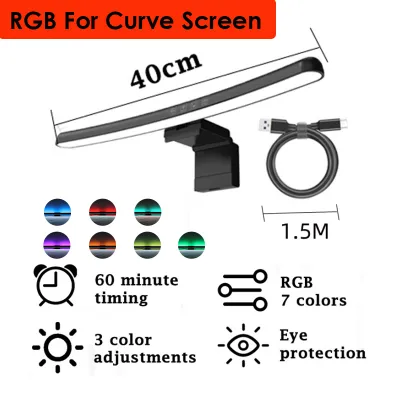
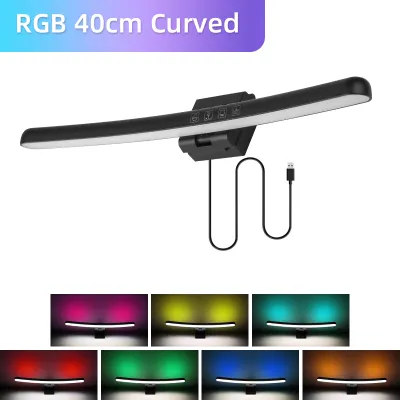
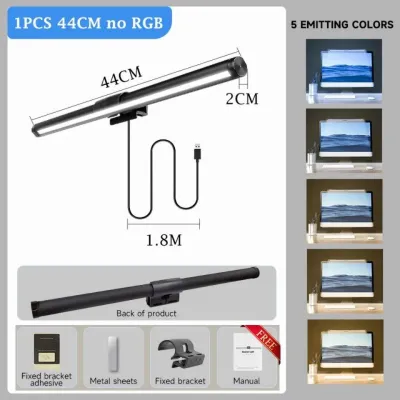
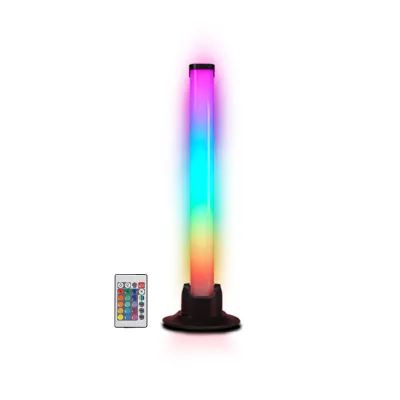
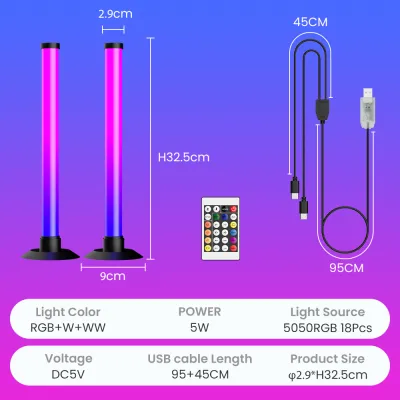
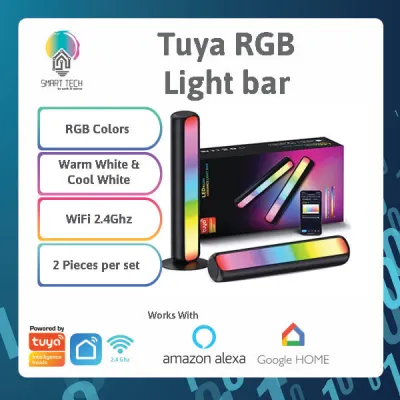
Prices are valid at publication and may change. Please refer to the product page for the latest price.
Core Comparison Dimensions for RGB Desk Light Bars
Build Quality and Mounting Mechanisms
The physical construction of an RGB light bar determines both its longevity and how safely it sits on your monitor. Premium brands typically construct their light bars from anodized aluminum alloys, which offer excellent heat dissipation and a sleek, matte texture. Lower-cost alternatives often rely on polycarbonate or ABS plastics, which are lighter but can feel less robust and may degrade faster under the heat generated by continuous LED operation.

Mounting designs generally fall into three categories: gravity counterweight clamps, spring-loaded tension clamps, and standalone desk bases. Gravity clamps rely on a heavy rear weight to balance the light bar on top of the screen bezel without applying physical pressure to the display panel. Spring clamps grip the edges of the monitor frame, which requires careful adjustment to avoid damaging delicate liquid crystal displays. If you use an ultra-thin bezel monitor or a curved screen, you must verify the clamp’s maximum clearance and curvature compatibility to prevent the mount from blocking your screen or slipping off.
Lighting Performance and Optics
Optical engineering is the most critical factor for eye comfort during late-night desk sessions. True asymmetric optical designs use custom-angled reflectors or lenses to direct light downward at a precise 45-degree angle. This ensures that no light shines directly onto the monitor glass—which causes veiling glare—or into your eyes. Symmetrical light tubes, by contrast, diffuse light in all directions, which inevitably creates a distracting reflection on your screen.
For task lighting, pay close attention to the Color Rendering Index (CRI), denoted as Ra. A rating of Ra 90 or higher is recommended for accurate color perception, which prevents eye fatigue when reading text or editing photos. When evaluating the RGB component, look for brands that integrate high-density LED arrays with quality diffusion covers. This setup blends individual red, green, and blue light points into a smooth, continuous glow rather than a series of harsh, pixelated dots.
Smart Features and Controls
Control interfaces range from simple inline cable switches to wireless desktop rotary dials and smartphone apps. Wireless physical controllers are highly prized in premium setups; they sit on your desk as a tactile dial, allowing you to adjust brightness, color temperature, and RGB modes with a simple turn or tap. These dials eliminate the need to reach up to the top of your monitor, keeping your physical workspace clean and ergonomic.
Smart integration expands these capabilities through Wi-Fi or Bluetooth connectivity. Advanced smart light bars can sync their colors in real-time with the content on your screen or respond dynamically to ambient sound via built-in microphones. Before choosing a brand that relies heavily on software, check recent app store reviews for their companion applications to ensure stable connectivity, reliable firmware updates, and compatibility with local smart home platforms.
Head-to-Head: Evaluating Popular RGB Light Bar Brands
Premium and Professional Monitor Light Bars
Brands in the premium tier focus heavily on optical engineering, structural durability, and ergonomic physical controls. These manufacturers design products primarily for professionals, software engineers, and digital creators who spend eight or more hours a day in front of a screen. The hallmark of these brands is a rigid aluminum alloy chassis and a highly engineered asymmetric light path that completely eliminates screen reflection.
In this category, models like the BenQ ScreenBar series—specifically the ScreenBar Halo—set the standard for premium performance. These devices feature patented optical designs that deliver wide, uniform desk coverage with a high color rendering capacity (often Ra 95 or higher). To complement the front task light, they incorporate a rear-facing RGB bias light. This ambient component helps balance the contrast between a bright monitor screen and a dark room, significantly reducing eye strain in low-light environments.
Control in this segment is typically handled by weighted, wireless desktop dials. These dials use high-precision optical sensors to let you fine-tune brightness and color temperature smoothly. However, these premium engineering standards command a higher price tag, typically ranging from S$150 to over S$250 in Singapore. Furthermore, because these light bars feature heavy gravity counterweights, you must carefully check your monitor’s rear profile. Extremely thick screens, aggressive curves, or monitors mounted on articulating VESA arms with tight cable management may require specialized adapter pads to mount securely.
Value-Driven and Smart Ecosystem Light Bars
Value-driven and smart-ecosystem brands target gamers, streamers, and smart-home enthusiasts who prioritize dynamic visual effects and seamless system integration over absolute optical perfection. Brands like Yeelight (with their Monitor Light Bar Pro) and Govee lead this segment by offering highly interactive features at a more moderate price point, usually between S$50 and S$120.
These brands excel at software-driven lighting customization. Instead of simple solid colors, they utilize RGBIC technology, allowing multiple colors to flow along the light bar simultaneously. This enables complex animations, gradient transitions, and music-reactive modes that sync with your PC audio. Many of these devices integrate directly into major smart home ecosystems, allowing you to control your desk lighting via voice commands or automate it alongside your room’s main lights.
To keep these products affordable, manufacturers often use lightweight plastic housings and simpler spring-loaded mounting clamps. While functional, these mounts may not feel as stable on ultra-thin or curved screens as their premium metal counterparts. Additionally, their front-facing white light may feature slightly lower CRI ratings (around Ra 80 to Ra 90) and less precise asymmetric shielding, resulting in a small amount of light spill onto the top of your screen.
When installing these smart light bars, power delivery is a crucial technical consideration. Because driving both a bright white task light and multiple dynamic RGB zones requires significant power, these devices often demand a stable 5V/2A (10W) or higher USB power source. Connecting them to a standard low-power USB port on an older computer can lead to flickering, random disconnects, or restricted maximum brightness. For optimal performance, always connect them to a dedicated wall adapter or a high-power USB hub.
Specification Checklist Before You Buy
Before purchasing an RGB light bar from an online marketplace, use this checklist to verify that the device is fully compatible with your physical desk layout and electrical setup.
| Evaluation Category | Key Verification Items | Practical Importance |
|---|---|---|
| Monitor Compatibility | • Maximum clamp opening depth<br>• Bezel clearance requirement<br>• Curved screen radius compatibility (e.g., 1000R vs. 1800R) | Prevents the mounting bracket from cracking thin bezels, obscuring webcams, or slipping off curved screens. |
| Power Requirements | • Required input voltage and current (e.g., 5V/2A)<br>• Connector type (USB-A vs. USB-C)<br>• Power adapter safety certification | Ensures stable operation without flickering. Mains-powered adapters used in Singapore should carry the local Safety Mark. |
| Lighting Quality | • Color Rendering Index (CRI / Ra rating)<br>• Color temperature range (e.g., 2700K to 6500K)<br>• Light distribution angle | High CRI (Ra ≥ 90) prevents eye strain. Adjustable color temperatures let you switch from cool white focus light to warm white relaxation light. |
| Smart & Physical Controls | • Control interface (wireless dial, touch panel, or app)<br>• Wireless protocol (2.4GHz Wi-Fi or Bluetooth)<br>• Smart home platform compatibility | Determines how easily you can adjust settings mid-work. Wi-Fi models allow remote automation, while Bluetooth models require close proximity. |
| Desk Space Footprint | • Light bar length relative to monitor size<br>• Base footprint (for standalone vertical bars)<br>• Cable length and routing clearance | A bar that is too long can cause glare at the screen edges, while a base that is too wide may crowd compact HDB study desks. |
Final Decision Framework for Your Workspace
To make your final decision, evaluate your daily workflow, your monitor hardware, and your budget against these three clear scenarios:
- Choose Premium Optical Brands if: Your primary activities involve long hours of reading, writing, coding, or color-accurate design work. You require a highly durable aluminum build, a clutter-free desk with a physical wireless control dial, and a mathematically precise asymmetric light path that guarantees zero screen glare.
- Choose Smart Ecosystem Brands if: Your desk is primarily a gaming or entertainment hub. You want vibrant, multi-color RGBIC gradients that sync with your gameplay, movies, or music, and you prefer controlling your environment through smartphone apps or voice assistants within a moderate budget.
- Verify Physical Constraints First if: You use a highly curved monitor, an ultra-thin screen, or have a webcam permanently mounted on top of your display. In these cases, standard gravity clamps may not fit securely, and you may need to look for brands that offer specialized curved-screen adapters or opt for standalone vertical RGB light bars that sit on the desk surface.
When ordering your chosen light bar, always review the return and exchange policies of your local online retailer. Because monitor back-panel shapes and bezel designs vary widely across manufacturers, having the option to exchange or return the product ensures you will not be left with an incompatible mounting bracket if the physical fit is not perfect upon arrival.
Frequently Asked Questions (FAQ)
Should I get a monitor-mounted light bar or a standalone desk RGB light bar?
Your choice should depend on whether you need functional task lighting or purely decorative ambient lighting. Monitor-mounted light bars are designed primarily for productivity and eye-care; they save valuable desk space by sitting on top of your screen and use asymmetric optics to illuminate your keyboard and workspace without reflecting off your display. The RGB lighting on these devices is typically rear-facing, serving as a subtle bias light to reduce eye strain in dark rooms.
Standalone desk RGB light bars, such as vertical light towers or light tubes that sit directly on your desk surface, are designed purely for ambient aesthetics. They project diffuse, multi-directional light onto nearby walls to create immersive color washes and dynamic gaming effects. Choose a monitor-mounted bar if you need to work comfortably for long periods, or opt for standalone desk bars if you want to maximize your room’s overall visual ambiance.
Community discussion
Share your experience or ask a question. Comments are reviewed before publication.