
When shopping for a new light bulb, encountering technical codes on the packaging is incredibly common. Among these, “E27” is one of the most frequent designations you will see, especially when upgrading to modern LED or smart lighting options. Understanding this code is the first step to ensuring your new bulb physically fits your existing lamp or light fixture. Beyond the base size, selecting the right LED bulb requires evaluating several technical specifications, from light output to smart home compatibility, to ensure safety, efficiency, and the desired lighting effect in your home.
Understanding the E27 Base Standard and Physical Fit
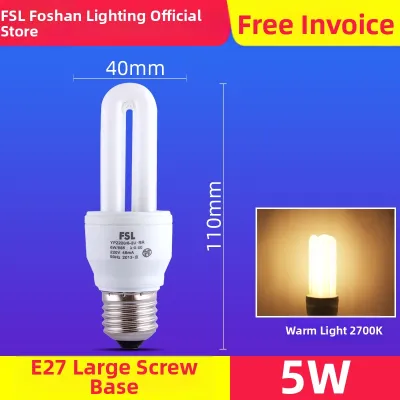
The “E” in E27 stands for Edison screw, named after Thomas Edison, who designed the classic threaded mounting system. The number “27” refers to the diameter of the screw base in millimeters. This means an E27 bulb has a threaded metal base that measures exactly 27 millimeters across. It is one of the most widely used bulb bases in residential lighting, commonly found in pendant lights, table lamps, and wall sconces.
To verify physical compatibility before purchasing a new bulb, you should inspect your existing light fixture. Most fixtures feature a small safety label inside or near the socket that specifies the required bulb base. If the label is missing or illegible, you can measure the width of your current bulb’s metal base with a ruler or caliper. A measurement of approximately 2.7 centimeters confirms you need an E27 bulb.
Products mentioned in this guide
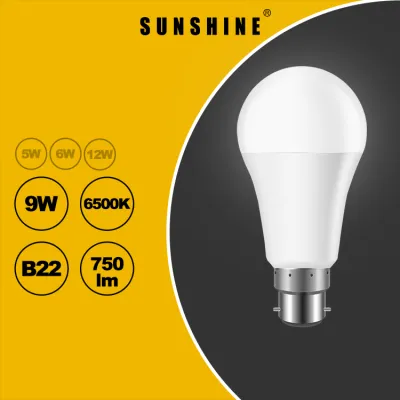

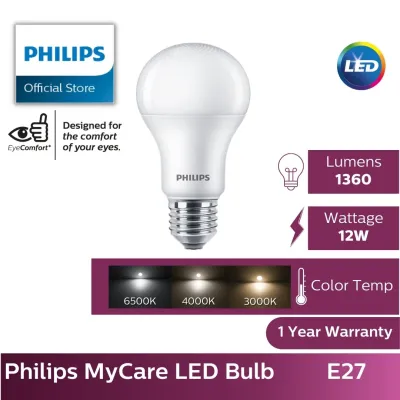
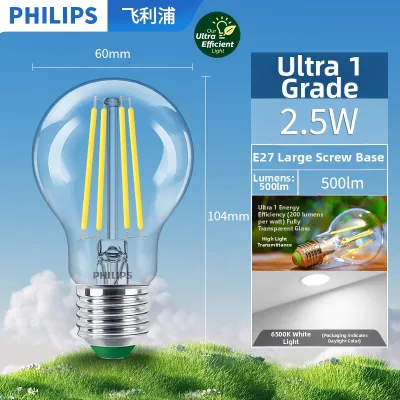
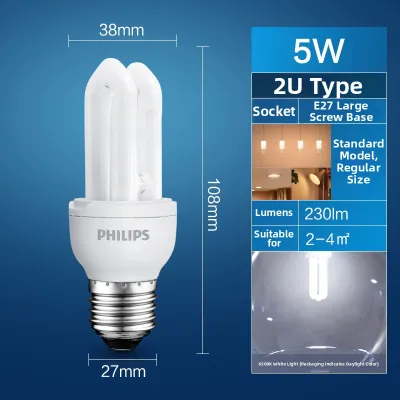
![[SG SELLER] LED Bulb E27 screw LED Flying Saucer Light High Brightness Energy-Saving Bulb for Household and Outdoor Use](https://img.lazcdn.com/g/p/29c242051805f539a812f8d2409e9ab4.png_400x400q80.png_.webp)
Prices are valid at publication and may change. Please refer to the product page for the latest price.
It is important to distinguish the E27 base from other common screw bases to avoid purchasing the wrong size. The most frequent mix-up occurs with the E14 base, often referred to as the Small Edison Screw. The E14 base has a diameter of only 14 millimeters, making it significantly narrower and typically used for smaller decorative fixtures, chandeliers, or reading lamps. Attempting to force an incorrect base size can damage the socket threads or create an electrical hazard, so always double-check the diameter before buying.
Decoding Brightness and Energy Use (Lumens vs. Watts)
When transitioning from traditional incandescent bulbs to modern LED technology, the way we measure brightness changes. Historically, shoppers relied on wattage to estimate how bright a bulb would be. However, wattage actually measures electrical power consumption, not light output. Because LEDs are highly energy-efficient, they use a fraction of the wattage to produce the same amount of light as older bulbs.

To determine actual brightness, you must look at the lumen rating on the packaging. Lumens measure the total amount of visible light emitted by a source. For example, a bulb emitting 800 lumens provides a moderate level of brightness suitable for general living spaces, while a bulb emitting 1,500 lumens or more is better suited for areas requiring intense, focused light. When planning your lighting, consider matching the lumen output to the room’s function: lower lumen ranges work well for ambient bedroom lighting, while higher ranges are ideal for kitchens or home offices.
Even though LED bulbs consume very little power, you must still verify your fixture’s maximum wattage rating. This limit is typically printed on a sticker inside the socket housing. While a standard E27 LED bulb might only draw 9 to 12 watts of electricity, the fixture itself might have a maximum rating of 40 or 60 watts. Ensuring your new bulb’s actual wattage remains well below this maximum rating is a critical safety step to prevent overheating the fixture’s internal wiring.
Choosing Color Temperature and Smart Ecosystem Compatibility
Color temperature determines the tone of the light emitted by the bulb, which is measured in Kelvin (K). This specification directly influences the atmosphere of a room and how colors appear. Lower Kelvin ratings, such as 2,700K to 3,000K, produce a warm, yellowish glow that mimics traditional incandescent bulbs, making them ideal for cozy spaces like bedrooms and living rooms. Higher Kelvin ratings, such as 4,000K to 5,000K, deliver a cool, bluish-white light that enhances focus and visibility, making them suitable for workspaces, bathrooms, and kitchens.
If you are upgrading to an E27 smart bulb, you must also evaluate its wireless connectivity and control options. Smart bulbs generally connect to your home network via Wi-Fi, Bluetooth, or dedicated smart home protocols like Zigbee or Thread. Wi-Fi bulbs connect directly to your router but can crowd your network if you install many of them. Bluetooth bulbs offer simple setup but have limited range, while Zigbee and Thread options require a compatible smart hub to bridge the connection to your home network.
Before making a purchase, verify that the smart bulb is compatible with your existing smart home ecosystem. Look for compatibility labels on the packaging, such as support for Apple Home, Google Home, or Amazon Alexa. Ensuring the bulb integrates seamlessly with your preferred voice assistant or smart home app prevents setup frustration and allows you to create automated lighting schedules, group multiple lights together, or adjust brightness levels remotely.
Checking Bulb Dimensions and Fixture Constraints
While the E27 base standard ensures the screw threads will fit the socket, the overall physical dimensions of the bulb can vary significantly. Smart E27 bulbs, in particular, are often larger, wider, or heavier than standard LED or incandescent bulbs. This is because they must house internal wireless receivers, microcontrollers, and dedicated heat sinks to dissipate the heat generated by the electronics.
Before purchasing, measure the physical clearance inside your light fixture, lampshade, or recessed ceiling can. A smart bulb with a wider profile or a longer neck might protrude awkwardly from a shallow shade or fail to fit inside a tight glass enclosure entirely. Checking the bulb’s physical dimensions—usually listed on the manufacturer’s specification sheet—against your fixture’s available space prevents the hassle of returning incompatible products.
Additionally, pay close attention to whether your fixture is fully enclosed. Enclosed fixtures trap heat, which can rapidly degrade the sensitive electronic components inside a smart bulb and drastically shorten its lifespan. Unless the bulb’s packaging explicitly states it is rated for use in enclosed fixtures, only install E27 smart bulbs in open or well-ventilated fixtures to ensure proper heat dissipation and reliable performance.
Installation Safety and Professional Boundaries
Working with electrical fixtures always requires strict adherence to safety protocols. Before removing an old bulb or installing a new E27 LED bulb, turn off the power at the wall switch. For an extra layer of safety, especially if you are replacing a bulb in a fixture that has shown signs of electrical issues, turn off the power at the main circuit breaker or consumer unit. Never attempt to replace a bulb while the socket is actively powered.
Take a moment to inspect the socket and the surrounding fixture before screwing in the new bulb. Look for visible signs of wear or damage, such as scorch marks, melted plastic, brittle wiring, or a loose socket collar. If you notice any of these warning signs, do not install the new bulb, as a damaged socket can cause electrical arcing, short circuits, or even pose a fire hazard.
While replacing a light bulb is a simple task, some lighting issues require professional intervention. If you experience persistent flickering after installing a compatible bulb, if your circuit breakers trip when the light is turned on, or if you need to modify the physical wiring of a fixture, stop immediately. These symptoms point to underlying electrical issues that must be diagnosed and resolved by a qualified electrician to ensure your home’s electrical system remains safe.
Frequently Asked Questions (FAQ)
Can I use an E27 smart bulb with a traditional wall dimmer switch?
No, you should not use an E27 smart bulb with a traditional physical wall dimmer switch. Smart bulbs require a constant, uninterrupted flow of electricity to power their internal wireless chips and stay connected to your smart home network. Reducing the voltage via a traditional wall dimmer can cause the smart bulb to flicker, buzz, lose its network connection, or suffer permanent internal electronic damage. To dim a smart bulb, keep the physical wall switch fully on and use the dedicated smart app, voice commands, or a compatible wireless smart dimmer.
Do E27 smart bulbs still turn on if the Wi-Fi network goes down?
Yes, most E27 smart bulbs will still turn on and off using your traditional physical wall switch even if your Wi-Fi network or internet connection goes down. When you toggle the physical switch, the bulb will typically default to its last saved brightness and color setting, or turn on at full brightness. However, while the network is offline, you will not be able to use smart features, such as remote app control, automated schedules, color adjustments, or voice assistant commands, until the wireless connection is fully restored.
Community discussion
Share your experience or ask a question. Comments are reviewed before publication.