
When planning a smart home lighting setup, most homeowners automatically think of wireless options like WiFi or Zigbee. However, there is another robust technology that uses the physical copper wires already running through your walls: Power Line Communication (PLC). A PLC light bulb is a smart bulb that receives its control commands directly through your home’s existing electrical wiring rather than over the air. This technology offers a highly stable, physical alternative to wireless systems, especially in environments where radio signals struggle to penetrate.
What Is a PLC Light Bulb?
A plc light bulb operates on the principle of Power Line Communication, which modulates data signals onto the electrical current flowing through your home’s wiring. Instead of broadcasting a wireless radio frequency (RF) signal from a router to each individual bulb, a PLC system uses the physical copper power cables as its data network. This means the electrical infrastructure of your house serves a dual purpose: delivering power and transmitting digital commands like dimming, color changes, and scheduling.
To function, a PLC light bulb cannot connect directly to a standard wireless router on its own. The system requires a dedicated PLC gateway, hub, or injector. This gateway plugs into a standard wall outlet and connects to your home network via an Ethernet cable or WiFi. When you send a command from your smartphone app, the gateway translates that digital instruction into a high-frequency electrical signal and injects it into the household power line. The PLC bulb, equipped with an internal decoder, filters out the standard electrical current to read the high-frequency data signal and executes the command instantly.
Products mentioned in this guide
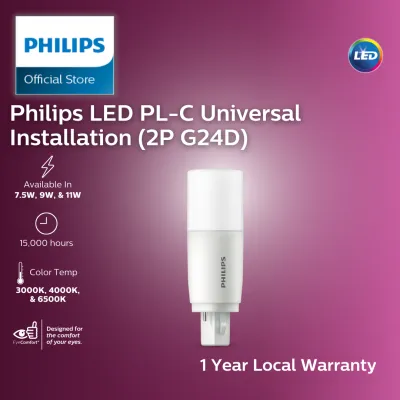
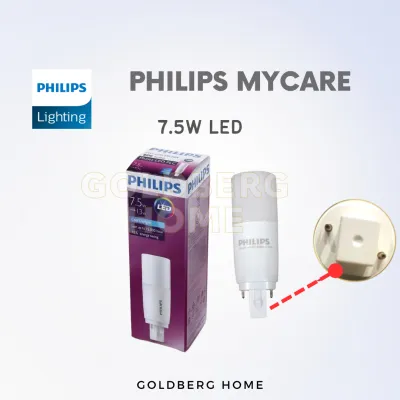
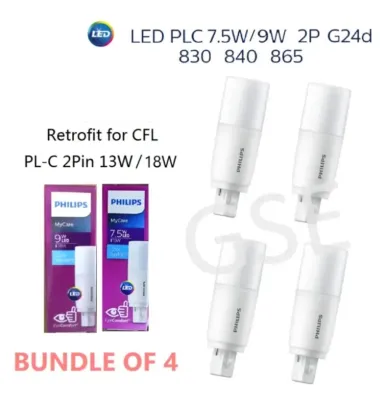
Prices are valid at publication and may change. Please refer to the product page for the latest price.
PLC vs. WiFi Smart Bulbs: Key Specifications Decoded
Understanding the technical trade-offs between a plc light bulb and a WiFi smart bulb is essential for choosing the right system for your living space. While both technologies achieve the same end goal—giving you smart control over your home’s illumination—their underlying infrastructure leads to vastly different performance characteristics in real-world scenarios.

Connection Medium and Reliability The most fundamental difference lies in the transmission medium. WiFi smart bulbs rely on radio waves, typically on the crowded 2.4 GHz frequency band. This band is highly susceptible to interference from other household devices, Bluetooth connections, and neighboring networks. A PLC light bulb bypasses the air entirely, using the shielded, physical copper wires inside your walls. This physical connection is virtually immune to wireless interference, providing a highly reliable and consistent connection that does not drop when your wireless network is congested.
Signal Penetration and Structural Obstacles In homes built with dense materials, wireless signal degradation is a constant challenge. For instance, in Singapore, residential buildings are predominantly constructed with thick reinforced concrete walls and metal structural framing. These materials act as severe barriers to WiFi signals, often creating frustrating dead zones in back bedrooms or multi-story layouts. Because PLC signals travel inside the electrical wiring itself, they effortlessly bypass these physical barriers, delivering reliable control to any socket connected to the circuit, regardless of wall thickness.
Electrical Phase Dependency While PLC excels at bypassing physical walls, it introduces a unique electrical constraint: phase dependency. Many larger homes, multi-story landed properties, or commercial spaces utilize a three-phase electrical supply. If your PLC gateway is plugged into a socket on Phase A, and your PLC light bulb is installed in a room wired to Phase B, the data signal may not cross over at the distribution board (DB) without a specialized phase coupler. WiFi bulbs are completely independent of electrical phases, as their signals travel through the air and depend solely on router placement or mesh nodes.
Ecosystem and Hub Requirements WiFi smart bulbs are highly popular because of their plug-and-play simplicity. Most WiFi bulbs connect directly to your standard home router without requiring any additional hardware. This direct connection makes them highly compatible with mainstream smart home ecosystems like Apple Home, Google Home, and Amazon Alexa. In contrast, PLC systems are typically proprietary and require a dedicated gateway or injector to bridge the physical power lines with your local network. This adds to the initial hardware cost and can limit out-of-the-box compatibility with third-party smart devices.
| Feature | PLC Light Bulbs | WiFi Smart Bulbs |
|---|---|---|
| Connection Type | Physical electrical wiring | Wireless radio frequencies (2.4/5 GHz) |
| Wall Penetration | Excellent (unaffected by thick concrete) | Moderate to poor (degrades through concrete/metal) |
| Hub Requirement | Yes (PLC gateway/injector required) | No (typically connects directly to router) |
| Phase Dependency | High (requires phase coupler for multi-phase) | None (independent of electrical phases) |
| Ideal Use Case | Thick-walled homes, basements, large layouts | Standard apartments, homes with strong mesh WiFi |
When to Choose PLC Over WiFi for Your Home
Deciding between these two smart lighting technologies depends heavily on your property’s layout, construction materials, and your existing network infrastructure. Neither system is universally superior; instead, each serves as a targeted solution for specific environmental challenges.
PLC lighting is the ideal choice for homes with severe wireless propagation issues. If you live in a multi-story landed home, a basement-equipped property, or a sprawling layout with thick concrete partition walls, running a reliable WiFi mesh network can be incredibly difficult and expensive. PLC utilizes the existing wiring infrastructure to deliver rock-solid smart control to distant rooms, outhouses, or subterranean areas without the need to drill holes or run new Ethernet cables. It is also highly suited for users who want to minimize the number of wireless devices connected to their home router, preserving wireless bandwidth for laptops, TVs, and smartphones.
Conversely, WiFi smart bulbs are generally the better option for standard single-level apartments, rental properties, and homes that already have a robust, high-speed mesh WiFi network. If your home has open-concept spaces or drywall partitions, wireless signals will easily reach your fixtures. WiFi bulbs also offer a much lower barrier to entry, allowing you to buy a single bulb, connect it to your router, and begin using it immediately without purchasing a specialized hub. This makes them ideal for casual users or those who prefer a highly flexible, multi-brand smart home ecosystem.
Installation Requirements and Electrical Safety
Setting up a PLC lighting system requires a mix of simple user configuration and strict adherence to electrical safety standards. For a basic residential setup, the process begins by plugging the manufacturer’s PLC gateway directly into a standard, accessible wall socket. It is critical to plug the gateway directly into the wall outlet rather than into an extension strip, multi-way adapter, or heavy-duty surge protector. Many modern surge protectors and power strips contain noise-filtering circuitry designed to clean up electrical current, which can inadvertently filter out and block the high-frequency PLC data signals. Once the gateway is powered and connected to your home router via an Ethernet cable, you can install the PLC bulbs into their respective fixtures and pair them using the manufacturer’s mobile application.
Before purchasing any smart bulb, always verify its technical specifications to ensure compatibility with your home’s existing fixtures. Check the operating voltage (which is typically 230V in Singapore), the base or interface type (such as E27 screw or GU10 bayonet), the maximum wattage limits of your light fixtures, and the physical dimensions of the bulb to ensure it fits within the shade or housing. Additionally, confirm the dimming method; smart bulbs must be dimmed digitally via their app or compatible smart switches, as using them with traditional leading-edge or trailing-edge wall dimmers can cause severe flickering, buzzing, or permanent damage to the bulb’s internal electronics. Always look for recognized local electrical safety certifications, such as the Safety Mark, to ensure the product complies with national safety standards.
For advanced installations where signals must cross different electrical phases, a phase coupler must be installed. Crucial Safety Warning: Working within your home’s main distribution board (DB), checking electrical phases, or installing phase couplers involves handling high-voltage fixed wiring. This work must only be carried out by a licensed electrical worker (LEW) or a qualified professional. Never attempt to open the main distribution panel, modify fixed wiring, or bypass safety breakers yourself, as this poses severe risks of electrocution, electrical fires, and voiding your home insurance. Always isolate the electrical power at the main circuit breaker before installing, replacing, or maintaining any light fixtures. If the manufacturer’s installation instructions conflict with your home’s wiring setup, stop immediately and consult a professional.
Frequently Asked Questions (FAQ)
Do PLC light bulbs work during a power outage?
No, PLC light bulbs require active AC electrical power to function and communicate. Because the technology relies on the physical electrical current flowing through your home’s wiring to carry data, any disruption to the main power supply will shut down both the PLC gateway and the bulbs. Unlike some low-power wireless sensors that can run on backup batteries, PLC smart lighting cannot operate or transmit signals during a power outage.
Can I mix PLC bulbs with WiFi bulbs in the same room?
Yes, you can physically install both PLC and WiFi bulbs in the same room, provided their voltage, base types, and fixture specifications are fully compatible. However, because they communicate using completely different protocols, they will not natively interact or synchronize with each other. To control them together as a single group, you will need to link both the PLC gateway and your WiFi bulbs to a unified third-party smart home platform or hub that supports multi-protocol integration.
Community discussion
Share your experience or ask a question. Comments are reviewed before publication.