
Upgrading your home lighting to a smart or remote-controlled system is an excellent way to customize your living space, but success depends heavily on the compatibility of your existing lamp holders. While most standard sockets can physically accept smart bulbs, achieving seamless operation requires looking beyond the shape of the plug. You must evaluate physical dimensions, electrical limits, and how your current switches interact with smart technology.
Smart bulbs and remote-controlled lighting receivers require a continuous, uninterrupted flow of electricity to maintain their wireless connections. This fundamental requirement often creates conflicts with traditional wall switches, dimmers, and automated sensors. By verifying your fixture’s specifications and understanding how these systems interact, you can avoid common pitfalls like flickering, connectivity drops, or electrical hazards.
Identifying Physical Base Compatibility
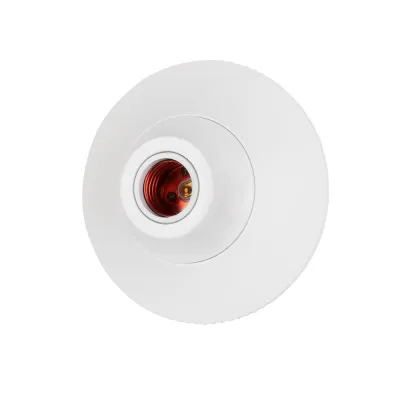
Matching the physical base of your lamp holder to a smart bulb is the first step in your upgrade process. Start by visually inspecting your existing fixture and the bulb currently installed. The most common residential lamp holders are Edison screw bases, such as the larger E27 or the smaller E14, and bayonet bases like the B22. Pin-based sockets, such as GU10 for spotlights, are also widely compatible with smart options, but you must verify the exact pin spacing and locking mechanism before purchasing.
Products mentioned in this guide
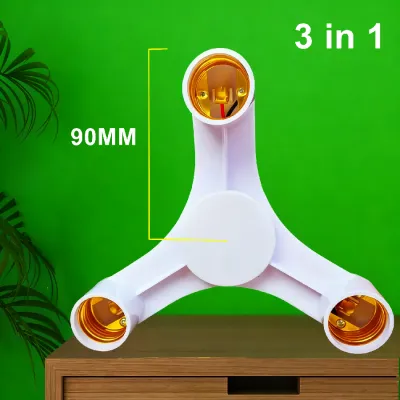
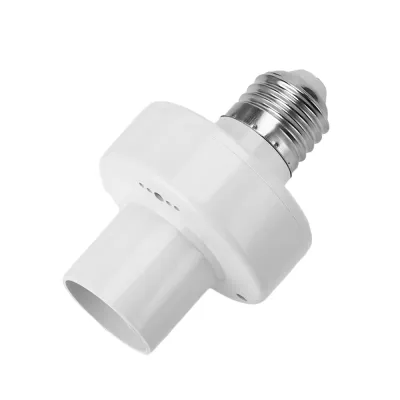
Prices are valid at publication and may change. Please refer to the product page for the latest price.
Beyond the base type, you must consider the physical clearance and weight of the smart bulb. Smart bulbs house internal wireless radios, microcontrollers, and heat-dissipating elements, which often make them bulkier and heavier than traditional incandescent or standard LED bulbs. Measure the internal dimensions of your lamp shade or fixture housing to ensure the larger smart bulb will fit without touching the sides. Additionally, verify that the lamp holder and its mounting hardware can support the extra weight, particularly in multi-arm chandeliers or flexible gooseneck lamps.
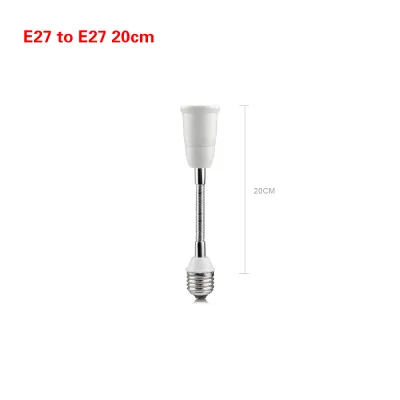
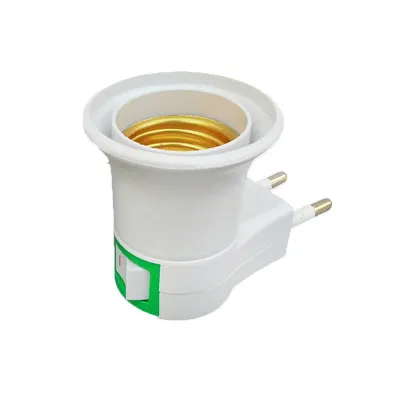
If your desired smart bulb does not match your existing lamp holder, physical base adapters or converters are available, but they require careful safety checks. An adapter adds an extra mechanical joint and increases the distance the bulb protrudes from the socket, which can alter the weight distribution and heat dissipation of the fixture. Always check the adapter’s labels to ensure it is rated for your local voltage and does not exceed the maximum weight or wattage limits of the original lamp holder.
Checking Electrical and Power Requirements
Before installing any smart lighting, you must verify that the electrical specifications of your lamp holder safely align with the requirements of the new bulb. Begin by checking the maximum wattage rating printed directly on the lamp holder socket or the fixture’s safety label. Although smart bulbs utilize energy-efficient LED technology and draw very low active wattage, they still generate heat and have specific startup current demands. Ensure the actual power draw of the smart bulb remains well below the maximum limit of the fixture to prevent overheating and premature component failure.

Voltage compatibility is another critical factor that requires verification. In Singapore, the standard domestic electricity supply operates at 230V. Check the nameplate, manufacturer label, or original packaging of both your fixture and the smart bulb to confirm they are rated for this voltage range. Using a bulb designed for a lower voltage system can cause immediate electrical damage, while a bulb rated for a higher voltage may fail to power on or operate erratically.
For fixtures that hold multiple bulbs, such as track lighting or elaborate dining room chandeliers, you must calculate the total electrical load. Sum the individual wattage ratings of all the smart bulbs you plan to install in that single fixture. Ensure this combined total does not exceed the maximum load capacity of the fixture’s internal wiring or the rating of any inline remote control receiver you intend to install. Overloading a multi-bulb circuit can lead to tripped breakers, damaged electronics, or electrical fires.
Resolving Switch, Dimmer, and Remote Conflicts
The most common issues with smart lighting arise from conflicts between the bulb’s internal electronics and traditional wall controls. Smart bulbs require continuous power to remain connected to your home network, allowing them to receive commands from apps, voice assistants, or remote controls. If someone turns off the physical wall switch connected to the lamp holder, the bulb loses power completely, goes offline, and becomes unresponsive to any smart commands.
Traditional wall dimmers present an even greater challenge. These dimmers adjust brightness by rapidly chopping the electrical current, a method that works well for simple incandescent bulbs but starves the complex power supplies inside smart bulbs. When connected to a traditional dimming circuit, smart bulbs will often flicker, buzz loudly, or suffer permanent internal damage. To avoid this, you must either replace the traditional wall dimmer with a standard on/off switch, install a compatible smart switch, or ensure the existing dimmer remains permanently set to its maximum output.
If you prefer to use a dedicated remote control system, you may need to install an inline remote receiver behind the lamp holder. When planning this installation, consider the signal transmission technology used by the remote. Infrared (IR) systems require a clear, unobstructed line of sight between the remote control and the receiver sensor. Radio frequency (RF) and Wi-Fi systems do not require line of sight, but their signal range can be significantly reduced if the receiver is placed inside a heavy metal fixture or behind thick concrete walls.
Environmental Limits and Installation Safety
The environment in which you install your smart bulbs plays a major role in their longevity and safety. Fully enclosed fixtures, such as flush-mount ceiling globes or tightly sealed outdoor lanterns, trap heat generated by the bulb’s electronics. Because smart bulbs contain sensitive microchips and wireless transmitters, prolonged exposure to high temperatures will degrade their performance and shorten their operating life. Always check the manufacturer’s instructions to verify if your smart bulb is rated for use in fully enclosed fixtures.
Damp and wet locations require extra precautions to prevent electrical hazards. If you are installing smart lighting in a bathroom, kitchen, or outdoor porch, check the Ingress Protection (IP) rating of both the lamp holder and the bulb. Damp environments require specialized moisture-resistant lamp holders and bulbs with appropriate IP ratings to prevent water ingress, short circuits, and corrosion of the electrical contacts.
Finally, establish clear boundaries for safe installation. While swapping a bulb is a simple DIY task, any modification to fixed electrical wiring requires caution. Always isolate the power at your home’s main distribution board before touching any wiring or replacing a lamp holder. If your project involves installing hardwired remote receivers, working at heights to access high ceilings, or replacing traditional wall switches with smart switches, stop and consult a qualified electrician to ensure the work is completed safely and in compliance with local regulations.
Frequently Asked Questions (FAQ)
Can I use a smart bulb in a lamp with a traditional dimmer switch?
Using a smart bulb on a traditional dimming circuit is not recommended. Traditional dimmers alter the electrical current to control brightness, which starves the smart bulb’s internal computer and causes flickering, buzzing, or permanent component damage. For safe and reliable operation, keep your traditional wall dimmer set to 100% brightness, or replace it with a standard on/off switch or a compatible smart switch.
Do smart bulbs work with motion sensor lamp holders?
Generally, smart bulbs do not work well with traditional motion sensor lamp holders. These sensors operate by cutting power to the socket completely when no movement is detected, which forces the smart bulb offline and prevents it from reconnecting to your smart home network. To achieve motion-activated lighting with smart bulbs, keep the lamp holder continuously powered and pair the bulb with a separate wireless smart motion sensor through your smart home app.
Is it safe to use a base adapter for smart bulbs?
Yes, using a base adapter is safe as long as you verify the specifications of both the adapter and the fixture. Ensure the adapter is certified for electrical safety, matches your local voltage, and can physically support the weight of the heavier smart bulb. Never exceed the maximum wattage rating printed on the adapter or the original lamp holder, and ensure the bulb does not protrude in a way that creates a physical hazard or blocks heat dissipation.
Community discussion
Share your experience or ask a question. Comments are reviewed before publication.