
Selecting the right Mi clock for your space depends on balancing display visibility, power requirements, and smart home integration. Whether you need a simple, eye-friendly bedside companion that won’t disrupt your sleep, a highly visible desk clock with productivity timers, or a centralized smart display to control your home automation, understanding the distinct categories in the Mi ecosystem ensures you make a suitable choice. By matching the specific environment of your room with the appropriate display technology and connectivity features, you can select a device that integrates into your daily routine.
To make an informed decision, you must evaluate your daily routines and the specific demands of your physical spaces. A bedroom clock needs to respect your sleep hygiene with customizable dimming, while an office clock must foster focus without introducing unnecessary visual noise. Meanwhile, a smart home command center requires robust connectivity and intuitive controls to manage your automated routines. By analyzing these placement scenarios alongside key hardware specifications, you can select a model that complements your lifestyle and enhances your living environment.
Define Your Placement Scene and Core Needs
The room in which you plan to place your clock dictates the essential features you should look for during your search. Each environment presents unique challenges, from ambient light levels to the need for silence or interactive controls.
Products mentioned in this guide
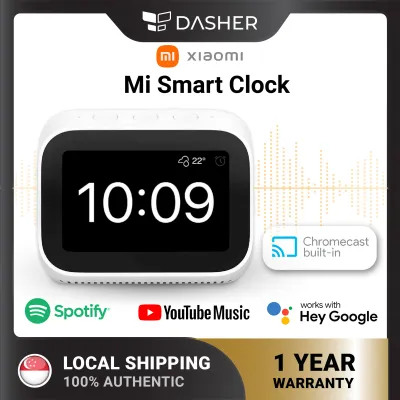
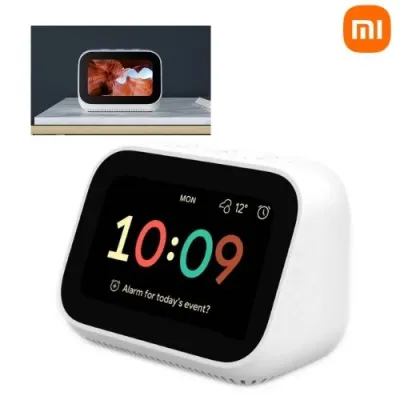
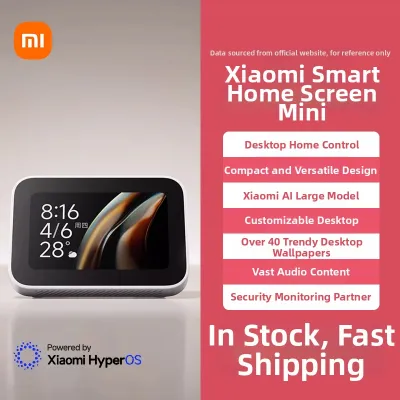
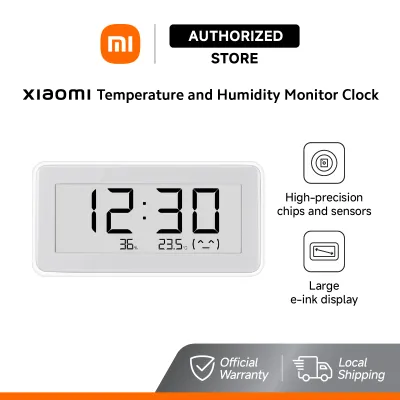
Prices are valid at publication and may change. Please refer to the product page for the latest price.
In the bedroom, your primary focus should be on preserving sleep quality and establishing a gentle waking routine. Standard digital clocks with bright, unshielded LED displays can emit significant amounts of blue light, which is known to disrupt melatonin production and interfere with natural sleep cycles. Therefore, a bedroom clock must offer highly adjustable brightness levels, an automatic night mode, or a completely non-emissive display technology. Additionally, the alarm functionality should be customizable, offering gradual volume increases or gentle, natural soundscapes rather than harsh, sudden buzzing that can trigger a startle response.
For a dedicated office or study workspace, the priorities shift toward visibility, productivity, and minimal distraction. An office clock needs to be easily readable from various angles and under different lighting conditions, including bright overhead lights or direct sunlight from a window. Glare reduction is a critical factor here, as reflections can cause eye strain over long working hours. Furthermore, a workspace clock can double as a productivity tool if it includes features like countdown timers, interval alerts, or a clean, uncluttered interface that helps you track time without drawing your attention away from your tasks.
If you are looking to place a clock in a central area like the living room, kitchen, or hallway, you are likely seeking a smart home hub. In these high-traffic zones, the clock often serves as a visual dashboard for your entire household. You will want to prioritize features such as voice control compatibility, clear device status displays, and the ability to broadcast messages or use intercom functions. A central smart clock should allow you to check the status of your smart locks, view security camera feeds, or adjust connected lighting with simple voice commands or quick screen taps, making it the functional nerve center of your home.
Key Specifications to Compare Across Mi Clock Categories
When browsing the various options in the Mi clock ecosystem, understanding how to read and compare technical specifications will help you avoid compatibility issues and performance disappointments.

Display technology is the most visible differentiator among these devices, directly impacting power consumption, readability, and aesthetic appeal. Traditional LED displays offer high contrast and are highly visible in dark rooms, but they require continuous power and can be overly bright if they lack advanced dimming sensors. LCD screens are highly cost-effective and clear in well-lit rooms, though they often require a manual backlight button for night viewing and can suffer from limited viewing angles. Electronic ink (e-ink) displays mimic the appearance of printed paper, offering exceptional eye comfort and wide viewing angles without emitting any light of their own. However, e-ink screens require ambient light to be read in the dark, making them less suitable for pitch-black bedrooms unless they feature a gentle, built-in front light. Smart touchscreens offer a high level of utility with full-color graphics and interactive menus, but they consume the most power and can suffer from glare under bright light.
Power delivery is another critical specification that influences where you can place your clock and how you manage cables. Battery-operated models offer high placement flexibility, allowing you to position the clock on floating shelves, magnetic surfaces, or central tables without worrying about routing cords. These models typically utilize low-power displays like e-ink or basic LCDs to extend battery life for several months or even a year. USB-powered clocks require a continuous connection to a USB port or a standard wall adapter, making them suitable for desks or bedside tables where power outlets are readily accessible. Direct wall-plug models are generally reserved for larger smart displays and hubs that house powerful processors and speakers, requiring a permanent spot near an electrical outlet and careful cable management to maintain a clean look.
Smart connectivity protocols determine how the clock interacts with your phone and other smart home devices. Basic models may feature local Bluetooth connectivity, allowing them to sync the time automatically with your smartphone and transmit environmental data to a local app without needing a home network. More advanced models include built-in Wi-Fi, enabling direct cloud synchronization, real-time weather updates, and integration with voice assistants. Some models also act as Bluetooth Gateways, bridging the gap between low-power Bluetooth sensors (like temperature or motion detectors) and your home Wi-Fi network, allowing you to monitor your home remotely. Always verify that the wireless protocols supported by the clock align with your existing smart home setup and router capabilities.
Match the Right Mi Clock Category to Your Setup
To simplify your decision-making process, the Mi clock lineup can be broadly categorized into three distinct product types, each tailored to specific user preferences and household roles.
Basic digital and environmental clocks are designed for users who appreciate simplicity, long battery life, and clean design. These devices typically focus on delivering accurate timekeeping alongside real-time temperature and humidity readings. By utilizing e-ink or high-contrast LCD screens, they consume minimal energy and can run on standard button cells or AAA batteries for extended periods. They do not feature voice assistants or complex touchscreens, making them incredibly easy to set up and maintain. This category is highly suited for bathrooms, kitchens, nurseries, or minimalist bedside tables where you want to keep track of room conditions and time without any digital distractions or cable clutter.
Smart display clocks and hubs represent the opposite end of the spectrum, built specifically for connected households and tech-enthusiastic users. These devices feature vibrant, full-color touchscreens and integrated smart assistants, allowing them to function as interactive control panels. With a smart display clock, you can stream live video feeds from compatible smart doorbells or security cameras, control smart lighting groups, and manage your daily calendar. They also support voice commands, enabling you to set alarms, ask for weather updates, or play music hands-free. This category is well-suited for placement in central locations like kitchen counters, living room sideboards, or primary bedside tables where you can fully utilize the interactive and multimedia features.
Minimalist or desk-focused clocks strike a balance between basic timekeepers and fully featured smart displays. These clocks are designed to enhance productivity and maintain a clean aesthetic on your workspace or study desk. They often feature sleek, modern housings with high-contrast digital displays that are easy to read at a glance. While they may not have full-color touchscreens, they frequently include smart connectivity like Bluetooth to sync time automatically and allow for easy alarm configuration via a mobile app. Some models in this category also incorporate productivity features, such as customizable countdown timers or focus tools, helping you manage your work intervals effectively while keeping visual distractions to a minimum.
Pre-Purchase Checks for Compatibility and Safety
Before finalizing your purchase of any Mi clock model, it is essential to perform several compatibility and safety checks to ensure the device operates reliably and securely in your home.
Electrical safety must always be your first consideration, especially for devices that remain powered continuously. If you are purchasing a USB-powered or direct wall-plug model, verify the voltage ratings and power adapter requirements specified by the manufacturer. In Singapore, the standard domestic voltage is 230V at 50Hz, and electrical appliances should ideally come with a compatible Type G 3-pin plug or a certified USB power adapter. Ensure that any power adapter you use carries the appropriate local safety certifications, such as the Safety Mark, to protect against short circuits, overheating, and electrical hazards. Avoid using unbranded or uncertified third-party chargers, as they may deliver unstable voltage that can damage the clock’s internal circuitry over time.
Ecosystem integration is another critical factor, particularly for smart models that rely on companion applications. Verify whether the specific clock model you are considering is compatible with your selected smart home platform, such as the Mi Home app, Google Home, or Apple Home. Be aware that some models are designed for specific regional markets; for instance, a model intended for the domestic Chinese market may require you to set your Mi Home app region to “Chinese Mainland” to pair successfully. This regional lock can prevent the clock from interacting with other smart devices registered on your local Singapore server, so it is highly recommended to purchase official local distribution models that support your local region and selected voice assistant platforms.
Finally, privacy controls are paramount when placing smart display clocks with integrated microphones or cameras in private spaces like bedrooms or home offices. Carefully review the product specifications to see if the model features physical privacy controls, such as a hardware-level microphone mute switch or a physical camera shutter. If a model relies solely on software-based privacy settings, ensure you are comfortable with the data-sharing policies outlined in the companion app. For greater peace of mind in sensitive areas, you may want to opt for basic digital or environmental clocks that lack internet connectivity, cameras, and microphones entirely, ensuring your private spaces remain secure.
Frequently Asked Questions (FAQ)
Do Mi smart clocks require a constant Wi-Fi connection to keep accurate time?
Smart clock models rely on a Wi-Fi connection to synchronize their internal clocks with network time servers, ensuring they remain accurate. If your Wi-Fi network goes down or experiences an outage, these smart clocks will generally continue to display the time using their internal hardware, but they may gradually lose accuracy over an extended period without a network sync. Additionally, features like real-time weather updates, voice assistant commands, and smart home automation controls will be unavailable during an outage. In contrast, basic digital and environmental clocks utilize internal quartz crystal oscillators and local battery power, allowing them to maintain accurate timekeeping offline without any network dependency.
Can I use a Mi smart display clock as a standalone Bluetooth speaker?
Whether you can use a Mi smart display clock as a standalone Bluetooth speaker depends entirely on the hardware specifications of the specific model. While many smart display models feature built-in speakers for voice assistant responses, alarms, and basic media playback, not all of them support standard Bluetooth audio sink profiles that allow you to stream music directly from your smartphone. Before purchasing, you must check the manufacturer’s product label and official specifications sheet to verify if the device supports Bluetooth audio input. If a model only supports Bluetooth gateway or transmission protocols, it cannot be paired with your phone as a wireless speaker, though it may still be able to stream audio via Wi-Fi casting protocols or integrated streaming services.

Community discussion
Share your experience or ask a question. Comments are reviewed before publication.