
Quick Answer: Xiaomi vs BenQ ScreenBar
When setting up an ergonomic workspace, choosing between the budget-friendly Xiaomi monitor lightbar and the premium BenQ ScreenBar comes down to your specific workflow requirements, tolerance for screen glare, and budget.
Choose the Xiaomi monitor lightbar if you are a budget-conscious user seeking excellent baseline asymmetric lighting, solid build quality, and integration with a smart home ecosystem. It offers a highly capable entry point into desk illumination without a premium price tag.
Choose the BenQ ScreenBar if you are a professional—such as a designer, programmer, or editor—who requires precise optical glare control, premium build materials, and a tactile wireless dial controller. The BenQ model justifies its premium price by delivering superior optical engineering that minimizes screen reflections and eye strain during long working hours.
Products mentioned in this guide
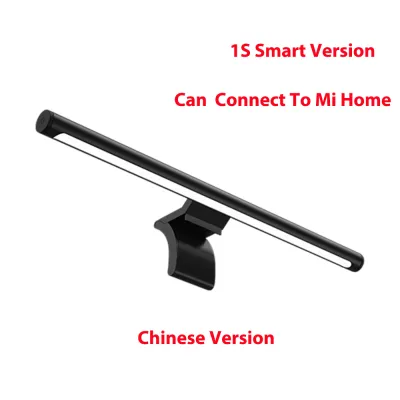
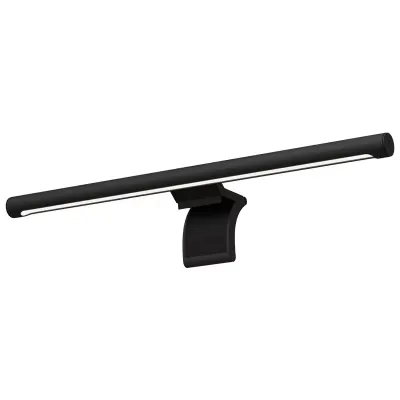
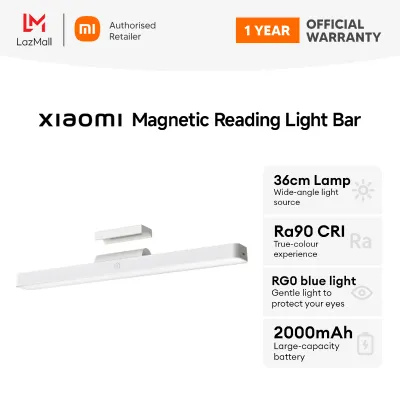
Prices are valid at publication and may change. Please refer to the product page for the latest price.
Please note that exact current pricing and stock availability in Singapore fluctuate due to shipping, local promotions, and distributor stock. We advise you to verify these details on official brand websites or authorized online retailers before making your final purchase.
Mounting Mechanisms, Build Quality, and Monitor Fit
The physical footprint and mounting hardware of a monitor light bar determine not only how securely it sits on your display but also whether it will fit your specific monitor configuration. Both brands approach this design challenge differently, resulting in distinct user experiences depending on your monitor’s physical profile.

BenQ utilizes a patented weighted gravity clamp system. This design relies on a counterweight that hangs behind the monitor, pulling the front lip of the light bar securely against the top bezel. Because it does not use adhesives or tight spring-loaded clamps, it sits gently on the screen. This makes it highly compatible with a wide range of flat panels and moderately curved screens, as the weight distribution adapts naturally to the angle of the monitor’s back casing.
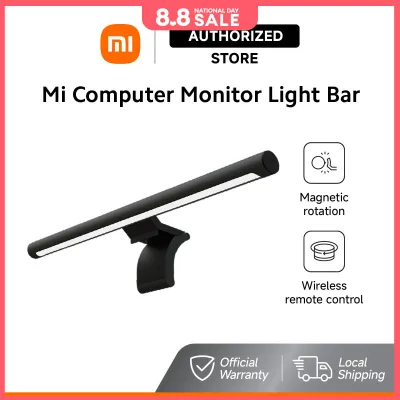
In contrast, the Xiaomi monitor lightbar features a magnetic metal bracket system. The light bar itself attaches to a heavy magnetic base via contact pins, allowing you to rotate the light angle slightly to adjust the beam. The base then clamps onto the monitor using a spring-loaded tension mechanism. While this magnetic connection is incredibly sleek and allows for easy removal of the light tube, the spring-loaded clamp requires a relatively flat surface on the back of the monitor to grip securely. This can make installation on highly tapered or extremely thick monitors slightly more challenging.
When evaluating build materials, both products feature high-quality aluminum alloy finishes. This choice of material is crucial for two reasons: long-term durability and passive heat dissipation. LEDs generate heat during operation, and an aluminum housing acts as a heatsink, drawing heat away from the diodes to extend their operational lifespan. The matte black finish of both bars blends seamlessly with most modern monitor bezels, though the BenQ ScreenBar often feels slightly more robust in hand due to its thicker metal construction and refined hinge mechanism.
Before purchasing either model, it is essential to perform a quick compatibility check on your current setup. Use this actionable checklist to ensure a proper fit:
- Measure Top Bezel Thickness: Ensure your monitor's top bezel is within the supported thickness range of the clamp (typically 1 cm to 3 cm for Xiaomi, and up to 5 cm for certain BenQ models).
- Check Webcam Placement: If you use an external webcam, a top-mounted light bar may block it or require a specialized mounting adapter.
- Assess Monitor Curvature: Heavily curved monitors (1000R to 1500R) may experience clearance issues with straight light bars, potentially casting light onto the screen edges.
- Verify VESA Mount Clearance: Ensure the mounting bracket or counterweight does not interfere with any arm mounts or brackets attached to the back of your monitor.
Asymmetric Optics, Brightness, and Glare Control
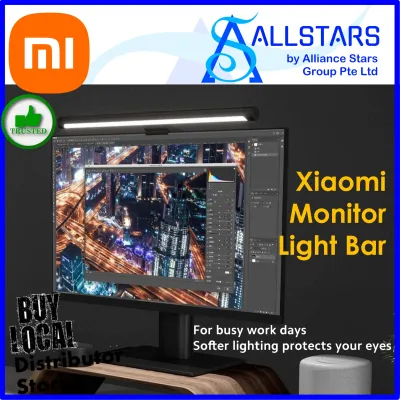
The primary purpose of a monitor light bar is to illuminate your desk workspace without casting light directly onto your screen, which causes distracting glare and eye strain. Achieving this requires an asymmetric optical design. Instead of casting light in a symmetrical cone like a traditional desk lamp, an asymmetric light bar directs the beam at an angle, creating a sharp cutoff line that illuminates the desk while keeping the monitor screen in darkness.
BenQ is widely regarded as the pioneer of this technology. Its ScreenBar series uses a highly precise internal reflector and lens system that shapes the light beam into a strict path. This advanced optical engineering ensures that almost zero light spills onto the screen surface, even when the light bar is mounted on a monitor with a glossy display. The result is a clean, high-contrast workspace with minimal reflections.
The Xiaomi monitor lightbar also employs an asymmetric optical design, utilizing a custom-molded lens to direct the light forward. For most users with matte screens, the Xiaomi model performs exceptionally well, providing a clear path of light across the desk. However, under close inspection or when used on highly reflective glossy screens, the cutoff line is slightly softer than BenQ’s, meaning a small amount of ambient light spill may reach the screen. While this is rarely a dealbreaker for general office work, it is an important distinction for professionals working in color-critical environments.
Both light bars offer adjustable brightness and color temperature, allowing you to transition from a cool white light (around 6500K) for high-focus daytime work to a warm white light (around 2700K) for relaxing evening tasks. Adjusting these settings helps regulate your circadian rhythm and reduce eye strain during extended night sessions. While some users prefer a warmer light for a cozy aesthetic, color temperature settings are ultimately a matter of personal preference and task requirements rather than a universal measure of light quality.
Rather than relying on generalized marketing claims about brightness, we instruct readers to check the physical product labels or official specification sheets for specific Color Rendering Index (CRI) and lux ratings. A higher CRI (typically Ra90 or above) ensures that colors are represented accurately on your desk, which is vital for sketching, reading physical documents, or color grading.
Control Interfaces, Sensors, and Smart Integration
How you interact with your light bar daily plays a significant role in user satisfaction. The control interfaces of these two systems represent different design philosophies, balancing physical tactile feedback against digital smart integration.
The BenQ ScreenBar series offers two primary control configurations depending on the specific model you choose. The standard ScreenBar features touch-sensitive buttons integrated directly onto the top of the light bar itself. While this keeps the desk completely free of clutter, reaching up to tap the bar can occasionally cause the light to shift or wobble, and touch controls can feel finicky if your fingers are cold or wet. The premium ScreenBar Halo and ScreenBar Plus models solve this by including a dedicated desktop dial—either wired or wireless. This physical dial provides highly tactile, precise control over brightness and color temperature, allowing you to make micro-adjustments without touching the light bar itself.
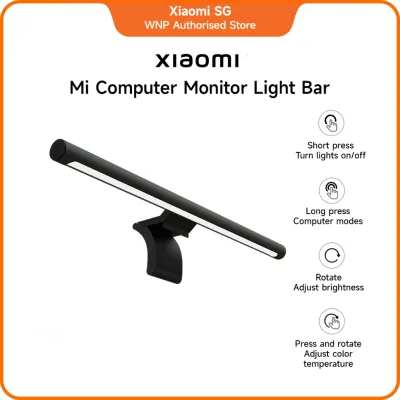
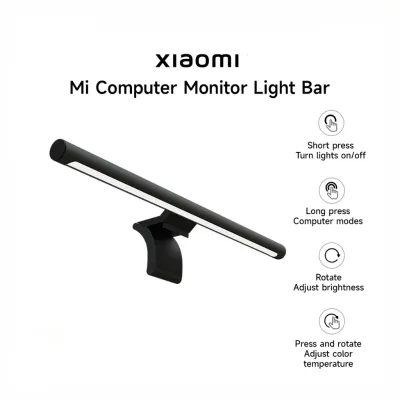
The Xiaomi monitor lightbar takes a different approach by bundling a wireless remote control dial with its standard package. This puck-shaped controller sits on your desk and connects via a 2.4GHz wireless frequency. Pressing down on the dial turns the light on or off, rotating it adjusts the brightness, and rotating while pressing adjusts the color temperature. This provides a highly satisfying, tactile user experience at a fraction of the cost of BenQ’s dial-equipped models. Additionally, certain smart versions of the Xiaomi light bar offer integration with the Mi Home app, allowing you to control the light via your smartphone or integrate it into automated smart home scenes.
Both brands incorporate auto-dimming ambient light sensors designed to detect the brightness of your room and automatically adjust the light bar’s output to a recommended level (typically around 500 lux). However, the accuracy and responsiveness of these sensors can vary. BenQ’s sensor is highly calibrated and adjusts smoothly to subtle shifts in room lighting. Xiaomi’s auto-dimming feature, while functional, can sometimes over- or under-compensate depending on the placement of other light sources in your room. If you plan to use smart home features, remember to verify app support and regional server availability for your specific smartphone operating system in Singapore, as server latency can occasionally affect smart control responsiveness.
Power Delivery, Cable Management, and Safe Setup
Setting up your monitor light bar safely requires an understanding of its electrical requirements and proper cable management. Both the Xiaomi and BenQ light bars are powered via USB, but managing this power delivery correctly is essential to ensure stable performance and protect your computer hardware.
Most modern monitor light bars utilize a USB-C port on the light bar itself, connecting to a power source via a USB-C to USB-A cable. To prevent flickering, sudden shutoffs, or insufficient maximum brightness, you must ensure that the power source meets the manufacturer’s required voltage and amperage—typically 5V and 1A to 2A. If the light bar does not receive steady power, the LEDs may degrade prematurely, or the wireless controller may lose connection.
A common setup mistake is plugging the light bar directly into one of your monitor’s built-in USB downstream ports. While this is highly convenient for cable management, many monitor USB ports are designed only for low-power data transfer (supplying 0.5A or less) rather than continuous high-power delivery. Operating a light bar on an underpowered port can overload the monitor’s internal power board, potentially causing damage or system instability. Therefore, we advise you to ensure your monitor’s built-in USB port can supply sufficient continuous power; if there is any doubt, we recommend using a dedicated, certified wall adapter to power the light bar independently.
When sourcing a wall adapter, safety must be your top priority. In Singapore, electrical accessories should carry the local Consumer Product Safety Authority’s “SAFETY Mark” to guarantee they have been tested and approved for safe use with local mains voltage. This is especially important when purchasing light bar bundles or third-party adapters from online marketplaces, where uncertified power plugs are common. Always isolate power before adjusting cables or cleaning the unit, and consult the manufacturer’s instructions for safe installation boundaries.
Price-to-Value Verdict: Is the Premium Justified?
Deciding whether to invest in the premium BenQ ScreenBar or opt for the highly competitive Xiaomi monitor lightbar depends on how you value incremental improvements in optical engineering and physical control interfaces.
The premium price of the BenQ ScreenBar is justified for users who spend eight or more hours a day in front of a screen, particularly those with glossy monitors or color-sensitive workflows. The investment pays off in the form of refined optical engineering that completely eliminates screen glare, a highly compatible gravity mount that fits almost any display without applying pressure, and a premium tactile wireless controller that simplifies daily adjustments. For these professionals, the reduction in eye strain and the superior build quality represent a long-term investment in productivity and health.
On the other hand, the Xiaomi monitor lightbar remains an outstanding alternative that delivers the vast majority of core ergonomic benefits at a significantly lower entry price. For students, general office workers, and casual gamers, the Xiaomi model provides excellent desk illumination, a sleek magnetic mounting system, and a highly functional wireless dial. It proves that you do not need to pay a premium to enjoy a comfortable, well-lit workspace.
Before finalizing your decision, we recommend completing this final pre-purchase checklist:
- Verify Current Pricing: Check authorized retailers and official brand stores in Singapore for current promotions or bundle deals.
- Confirm Warranty Terms: Ensure your purchase includes a valid local warranty, as importing units from overseas may leave you without support if a component fails.
- Double-Check Dimensions: Measure your monitor's bezel and back casing to confirm compatibility with your chosen light bar's mounting mechanism.
Frequently Asked Questions (FAQ)
Can I use a standard monitor light bar on a heavily curved monitor?
Standard straight monitor light bars are primarily designed for flat screens. When mounted on a heavily curved monitor (such as those with a 1000R or 1500R curvature), a straight bar may sit too close to the screen edges, causing uneven light distribution or casting direct glare onto the sides of the display. If you own a heavily curved monitor, we advise you to check the manufacturer’s specifications for maximum curvature compatibility or look for light bars specifically engineered with a curved profile to ensure an optimal light path.
Will the mounting clamp block my monitor's built-in webcam?
Yes, depending on your monitor’s design, the mounting clamp of a light bar can obstruct a built-in webcam. Monitors with extremely thin top bezels are particularly susceptible to this, as the front lip of the clamp must rest on the bezel to secure the light. If your monitor has an integrated webcam at the top, we suggest measuring the top bezel depth and checking user reviews or manufacturer diagrams before finalizing a purchase. Alternatively, you may need to reposition your webcam to an external tripod or use a specialized mounting adapter.
Do monitor light bars consume a lot of electricity?
No, monitor light bars are highly energy-efficient. Because they utilize modern LED technology, they typically consume between 5W and 10W of power even when running at maximum brightness. This minimal power draw has a negligible impact on household electricity bills in Singapore. To maximize efficiency and safety, always use a certified power adapter and turn off the light bar when your workspace is not in use.
Community discussion
Share your experience or ask a question. Comments are reviewed before publication.