
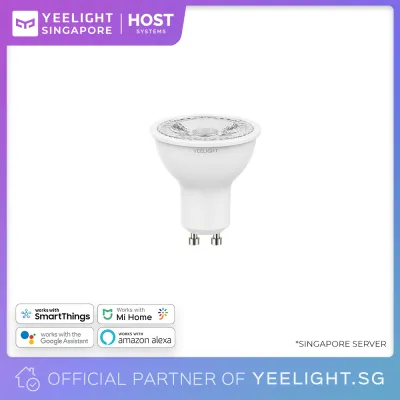
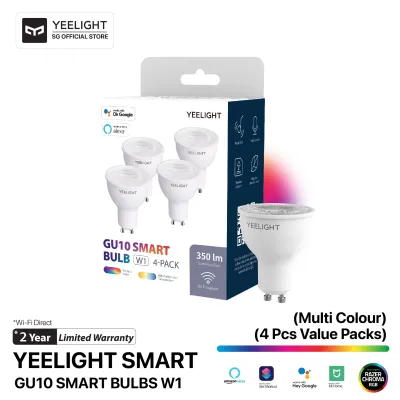
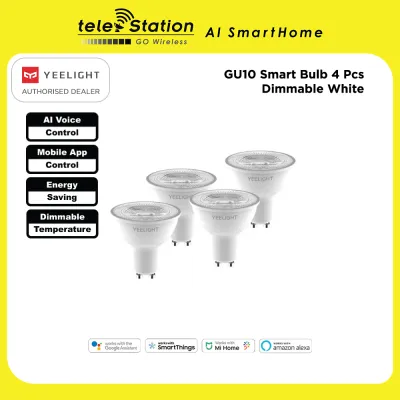
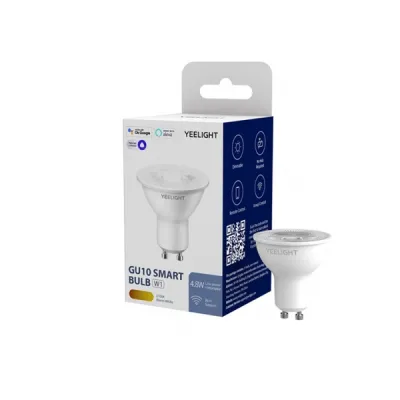
The Yeelight GU10 smart bulb is a highly competitive, budget-friendly option for homeowners in Singapore looking to add smart spotlighting to their living spaces. It is particularly well-suited if you are already using the Xiaomi or Mi Home ecosystem, or if you prefer a direct Wi-Fi connection that does not require buying an external smart home hub. This direct integration makes it easy to set up individual accent lights or small clusters of spotlights in a study or kitchen.
However, it may not be the ideal choice for every household. If you plan to install dozens of spotlights across your entire home, or if you require advanced local mesh networking, premium smart bulbs utilizing Zigbee or Thread protocols—such as those from Philips Hue or other hub-based systems—might offer a more robust and responsive solution. Additionally, users who require specialized professional-grade lighting features or deep integration with specific proprietary entertainment ecosystems might find alternative brands better suited to their needs.
This comparison evaluates how the Yeelight GU10 stacks up against other smart GU10 bulbs available in Singapore. We will examine critical decision factors including ecosystem compatibility, wireless protocols, light quality, physical installation constraints, and long-term value, helping you choose the right smart bulb for your specific home setup.
Products mentioned in this guide
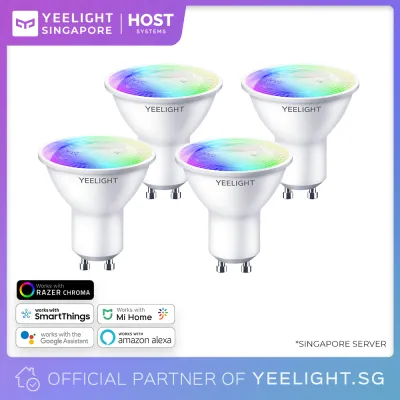
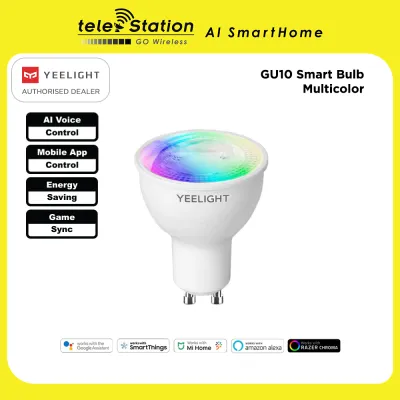
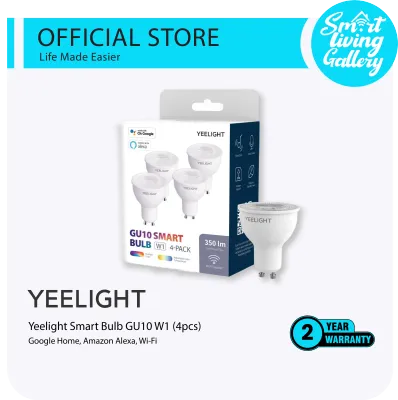
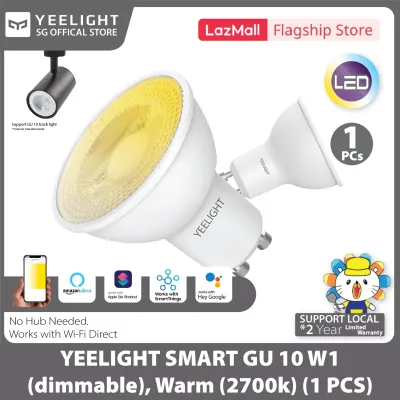
Prices are valid at publication and may change. Please refer to the product page for the latest price.
Key Comparison Dimensions for Smart GU10 Spotlights
When upgrading to smart GU10 spotlights, evaluating options requires looking beyond basic brightness and color. Because GU10 bulbs are typically used in directional downlights, track lights, or accent fixtures, their performance impacts both the ambiance and the functionality of a room. To make an informed choice, you should evaluate four primary dimensions.
First, ecosystem integration determines how easily the bulb fits into your daily routine. This includes the responsiveness of the mobile application, compatibility with voice assistants like Google Assistant, Apple Home, or Amazon Alexa, and the ability to create complex automation rules. A bulb that fails to integrate smoothly with your existing smart home platform will quickly become a source of frustration.
Second, connectivity protocols dictate how the bulbs communicate with your home network. Smart GU10 bulbs generally rely on either direct Wi-Fi, Zigbee, Thread, or Bluetooth. This choice directly affects the latency of your commands, the stability of the connection, and the overall load placed on your home internet router.
Third, light quality is vital for directional spotlighting. This involves checking the color temperature range, the availability of full-color RGB options, the Color Rendering Index (CRI), and the physical beam angle. A spotlight with a poor beam angle or low color accuracy can make a beautifully designed room look flat or clinical.
Fourth, physical and electrical constraints must be verified. Smart GU10 bulbs contain internal wireless receivers and control chips, which often make them slightly larger or heavier than traditional halogen or non-smart LED bulbs. You must ensure that the bulbs fit your existing ceiling fixtures, can dissipate heat effectively, and are compatible with your home’s wiring and switches.
Ecosystem and Connectivity: Wi-Fi vs. Hub-Based Networks
The method your smart GU10 bulbs use to connect to your network is one of the most important factors in long-term satisfaction. The smart lighting market is broadly split between direct-to-Wi-Fi bulbs and hub-based systems that use specialized mesh networks.

Direct Wi-Fi smart bulbs, such as the Yeelight GU10, connect directly to your home’s 2.4 GHz Wi-Fi router. The primary benefit of this approach is simplicity and low upfront cost. You do not need to purchase or configure an additional bridge or hub; you simply screw the bulb in, open the app, and connect it to your home network. This is an excellent, cost-effective solution for small-scale installations, such as adding a few accent lights to a display cabinet or a couple of reading spotlights next to your bed.
However, direct Wi-Fi connections have a significant drawback when scaled up. Every Wi-Fi bulb counts as an active client on your home router. If you plan to replace dozens of halogen spotlights in a large living room or throughout an entire HDB flat, installing 20 or 30 Wi-Fi bulbs can easily congest a standard home router. This congestion often leads to delayed responses, frequent offline statuses, or general network instability for your other wireless devices.
In contrast, hub-based smart bulbs utilize dedicated mesh networking protocols like Zigbee or Thread. Brands like Philips Hue or Ikea Home Smart require a central hub connected to your router via an Ethernet cable. The hub communicates with the bulbs using a low-power wireless mesh, where each bulb acts as a repeater to pass signals along. This setup keeps your Wi-Fi network completely free of congestion, offers exceptionally low latency, and ensures that local automations continue to work even if your internet connection goes down. The downside, of course, is the higher initial cost of purchasing the hub and the slightly more complex initial setup.
The introduction of the Matter standard is gradually bridging these ecosystems. Matter-compatible devices allow cross-platform control, meaning a Matter-enabled Wi-Fi bulb can integrate more smoothly with Apple Home, Google Home, and Samsung SmartThings simultaneously. When shopping for smart GU10 bulbs in Singapore, look for the Matter logo on the packaging to ensure the greatest degree of future-proof flexibility.
As a practical rule of thumb, if you plan to install 10 or fewer smart GU10 bulbs in your entire home, a hub-free Wi-Fi option like Yeelight is highly practical and cost-effective. If your lighting design calls for more than 10 to 15 spotlights, investing in a dedicated hub-based Zigbee or Thread system will provide a much more stable and reliable long-term experience.
Lighting Performance: Color, Tuning, and Spotlight Beam Angles
Evaluating the lighting performance of a smart GU10 bulb requires looking closely at the technical specifications on the product label. Because GU10 bulbs are designed for directional lighting rather than general ambient illumination, their light distribution and color quality are critical.
When choosing between RGB (full color) and tunable white models, consider the primary function of the room. Full-color bulbs (often labeled RGB+CCT) allow you to change between millions of colors as well as adjust the white light from warm to cool. These are excellent for living rooms, entertainment areas, or accent walls where you want to create a specific mood or sync lights with media. If the spotlights are for functional task areas like a kitchen counter, home office, or bathroom vanity, a tunable white bulb (CCT only) is usually sufficient and often more budget-friendly.
Color accuracy is measured by the Color Rendering Index (CRI or Ra). Traditional halogen bulbs have a CRI of 100, representing perfect color representation. Many budget smart bulbs have a CRI of 80, which is acceptable for general use but can make colors look slightly dull. If you are using GU10 spotlights to illuminate artwork, textured feature walls, or food in the dining area, look for smart bulbs with a CRI of 90 or higher to ensure colors appear vibrant and true to life.
Beam angle is another crucial spotlight characteristic. Standard GU10 spotlights typically feature a narrow beam angle, often between 36 and 45 degrees, which creates a distinct cone of light perfect for highlighting specific objects or creating dramatic shadows. Some smart GU10 bulbs have wider beam angles, which diffuse the light more broadly. Before purchasing, verify the beam angle specification to ensure it aligns with your lighting goals—narrow beams for dramatic accenting, and wider beams for more general downlighting.
Finally, consider brightness and thermal management. Due to the compact physical size of the GU10 form factor, smart bulbs have limited space for both the LED driver and the wireless communication chips. This physical constraint typically limits their maximum brightness to around 350 to 400 lumens, which is roughly equivalent to a 35W to 50W traditional halogen bulb. Because smart bulbs generate heat from both the LEDs and the internal electronics, they require adequate ventilation. Installing them in tightly enclosed or shallow fixtures can trap heat, which will degrade the internal components and significantly shorten the lifespan of the bulb.
Installation, Dimmer Conflicts, and Electrical Safety
Swapping out old halogen GU10 bulbs for smart alternatives in Singapore requires careful attention to physical compatibility and electrical safety. Taking the time to verify these details beforehand will prevent damage to your new bulbs and ensure a safe installation.
First, always verify the voltage specifications printed on the bulb or packaging. The electrical grid in Singapore operates at a nominal voltage of 230V at a frequency of 50Hz. Ensure that any smart GU10 bulb you purchase—especially when ordering online from international sellers—is rated for 220V–240V. Installing a bulb designed solely for 110V markets will cause immediate and irreversible damage to the electronics, presenting a serious safety hazard.
A common issue encountered during installation is the conflict between smart bulbs and traditional wall dimmers. If your existing GU10 fixtures are connected to a traditional rotary or digital wall dimmer switch, you must not use them to dim your smart bulbs. Traditional dimmers reduce the voltage supplied to the bulb, which starves the smart bulb’s internal wireless receiver of power. This will cause the bulb to flicker, buzz, drop off the network, or fail to turn on entirely. Smart bulbs require constant, uninterrupted line power. All dimming and color adjustments must be done via the app, voice commands, or compatible battery-powered smart buttons and wireless dials. If you have physical wall dimmers, they should be replaced with standard on/off switches or bypassed entirely.
Physical dimensions are another potential hurdle. Smart GU10 bulbs are often slightly taller or wider than traditional halogen bulbs because they must house wireless chips and control circuitry. While the two-pin GU10 base itself is standard, the neck and heat sink of the bulb might not fit flush inside older, shallow, or tightly fitting recessed ceiling canisters. Measure the depth and diameter of your existing fixtures and compare them to the physical dimensions of the smart bulb before buying a large batch.
For your safety, always turn off the main electrical power at the distribution board (DB box) before attempting to swap or install any light bulbs. Never rely solely on the wall switch to isolate the power, as improper wiring could leave the fixture live. If your installation involves complex rewiring, bypassing existing wall dimmers, or mounting new track lighting systems at height, stop immediately and consult a licensed electrical worker (LEW) registered with the Energy Market Authority (EMA) of Singapore.
Price Positioning and Ecosystem Value
When comparing smart GU10 bulbs, the total cost of ownership involves more than just the price of a single bulb. You must consider the cost of any required hubs, the reliability of the software ecosystem, and the availability of local warranty support.
Yeelight generally positions itself in the highly competitive mid-range to value tier. It offers a rich feature set—including full RGB color tuning, smooth integration with mainstream voice assistants, and direct Wi-Fi connectivity—at a fraction of the cost of premium legacy smart lighting brands. For homeowners looking to smarten up a few specific areas without a massive initial investment, Yeelight provides excellent value.
However, choosing the cheapest option on the market can introduce hidden costs. Ultra-cheap, generic smart bulbs often suffer from poor app stability, frequent connection drops, and a lack of long-term firmware updates, which can leave your home network vulnerable. On the other end of the spectrum, premium hub-based systems require a significant upfront investment for the bridge or hub, and their individual bulbs are often priced much higher. While these premium systems offer unmatched local reliability and advanced features like dynamic screen-syncing for home theaters, the total cost can quickly escalate when outfitting an entire home.
To protect your investment, it is highly recommended to purchase your smart bulbs from authorized online stores, official brand flagships, or reputable local physical retailers in Singapore. While parallel imports or unauthorized cross-border listings on e-commerce platforms might offer slightly lower upfront prices, they often lack valid local warranties. Buying from authorized local channels ensures that you have access to hassle-free exchange policies and reliable customer support if a bulb fails prematurely.
Final Verdict: How to Choose the Right Smart GU10
Selecting the right smart GU10 bulb ultimately depends on your existing smart home setup, the scale of your installation, and your budget priorities. There is no single ‘best’ bulb for every home, but rather a best fit for your specific scenario.
Choose the Yeelight GU10 if:
- You want a straightforward, hub-free setup that connects directly to your home Wi-Fi.
- You are already utilizing the Xiaomi or Mi Home ecosystem for other smart appliances.
- You want vibrant RGB color-changing capabilities and tunable white light on a moderate budget.
- You are installing a small number of spotlights (fewer than 10) in specific accent zones.
Choose a Hub-Based Alternative if:
- You are planning a large-scale installation with dozens of spotlights across multiple rooms.
- You want to keep your home Wi-Fi network free of congestion and maintain fast, low-latency device responses.
- You require local automation capabilities that continue to function even when your home internet is offline.
Choose a Premium Ecosystem Alternative if:
- You require specialized, high-end features such as advanced television screen-syncing or integration with gaming peripherals.
- You prefer to work within a closed, highly polished ecosystem with a wide range of official physical switches, motion sensors, and accessories.
To help you quickly evaluate your options, the table below maps common household priorities to the most suitable smart GU10 category:
| Use Case / Priority | Best Fit Category | Key Requirement to Verify |
|---|---|---|
| Small accent areas (1-5 bulbs) | Hub-free Wi-Fi (e.g., Yeelight) | 2.4 GHz Wi-Fi signal strength at fixture |
| Whole-house spotlighting (15+ bulbs) | Hub-based Mesh (Zigbee/Thread) | Compatible smart hub/bridge purchase |
| Vibrant decor & art display | High-CRI Smart Spotlights (CRI 90+) | CRI rating on product specification sheet |
| Multi-platform smart home | Matter-compatible Smart Bulbs | Matter logo on packaging & compatible controller |
Frequently Asked Questions (FAQ)
Can I use a smart GU10 bulb in an outdoor or bathroom fixture?
Standard smart GU10 bulbs, including the Yeelight GU10, are typically designed and rated for indoor, dry locations only. You should not install them in damp bathrooms, saunas, or exposed outdoor fixtures unless the product packaging explicitly states a suitable Ingress Protection (IP) rating for moisture resistance, such as IP44 or higher. High humidity and direct exposure to water droplets can easily penetrate the non-sealed housing of standard bulbs, leading to short circuits, corrosion of the internal wireless chips, and premature hardware failure. For damp areas, ensure the ceiling fixture itself is fully sealed and moisture-rated to protect the bulb inside.
What happens to my smart GU10 bulbs during a power outage?
When mains power is restored after an outage, smart GU10 bulbs will reboot. Most modern smart lighting applications, including the Yeelight and Mi Home apps, feature a customizable ‘power-on behavior’ or ‘recovery state’ setting. You can configure your bulbs to either turn on automatically to a default brightness, return to their last used color and brightness level, or remain turned off until they receive a command. Configuring this setting is highly recommended for bedroom fixtures to prevent all your spotlights from turning on at full brightness in the middle of the night when power is restored after a temporary blackout.
Do smart GU10 bulbs consume electricity when turned off via the app?
Yes, smart GU10 bulbs draw a very small amount of standby power even when they are turned ‘off’ via an app or voice command. This standby power is necessary to keep the bulb’s internal wireless receiver active so it can listen for your next command to turn on or change colors. For a typical smart GU10 bulb, this standby power consumption is extremely low, usually ranging between 0.2 and 0.5 watts. This level of consumption is negligible and will not cause a noticeable increase in your monthly household electricity bill, even if you have multiple smart bulbs installed throughout your home.
Community discussion
Share your experience or ask a question. Comments are reviewed before publication.