
Quick Answer: Is a Baseus Desk Lamp Right for Your Study Setup?
When setting up a study space, finding the right balance between desk real estate and high-quality illumination is essential. Baseus desk lamps generally target the budget-to-mid-range smart and portable lighting segment. They appeal particularly to students and professionals who value compact, space-saving designs, integrated touch controls, and modern aesthetics.
However, determining if a Baseus light is the right fit for your study routine requires looking beyond brand names. The ideal choice depends on verifying specific, study-critical specifications directly on the product packaging or official manufacturer listings. You must cross-reference the lamp’s stated wattage, battery capacity (if opting for a cordless model), and physical adjustability with your desk dimensions and typical study hours. While these lamps offer excellent versatility for compact study corners, users requiring expansive, highly specialized task lighting over large drafting tables may need to compare them against premium alternatives.
Essential Specifications to Verify for Any Study Lamp
To protect your eyes during late-night study sessions, you must understand how to read a lamp’s technical specifications. Do not rely solely on marketing terms like “eye-safe” or “ergonomic.” Instead, look for concrete metrics on the product label.
Products mentioned in this guide
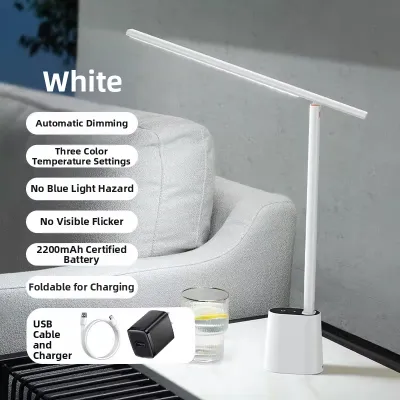
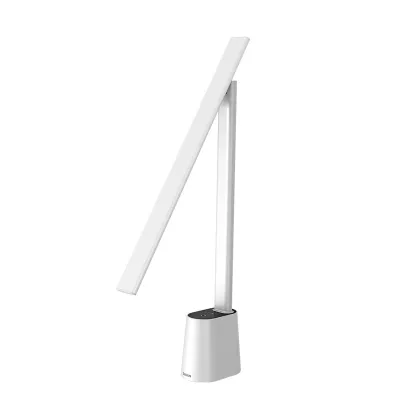
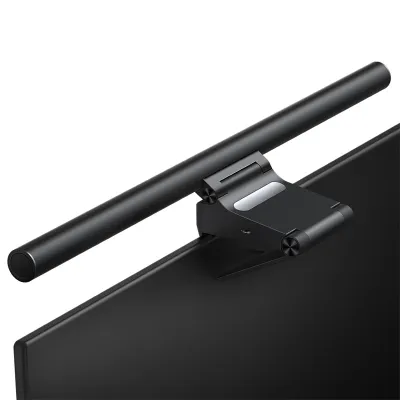
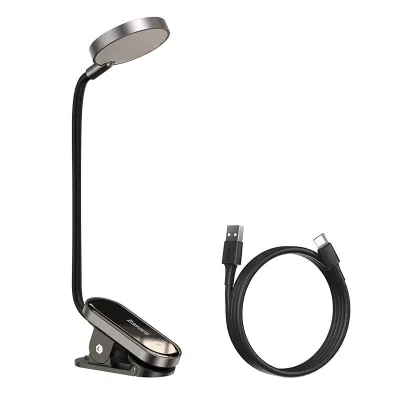
Prices are valid at publication and may change. Please refer to the product page for the latest price.

Illuminance and Uniformity
Illuminance measures the intensity of light falling on a surface, quantified in lux (lx). For comfortable reading and writing, a study desk typically requires an illuminance of 300 to 500 lux. When reviewing a lamp’s specifications, check if the manufacturer provides a lux distribution map. Uniformity is equally critical; a high-quality study lamp distributes light evenly across your workspace. If the light is concentrated in one bright hotspot while the corners of your textbook remain dim, your pupils will constantly dilate and constrict as your eyes move, leading to rapid fatigue.
Color Rendering Index (CRI) and Color Temperature
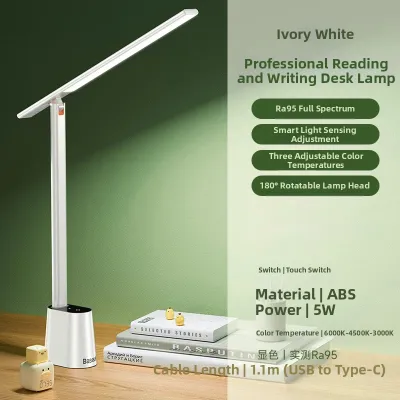
The Color Rendering Index (CRI), measured as Ra, indicates how accurately a light source reveals the true colors of objects compared to natural daylight. For studying, look for a CRI rating of Ra 90 or higher. High CRI values make printed text sharper and reduce the strain of reading small fonts. Color temperature, measured in Kelvin (K), dictates the warmth or coolness of the light. A versatile study lamp should offer adjustable ranges:
- Warm White (2700K – 3000K): Ideal for relaxed evening reading as it minimizes blue light exposure before sleep.
- Cool White (4000K – 5000K): Best for active, high-focus studying, as it mimics daylight and helps maintain alertness.
Flicker and Blue Light Safety
Invisible high-frequency flickering from low-quality LED drivers is a primary cause of headaches and eye strain. When purchasing a lamp, verify if the packaging displays certified “flicker-free” labels or meets international photobiological safety standards (such as IEC standards for blue light hazard exemption). Always check that the accompanying power adapter carries recognized safety marks, ensuring the electrical components have been tested for safety and stable power delivery.
Evaluating Baseus Desk Lamps: What to Check on the Spec Sheet
Baseus has built a reputation for sleek, tech-forward designs. To evaluate whether a specific Baseus model suits your study needs, you should systematically analyze its specifications and physical build.
Portability and Power Configurations
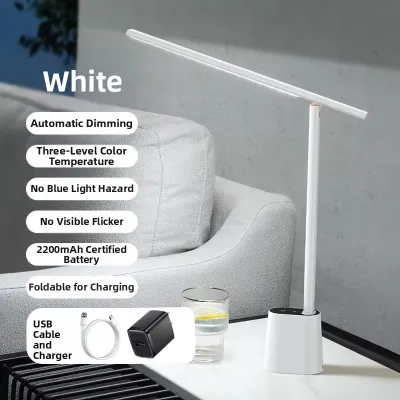
Many Baseus models feature built-in rechargeable batteries, making them highly portable. This is convenient if you frequently move between your bedroom desk, the dining table, or a shared living space. However, you must verify the battery capacity (measured in milliampere-hours, or mAh) and the manufacturer’s stated runtime at maximum brightness. A lamp that lasts ten hours on its lowest, dimmest setting might only provide two hours of light at the high brightness level required for studying. If you plan to use the lamp in a fixed location, check if it supports continuous pass-through power via a standard USB-C port, allowing you to keep it plugged into a wall charger or a monitor USB hub.
Smart Features and Control Interfaces
Baseus often integrates touch-sensitive panels, step-less dimming, and auto-dimming sensors that adjust brightness based on ambient room light. When evaluating these features, check the product documentation to see how the sensors operate. Auto-dimming is highly beneficial in changing daylight conditions, but you should ensure the manual override is easy to use if you prefer a consistent, fixed brightness level.
Build Quality, Mounting, and Adjustability
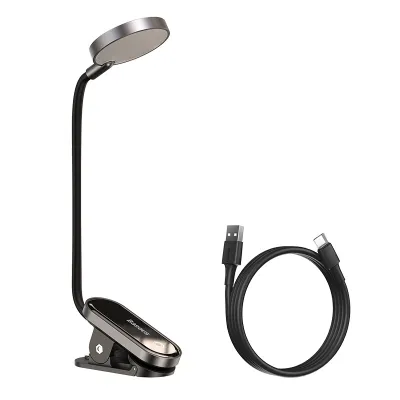
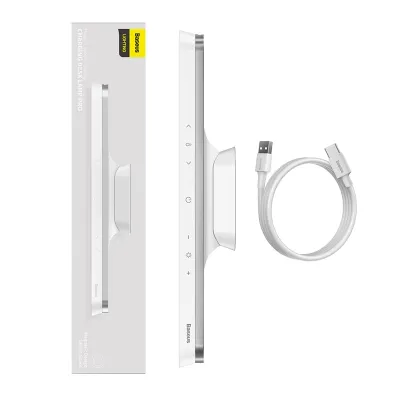
Consider how the lamp physically integrates with your desk. Baseus offers several form factors, including weighted bases, clamp-on designs, and monitor light bars that clip directly onto the top of your screen.
- Monitor Light Bars: These are excellent for saving desk space and illuminating the area directly in front of your keyboard without casting glare on the screen. However, verify if your monitor's bezel and thickness are compatible with the lamp's clamp mechanism.
- Hinges and Joints: For traditional desk lamps, inspect the adjustability of the arm. A study lamp should allow you to adjust the height and angle of the light head easily. Look for models with sturdy aluminum or high-grade ABS joints that will not sag over time under the weight of the lamp head.
Comparing Baseus to Other Popular Lighting Brands
Understanding where Baseus sits in the broader lighting market helps you make a realistic value assessment. The market generally divides into premium ergonomic brands, mid-range tech brands like Baseus, and budget generic alternatives.
Baseus vs. Premium Ergonomic Brands
Premium brands dedicated solely to lighting and ergonomics often design lamps with advanced optical lenses, wider light bars, and sophisticated counterbalanced arms. These premium models are engineered to cast a wide, highly uniform sheet of light across an entire double-page spread or a large desk. They often feature superior color rendering (Ra 95+) and highly advanced glare-reduction technologies. However, these premium options frequently come with a substantial price tag, often exceeding S$150 to S$300. In contrast, Baseus focuses on compact, multi-functional, and highly affordable designs (typically ranging from S$30 to S$80). While Baseus may not offer the same ultra-wide light distribution as a premium ergonomic lamp, it provides a highly competitive, space-saving solution for standard-sized study desks.
Baseus vs. Budget Generic Brands
When browsing online marketplaces, you will encounter numerous unbranded or generic desk lamps priced under S$20. While tempting, these options carry risks. Generic lamps often skimp on the quality of the LED chips and internal drivers, leading to noticeable flicker, poor color rendering, and rapid brightness decay over a few months. Furthermore, they rarely carry recognized electrical safety certifications. Baseus offers a significant step up in reliability, providing clear specification sheets, standardized USB-C charging interfaces, and structured manufacturer warranties.
Value Assessment
To determine the true cost of ownership, weigh the initial purchase price against the warranty duration and the stated lifespan of the LED chips. A slightly higher upfront investment in a reputable mid-range brand like Baseus often saves money in the long run compared to replacing a failing generic lamp every few months.
Decision Framework: Which Desk Lamp Should You Buy?
To finalize your decision, match your specific study habits and physical workspace against this practical framework.
Choose a Baseus or Similar Compact Smart Lamp If:
- Space is limited: You study on a compact desk, a shared dining table, or a laptop setup where a monitor light bar or a small-footprint clamp lamp is necessary to keep the workspace clear.
- You value portability: You prefer a cordless, rechargeable lamp that can be easily moved around your home without hunting for an available power socket.
- You want modern tech features: You appreciate touch controls, auto-dimming sensors, and sleek, minimalist aesthetics that complement modern devices.
- Your study sessions are moderate: You typically study in a room that already has decent ambient overhead lighting and only need targeted task lighting to reduce contrast strain.
Choose a Dedicated Premium Study Lamp If:
- You have a large workspace: You need to illuminate large textbooks, architectural drawings, or multiple monitors simultaneously.
- You study for extended hours: You spend long, uninterrupted hours reading physical books in dark or poorly lit rooms and require maximum glare reduction and ultra-high uniformity.
- You require precise color accuracy: Your work involves design, illustration, or color-critical tasks where a verified Ra 95+ CRI is essential.
Crucial Verification Before Buying:
Before completing your purchase on any e-commerce platform, verify that the lamp’s power adapter, plug type, and voltage ratings are fully compatible with local electrical standards (230V, 50Hz, and a Type G 3-pin plug). If the lamp is powered via USB, ensure you use a high-quality, safety-certified wall adapter that matches the manufacturer’s recommended input wattage (typically 5V/1A or 5V/2A) to prevent overheating and ensure stable, flicker-free performance.
Frequently Asked Questions (FAQ)
Do I need a smart desk lamp with app controls for studying?
For most students, a smart desk lamp with app controls is a convenient luxury rather than an absolute necessity. App connectivity allows you to set automated study schedules, customize precise brightness levels, or sync the light with your phone’s sleep cycle. However, high-quality physical buttons or touch panels on the lamp base are usually faster and more reliable for daily adjustments. If you do choose a smart model, check the manufacturer’s instructions to verify if the lamp requires a constant Wi-Fi connection to function, or if its basic lighting and dimming features can be operated offline without any app setup.
How should I position my desk lamp to avoid screen glare?
To prevent distracting reflections and eye strain, position your desk lamp so the light source is below your eye level and angled away from your computer screen or tablet. If you are right-handed, place the lamp on the left side of your desk (and vice versa for left-handed writers) to prevent your hand from casting shadows over your work. If you are using a monitor light bar, adjust the angle so the light beam falls strictly on your desk surface and keyboard, completely avoiding the screen itself. Finally, adjust the lamp’s color temperature to match your room’s ambient lighting; a stark contrast between a warm room and an ultra-cool desk lamp can quickly fatigue your eyes.

Community discussion
Share your experience or ask a question. Comments are reviewed before publication.