
To choose the right BenQ light bar, you must evaluate your primary display type, your desk environment, and your control preferences. The standard BenQ ScreenBar is the most practical choice if you work at a fixed desk with a standard flat monitor and want high-quality, glare-free task lighting without paying a premium for secondary features. If you use a curved or ultrawide monitor, have a deep desk setup, or want immersive ambient backlighting controlled by a wireless desktop dial, the BenQ ScreenBar Halo is the ideal premium upgrade. For professionals who are constantly on the move, work from cafes, or rely entirely on a laptop, the compact BenQ ScreenBar Lite offers a specialized clip-on design that draws power directly from your laptop’s USB port. Before making a purchase, always verify your monitor’s top bezel thickness and curvature, as physical mounting compatibility is the most critical factor in ensuring the light bar rests securely without damaging your screen.
Key Differences Between BenQ ScreenBar Models
Understanding the structural and functional distinctions among these three models helps you avoid compatibility issues and select the unit that matches your daily workflow. While all three models share BenQ’s signature asymmetric optical path to keep light off your screen, they differ significantly in physical mounting, lighting zones, control interfaces, and power demands.
The Standard ScreenBar relies on a heavy gravity pivot mount that balances on top of flat monitors, utilizing built-in touch buttons on the bar itself for adjustments. The ScreenBar Halo introduces an upgraded clamp system designed to accommodate both flat and curved displays, a rear-facing ambient light, and a dedicated wireless dial that sits on your desk. The ScreenBar Lite is a downsized, highly portable version featuring a gentle spring-loaded clip meant specifically for thin laptop lids, with controls positioned on the front face of the unit for easy reach while typing.
Products mentioned in this guide
![[New] BenQ ScreenBar Halo 2 | Monitor Light | Wireless Control | Auto Dimming & Auto On/Off | Back Light | Desk Lamp | 3 Light Modes](https://img.lazcdn.com/g/p/3efb87ef278da69695a8c36fca44e243.png_400x400q80.png_.webp)
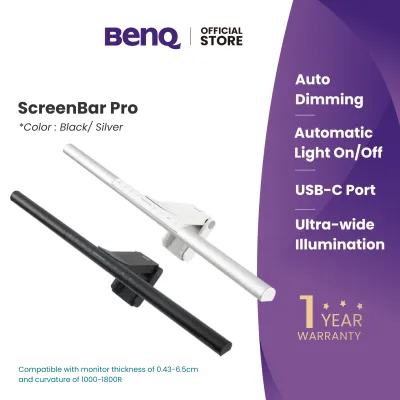
Prices are valid at publication and may change. Please refer to the product page for the latest price.
| Feature | BenQ ScreenBar (Standard) | BenQ ScreenBar Halo | BenQ ScreenBar Lite |
|---|---|---|---|
| Primary Use Case | Flat desktop monitors | Curved & ultrawide desktop monitors | Laptops and portable setups |
| Mounting Style | Gravity pivot counterweight | Adjustable clamp with curved adapter | Spring-loaded bezel clip |
| Lighting Zones | Front-facing task light | Front-facing & rear ambient light | Front-facing task light |
| Control Method | On-board touch buttons | Wireless desktop dial controller | On-board touch buttons |
| Power Input | USB-A (5V, 1A) | USB-A (5V, 1.3A minimum) | USB-A (5V, 1A) |
| Bezel Compatibility | 1 cm to 3 cm thickness | 0.7 cm to 6 cm thickness | Less than 1 cm thickness |
BenQ ScreenBar (Standard): The Reliable Baseline
The original BenQ ScreenBar remains a benchmark in desk lighting due to its straightforward execution of high-quality, glare-free illumination. At the core of its appeal is an asymmetric optical design, which uses a custom-engineered reflector to direct light downward at an angle. This precise light path ensures that the illumination covers your keyboard, documents, and desk surface while completely avoiding the monitor screen itself, preventing the annoying reflections and screen glare common with traditional desk lamps.

To maintain comfortable working conditions throughout the day, the Standard model features an integrated ambient light sensor on the top of the bar. When you activate the auto-dimming mode, this sensor continuously monitors the surrounding room light and automatically adjusts the bar’s brightness to a recommended level. You can also manually adjust both brightness and color temperature—ranging from a warm, relaxing tone to a cool, focused light—using the touch-sensitive buttons located directly on top of the aluminum housing.
Mounting the Standard ScreenBar is entirely tool-free, relying on a clever gravity pivot design. The circular counterweight hangs behind the monitor, pulling the front lip of the light bar snugly against the top bezel of your display. This friction-based balance system means you do not have to worry about sticky adhesives or damaging clamps, making it incredibly easy to mount or reposition.
However, this mounting style does have physical limitations that you must consider before buying. Because it relies on a flat, stable top edge and a balanced weight distribution, the Standard model can struggle to sit securely on monitors with extremely thin bezels, displays with a steep backward tilt, or screens with heavily curved backs. Additionally, because it lacks a rear-facing light source, it does not address the high contrast between a bright screen and a dark wall in low-light rooms, which can still contribute to eye strain during late-night sessions.
For most users, the Standard ScreenBar represents the most sensible, cost-effective entry point into monitor-mounted lighting. It is highly suited for standard flat-screen setups in home offices, study rooms, or corporate workspaces where the primary goal is clean, reliable task lighting that frees up valuable desk space.
BenQ ScreenBar Halo: Upgraded Ambience and Control
If you want to optimize your entire desktop environment rather than just your immediate workspace, the BenQ ScreenBar Halo offers a significant step up in both features and physical compatibility. The most notable addition is the “curtain light” rear backlight, which projects a soft, diffused glow onto the wall behind your monitor. By illuminating the background, the Halo reduces the harsh contrast between your bright monitor screen and a dark room, which helps soothe eye strain and creates a more comfortable, immersive visual environment for long working or gaming sessions.
Controlling the ScreenBar Halo is a completely different experience thanks to its dedicated wireless desktop dial. This circular controller sits on your desk, allowing you to adjust brightness, color temperature, and lighting modes without having to reach up to the top of your monitor. The dial features a smooth-rotating outer ring and a touch-sensitive face that wakes up automatically when your hand approaches, giving you precise, tactile control over your lighting environment from a comfortable seated position.
The mounting system on the Halo has also been completely redesigned to handle a wider variety of displays, particularly curved and ultrawide monitors. It features an adjustable clamp that accommodates monitor thicknesses from 0.7 cm up to 6 cm, and it includes a specialized curved monitor accessory—a foam spacer that prevents the light bar from clipping the corners of highly curved screens. This ensures that the light beam remains perfectly aligned even on aggressive display curvatures.
Despite these premium features, the Halo introduces a few practical trade-offs that you should keep in mind. The wireless dial requires a small footprint on your desk and runs on three AAA batteries, meaning you will need to manage battery replacements periodically. The mounting bracket is also noticeably bulkier and heavier than the Standard model, which may put extra stress on lightweight or highly flexible monitor arms. Furthermore, because of its advanced dual-zone lighting, the Halo has higher power requirements and must be connected to a USB port capable of delivering at least 5V/1.3A to function correctly.
The ScreenBar Halo is best suited for creative professionals, software engineers, and gamers who spend long hours in front of curved or ultrawide displays and appreciate a highly polished, aesthetic setup. The combination of rear ambient lighting and wireless control justifies the higher price point for those who prioritize visual comfort and desktop convenience.
BenQ ScreenBar Lite: Designed for Laptops and Mobility
For professionals who do not work from a fixed desktop monitor, the BenQ ScreenBar Lite provides a highly specialized, portable lighting solution. Unlike its larger siblings, the Lite is engineered specifically to match the physical dimensions and weight limitations of laptop screens. It features a compact, lightweight aluminum body that easily slips into a laptop sleeve or backpack, making it an excellent companion for hybrid workers, digital nomads, and students who frequently study in cafes or libraries.
The mounting mechanism on the Lite is a spring-loaded clip designed to grip the thin bezel of a laptop lid securely. To protect your laptop’s screen and casing, the clip is lined with soft, high-friction rubber pads that prevent slipping without applying excessive pressure that could damage the LCD panel. The clip is engineered to sit low enough to hold the light bar steady while keeping the laptop’s built-in webcam unobstructed on most standard models.
Rather than relying on internal batteries which would add significant weight and bulk, the ScreenBar Lite draws its power directly from your laptop’s USB port via an attached cable. This bus-powered design ensures you can use the light bar anywhere your laptop goes, whether you are working on a flight, in a dimly lit meeting room, or at a temporary hot-desk. The control interface consists of touch-sensitive buttons lined up on the front face of the bar, tilted slightly downward toward you so you can easily adjust brightness, color temperature, or activate the auto-dimming sensor while typing.
While the Lite excels at portability, it does come with specific limitations inherent to its compact design. Because the light bar is much shorter than the desktop models, the spread of light across your workspace is narrower, focusing primarily on your keyboard and the immediate area around your laptop. Additionally, while the clip is lightweight, it still adds physical mass to the top of your laptop lid; if your laptop has loose or worn screen hinges, the added weight might cause the screen to tilt backward under its own weight.
The ScreenBar Lite is the definitive choice if your primary computer is a laptop and you regularly work in environments with unpredictable or poor overhead lighting. It delivers the same glare-free optical performance as BenQ’s desktop models but in a form factor that respects the mobile nature of modern work.
Decision Framework: Matching the Light Bar to Your Setup
Choosing the right BenQ ScreenBar requires looking past the feature lists and analyzing how each model fits into your physical workspace and daily habits. By evaluating compatibility, power, and budget, you can avoid purchasing a model that is physically incompatible with your equipment.
Monitor Thickness and Curvature Limits
Before buying, you must physically measure the top edge of your monitor to ensure a secure fit. The Standard ScreenBar is designed for flat monitors with a top bezel thickness between 1 cm and 3 cm; if your monitor is thinner than 1 cm, the gravity counterweight may not sit flat, causing the bar to tilt forward or wobble. For ultra-thin screens, highly curved displays, or monitors with irregular backs, the ScreenBar Halo is much more accommodating, supporting thicknesses from 0.7 cm up to 6 cm.
If you use a curved monitor, curvature radius is a critical factor. The Standard model is generally not recommended for curved screens because the straight light bar can block the upper corners of the display or cast uneven shadows. The ScreenBar Halo, however, is specifically designed to support curved monitors with a radius of 1000R to 1800R when using the included curved monitor adapter, which extends the light bar slightly forward to clear the screen’s curve. For laptops, the ScreenBar Lite is the only viable option, as its clip is engineered specifically for screens under 1 cm thick and will not damage delicate laptop hinges.
Desk Space and Cable Management
Your physical desk layout and available power ports should also influence your decision. The ScreenBar Halo’s wireless dial is a beautiful addition, but it requires a flat, accessible space on your desk measuring about 7.4 cm in diameter. If you have a highly cluttered desk or a very compact workspace—such as a small study desk in a typical Singapore HDB apartment—you might prefer the Standard model, which leaves your desk surface completely clear by keeping all controls on the bar itself.
Power delivery is another crucial technical check. The Standard and Lite models require a standard USB-A port supplying 5V/1A. The ScreenBar Halo, due to its dual front and rear light sources, requires a minimum of 5V/1.3A (though 5V/1.5A is highly recommended for maximum brightness). You must verify that your monitor’s built-in USB ports, your PC, or your USB hub can output this level of power; plugging the Halo into an underpowered port will result in flickering, automatic shut-offs, or a failure to turn on. If your monitor ports are underpowered, you will need to route the cable to a dedicated USB wall adapter.
Budget and Feature Priorities
When weighing the financial investment, consider whether the premium features of the Halo justify the extra cost over the Standard model. In the Singapore market, the ScreenBar Halo sits at a premium price point, while the Standard ScreenBar offers a more accessible mid-range option, and the ScreenBar Lite serves as a specialized, moderately priced portable tool.
If you primarily work during the day in a well-lit room and simply need to illuminate physical documents on your desk, the Standard ScreenBar offers exceptional value and performance. However, if you frequently work or game late at night in a dark room, the Halo’s rear ambient light and the convenience of the wireless dial are well worth the premium to protect your eyes from high-contrast glare. Whichever model you choose, ensure you purchase through authorized retail channels or the official BenQ store in Singapore to secure a valid local warranty, which typically covers manufacturing defects and provides reliable customer support.
Frequently Asked Questions (FAQ)
Do BenQ light bars cause screen glare or reflections?
No, BenQ light bars do not cause screen glare or reflections when mounted correctly. Unlike traditional desk lamps that cast light in a wide cone, BenQ uses a patented asymmetric optical design that directs light downward and slightly forward. This ensures the light beam illuminates only your desk surface and keyboard, completely clearing the surface of your monitor screen to eliminate glare, even on glossy displays.
Can I use the ScreenBar Halo on a laptop?
No, you should not use the ScreenBar Halo or the Standard ScreenBar on a laptop. Both of these desktop models rely on heavy counterweights and clamps designed for sturdy, stationary desktop monitors. Placing them on a thin laptop lid can put excessive stress on the screen hinges, potentially causing the laptop to tip over, damaging the hinge mechanism, or cracking the delicate laptop screen. Laptop users should use the ScreenBar Lite instead.
Do these light bars require a specific USB power output?
Yes, they require specific USB power levels to operate stably. The ScreenBar Standard and ScreenBar Lite require a standard USB port supplying 5V and at least 1A of current. The ScreenBar Halo has higher power demands due to its rear backlight and wireless receiver, requiring a port that outputs at least 5V and 1.3A (1.5A recommended). Connecting any of these light bars to an underpowered USB port, such as an older USB 2.0 port or a cheap unpowered hub, will cause the light to flicker, dim, or shut down unexpectedly.

Community discussion
Share your experience or ask a question. Comments are reviewed before publication.