
Choosing the right monitor light bar for your desk setup in Singapore often comes down to a choice between two prominent brands: BenQ and Xiaomi. If you require highly refined optical control, specialized mounting options, and advanced auto-dimming features, BenQ represents the premium benchmark. Conversely, if you want a clean, functional desk setup with essential glare-free lighting on a budget, Xiaomi offers a highly competitive entry point.
Evaluating these options requires looking beyond brand names to assess physical compatibility, power requirements, and optical specifications. In Singapore’s typical compact study areas or home offices, managing desk space and minimizing screen glare are critical for long hours of productivity. This comparison breaks down the technical differences to help you decide which screen bar light is worth your investment.
Monitor Compatibility and Mounting Mechanisms
Before purchasing any screen bar, you must verify how the physical unit mounts to your specific display. BenQ and Xiaomi utilize distinct mechanical approaches to secure the light bar to the top of your screen, which can impact stability and screen safety.
Products mentioned in this guide
![[New] BenQ ScreenBar Halo 2 | Monitor Light | Wireless Control | Auto Dimming & Auto On/Off | Back Light | Desk Lamp | 3 Light Modes](https://img.lazcdn.com/g/p/3efb87ef278da69695a8c36fca44e243.png_400x400q80.png_.webp)
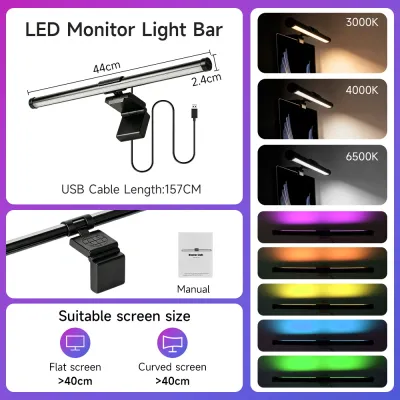
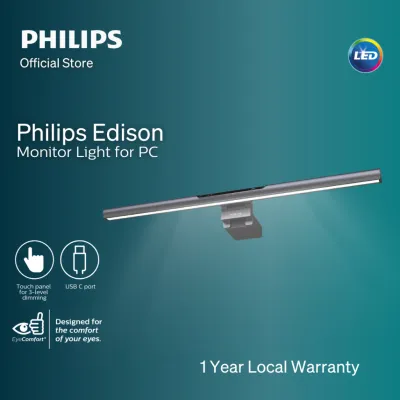
Prices are valid at publication and may change. Please refer to the product page for the latest price.
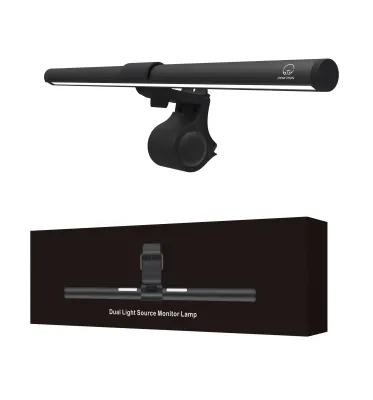
BenQ typically employs a heavy, spring-loaded counterweight clamp system designed to rest securely on a wide variety of monitor profiles. This design relies on gravity and a balanced counterweight to hold the light bar in place without applying excessive pinching force to the screen bezel. The contact points are lined with high-friction silicone padding to prevent slipping and protect the monitor casing from scratches.
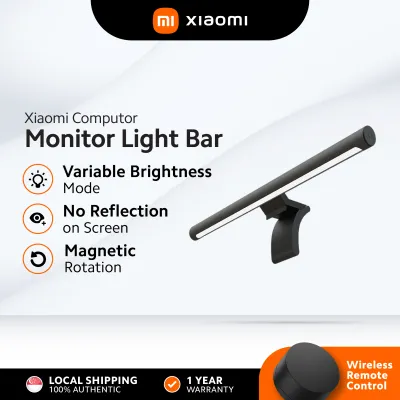
Xiaomi, on the other hand, often utilizes a magnetic attraction mount combined with a weighted base. The light bar itself snaps magnetically onto a heavy base, which then hangs over the top edge of the monitor. This magnetic joint allows you to rotate the light bar slightly to adjust the angle of the beam, though the overall grip depends heavily on the flat surface of the monitor’s top bezel.
To ensure a secure fit, you should measure your monitor’s physical dimensions against the manufacturer’s specifications before buying. Check the maximum and minimum monitor thickness supported by each mounting bracket, which typically ranges from 1 cm to over 3 cm. Bezel width is equally critical; if your monitor has an ultra-thin bezel or a frameless design, a clamp that extends too far down can obstruct the active display area or press directly against the fragile LCD panel.
Additionally, consider the top-of-monitor clearance if you use external accessories. A thick mounting clamp can block integrated webcams, built-in speakers, or top-mounted ports. If you regularly participate in video calls, you may need to verify if the light bar’s mounting bracket allows for an offset webcam mount or if you will need to reposition your camera to the side of your monitor.
Lighting Quality, Glare Control, and Adjustability
The primary purpose of a monitor light bar is to illuminate your desk workspace without casting light directly onto your screen, which causes fatiguing reflections. Both brands advertise asymmetrical optical designs, but the execution and adjustability differ.

An asymmetrical optical design uses a custom reflector or lens to direct light at an angle, creating a sharp cutoff line that keeps the screen in shadow while lighting the desk area in front of it. You can verify this feature by checking the product specification labels for optical diagrams or light path descriptions. When installed correctly, the light beam should not strike the glass of your monitor.
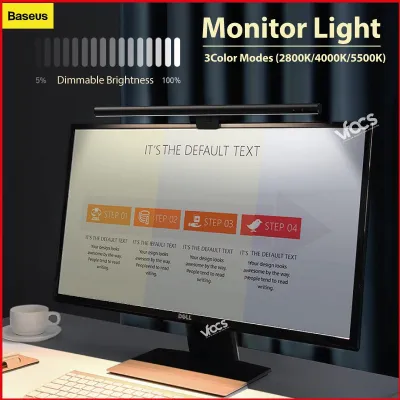
Adjustability is key to matching your lighting to different tasks and times of day. Both brands offer adjustable color temperatures, typically ranging from a warm 2700K to a cool 6500K, alongside variable brightness levels. Warm light is generally preferred for evening relaxation, while cool light can assist with focus during daytime work. You should check the color rendering index (CRI) on the product packaging; a higher CRI (such as Ra 90 or above) ensures that colors on your desk appear more natural and accurate.
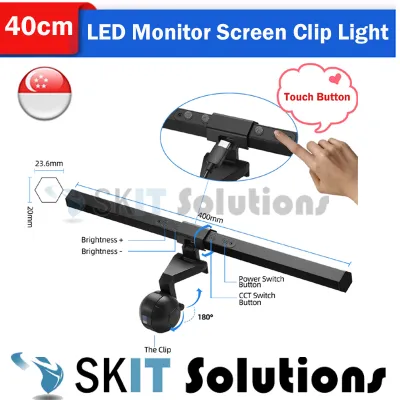
The method of controlling these settings varies significantly between the two brands. BenQ models often feature touch-sensitive controls directly on the light bar itself, or a premium desktop dial (wired or wireless depending on the specific model) that lets you adjust brightness and color temperature smoothly. Xiaomi typically includes a wireless remote puck controller as a standard accessory, allowing you to click and rotate the dial from anywhere on your desk to adjust settings.
Keep in mind that the perceived lighting quality and glare reduction are not solely dependent on the light bar itself. Your ambient room lighting, the reflectivity of your desk surface (such as a glossy white desk versus a matte black desk mat), and the angle of your monitor tilt will all influence your visual comfort.
Power Delivery and Cable Management
A clean desk setup relies on efficient cable routing and stable power delivery. Both BenQ and Xiaomi light bars are powered via USB, but their power requirements and cable configurations differ.
Most modern screen bars utilize a USB Type-C port on the light bar itself, connecting to a power source via a supplied cable. You must verify the required voltage and amperage specifications on the product label—typically 5V and 1A or 2A. Underpowering the light bar by plugging it into a low-output USB port (such as an older USB 2.0 port on a PC or monitor hub) can lead to performance issues, including flickering, automatic shutdown, or an inability to reach maximum brightness.
To maintain a tidy workspace, plan your cable routing before installation. If your monitor features a built-in USB hub with sufficient power output, you can run a short cable directly from the light bar to the back of the monitor, keeping the cable completely hidden. If you must route the cable down to a PC tower or a wall adapter, ensure the supplied cable is long enough to reach without being stretched taut, which can put strain on the light bar’s input port.
Wireless controllers, such as the pucks provided with certain models, help reduce desk clutter by eliminating physical control cables. However, you should account for battery replacement cycles for these wireless remotes. If you prefer a completely maintenance-free setup, a model with physical touch controls on the bar itself eliminates the need for a separate desktop controller and its associated batteries.
Budget Considerations and Value Proposition
When deciding between these two brands in Singapore, your choice should align with your budget and how much you value premium optical engineering versus cost-effective utility.
BenQ positions its ScreenBar line as a premium, long-term investment. The higher price point reflects advanced optical design, robust counterweight mounting systems, and features like automatic dimming via built-in ambient light sensors. If you spend long hours reading physical documents on your desk, use specialized or curved monitors, and want highly precise, automated lighting control, BenQ offers a compelling, reliable solution.
Xiaomi represents the high-value entry point, offering essential asymmetrical lighting and a wireless controller at a fraction of the cost of premium alternatives. It is an excellent choice for students, casual users, or anyone looking to try a monitor light bar for the first time without a significant financial commitment. While the mounting mechanism and optical cutoff may be less sophisticated than premium options, it provides sufficient glare reduction for standard flat-screen setups.
To help guide your decision, consider this conditional framework:
- Choose BenQ if: You have a premium or curved monitor setup, require precise auto-dimming based on ambient room light, prefer touch controls or a highly robust mechanical clamp, and are willing to pay a premium for refined optical engineering.
- Choose Xiaomi if: You want a clean, minimalist desk setup on a budget, prefer a wireless desktop controller included as standard, use a standard flat monitor, and want a cost-effective way to reduce eye strain.
Before making your final purchase, remember to verify current prices, warranty coverage, and stock availability on official brand stores or authorized online retailers in Singapore. Prices can fluctuate, and purchasing from authorized local distributors ensures you receive a valid local warranty in S$ to protect your investment.
Frequently Asked Questions (FAQ)
Can I use a monitor light bar on a curved or ultrawide monitor?
Using a standard, straight monitor light bar on a curved screen can present physical and optical challenges. Because the screen curves forward, a straight light bar may cast light onto the top corners of the display, causing distracting reflections and glare. Additionally, the curved casing can make it difficult for standard flat clamps to sit securely, potentially leading to mounting instability.
Before purchasing, check the manufacturer’s specifications for curvature compatibility. Some light bars specify a minimum curvature radius (such as 1800R or 1500R) that they can safely accommodate. If you use an ultrawide or deeply curved monitor, look for specialized curved-monitor light bars or adjustable mounting adapters designed specifically to project light around the curve without hitting the screen surface.
Does a screen bar light cause reflections on glasses?
While an asymmetrical light bar is designed to prevent light from reflecting off the monitor screen, it can still cause minor reflections on prescription or blue-light blocking glasses depending on your seating position. If the light bar is tilted too far backward or if you sit very close to the screen, the light source may fall within your line of sight, creating a reflection on the inner or outer surface of your lenses.
To mitigate this issue, adjust the physical angle of the light bar so the light beam cuts off just below your eyes. Lowering the overall brightness and ensuring your monitor is tilted slightly downward can also help. Additionally, wearing glasses with high-quality anti-reflective (AR) coatings will significantly reduce any distracting glare from overhead desk lighting.
Will the clamp damage my monitor's screen or bezel?
A properly designed monitor light bar should not damage your screen, provided it is installed correctly and matches your monitor’s physical specifications. High-quality light bars use balanced counterweights and soft silicone padding to distribute weight evenly across the top bezel without applying excessive clamping pressure.
However, risk increases if you attempt to force a clamp onto an incompatible display. Ultra-thin bezels, frameless screens, or monitors with fragile glass panels require extra caution, as excessive pressure can cause backlight bleeding or physical cracks. Always stop the installation immediately if you notice the monitor bezel flexing, gaps forming, or pressure spots appearing on the display, and consult the manufacturer’s manual for compatibility guidelines.

Community discussion
Share your experience or ask a question. Comments are reviewed before publication.