
Selecting a digital alarm clock requires matching its physical design and functional capabilities with your biological clock and morning habits. A clock that works perfectly for a light sleeper who wakes up to a gentle chime might fail a heavy sleeper who routinely presses snooze in a semi-conscious state. To make an informed decision, you must evaluate how you wake up, where the clock will sit, and how you interact with its controls in the dark. Casio offers a wide array of digital clocks, ranging from compact travel companions to feature-rich desktop units. By focusing on key specifications—such as alarm tone types, display illumination, power configurations, and physical dimensions—you can select a reliable timekeeper that integrates seamlessly into your daily routine.
Assessing Your Sleep Patterns and Wake-Up Needs
Your natural waking pattern is the most critical factor when selecting a digital alarm clock. Light sleepers often require only a standard, low-frequency beep to transition gently from sleep to wakefulness. For these individuals, an overly loud or aggressive alarm can cause morning anxiety and an elevated heart rate.
Conversely, heavy sleepers frequently sleep through standard alerts, requiring a progressive alarm that increases in volume or changes tempo over time. If you find yourself sleeping through alarms, look for models that specify high-decibel outputs or feature dual-alarm systems that can be set a few minutes apart.
Products mentioned in this guide
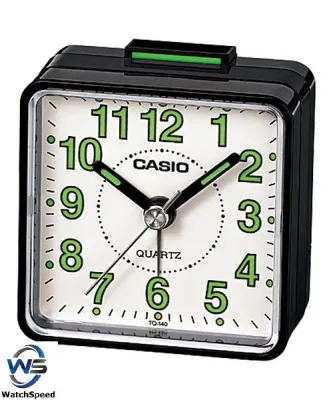
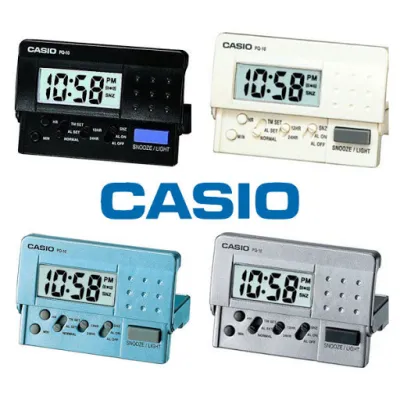
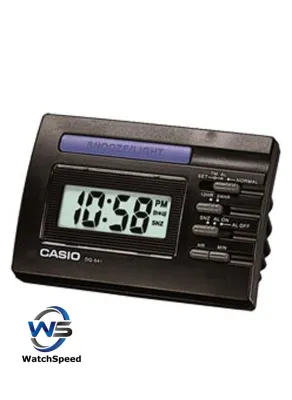
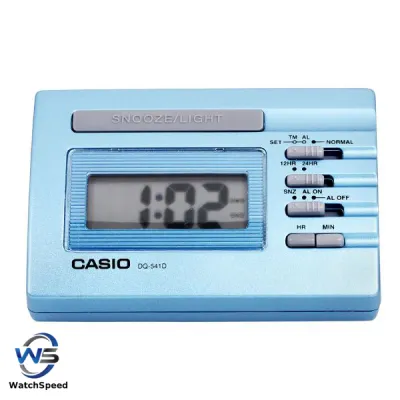
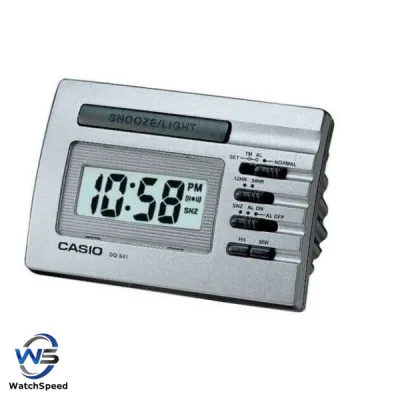
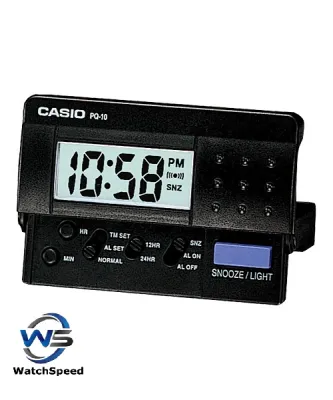
Prices are valid at publication and may change. Please refer to the product page for the latest price.
Snooze dependency is another behavioral trait that dictates the physical design of your clock. If you rely on a snooze function to wake up gradually, a large, easily accessible snooze button is essential. This button should be positioned on top of the clock, allowing you to locate and press it without opening your eyes or risking knocking the clock off your nightstand.
For those who share a bedroom or work irregular shifts, multiple independent alarms are highly beneficial. A clock with dual or triple alarm settings allows you to set different wake-up times for weekdays and weekends, or for two people sleeping in the same bed, without needing to reprogram the device every evening.
Key Features to Evaluate in Casio Digital Clocks
When evaluating digital clocks, do not assume all models offer the same volume levels or tone variations. It is vital to check the manufacturer’s product descriptions for indicators of alarm intensity, such as progressive beeps or multi-level volume switches. Some models feature a mechanical bell sound, while others rely on electronic buzzers; verifying these details ensures the sound matches your waking needs.

Display illumination is another critical feature that directly impacts your sleep quality. A display that is too bright can emit blue light, which disrupts melatonin production and interferes with your ability to fall asleep. Look for clocks that offer adjustable backlight settings, manual button-activated illumination, or smart sensors that automatically dim the display in dark environments.
Power source configurations require careful inspection, especially if you live in an area prone to occasional power fluctuations. While many digital clocks run entirely on batteries, some desktop models use a mains power adapter. For mains-powered units, verify the presence of a battery backup compartment, which ensures the clock continues to keep time and trigger alarms even during an electrical outage.
The physical layout of the buttons determines how user-friendly the clock is during the night and early morning. Buttons that are flush with the casing can be difficult to locate by touch alone. Look for models with raised, tactile buttons that provide clear physical feedback, allowing you to set alarms, toggle the backlight, or turn off the alert without frustration.
Matching Clock Form Factors to Your Daily Routine
The physical footprint and overall design of a digital clock dictate its suitability for different spaces in your home or travel bag. Choosing the right form factor ensures the clock remains stable, readable, and functional in its intended environment.
Bedside Tables and Nightstands
A bedside clock must prioritize readability and stability. Large, high-contrast digital displays allow you to check the time at a glance from across the room or without putting on your glasses in the morning. The screen should feature clear segments that remain legible from various viewing angles.
To maintain a healthy sleep environment, select a bedside clock with customizable brightness levels. An auto-dimming display that adjusts to ambient light prevents the screen from illuminating your bedroom like a nightlight. Alternatively, a manual backlight that only turns on for a few seconds when pressed is ideal for sensitive sleepers.
Physical stability is equally important on a crowded nightstand. A clock with a wide, weighted base or non-slip rubber feet is less likely to slide or tip over when you reach out to press the snooze button in a half-awake state. This prevents accidental damage to both the clock and other bedside items.
Travel and On-the-Go Use
For frequent travelers, portability and durability are the primary considerations. A travel alarm clock should have a compact, lightweight footprint that fits easily into a suitcase or backpack without adding unnecessary bulk.
Many travel-specific models feature protective folding covers that shield the display and buttons from damage during transit. These covers often double as a stand when the clock is set up on a hotel nightstand, providing a stable base on various surfaces.
When traveling across different regions, a dual-time zone display is highly convenient, allowing you to keep track of both your home time and local time. Additionally, relying on standard, widely available batteries (such as AA or AAA) ensures you can easily replace the power source anywhere in the world without needing electrical adapters.
Desks and Workspaces
A digital clock placed on an office desk or in a study serves a different purpose than a bedside unit. In these well-lit environments, the display must remain highly visible under bright overhead lighting or direct sunlight, meaning aggressive auto-dimming features are unnecessary.
Desktop clocks often incorporate secondary environmental sensors, such as digital thermometers and hygrometers. These features help you monitor indoor temperature and humidity levels, allowing you to adjust your heating or cooling systems for optimal comfort and productivity throughout the workday.
An integrated calendar displaying the date and day of the week is another valuable addition for a workspace. This consolidated information aids in daily planning and scheduling, reducing the need to constantly check your phone or computer screen for basic timekeeping details.
How to Verify Specifications and Compatibility Before Purchase
Before finalizing your purchase, it is essential to conduct a thorough verification of the clock’s specifications to ensure it meets your practical needs. Start by reading the official product manual or detailed product listings to confirm the power requirements. Determine whether the clock operates solely on batteries, requires a specific mains adapter, or supports a hybrid power system.
Examine high-resolution product images and user reviews to assess the physical design of the controls. Pay close attention to the size and placement of the snooze and alarm-off buttons. User feedback often provides valuable insights into how easy these buttons are to operate in the dark and whether the display remains legible from different angles.
If you are purchasing a mains-powered clock, verify that it includes a dedicated battery backup compartment. Check the specifications to see what type of battery is required for backup power and whether the clock retains all programmed alarm settings during a power failure. Note that on some models, the display may turn off during a power cut to conserve battery life, while the internal timekeeping and alarm functions remain active.
If you have specific accessibility requirements, such as a need for exceptionally loud volume thresholds, high-contrast visual aids, or simplified button layouts, do not rely on assumptions. If these details are not clearly documented in the product specifications, stop the purchase process and consult the manufacturer or a qualified retail professional to verify compatibility before proceeding.
Frequently Asked Questions (FAQ)
Do Casio digital alarm clocks retain their time settings during a power outage?
Yes, but this depends entirely on the power configuration of the specific model. Battery-only models are unaffected by mains power outages and will continue to run and trigger alarms normally, provided the batteries have sufficient charge. For mains-powered models, time and alarm settings are only retained if the clock is equipped with a dedicated battery backup compartment containing fresh backup batteries. If a mains-powered model lacks this backup feature, a power interruption will reset the clock, requiring you to reprogram the time and alarms. Always consult the product manual to verify the backup capabilities and battery requirements of your chosen model.
Can the display light on a Casio digital clock be turned off completely at night?
Many Casio digital alarm clocks are designed with sleep hygiene in mind and allow you to turn off the display light completely or keep it at a highly dimmed level. Models that feature a manual backlight only illuminate the screen for a few seconds when the top button is pressed, leaving the room completely dark for the rest of the night. Other models with continuous displays often include an auto-dimming sensor or a manual brightness switch to lower the light output. To ensure a pitch-black sleeping environment, verify the specific illumination settings in the product specifications before purchasing, as some basic models may feature a constant, non-adjustable glow.

Community discussion
Share your experience or ask a question. Comments are reviewed before publication.