
Selecting the ideal Braun digital clock for your bedside table requires balancing minimalist aesthetics with practical, sleep-friendly functionality. Because a nightstand clock directly impacts your sleep hygiene, the best model is not simply the most visually appealing one, but the one that aligns with your light sensitivity and daily routine. By evaluating key specifications such as display technology, snooze ergonomics, and physical footprint, you can find a timepiece that keeps you punctual without disrupting your rest.
In compact living spaces, such as modern apartments in Singapore where bedside real estate is highly valued, every item on your nightstand must justify its presence. A clock that is too bright, difficult to silence in the dark, or overly bulky can quickly become a source of frustration. Focusing on how a clock performs in total darkness is the key to making a successful choice.
Core Bedside Requirements for a Braun Digital Clock
When browsing the Braun digital clock lineup, it is easy to be drawn in by the brand’s legendary design heritage. However, a successful bedside clock must prioritize utility over pure form. The primary decision criteria should center on how easily you can read the time at a glance without exposing your eyes to sleep-disrupting glare.
Products mentioned in this guide
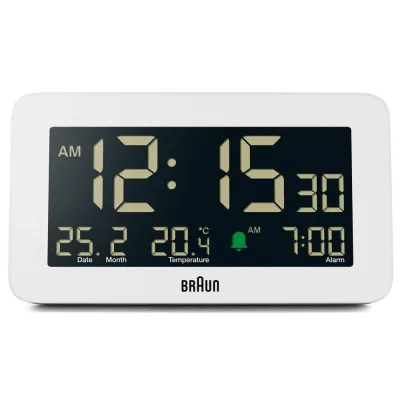
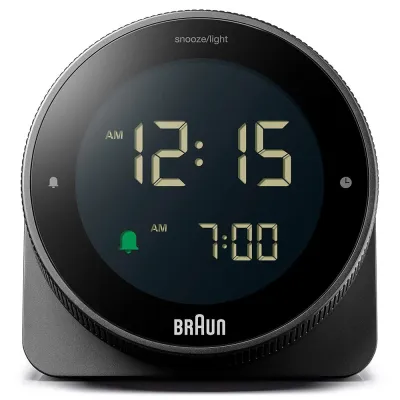
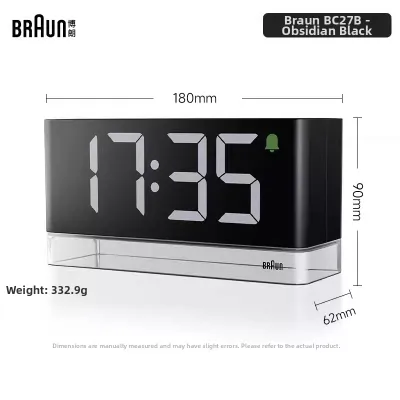
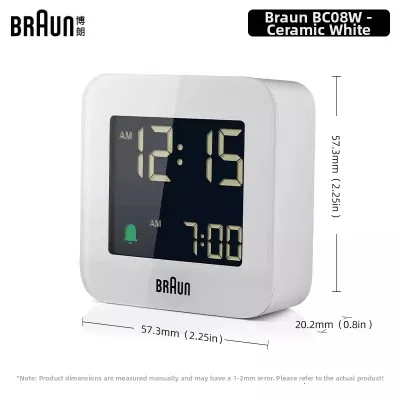
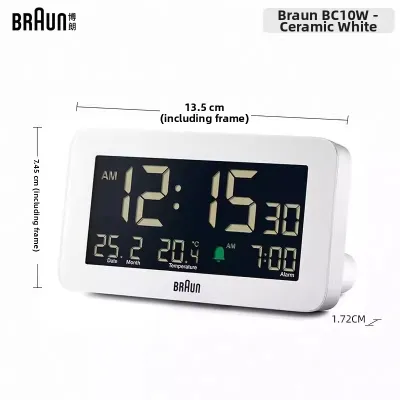
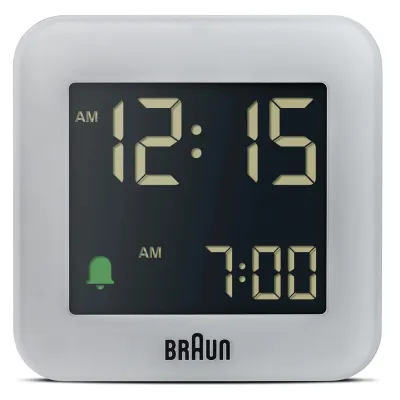
Prices are valid at publication and may change. Please refer to the product page for the latest price.
This requires understanding the inherent trade-offs between different display styles. A high-contrast display that is highly visible during the day might be far too bright at night. Conversely, a highly subtle, non-illuminated screen preserves darkness but may require you to physically interact with the clock just to check the time in the middle of the night.
To make an informed purchase, always look past general design accolades and scrutinize the technical specifications. Focus on the dimensions, the specific power requirements, and the exact method of illumination. This ensures the clock integrates seamlessly into your bedroom environment rather than acting as an unwanted light source.
Managing Display Visibility and Sleep Disruption
The way a digital clock handles illumination is the single most important factor in sleep quality. Braun digital clocks generally utilize one of two display technologies: liquid crystal displays (LCD) or light-emitting diodes (LED). Each technology interacts differently with a dark room, and choosing the wrong one can lead to significant sleep disruption.

Many battery-powered LCD models remain completely dark until you manually trigger the backlight. This is excellent for light-sensitive individuals who prefer a pitch-black sleeping environment. However, if you prefer to check the time without reaching out to press a button, you will need to verify if the model features an integrated ambient light sensor. These sensors automatically trigger a low-level, subtle backlight when the room darkens, providing just enough visibility without flooding the room with light.
In contrast, continuous LED displays offer constant visibility but rely on a steady power source, usually requiring a mains connection. If you are considering an LED model, check the product specifications for manual dimming controls or automatic brightness adjustment. Without these features, a continuous display can cause significant light bleed, casting an artificial glow across your bedroom.
Additionally, pay close attention to secondary light sources on the clock. Some models feature active alarm indicators or power LEDs that remain illuminated constantly. Reviewing verified user feedback and official manuals can help you identify whether these secondary lights are dimmable or if they might pose an annoyance during the night.
Snooze Functionality and Tactile Controls in the Dark
Operating an alarm clock while half-asleep requires intuitive, tactile controls that do not demand your full attention or visual focus. When the alarm sounds in the morning, you should be able to locate and trigger the snooze function easily without knocking the clock off your nightstand.
Braun digital clocks employ various snooze mechanisms, and their ergonomics differ significantly. Many models feature a large, top-mounted touch sensor or physical bar. This design is highly practical for bedside use, as it allows you to silence the alarm temporarily with a simple tap on the top of the casing. Other models may use smaller, discrete buttons located on the front, side, or rear, which require more precise finger placement and can be frustrating to operate in the dark.
Before finalizing your choice, consult the product manual to verify the exact snooze interval. Most digital models feature a pre-set snooze duration, typically ranging from five to nine minutes. Understanding whether this interval is customizable or fixed helps you determine if the clock matches your waking habits.
Furthermore, consider the physical stability of the clock when buttons are pressed. A lightweight clock with stiff buttons may slide across a polished wooden or glass nightstand. Look for models that specify non-slip rubber feet or a weighted base, which keep the device securely in place during early-morning operation.
Size, Power Backup, and Nightstand Compatibility
Bedside tables are often crowded with smartphones, reading glasses, books, and lamps. Therefore, the physical footprint of your digital clock is a critical practical consideration. Measuring your available nightstand surface area before purchasing prevents layout issues and ensures a clean, uncluttered look.
Braun’s digital range includes ultra-compact travel models as well as larger tabletop designs. While travel-sized clocks save valuable space, their smaller screens may be harder to read from a distance. Larger models offer superior legibility but require a dedicated portion of your table. Balancing these dimensions against your personal visual needs and available space is essential.
Power reliability is another crucial factor to evaluate. If you choose a mains-powered model, verify whether it includes a battery backup system. A reliable backup memory ensures that if a local power interruption occurs overnight, your alarm settings and time keeping remain intact, preventing missed appointments. For purely battery-operated models, check the required battery sizes and ensure they are readily available in your local market.
Finally, consider cable management if you opt for a plug-in model. Ensure the power cable is long enough to reach your nearest wall outlet safely without stretching tightly across walkways or behind furniture. Proper cable routing not only maintains the clean, minimalist aesthetic that Braun is famous for but also prevents accidental trips and electrical hazards in the bedroom.
Frequently Asked Questions (FAQ)
Do Braun digital clocks feature automatic dimming for nighttime use?
Automatic dimming is not a universal feature across all models and depends entirely on the specific clock’s design. Some models include built-in ambient light sensors that automatically adjust the display brightness or activate a soft backlight in low-light conditions. To confirm this feature, always check the product specifications or user manual for mentions of an automatic backlight or light sensor before purchasing.
What type of batteries are required for the backup memory feature?
The battery requirements for memory backup vary depending on the specific model and its primary power source. Mains-powered digital clocks often utilize small button cells or standard AAA batteries solely to retain time and alarm settings during power outages. You should consult the technical specifications in the product manual to verify the exact battery size, quantity, and replacement intervals.
Can the alarm be configured to ring only on weekdays?
Most classic and minimalist digital clocks from Braun feature a standard daily alarm that must be manually switched off for the weekend. However, certain advanced or multi-functional models may offer programmable alarm schedules. To determine if a specific model supports a weekday-only setting, review the alarm function section of the official product specifications.

Community discussion
Share your experience or ask a question. Comments are reviewed before publication.