
Selecting the ideal bedside clock requires balancing clear nighttime visibility with undisturbed sleep. Xiaomi offers a diverse range of timepieces, from minimalist electronic-ink displays to fully integrated smart screens. Finding the right model for your bedroom depends on your sensitivity to light, your preferred waking routine, and how deeply you want the device to integrate with your home automation system.
By focusing on practical specifications rather than aesthetic appeal alone, you can find a clock that supports your sleep hygiene. This guide outlines the essential technical factors, display technologies, and smart ecosystem considerations to help you make an informed decision for your bedroom.
Key Factors for Bedroom Clock Selection
Alarm Customisation and Waking Dynamics
An effective alarm clock should ease you out of sleep rather than startle you awake. When browsing different models, look closely at the alarm customization options listed in the technical specifications. Some digital clocks offer gradual volume increases, often referred to as crescendo alarms, which prevent sudden spikes in heart rate during waking hours.
Products mentioned in this guide
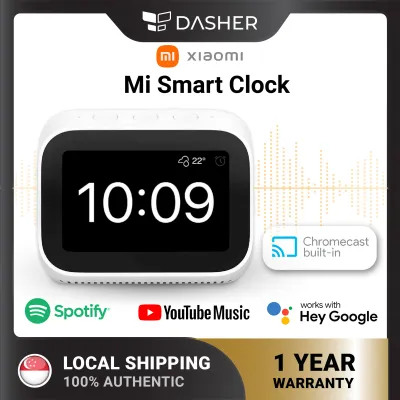
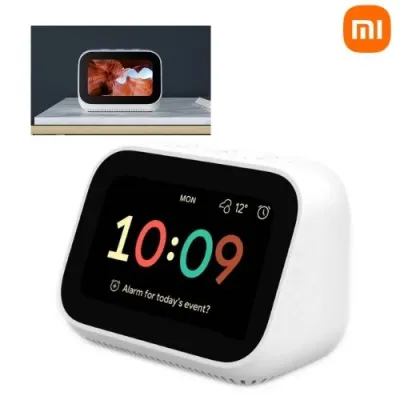
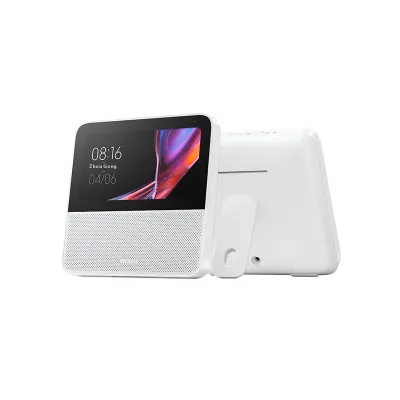

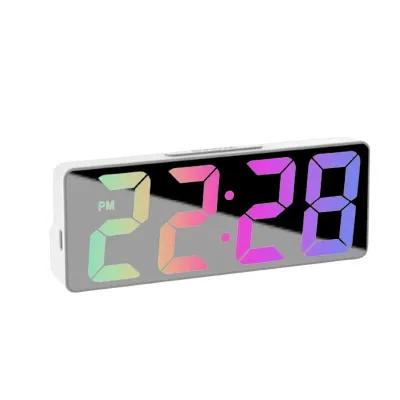
Prices are valid at publication and may change. Please refer to the product page for the latest price.
If you prefer a sensory-based wake-up routine, verify whether the clock supports light-based alarms. These features gradually increase display brightness or activate a connected smart light bulb to simulate a natural sunrise. For those who share a bed or are heavy sleepers, check if the model supports external vibration accessories or silent, haptic alerts, which can be configured through the companion application.
Display Brightness and Sleep Hygiene
Excessive light in the bedroom can disrupt melatonin production and lower your overall sleep quality. To prevent this, prioritize clocks that offer advanced brightness control. Look for models equipped with built-in ambient light sensors that automatically lower the display’s intensity as the room darkens.
If a model lacks an automatic sensor, check the product manual to see if it supports manual step-dimming or scheduled screen-off hours. A scheduled screen-off feature allows you to program the display to shut down completely during your typical sleeping hours, turning back on only when you touch the device or when the alarm sounds. Additionally, consider the display technology: electronic-ink (E-ink) screens emit no light of their own and rely entirely on ambient room light, making them an excellent choice for highly light-sensitive sleepers.
Power Delivery and Outage Resilience
Bedside clocks generally rely on one of two power configurations: direct mains power via a USB adapter or standalone battery power. Mains-powered clocks offer continuous display illumination and constant smart home connectivity, but they are vulnerable to power cuts. To avoid missing alarms during an outage, verify if the mains-powered model contains a backup battery or a supercapacitor designed to retain time and alarm settings when disconnected.
Battery-powered models offer excellent portability and placement flexibility, as they do not require an adjacent wall socket. However, they often limit background smart features or screen brightness to conserve power. When evaluating battery-operated options, check the manufacturer’s specifications to see if they require standard alkaline batteries or feature a rechargeable lithium-ion cell, and note the expected runtimes under normal operating conditions.
Comparing Xiaomi Clock Types for Nighttime Use
Minimalist Digital and E-Ink Clocks
Minimalist digital clocks focus entirely on timekeeping and basic environmental monitoring, such as temperature and humidity tracking. Many of these models utilize E-ink or high-contrast liquid crystal displays (LCDs) without permanent backlighting. These screens are exceptionally easy on the eyes at night because they do not project blue light into the room.

To read these displays in total darkness, you typically press a physical button or tap the top of the casing to trigger a brief, low-intensity backlight. This design ensures your bedroom remains completely dark throughout the night while still allowing you to check the time on demand. These models are highly recommended if you want to minimize screen time and digital distractions in your sleeping space.
Smart Displays and Touchscreen Clocks
Smart displays function as central hubs for your bedroom, showing the time alongside weather forecasts, calendar events, and smart home device statuses. These devices feature active color screens, such as LCD or IPS panels, which require constant backlighting to remain visible. While highly functional, they present a higher risk of sleep disruption if not configured correctly.
Before choosing a smart display, verify that its operating system supports a dedicated night mode. This mode should automatically transition the screen to a minimalist, low-contrast clock face with red or amber tones, which are less disruptive to sleep than blue light. Ensure you can also program a complete screen timeout, allowing the display to go entirely black until activated by a voice command or physical touch.
Ambient Light and Projection Clocks
Some specialized clocks incorporate ambient light elements or projection lenses designed to display the time onto your ceiling or wall. Ambient light features can serve as gentle nightlights or sleep aids, pulsing slowly to guide your breathing before sleep. However, you should verify if these light features can be completely disabled or scheduled to turn off after a set duration.
Projection clocks allow you to check the time without turning your head toward the bedside table. When evaluating a projection model, check if you can adjust the projection brightness, rotate the image, and turn the projector off entirely. This ensures the projected light does not create an unwanted glare on highly reflective bedroom surfaces.
Smart Home Connectivity and Ecosystem Checks
Network Compatibility and App Region Settings
To access the smart features of a Xiaomi clock, you must connect it to the Xiaomi Home companion application. Before purchasing, verify the wireless bands supported by the clock. Most smart home accessories operate exclusively on the 2.4 GHz Wi-Fi band, which offers longer range and better wall penetration than 5 GHz bands. Ensure your home router is configured to broadcast a compatible 2.4 GHz signal.
Additionally, pay close attention to regional server compatibility within the app. If you have already established a smart home network on a specific regional server, such as the Singapore server, ensure the clock model you purchase is compatible with that region. Imported models intended for other markets may fail to pair or sync if your app is set to your local region, requiring you to switch servers and potentially lose connection to your existing smart devices.
Voice Assistants and Bedside Privacy
Many smart clocks feature integrated microphones to support voice assistants, allowing you to set alarms, ask questions, or control other smart devices hands-free. If you plan to place a microphone-equipped device next to your bed, privacy is an important consideration. Look for models that feature a physical microphone mute button or a hardware switch that physically disconnects the microphone circuit.
If a physical switch is not present, review the device specifications to understand how the microphone status is displayed, such as via a dedicated LED indicator. You can also manage voice recording storage and data sharing permissions directly within the privacy settings of the companion application to ensure your personal data is handled according to your preferences.
Automation Triggers and Smart Scenes
One of the primary benefits of a connected bedroom clock is its ability to act as a trigger within your smart home ecosystem. Through the companion app, you can construct automation sequences, often called smart scenes, that coordinate multiple devices based on your waking and sleeping schedules.
For example, you can program a scene where turning off your morning alarm automatically triggers your smart curtains to open, adjusts your air conditioner settings, and turns on your kitchen smart plug. Alternatively, pressing a physical button on a connected clock at night can trigger a “sleep” scene, locking your smart doors, turning off all household lights, and activating a white noise machine. Verify the specific automation triggers supported by the clock’s firmware before finalizing your purchase.
Building Your Shortlist: What to Verify Before Buying
Technical Specifications and Dimming Ranges
Before adding a clock to your shopping cart on any online marketplace or local retail site, download or view the official product datasheet. Look specifically for the minimum brightness rating, which is sometimes measured in nits or lux. A lower minimum brightness ensures the screen can dim sufficiently for comfortable nighttime viewing.
If the exact brightness measurements are not listed, look for user manuals online to check the settings menu structure. Confirm whether the device offers continuous dimming or a high number of manual brightness steps. Avoid models that only offer a few coarse brightness levels, as the lowest setting may still prove too bright in a pitch-black bedroom.
Singapore Electrical and Voltage Standards
Because bedside clocks run continuously, electrical safety and compatibility are paramount. For mains-powered models, verify that the input voltage matches Singapore’s standard household supply of 230V at 50Hz. If the clock uses an external power adapter, ensure the adapter carries the Enterprise Singapore Safety Mark, which indicates it has been tested and certified safe for local use.
Additionally, check the physical plug type supplied with the clock. In Singapore, the standard wall socket is the Type G (UK 3-pin) configuration. If the clock ships with a different plug type, such as a Type A or Type I plug, you will need to use a safe, certified adapter or supply your own compatible USB power brick that meets local safety standards.
Firmware Support and Regional Server Alignment
To ensure your clock remains secure and functions correctly over time, check the manufacturer’s firmware update policy. Regular software updates patch security vulnerabilities and improve device stability. You can usually find information regarding update support periods on the manufacturer’s official website or within the product’s compliance documentation.
Finally, double-check the product listing to confirm whether you are purchasing a “Global” version or a regional import. Global versions are designed to connect seamlessly to local servers, ensuring hassle-free integration with your existing smart home setup. Taking the time to verify these technical details beforehand will help you select a reliable, safe, and highly functional clock that perfectly complements your bedroom environment.
Frequently Asked Questions (FAQ)
Can I use a Xiaomi smart display as a bedside clock without it keeping me awake?
Yes, you can use a smart display next to your bed without disrupting your sleep, provided you configure the display settings correctly. Before purchasing, verify that the model supports an automatic ambient light sensor or a scheduled night mode. Once set up, configure the device to transition to a low-contrast, dark clock face during your sleeping hours, or enable the screen-off feature to turn the display backlight completely off until you touch the screen or your alarm activates.
Do Xiaomi alarm clocks retain their settings during a power outage?
Whether a clock retains its settings during a power failure depends on its specific power design. Battery-operated models are unaffected by power cuts and will continue to function normally. For mains-powered models, you must check the technical specifications to see if the device includes a backup battery, such as a button cell, or non-volatile internal memory. Devices with these features will preserve your time, alarm times, and smart configurations, though the main display may remain dark until mains power is restored.
Is it safe to place a smart clock with a microphone near the bed?
Placing a smart clock with an active microphone near your bed is safe if you take appropriate privacy precautions. If you are concerned about voice data privacy, look for models that feature a physical microphone mute switch on the hardware casing, which physically cuts power to the microphone. Additionally, review the privacy policy in the companion application to manage your data sharing preferences, disable voice command history storage, and control how your voice data is processed.

Community discussion
Share your experience or ask a question. Comments are reviewed before publication.